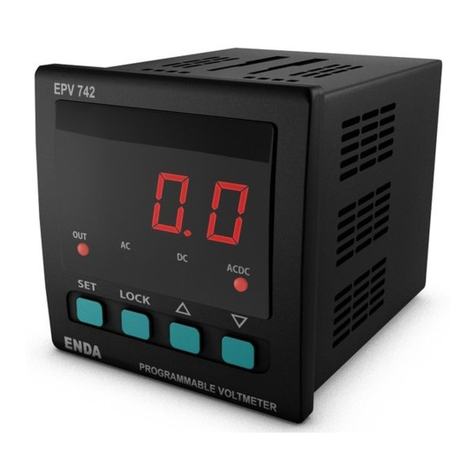
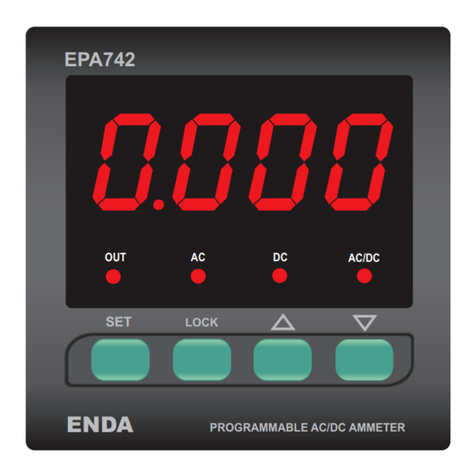
*
*
Sampling time of the measurement value is shown on the screen. If the 1 selected;sampling time of the measurement is 250ms,
If 2 is selected,it is 500ms.If 3 is selected, it is 750ms.If 1 is selected,it is 1 second.
Optn
If this key is pressed,
measuring type
appears.
By using and keys, measuring type can be adjusted to , or ac dc acdc.Three leds
at the top of the display show measuring type.
Measuring
type
If this key is pressed,
device address appears.
Adrs 1
By using and keys device address can be adjusted between 1-247.
**
If this key is pressed,
sampling time measurement
value appears.
Sampling time
measurement value
ACdC
If key is pressed,it returns to parameter name.
If key is pressed, it returns to parameter name.
If key is pressed, it returns to parameter name.
baud OFF
By using and keys, baudrate value of the device can be adjusted to OFF,1200,2400,4800,9600,19200.
If key is pressed,it returns to parameter name.
**
C.Inp 500
*
(*) There are only
(**) The AdrS and baud parameters are only in the devices those have modbus.
, tYPE , optn and C.inP parameters in the devices those have no relay.
NOTE : If key is held down while the device is powered up, d.PAr message will appear and factory settings will be restored.
i
i
For returning to measured value and saving to new settings, one of the following options can be applied ;
a) Wait for 25 seconds without pressing any key after the pogramming.
b) Press and keys together
c) Power down and power up the device .
after the pogramming.
after the pogramming
Means, measured current value is higher than maximum scale. Means, measured current value is lower than minimum scale.
ERROR MESSAGES
If C.Inp input type “500” is selected, the measurement terminals 1 and 4 must be connected. Otherwise the measurement will be incorrect.
If C.ınp input type “50” is selected, the measurement terminals 2 and 3 must be connected. Otherwise the measurement will be incorrect.
Holding Register
Addresses
Decimal Hex
Data
Type Data Content Parameter
Name
Read/Write
Permission Status
Value
0000d
0001d
0002d
0003d
0004d
0005d
0006d
0007d
0008d
0009d
0x0000
0x0001
0x0002
0x0003
0x0004
0x0005
0x0006
0x0007
0x0008
0x0009
word
word
word
word
word
word
word
word
word
word
The upper limit of the setpoint
The upper limit of the hysteresis value
Delay time for the upper limit alarm
The lower limit of the setpoint
The lower limit of the hysteresis value
Delay time for the lower limit alarm
Measurement method (0=AC,1=DC,2=ACDC)
Device address for RS485 network connection. Adjustable between 1-247.
Baudrate (0=Off;1=1200;2=2400; 3=4800; 4=9600; 5=19200)
uPL1
dlyU
LoL1
HYSL
dLyl
HYSU
typE
OPTN
aDRS
BAUD
Readable/Writable 500
0
30
0
0
30
aCdC
4
1
oFF
1.1 HOLDING REGISTERS
ENDA EPV541 DIGITAL VOLTMETER MODBUS PROTOCOL ADDRESS MAP
Input Register
Addresses
Decimal Hex
Data
Type Data Content Parameter
Name Read/Write Permission
0000d 0x0000 word Measured voltage value -- Only Readable
1.2 INPUT REGISTERS
Discrete Input
Addresses Data
Type Data Content Parameter
Name
1.3 DISCRETE INPUTS
Readable/Writable
Readable/Writable
Readable/Writable
Readable/Writable
Readable/Writable
Readable/Writable
Readable/Writable
Readable/Writable
Readable/Writable
Read/Write Permission
Sampling time of the measurement value.If 1 is selected,it is 250ms.If 2 is selected,
it is 500ms.If 3 is selected,it is 750ms. If 4 is selected,it is 1 second.
*Holding Register Parameter Table (No Relay Models)
0000d
0001d
0002d
0003d
0x0000
0x0001
0x0002
0x0003
word
word
word
word
Sampling time of the measurement value
Measurement method (0=AC,1=DC,2=ACDC)
Device address for RS485 network connection. Adjustable between 1-247.
Baudrate (0=Off;1=1200;2=2400; 3=4800; 4=9600; 5=19200)
typE
OPTN
aDRS
BAUD
aCdC
4
1
oFF
Readable/Writable
Readable/Writable
Readable/Writable
Readable/Writable
0001d 0x0001 word Measured voltage value. (While the measured value of 3-digit decimal point is
read as. This value is “0” in other cases.) -- Only Readable
Decimal Hex
00d 0x00 Bit Relay output state (0=OFF; 1=ON) --
Coil Addresses
Decimal Hex
Data
Type Data Content Parameter
Name
Read/Write
Permission
00d 0x00 Bit Alarm output state (0=no; 1=nc)Aout
1.4 COILS
Status
Value
no
Only Readable
Readable/Writable
SET
SET
SET
SET
SET
SET
4
SET
SET
SET
SET
SET
SET
SET
SET
SET
SET
SET
SET
If this key is pressed,
baudrate value appears.
If this key is pressed,
measurement input
type appears.
By using and keys measurement input type can be selected as 500 or 50 .
If key is pressed, it returns to parameter name.
SET
SET
If input type 500 is selected, max. 500V DC or 500V AC can be applied.
If input type 50 is selected, max. 50V DC or 50V AC can be applied.
Before the factory defaults, if the C.inp 50 is selected, HySL and HysU will be applied as 1.00 after the factory defaults.
*Coil and Discrete input parameters are not available in the devices those have no relay
4/4 EPV541-E-02-201409