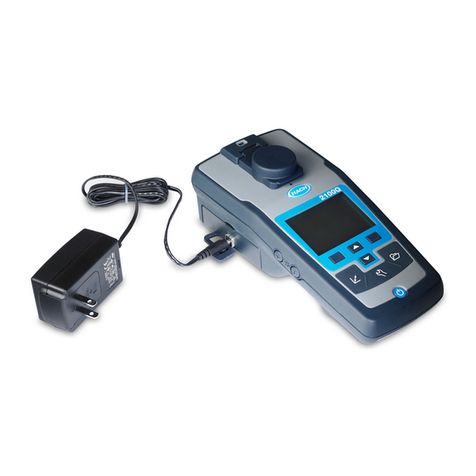
Hach DR300 User manual

DOC022.L3.90639
DR300
02/2019, Edition 2
User Manual
Návod k použití
Ръководство за потребителя
Felhasználói kézikönyv
Manual de utilizare
Návod na použitie
Navodila za uporabo
Korisnički priručnik

English.................................................................................................. 3
Čeština................................................................................................ 25
български........................................................................................... 48
Magyar................................................................................................ 74
Română ............................................................................................... 98
Slovenský jazyk................................................................................. 121
Slovenski........................................................................................... 144
Hrvatski............................................................................................. 167
2

Table of contents
Product components on page 6 Calibration on page 15
Install the batteries on page 7 Maintenance on page 20
User interface and navigation
on page 8
Troubleshooting on page 21
Do a test on page 11 Replacement parts and accessories
on page 24
Specifications
Specifications are subject to change without notice.
Specification Details
Dimensions (W x H x D) 6.9 x 15.7 x 3.4 cm (2.7 x 6.2 x 1.3 in.)
Enclosure IP67, waterproof at 1 m (3.3 ft) for 30 minutes when
battery compartment is closed and locked.
Light source Light emitting diode (LED)
Detector Silicon photodiode
Display LCD with backlight
Weight 0.25 kg (0.55 lb)
Power requirements 4 AAA batteries; approximate life of 5000 tests (use of
backlight decreases this number)
Rechargeable batteries are not recommended.
Operating environment 0 to 50 °C (32 to 122 °F), 0 to 90% relative humidity
non-condensing
Storage temperature –20 to 55 °C (–4 to 131 °F), 0 to 80% relative humidity
non-condensing
Wavelength Fixed wavelength ±2 nm, different for each model
Filter bandwidth 15 nm
Absorbance range 0 to 2.5 Abs
Sample cell 25 mm (10 mL) and 1 cm (10 mL)
Data storage Last 50 measurements
English 3

Specification Details
Bluetooth® 1Bluetooth® is on when the optional Hach
Communication Dongle is installed.
Certifications CE
Warranty 1 year (EU: 2 years)
General information
In no event will the manufacturer be liable for direct, indirect, special,
incidental or consequential damages resulting from any defect or
omission in this manual. The manufacturer reserves the right to make
changes in this manual and the products it describes at any time,
without notice or obligation. Revised editions are found on the
manufacturer’s website.
Safety information
NOTICE
The manufacturer is not responsible for any damages due to misapplication or
misuse of this product including, without limitation, direct, incidental and
consequential damages, and disclaims such damages to the full extent
permitted under applicable law. The user is solely responsible to identify critical
application risks and install appropriate mechanisms to protect processes
during a possible equipment malfunction.
Please read this entire manual before unpacking, setting up or
operating this equipment. Pay attention to all danger and caution
statements. Failure to do so could result in serious injury to the
operator or damage to the equipment.
Make sure that the protection provided by this equipment is not
impaired. Do not use or install this equipment in any manner other than
that specified in this manual.
1The Bluetooth® word mark and logos are registered trademarks
owned by the Bluetooth SIG, Inc. and any use of such marks by
HACH is under license.
4 English

Use of hazard information
DANGER
Indicates a potentially or imminently hazardous situation which, if not avoided,
will result in death or serious injury.
W A R N I N G
Indicates a potentially or imminently hazardous situation which, if not avoided,
could result in death or serious injury.
CAUTION
Indicates a potentially hazardous situation that may result in minor or moderate
injury.
NOTICE
Indicates a situation which, if not avoided, may cause damage to the
instrument. Information that requires special emphasis.
Precautionary labels
Read all labels and tags attached to the instrument. Personal injury or
damage to the instrument could occur if not observed. A symbol on the
instrument is referenced in the manual with a precautionary statement.
This symbol, if noted on the instrument, references the instruction
manual for operation and/or safety information.
Electrical equipment marked with this symbol may not be disposed
of in European domestic or public disposal systems. Return old or
end-of-life equipment to the manufacturer for disposal at no charge
to the user.
Certification
Canadian Radio Interference-Causing Equipment Regulation,
IECS-003, Class B:
Supporting test records reside with the manufacturer.
This Class B digital apparatus meets all requirements of the Canadian
Interference-Causing Equipment Regulations.
English 5

Cet appareil numérique de classe B répond à toutes les exigences de
la réglementation canadienne sur les équipements provoquant des
interférences.
FCC Part 15, Class "B" Limits
Supporting test records reside with the manufacturer. The device
complies with Part 15 of the FCC Rules. Operation is subject to the
following conditions:
1. The equipment may not cause harmful interference.
2. The equipment must accept any interference received, including
interference that may cause undesired operation.
Changes or modifications to this equipment not expressly approved by
the party responsible for compliance could void the user's authority to
operate the equipment. This equipment has been tested and found to
comply with the limits for a Class B digital device, pursuant to Part
15 of the FCC rules. These limits are designed to provide reasonable
protection against harmful interference when the equipment is operated
in a commercial environment. This equipment generates, uses and can
radiate radio frequency energy and, if not installed and used in
accordance with the instruction manual, may cause harmful
interference to radio communications. Operation of this equipment in a
residential area is likely to cause harmful interference, in which case
the user will be required to correct the interference at their expense.
The following techniques can be used to reduce interference problems:
1. Move the equipment away from the device receiving the
interference.
2. Reposition the receiving antenna for the device receiving the
interference.
3. Try combinations of the above.
Product overview
This instrument is a portable filter photometer used for testing water.
Note: This instrument has not been evaluated to measure chlorine and
chloramines in medical applications in the United States.
Product components
Make sure that all components have been received. Refer to Figure 1.
If any items are missing or damaged, contact the manufacturer or a
6 English

sales representative immediately. Figure 1 is an example and shows
the parts supplied with LPV445.99.00110. Other instruments come with
different components.
Figure 1 Product components
1 DR300 5 Storage case
2 AAA alkaline batteries 6 Reagents
3 Sample cells, 25 mm (10 mL),
glass
7 Hach Communication Dongle
(optional, supplied separately)
4 Sample cells, 1 cm (10 mL), plastic
Install the batteries
W A R N I N G
Explosion hazard. Incorrect battery installation can cause the release
of explosive gases. Be sure that the batteries are of the same
approved chemical type and are inserted in the correct orientation.
Do not mix new and used batteries.
Refer to Figure 2 to install the batteries. Then, push to set the
instrument to on.
English 7

Figure 2 Install the batteries
1 Coin 3 Plastic insert for dongle2
2 Battery cover
User interface and navigation
Keypad description
Figure 3 shows the keypad and gives the key functions.
2Only remove the plastic insert to install the Hach Communication
Dongle. Refer to the installation instructions supplied with the
dongle.
8 English

Figure 3 Keypad
1 Range key: Selects the
measurement range (e.g., LR or
HR).
Push and hold for 3 seconds to
enter or exit menu mode.
In menu mode, scrolls up or
increases the value of the selected
digit.
4 Backlight key: Sets the backlight
to on and off.
In menu mode, scrolls down or
decreases the value of the selected
digit.
2 Zero key: Sets the zero value
before a measurement.
In menu mode, goes back one
menu level or moves the cursor to
the previous digit.
5 Read key: Starts a sample
measurement.
In menu mode, selects the menu
option shown or moves the cursor
to the next digit.
3 Power key: Sets the power to on
and off.
Push and hold for 5 seconds to
reset the instrument. The
calibration is not deleted.
English 9

Display description
Figure 4 shows the values and icons shown on the display.
Figure 4 Display
1 Numeric display: Measured value
or menu options
5 Battery icon: Battery power level.
Flashes when the battery power
level is low.
2 Range icon: Points to the selected
measurement range
6 Parameter and measurement
ranges
3 Measurement ranges or
parameters
7 Calibration adjusted icon: The
factory default calibration was
adjusted or a user-entered
calibration curve was entered.
4 Bluetooth® icon: Bluetooth® is
on3.
Set the time
Set the time (24-hour format).
1. Push and hold for 3 seconds to enter menu mode.
The time shows (or 00:00).
2. Push to set the time.
3. Push the or to change the number that flashes. Push to go
to the next digit. Push to go to the previous digit.
3Shows when the Hach Communication Dongle is installed.
10 English
Other manuals for DR300
4
Table of contents
Languages:
Other Hach Measuring Instrument manuals

Hach
Hach 9525sc User manual

Hach
Hach LDO10101 User manual

Hach
Hach sension ph31 User manual

Hach
Hach 9186 User manual

Hach
Hach CM130 User manual

Hach
Hach FH950 Quick manual

Hach
Hach BioTector B3500dw User manual

Hach
Hach 5500sc Operating instructions

Hach
Hach sension6 User manual

Hach
Hach QbD1200 AutoSampler User manual

Hach
Hach Sigma 950 Quick manual

Hach
Hach A1000 Quick manual

Hach
Hach Intellical MTC30101 User manual

Hach
Hach LPV445.99.02110 User manual

Hach
Hach POCKET COLORIMETER II User manual

Hach
Hach sensION+ EC71 User manual

Hach
Hach Lange SensION+ MM 378 User manual

Hach
Hach 9525sc User manual

Hach
Hach ISENA381 Series User manual

Hach
Hach 9523sc User manual