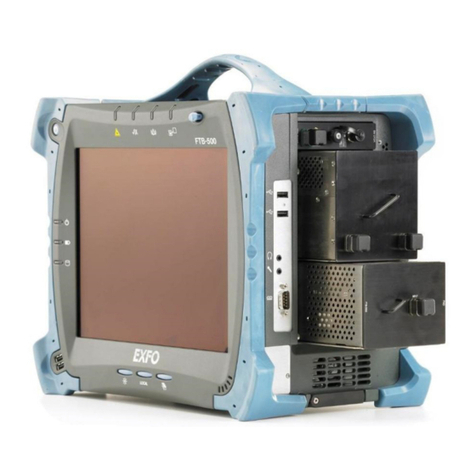
EXFO FTB-5230S User manual

User Guide
Optical Spectrum and Channel Analyzers
for FTB-200 v2
FTB-5230S/-OCA

ii FTB-5230S/-OCA
Copyright © 2013 EXFO Inc. All rights reserved. No part of this publication
may be reproduced, stored in a retrieval system or transmitted in any form,
be it electronically, mechanically, or by any other means such as
photocopying, recording or otherwise, without the prior written permission
of EXFO Inc. (EXFO).
Information provided by EXFO is believed to be accurate and reliable.
However, no responsibility is assumed by EXFO for its use nor for any
infringements of patents or other rights of third parties that may result from
its use. No license is granted by implication or otherwise under any patent
rights of EXFO.
EXFO’s Commerce And Government Entities (CAGE) code under the North
Atlantic Treaty Organization (NATO) is 0L8C3.
The information contained in this publication is subject to change without
notice.
Trademarks
EXFO’s trademarks have been identified as such. However, the presence
or absence of such identification does not affect the legal status of any
trademark.
Units of Measurement
Units of measurement in this publication conform to SI standards and
practices.
Patents
Feature(s) of this product is/are protected by one or more of US patents
6,636,306; 8,358,930; 8,364,034 and equivalent patents pending and granted
in other countries; patent appl. US 2013/0163987 A1; and US patents
6,612,750 and 8,373,852.
Version number: 10.0.9

OSA/OCA iii
Contents
Certification Information ........................................................................................................v
1 Introducing the FTB-5230S/-OCA Optical Spectrum
and Channel Analyzers ................................................................................. 1
Models ....................................................................................................................................2
Typical Applications ................................................................................................................2
Optional Software Packages ...................................................................................................3
Post-Processing Application ....................................................................................................3
Conventions ............................................................................................................................4
2 Safety Information ....................................................................................... 5
3 Getting Started with Your OSA/OCA ............................................................ 7
Inserting and Removing Test Modules ....................................................................................7
Starting Module Applications ...............................................................................................13
4 Preparing Your OSA/OCA for a Test ........................................................... 17
Cleaning and Connecting Optical Fibers ...............................................................................17
Installing the EXFO Universal Interface (EUI) .........................................................................19
Selecting a Test Mode ...........................................................................................................20
Nulling Electrical Offsets .......................................................................................................22
Performing User Calibration ..................................................................................................24
Using the Autonaming Feature .............................................................................................36
5 Setting Up the Instrument in WDM Mode ................................................ 43
Defining Preferences .............................................................................................................45
Setting Up WDM Analysis Parameters ...................................................................................61
Setting Up Acquisition Parameters ........................................................................................88
6 Setting Up the Instrument in Drift Mode ................................................. 91
Defining Preferences .............................................................................................................93
Setting Up Drift Analysis Parameters ..................................................................................107
Setting Up Acquisition Parameters ......................................................................................132
Building a Custom Drift Measurement ................................................................................139
7 Setting Up Your OCA ................................................................................ 149
8 Starting a Measurement .......................................................................... 153

iv FTB-5230S/-OCA
9 Managing Files and Test Configurations .................................................155
Using the Discover Feature .................................................................................................155
Managing Measurement Files .............................................................................................158
Opening Other Test Mode Files in WDM Mode ...................................................................162
Managing Favorites ............................................................................................................163
Importing a Configuration from the Current Trace .............................................................173
Using a Restore Point ..........................................................................................................173
10 Managing Results .....................................................................................175
Managing WDM Test Results ..............................................................................................176
Managing Drift Test Results ................................................................................................185
Managing OCA Test Results ................................................................................................196
Adjusting the Display Size ...................................................................................................201
Viewing WDM Graph in Full-Screen Mode ..........................................................................203
Using Zoom Controls ..........................................................................................................204
Managing Markers .............................................................................................................206
Managing Trace Information ..............................................................................................210
Generating Reports .............................................................................................................214
11 Maintenance ..............................................................................................217
Cleaning EUI Connectors ....................................................................................................217
Recalibrating the Unit .........................................................................................................220
Recycling and Disposal (Applies to European Union Only) ..................................................221
12 Troubleshooting ........................................................................................223
Viewing Online Documentation ..........................................................................................223
Contacting the Technical Support Group ............................................................................224
Transportation ....................................................................................................................226
13 Warranty ....................................................................................................229
General Information ...........................................................................................................229
Liability ...............................................................................................................................230
Exclusions ...........................................................................................................................231
Certification ........................................................................................................................231
Service and Repairs .............................................................................................................232
EXFO Service Centers Worldwide ........................................................................................233
A Technical Specifications ............................................................................235
Index ...............................................................................................................237

Certification Information
OSA/OCA v
Certification Information
North America Regulatory Statement
This unit was certified by an agency approved in both Canada and the
United States of America. It has been evaluated according to applicable
North American approved standards for product safety for use in Canada
and the United States.
Electronic test and measurement equipment is exempt from FCC part 15,
subpart B compliance in the United States of America and from ICES-003
compliance in Canada. However, EXFO Inc. makes reasonable efforts to
ensure compliance to the applicable standards.
The limits set by these standards are designed to provide reasonable
protection against harmful interference when the equipment is operated in
a commercial environment. This equipment generates, uses, and can
radiate radio frequency energy and, if not installed and used in accordance
with the user guide, may cause harmful interference to radio
communications. Operation of this equipment in a residential area is likely
to cause harmful interference in which case the user will be required to
correct the interference at his own expense.
Modifications not expressly approved by the manufacturer could void the
user's authority to operate the equipment.
European Community Declaration of Conformity
An electronic version of the declaration of conformity for your product is
available on our website at www.exfo.com. Refer to the product’s page on
the Web site for details.


OSA/OCA 1
1 Introducing the
FTB-5230S/-OCA Optical
Spectrum and Channel
Analyzers
The FTB-5230S Optical Spectrum Analyzer (OSA) is designed to measure
optical power as a function of wavelength or frequency and Optical Signal
to Noise Ratio (OSNR) based on the IEC method (interpolation method).
It offers truly portable spectral characterization for DWDM network
commissioning.
The FTB-5230S-OCA Optical Channel Analyzer (OCA) is designed to
measure optical power as a function of wavelength or frequency.
Input port
Handle

Introducing the FTB-5230S/-OCA Optical Spectrum and Channel Analyzers
2FTB-5230S/-OCA
Models
Models
The OSA/OCA comes in different models:
The FTB-5230S is an entry-level optical spectrum analyzer that is ideal
for a variety of field applications, including DWDM and CWDM network
commissioning and troubleshooting. The test modes available for your
module are WDM and Drift.
The FTB-5230S-OCA (Optical Channel Analyzer): This model is
designed to measure optical power as a function of wavelength or
frequency. It offers truly portable spectral characterization for CWDM
and DWDM network commissioning.
Typical Applications
You can use your OSA/OCA for the following tasks:
Characterizing channels in the O- to U-band spectra (OSA only)
Troubleshooting and monitoring key parameters on CWDM or DWDM
signals to check system stability
Characterizing all channel spacings, from 50 GHz DWDM to CWDM
Testing high-speed networks (beyond 40 Gbit/s)

Introducing the FTB-5230S/-OCA Optical Spectrum and Channel Analyzers
OSA/OCA 3
Optional Software Packages
Optional software options are available for your OCA application.
Note: Software options are not available on the OSA.
Post-Processing Application
A post-processing, or offline version of the application is available for you to
use on a conventional computer. This offline version has most of the
module application, but does not allow you to perform acquisitions.
Note: The post-processing application is not available for the OCA.
Option Name Description
WDM This option enables you to perform full WDM analyses as
well as WDM drift measurements, just as you would with
an FTB-5230S OSA.

Introducing the FTB-5230S/-OCA Optical Spectrum and Channel Analyzers
4FTB-5230S/-OCA
Conventions
Conventions
Before using the product described in this guide, you should understand
the following conventions:
WARNING
Indicates a potentially hazardous situation which, if not avoided,
could result in death or serious injury. Do not proceed unless you
understand and meet the required conditions.
CAUTION
Indicates a potentially hazardous situation which, if not avoided,
may result in minor or moderate injury. Do not proceed unless you
understand and meet the required conditions.
CAUTION
Indicates a potentially hazardous situation which, if not avoided,
may result in component damage. Do not proceed unless you
understand and meet the required conditions.
IMPORTANT
Refers to information about this product you should not overlook.
This manual suits for next models
2
Table of contents
Other EXFO Measuring Instrument manuals

EXFO
EXFO FTB-5700 User manual

EXFO
EXFO AXS-200 User manual

EXFO
EXFO FTB-1v2 Pro User manual

EXFO
EXFO LTB-12 User manual

EXFO
EXFO Burleigh Wavemeter WA-1100 User manual

EXFO
EXFO FIP-500 User manual

EXFO
EXFO FTB-5600 User manual

EXFO
EXFO OSA20 User manual

EXFO
EXFO Optical Xplorer OX1 User manual

EXFO
EXFO FOT-5200 User manual