
SOLTEK SL-65EP+-T User manual

R
The Soul Of Computer Technology
SL-65EP-T/65EP+-T
Mainboard
SL-65EP-T/65EP+-T
User Manual V1.0

his User’s Guide & Technical Reference is to help system
manufacturers and end-users set up and install the mainboard.
Every effort has been made to ensure that the information in this
manual is accurate. Soltek omputer Inc. is not responsible for
printing or clerical errors. Information in this document is subject to
change without notice and does not represent a commitment on the
part of Soltek omputer Inc.
No part of this manual may be reproduced, transmitted, translated
into any language in any form or by any means, electronic or
mechanical, including photocopying and recording, for any purpose
without the express written permission of Soltek omputer Inc.
ompanies and products mentioned in this manual are for identifi-
cation purpose only. Product names appearing in this manual may
or may not be registered trademarks or copyrights of their respec-
tive companies.
Soltek omputer inc. provides this manual “As is “ without warranty
of any kind, either express or implied, including but not limited to
the implied warranties or conditions of merchantability or fitness for
a particular purpose. In no event shall Soltek computer inc. be
liable for any loss or profits, loss of business, loss of use or data,
interruption of business, or for indirect, special, incidental, or
consequential damages of any kind, even if Soltek computer inc.
has been advised of the possibility of such damages arising from
any defect or error in this manual or product.
Copyright © 2001 Soltek Computer Inc. All Rights Reserved.
NO ICE
Product Model : SL-65EP-T/EP+-T
Manual evision : V1.0
elease Date : October 2001
• Intel, eleron, Pentium II, Pentium III are trademarks of Intel orporation.
• Intel 82815 Graphic Memory ontroller Hub(GM H), 82801 I/O ontroller Hub(I H) are
trademark of Intel orporation.

SOLTEK AROUND THE WORLD
SOL EK COMPU ER INC.
Address : 7F, No. 306-3, Ta-Tung Rd, Sec.1, Hsi- hih, Taipei-
Hsien, Taiwan, R.O. .
Telephone : 886-2-2642-9060
Fax : 886-2-2642-9065
E-mail : [email protected]
Web site : http://www.soltek.com.tw
SOUL ECHNOLOGY EUROPE B.V.
Address : Hongkongstraat 55, 3047 BP Rotterdam. The Neth-
erlands
Telephone : 31-10-2457492
Fax : 31-10-2457493
E-mail : [email protected]
Web site : http://www.soultech-europe.com
SOL EK KOREA INC.
Address : 1002, hung Jin Bldg. 53-5 Wonhyo-Ro, 3-Ka,
Yongsan-Ku Seoul 140-113, Korea
Telephone : 82-2-32717400
Fax : 82-2-32717405
E-mail : [email protected]

65EP-T/EP+-T
4
CONTENT
Chapter 1 Introduction.......................................................... 8
1-1 Mainboard Specification ............................................................ 9
1-1.1 Processor .......................................................................................... 9
1-1.2 hipset .............................................................................................. 9
1-1.3 AWARD BIOS V6.0, Supporting ........................................................ 9
1-1.4 Sound ontroller ............................................................................... 9
1-1.5 Integrated SDRAM ontroller ........................................................... 9
1-1.6 Full Featured Accelerated Graphics Port (AGP) ontroller ............... 9
1-1.7 Power Management ........................................................................ 10
1-1.8 Multi-I/O Function ............................................................................ 10
1-1.9 Form Factor ..................................................................................... 10
1-1.10 Expansion Slots ............................................................................ 11
1-1.11 Hardware Monitoring ..................................................................... 11
1-1.12 Others ........................................................................................... 11
1-2 Mainboard Layout .................................................................... 12
1-2.1 Mainboard Layout --- 65EP-T .......................................................... 12
1-2.2 Mainboard Layout --- 65EP+-T........................................................ 13
1-3 hipset System Block Diagram ............................................... 14
1-4 Mainboard Specification Table Of 65EP-T/EP+-T.................... 15
Chapter 2 Hardware Setup ................................................. 17
2-1 PU Installation ....................................................................... 18
2-1.1 PU Frequency ............................................................................... 18
2-2 Memory Installation.................................................................. 19
2-2.1 Supported System Bus And System Memory Bus Frequencies Table .... 20
2-3 HDD/FDD Installation .............................................................. 21
2-4 Jumper Setting For Devices On Board .................................... 23

5
2-4.1 JP1 Keyboard/Mouse Power On ..................................................... 23
2-4.2 JP5/JP6 FSB Frequency Select ...................................................... 24
2-4.3 BIOS Boot Block Lock (JP16) ......................................................... 25
2-4.4 JP21 On-Board reative Sound Select (For 65EP+-T only) ........... 25
2-4.5 JBAT1/JBAT2 For lear MOS DATA ............................................ 26
2-5 ONNE TORS ONFIGURATIONS ...................................... 27
2-5.1 On Board FAN onnector ( PUFA1, AUXFA1, HAFA1) .............. 27
2-5.2 JWOL1 Wake On LAN .................................................................... 28
2-5.3 D-ROM Audio onnector ( D_IN1/ D_IN2) ................................ 29
2-5.4 TAD1/TV1 onnector ...................................................................... 30
2-5.5 Thermal Sensor onnector (RT2) (Optional) .................................. 31
2-5.6 omplex Header J2&J3 ................................................................. 32
2-5.7 ATX Power Supply onnector ......................................................... 33
2-5.8 hassis Panel onnector ............................................................... 34
2-5.9 Smart ard Reader onnector (S R1) .......................................... 35
2-5.10 ommunication And Networking Riser Slot ( NR) ....................... 36
2-5.11 USB1 Header ................................................................................ 37
2-5.12 PS/2 Mouse And PS/2 Keyboard .................................................. 37
2-6 IRQ Description ....................................................................... 38
Chapter 3 Software Setup .................................................. 40
3-1 Open up the Support D and choose Drivers and Utilities ..... 41
3-2 Install “Intel hipset Software Installation Utility” ..................... 42
3-3 Install “Intel Application Accelerator” ........................................ 43
3-4 reative Audio Driver Installation (For 65EP-T Only) .............. 45
3-4.1 To Install reative Audio Driver ....................................................... 45
3-4.2 To Enable The Rear Line Out (For 4 Speakers) .............................. 46
3-4.3 Identifying onnectors On The Built-in Audio ................................. 47
3-5 A ’97 Audio Driver Installation (For 65EP-T Only) .................. 48

65EP-T/EP+-T
6
3-6 Proceed To Hardware Monitor Utility Installation ..................... 49
Chapter 4
BIOS Setup ............................................................................ 52
4-1 What Is BIOS Setup ................................................................. 53
4-2 How To Run BIOS Setup ......................................................... 53
4-3 What Is MOS ......................................................................... 53
4-4 What Is POST .......................................................................... 53
4-5 BIOS Upgrade ......................................................................... 53
4-5.1 Before Upgrading BIOS .................................................................. 54
4-5.2 Upgrade Process ............................................................................ 54
4-6 BIOS Setup --- MOS Setup Utility ......................................... 58
4-6.1 MOS Setup Utility ......................................................................... 58
4-6.2 Standard MOS Setup ................................................................... 59
4-6.3 Advanced BIOS Features ................................................................ 62
4-6.4 Advanced hipset Features ............................................................ 66
4-6.5 Integrated Peripherals ..................................................................... 69
4-6.6 Power Management Setup .............................................................. 75
4-6.7 PNP / P I onfiguration ................................................................. 80
4-6.8 P Health Status ............................................................................. 83
4-6.9 Frequency/Voltage ontrol .............................................................. 85
4-6.10 Load Optimized Defaults ............................................................... 88
4-6.11 Set SuperVisor / User Password ................................................... 89
4-6.12 Save & Exit Setup ......................................................................... 90
4-6.13 Exit Without Saving ....................................................................... 90
Appendix ................................................................................ 92
Appendix-1 Identifying BIOS Version & BIOS Part Number ......... 93
Appendix-2 Identifying Mainboard model Number ........................ 94
Appendix-3 Technical Terms .......................................................... 95

7
Chapter 1 Introduction
Mainboard
====Support D
====User’s Manual
====Bundled Bonus Pack D
====Bundled Bonus Pack Manual
====Temperature Sensor able (Optional)
====ATA66/100 IDE able
FDD able
I EM LIS CHECKUP

8
65EP-T/EP+-T
• This chapter briefly introduces this characteristics of the mainboard.
It includes the information regarding the chipset, PU types, built-in
functions and layout. Users will have more ideas about mainboards
after reading this chapter.
his chapter contains the following topics :
1-1 Mainboard Specification
1-2 Mainboard Layout
1-3 Chipset Diagram
1-4 Mainboard Specification able
Chapter 1
Introduction

9
Chapter 1 Introduction
1-1 Mainboard Specification
1-1.1 Processor
• Supporting Intel® FC-PGA Pentium IIITM up to 1GHz.
• Supporting Intel® FC-PGA CeleronTM processor up to 1.1GHz.
• Supporting Intel® FC-PGA2TM processors.
• Supporting IA® Cyrix IIITM up to 800MHz.
• Supporting CPU voltage Auto-Detect circuit.
1-1.2 Chipset
• INTEL 82815EP B-stepping Memory Controller Hub (MCH) & INTEL
82801BA I/O Controller Hub (ICH2).
• ITE 8712 EC-LPC I/O chip.
1-1.3 AWARD BIOS 6.0, Supporting
• Plug & Play 1.0.
• Flash Memory for easy upgrade.
• BIOS writing protection.
• Year 2000 compliant.
1-1.4 Sound Controller
• Built-in AC’97 Audio codec (for 65EP-T only).
• Built-in Creative CT5880 Audio chip (for 65EP+-T only).
1-1.5 Integrated SDRAM Controller
• Providing 3pcs DIMM slots for double-sided DIMMs.
• Supporting 100/133MHz SDRAM spec.
• Supporting total memory from 32MB to 512MB using 32Mb/64Mb/128Mb/
256Mb technology.
• Supporting up to 3 double sided DIMMs at 100MHz system memory bus.
• Supporting up to 2 double sided or 3 single sided DIMMs at 133MHz system
memory bus.
• Unbuffered, Non-ECC SDRAM supported only.
1-1.6 Full Featured Accelerated Graphics Port (AGP) Controller
• Provides 1x/ 2x/ 4x AGP controller
• AGP v2.0 compliant.

10
65EP-T/EP+-T
1-1.7 Power Management
• A PI 1.0 compliant (Advanced onfiguration and Power Interface).
• APM V1.2 compliant (Legacy power management).
• Supporting POS mode (Power On Suspend).
• System event monitoring with two event classes.
• Supporting PS/2 Keyboard & Mouse power on.
• Supporting Wake On LAN (WOL) & Wake On Modem.
• Supporting real time clock (RT ) with date alarm, month alarm, and century field.
1-1.8 Multi-I/O Function
• Integrated IDE ontroller.
• Supporting Ultra ATA100/66, BMIDE and PIO modes Universal Serial
Bus connector:
-- USB v1.1 compliant.
-- 2 built-in USB connectors, in addition to one internal USB header which
requires a USB cable to support 2 more optional USB ports.
• Two UART’s for omplete Serial Ports.
• Dedicated IR connector:
-- Third serial port dedicated to IR function either through the two complete serial
ports or the third dedicated port Infrared-IrDA (HPSIR) and ASK (Amplitude Shift
Keyed) IR.
• Multi-mode parallel connector supporting:
-- Standard mode, E P and EPP.
• Floppy Disk connector supporting:
-- One FDD connector with drive swap support .
• Universal Serial Bus connector supporting:
--- USB v1.1 and Intel Universal H I v1.1 compatible.
--- 2 built-in USB connectors and one USB Header (USB1) which requires an
optional USB cable to provide 2 more optional USB ports.
• PS/2 Keyboard connector.
• PS/2 Mouse connector.
1-1.9 Form Factor
• ATX form factor 4-layer P B.
• Mainboard size: 30.5cm x 19.0cm.
Table of contents
Other SOLTEK Motherboard manuals

SOLTEK
SOLTEK SL-65F+ User manual

SOLTEK
SOLTEK SL-PM800I-R User manual

SOLTEK
SOLTEK SL-65DRV User manual

SOLTEK
SOLTEK SL-85SD-C User manual

SOLTEK
SOLTEK SL-B8E-FG User manual

SOLTEK
SOLTEK SL-53D5-S Use and care manual

SOLTEK
SOLTEK SL-65D User manual

SOLTEK
SOLTEK SL-75DRV2 User manual
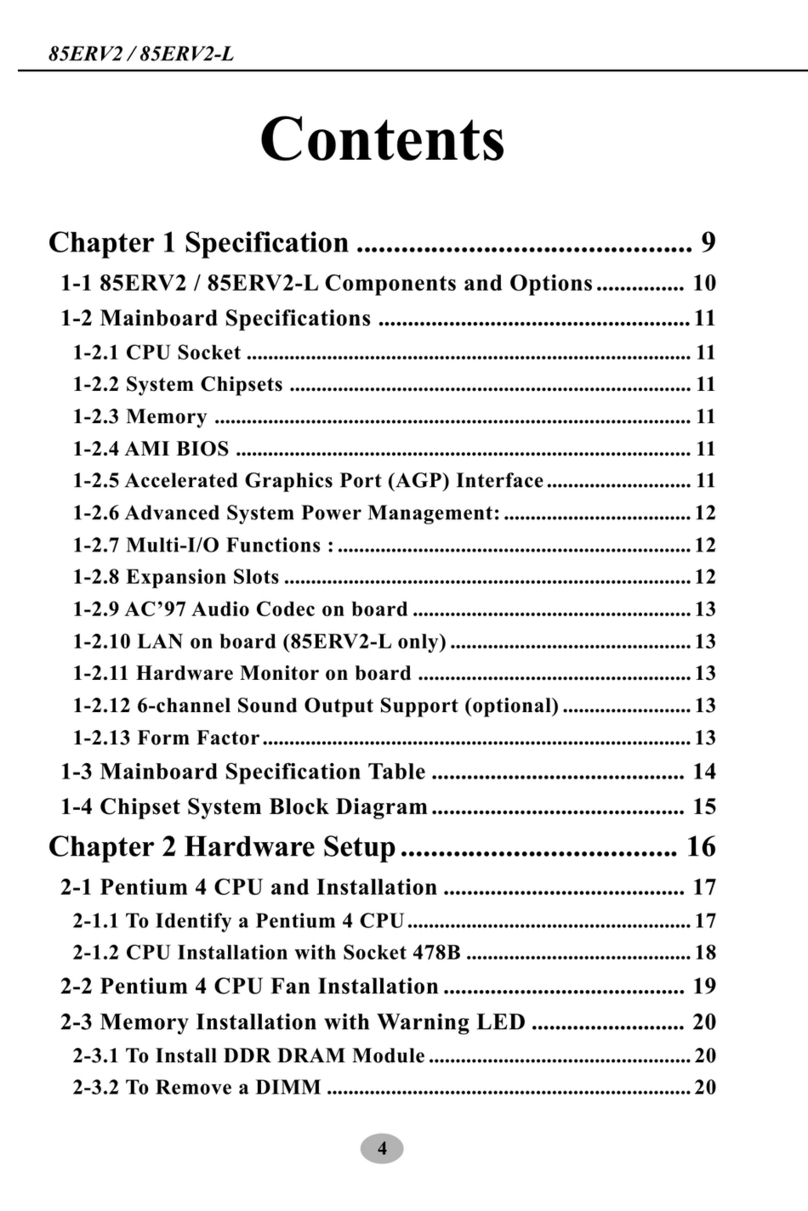
SOLTEK
SOLTEK 85ERV2 User manual

SOLTEK
SOLTEK SL-65DVB User manual

SOLTEK
SOLTEK SL-65LIV-T User manual

SOLTEK
SOLTEK SL-845GLI User manual

SOLTEK
SOLTEK SL-85DIR3 User manual

SOLTEK
SOLTEK SL-85SID User manual

SOLTEK
SOLTEK SL-B8D-F User manual

SOLTEK
SOLTEK 86SP3 User manual

SOLTEK
SOLTEK SL-54A2-S User manual

SOLTEK
SOLTEK 85DRV4-C User manual

SOLTEK
SOLTEK SL-67B-W User manual

SOLTEK
SOLTEK SL-67EB Plus User manual












