
Viper 5906V User manual

OWNER’S GUIDE
MODEL
The company behind Viper®Auto Security
Systems is Directed.
Since its inception, Directed has had one
purpose, to provide consumers with the fin-
est vehicle security and accessories avail-
able. The recipient of nearly 100 patents and
Innovations Awards in the field of advanced
electronic technology.
Quality Directed products are sold and ser-
viced throughout North America and around
the world.
Call (800) 876-0800 for more information
about our products and services.
Directed is committed to delivering
world class quality products and
services that excite and delight our
customers.
®
NO ONE DARES
COME CLOSE ®
5906V
©2013 Directed. All rights reserved. G5906V 2013-09
Vista, CA 92081
www.viper.com

Congratulations
Congratulations on the purchase of your state-of-the-art remote start
and security system. Reading this Owner’s Guide prior to using your
system will help maximize the use of your system and its many fea-
tures. For any additional questions please contact your authorized
Directed dealer or contact Directed at 1-800-753-0600 (U.S. only).
Important information
Government Regulations and Safety information
Read the Government Regulations and Warning! Safety
First sections of this manual prior to operating this system.
Warning! Failure to heed this information can result in
death, personal injury or property damage and may also
result in the illegal use of the system beyond its intended
purpose.
Your Warranty
Your system comes with a warranty. The warranty terms are detailed at
the end of this guide. Make sure that you receive the proof of purchase
from your dealer, indicating the product was installed by an autho-
rized Directed dealer.
Replacement remote controls
Please see your authorized dealer or visit us at www.directedstore.
com to order additional remote controls. Remote control part numbers
are found on the back of the device.


Contents
Getting Started.................................................................................................... 4
Charging the remote control:................................................................. 4
Keys to using this manual...................................................................... 5
Remote Control ................................................................................................... 6
Control Center .................................................................................................... 7
Status Screen Icons.............................................................................................. 8
Using your System............................................................................................. 10
Commands and Confirmations ............................................................ 10
Navigation ....................................................................................... 10
Performing Commands ....................................................................... 10
Fault Condition Alerts......................................................................... 11
Basic commands (function level 1) ...................................................................... 12
Arm ................................................................................................. 12
AUX/Trunk........................................................................................ 12
Disarm ............................................................................................. 13
Remote Start...................................................................................... 13
Advanced commands: Function Level 2............................................................... 14
Silent Arm......................................................................................... 14
AUX 1.............................................................................................. 14
Silent Disarm..................................................................................... 15
Runtime Reset .................................................................................... 15
Advanced commands: Function Level 3 .............................................................. 16
Sensor Bypass ................................................................................... 16
AUX 2.............................................................................................. 16
Remote Valet .................................................................................... 17
Advanced Start ................................................................................. 17
Advanced commands: Function Level 4 .............................................................. 18
Silent Mode 2 ................................................................................... 18
AUX 3.............................................................................................. 18
Car finder......................................................................................... 19
Defroster........................................................................................... 19
Advanced commands: Function Level 5............................................................... 20
Car Select ........................................................................................ 20
AUX 4.............................................................................................. 20
Last Trigger ....................................................................................... 21
Temp Request .................................................................................... 21
Configuring your System.................................................................................... 22
Navigating menus and configuring features ......................................... 22
Settings Menu ................................................................................................... 24
Button Auto Lock ............................................................................... 24
Alert Types ....................................................................................... 24

Animations ....................................................................................... 24
Button Beeps ..................................................................................... 25
Paging ............................................................................................ 25
Temp Units ....................................................................................... 25
Adjustments Menu............................................................................................. 26
Clock Settings .................................................................................. 26
Timer Start ........................................................................................ 26
Smart Start........................................................................................ 27
Remote Pair ...................................................................................... 28
Sensor Adjust ................................................................................... 29
Options Menu................................................................................................... 31
Power Off ........................................................................................ 31
Parking Meter .................................................................................. 31
Countdown Timer .............................................................................. 32
Name Tags ....................................................................................... 33
Demo Mode...................................................................................... 33
Level 5 Screen................................................................................... 34
Alarm Features ................................................................................................. 35
Normal Arm Protection....................................................................... 35
Sensor Silent Arm protection ............................................................... 35
Full Silent Arm Protection .................................................................... 36
Sensor Warn-away Messages ............................................................. 36
Full trigger Messages ......................................................................... 36
Emergency Override .......................................................................... 36
Trigger Zone Fault Report.................................................................... 37
Alarm Trigger Report.......................................................................... 37
Last Trigger Report ............................................................................. 38
Nuisance Prevention (NPC)................................................................. 38
Remote Start Features ........................................................................................ 39
Pit Stop Mode ................................................................................... 39
Key Takeover..................................................................................... 39
Remote Start Safe-lock........................................................................ 40
Disabling Remote Start ....................................................................... 40
Advanced Start ................................................................................. 40
Temperature Reporting........................................................................ 41
Remote Start Time-out Alert.................................................................. 42
Manual Transmission Start (MTS mode) ................................................ 42
Turbo Timer Mode.............................................................................. 43
Remote Start Not Available ................................................................. 44
Remote and System Operations.......................................................................... 45
Passive Arming.................................................................................. 45
Auto Re-arming.................................................................................. 45
Valet Mode ....................................................................................... 46
Power Save....................................................................................... 46
Rapid Resume ................................................................................... 46

Automatic Remote Updates ................................................................. 46
Out of Range .................................................................................... 47
No Remote Output............................................................................. 47
Feature not Available ......................................................................... 47
No Function Assigned ........................................................................ 48
1-way Companion Remote Control..................................................................... 49
Accessing Commands ........................................................................ 50
Sensor Bypass operation .................................................................... 50
Button Auto Lock................................................................................ 50
Car Select......................................................................................... 50
Programming .................................................................................... 51
System Expansion Options................................................................................. 52
Battery Information (Responder HD).................................................................... 54
Low Battery....................................................................................... 54
Battery Life........................................................................................ 55
Battery Information (1-Way) ................................................................ 56
Battery Disposal ................................................................................ 56
Glossary of Terms.............................................................................................. 57
Specifications.................................................................................................... 58
Patent Information ............................................................................................. 59
Government Regulations .................................................................................... 60
Warning! Safety First......................................................................................... 62
Installation ........................................................................................ 62
Remote Start Capable ........................................................................ 62
Manual Transmission Vehicles ............................................................. 62
Interference....................................................................................... 64
Upgrades and Batteries ...................................................................... 64
Water/Heat Resistance ...................................................................... 64
Limited lifetime consumer warranty ..................................................................... 65

4© 2013 Directed. All rights reserved.
Getting Started
Your Responder HD remote is powered by an internal rechargeable
battery that can only be serviced by an authorized Directed dealer.
Due to transit and storage time prior to your purchase, the battery
charge may have depleted. To ensure proper operation, check the
battery level and if not fully charged, use the provided cable to con-
nect to the USB port on a computer. See Battery Information and
Status Screen Icons sections for more information about the battery.
Charging the remote control:
1. Plug the USB end of the provided USB cable into the USB port
on a computer. Insert the mini-USB connector into the mini-USB
port located on the side of the remote control. The Status screen
Info Center then indicates the remote control is charging.
2. While the Status screen is off, the blue transmit LED will continue
blinking until fully charged (the remote control also remains
functional to command the system or access the Status screen to
check the battery level).
3. Once fully charged the remote control is ready for use. Discon-
nect the cable from the remote control end first.
Note If the battery is excessively depleted when charging, func-
tionality may be delayed while it charges to the minimum
voltage required to operate the display, after which normal
charging resumes.

5
© 2013 Directed. All rights reserved.
At a Glance
Keys to using this manual
Specific actions (in bold type) and style conventions are used consis-
tently throughout this manual, they are as follows:
• Toggle: implies rolling the menu wheel up or down and releas-
ing.
• Press: implies pushing directly inward on the menu wheel or com-
mand button and releasing.
• Hold: is used after Toggle or Press actions when the menu wheel
or command button needs to be held in position for an extended
period of time, typically several seconds.
• ARMED this style denotes a still or an animation shown on the
HD display, labeled specifically with the command it identifies.
• Set Clock denotes highlighted on-screen text when configuring
the system or remote control.
• Blue text denotes non-highlighted screen titles or on-screen text
(such as used in the configuration menus).
• Italicized words denote section/sub headings in this guide and
can be located through the table of contents.
• An asterisk (*) when used after a word or phrase denotes that
additional details can be found in related sections usually noted
at the bottom of the page or end of the section.

6© 2013 Directed. All rights reserved.
Remote Control
Feature Description
Internal Antenna* Located at top of remote control is used for transmitting
and receiving information.
Display Full color display
Command buttons (4):
A U X
Used to perform arming, disarming, auxiliary channel and
remote start commands
Menu wheel Located on remote control side is used to access
Function Level screens, control Status Screen info center
content, and navigates the remote control and system
configuration menus
Reset Button** Located through hole on remote control rear, resets the
remote control’s microprocessor
Mini USB Port Located on remote control side is used for charging the
internal battery.
* Avoid touching or grasping the area where the internal antenna is located as it may
reduce range.
** Should the remote stop responding to button presses, insert a pin or the end of a
paper clip, and press in on the reset button for one second.

7
© 2013 Directed. All rights reserved.
At a Glance
Control Center
Status LED Control button
The Control Center, typically located on the upper part of the front
windshield sends and receives commands or messages to and from
your system. It consists of:
• The In-vehicle system antenna, for 2 way communication.
• The Status LED, as a visual indicator of the system’s status.
• The Control button, for placing the system into Valet Mode* and
to perform the Emergency Override** operation.
* See “Remote and System Operations” on page 45 for details.
** See “Alarm Features” on page 35 for details.
Other manuals for 5906V
1
Table of contents
Other Viper Car Alarm manuals


Popular Car Alarm manuals by other brands

Clifford
Clifford 3606X owner's guide

Ultra Start
Ultra Start 2500M SERIES install guide

Ultra Start
Ultra Start 650 Series owner's manual

Audiovox
Audiovox Prestige Platinum+ APS-511C owner's manual

Sparkrite
Sparkrite SRA8 Guide
Federal Signal Corporation
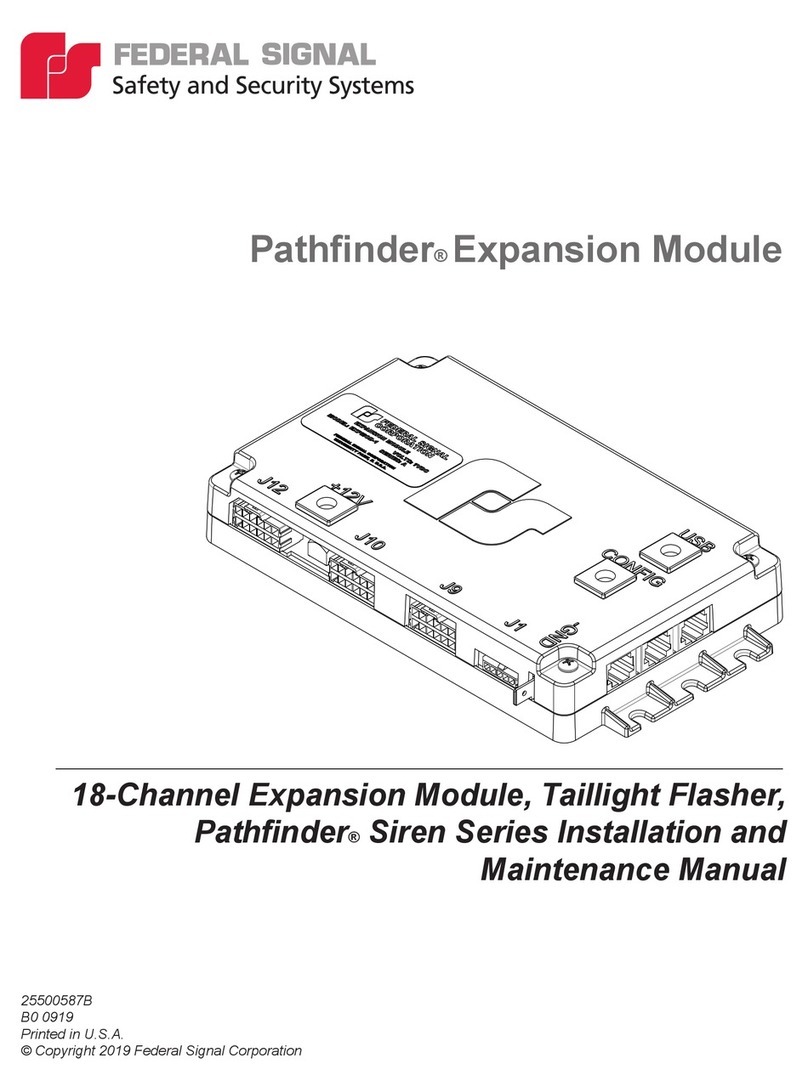
Federal Signal Corporation Pathfinder Siren Series Installation and maintenance manual


