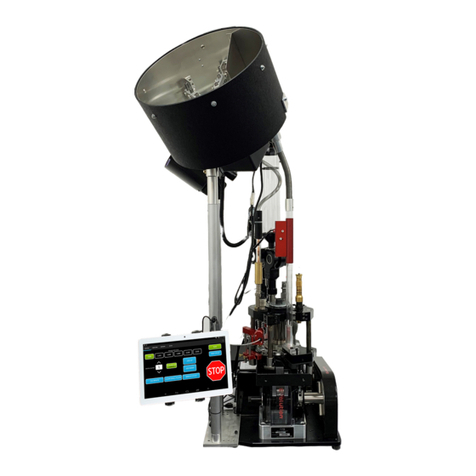
TigerStop TigerSPC User manual

1
2017 TigerStop, LLC®
s
tal
l
at
i
o
n
G
u
i
d
e
e
d
i
u
G
n
o
i
at
l
tal
s
Ins
I
Ins
I
n
Ins
n
s
Ins
s
Ins
s
Ins
s
Ins
n
Ins
n
Ins
I
Ins
I
tal
ta
tal
tal
ta
tal
l
tal
l
tal
l
tal
l
tal
lat
l
lat
l
at
lat
at
lat
at
lat
at
lat
l
lat
l
i
i
i
i
i
i
i
i
i
i
i
i
o
o
o
o
o
o
o
o
n
n
n
n
n
n
n
G
G
G
G
G
G
G
G
uid
u
uid
u
i
uid
i
d
uid
d
uid
d
uid
d
uid
i
uid
i
uid
i
uid
i
uid
u
uid
u
e
e
e
e
e
e
e
e
TigerSPC
February 2017 Mk1

2
Serial Number
TigerSPC
TigerSPC
Standard Jaws Bench Mount Brackets
Power Supply
Antenna
Wireless Receiver
9 Volt Power Supply Serial Cable

3
Safety First!
WARNING: Installation of your TigerStop Product must be done by a person trained in the safe
design and installation of automation products, and in the safe operation of power equipment. Ensure
that such installation meets all legally required safety requirements and guidelines, and that proper
guarding and safety devices are provided on all sides of the equipment to preclude unintended access
during operation. Consult with and follow the recommendations of a qualifi ed safety engineer.
WARNING: TigerStop Products are components intended for use in conjunction with potentially
dangerous machinery. The use of TigerStop Products does not make other machinery safe. TigerStop
Products are not intended to substitute, in any manner, for safe operating practices in general, or for
safety features present in other machines designed to make those machines as safe as possible.
TIGERSTOP PRODUCTS, IF USED OR INSTALLED IMPROPERLY, MAY CAUSE PERSONAL
INJURY OR DEATH AND SHOULD ONLY BE OPERATED BY PERSONS TRAINED IN THEIR
SAFE OPERATING PROCEDURES. Illustrations of TigerStop Products in use do not show, and are
not intended to show, all safety features and practices necessary for their safe operation.
GENERAL
WARNINGS
IMPORTANT SAFETY INFORMATION. READ ALL WARNINGS BEFORE OPERATING THIS PRODUCT.
WARNING: TigerStop Products must be installed in accordance with all local, state, and federal
regulations. Only personnel properly trained in the safe design and installation of automation
machinery and related power equipment should install TigerStop Products onto other equipment, to
ensure a safe and proper work station. TigerStop Products should not be operated without proper
training, both in the operation of TigerStop Products, and in the operation of related equipment.
INSTALLATION
WARNINGS
IMPORTANT CAUTION:
The motor box (compartment) contains DC voltage with potentially FATAL amperage. NEVER attempt
any unauthorized actions inside the motor box.
WARNING: Using a TigerStop interconnect does not relieve you of the responsibility for making sure
that your saw or other tool has all the necessary safety equipment in place. All installations must
meet all legally required safety requirements and guidelines. Installation and training should be done
following the recommendations of a qualifi ed safety engineer.
INTERCONNECTS
DANGER: This machine can start, move and stop automatically. Keep hands and loose clothing
clear of moving parts while operating. Moving parts can crush and cut. When used with a saw or
other cutting equipment, bodily injury and death may result if operated without safety guards on
all machines. Do not operate with guards removed. Operators must wear adequate eye and ear
protection.
OPERATION
DANGER! Don’t get pinched by the push feeder. Keep your hands away when in motion!

4
IMPORTANT SAFETY INFORMATION. READ ALL WARNINGS BEFORE OPERATING THIS PRODUCT.
Do not use TigerStop machines in a dangerous environment. Using power tools in damp or wet
locations or in rain can cause shock or electrocution.
Do not operate near fl ammable liquids or in gaseous or explosive atmospheres!
Wear proper apparel, no loose clothes, long hair or jewelry which could get pulled into moving
machinery or materials.
Wear non slip footwear, safety glasses, ear protection and a dust mask.
Use only 3- wire extension cords that have 3-prong grounding type plugs and 3-pole receptacles that
accept the tools plug for 120VAC. Use only 5-wire cords and plugs when using 3 phase.
DO NOT operate this or any machine under the infl uence of drugs or alcohol!
Do not open motor compartment or controller keypad. DC Voltage with potentially FATAL amperage!
Disconnect power before servicing. No user-serviceable parts inside.
No one should operate this machine except for fully qualifi ed personnel.
Read the manual!
Keep the work area clean and well lighted to avoid accidental injury.

5
Table of Contents
Table of Contents
TigerSPC Installation.....................................................................................................6
Basic TigerSPC Functions...............................................................................................8
Power ON/OFF
Attaching Jaws
Zeroing
Measuring
Transmitting Data
Advanced Settings
TigerSPC Display Software..........................................................................................16
Installation
Using TigerSPC Display Software
TigerSPC Maintenance................................................................................................18

6
End Stop
Attachment
Mounting Point
Display
TigerSPC
Beam
Attachment
Mounting Point
End Stop
TigerSPC Installation
TigerSPC Installation
TigerSPC Anatomy
TigerSPC comes fully assembled from the factory. Carefully remove TigerSPC from its packaging.
TigerSPC Installation
TigerSPC comes with a set of bench mount brackets. If you are mounting TigerSPC to a TigerStop
table, there will be pre-drilled holes in the table. Attach the brackets to the table. If you are not using
TigerStop tables, set the bench mount brackets in place and drill out your table using the bracket bolt
holes as a guide.

7
Slide TigerSPC onto the brackets and lock it down using the tightening knobs.
Installing TigerSPC Wireless Receiver
1. Connect the supplied 9 volt power supply from your 110VAC wall outlet to the TigerSPC wireless
receiver power port.
2. Connect the supplied RS232 serial cable from the wireless receiver to your computer.
RS232 Serial Port
Power Port
Warranty Registration
Warranty Registration
The warranty registration notifies TigerStop, LLC when your new
TigerSPC is about to be put into service. This lets us start the warranty
on the exact day you turn it on.
Fill out the TigerStop Warranty Registration sheet that is shipped with
your TigerStop controller.
Fax or email the registration to;
(360) 260-0755
You may also register your warranty on the web;
www.tigerstop.com\support

8
Basic TigerSPC Functions
Basic TigerSPC Functions
Power ON/OFF
Attaching Jaws
Control Pad Overview
P*
Units Of Measure
Measurement
Parameter Menu
Power
Calibrate
Send
Compensation
Toggle
P
*
HOLD (3 Seconds) P
*
31 2
Hold the power button for 3 seconds. The TigerSPC screen will show a count down and will power up
after 3 seconds. Hold the power button again for 3 seconds to power down.
P
*
Each TigerSPC jaw set is equipped with magnets on its
underside.
Magnets

9
Zeroing
Measuring
Place the jaw in the grooves of the TigerSPC
Attachment Mounting Point. TigerSPC’s jaw magnets
will keep it in place.
HOLD (3 Seconds)
1. Close TigerSPC jaws.
2. Hold the Calibrate button for 3 seconds.
3. The measurement display will change to 0.000.
Note: If you are using the Reference Value setting, the display will show the reference you have set.
1. Open TigerSPC jaws.
2. Place the part to be measured in the jaws.
Note: For maximum accuracy, ensure the part is lying flat and the ends are held securely.
3. Gently close the jaws.
4. The measurement will display on the TigerSPC screen.
9
Place

10
Advanced Settings
Transmitting Data
Close
Read Position
Press when measuring a part to transmit
part length data.
Press to transmit
TigerSPC programming mode allows the user to change TigerSPC settings.
1. Hold
P
for 3 seconds.
Note: TigerSPC will display a countdown. Hold until countdown is over.
2. TigerSPC is now in programming mode.
When in Programing Mode
P
Used to scroll through parameters Scrolls through values on a parameter
Used to change numeric values Save parameter change
Other manuals for TigerSPC
1
Table of contents
Other TigerStop Industrial Equipment manuals

TigerStop
TigerStop TigerSPC User manual

TigerStop
TigerStop SAWGEAR User manual

TigerStop
TigerStop TigerRack User manual

TigerStop
TigerStop TigerAngle 2D System manual

TigerStop
TigerStop TigerSaw 1000 User manual

TigerStop
TigerStop HeavyDuty2 User manual

TigerStop
TigerStop TigerSaw 1000 User manual

TigerStop
TigerStop TigerGauge User manual

TigerStop
TigerStop TigerScan User manual

TigerStop
TigerStop TigerFence User manual