
thermastor Quest Sentry User manual

Rev 5/10/17
1-800-533-7533
www.QuestProtect.com/Sentry
© 2015 Therma-Stor LLC
User Guide
Quest Sentry is a monitoring
system that gives you real-time
data about water, humidity and
temperature in your commercial
setting anytime from anywhere.
SENTRY

Table of Contents
Specifications ................................................................. 3
Items Included ............................................................... 3
Tools Required................................................................ 3
Location Considerations................................................4
Installation..................................................................5-11
Home View....................................................................12
Menu..............................................................................13
Site View.................................................................. 14-15
History View............................................................ 17-18
Alert Rules.....................................................................19
Troubleshooting............................................................20
SENTRY
1-800-533-7533
www.QuestProtect.com/Sentry
© 2015 Therma-Stor LLC

3
Specifications
Part Number: 4037210
Supply Voltage: 115 Volt - 1 Phase - 60 Hz
Current Draw: 0.250 Amps
Operating Temperature: 0 - 150°F, RH% accurate 32°F - 120°F
Power Cord: 6’, 115V
Water Cable: 50’, 2 Conductor 22 AWG
Connectivity: Wi-Fi
1-800-533-7533
www.QuestProtect.com/Sentry
© 2015 Therma-Stor LLC
Quest Sentry Monitor
Quest Sentry Water Sensor
Power Cord (6 ft.)
Water Sensor Cable (50 ft.)
Hanging Screw
1
2
3
5
5
• Phillips Screwdriver
• Smart Phone (iPhone or Android Phone)
• User’s Wi-Fi Password
Items Included
Tools Required
3
3
4
4
12
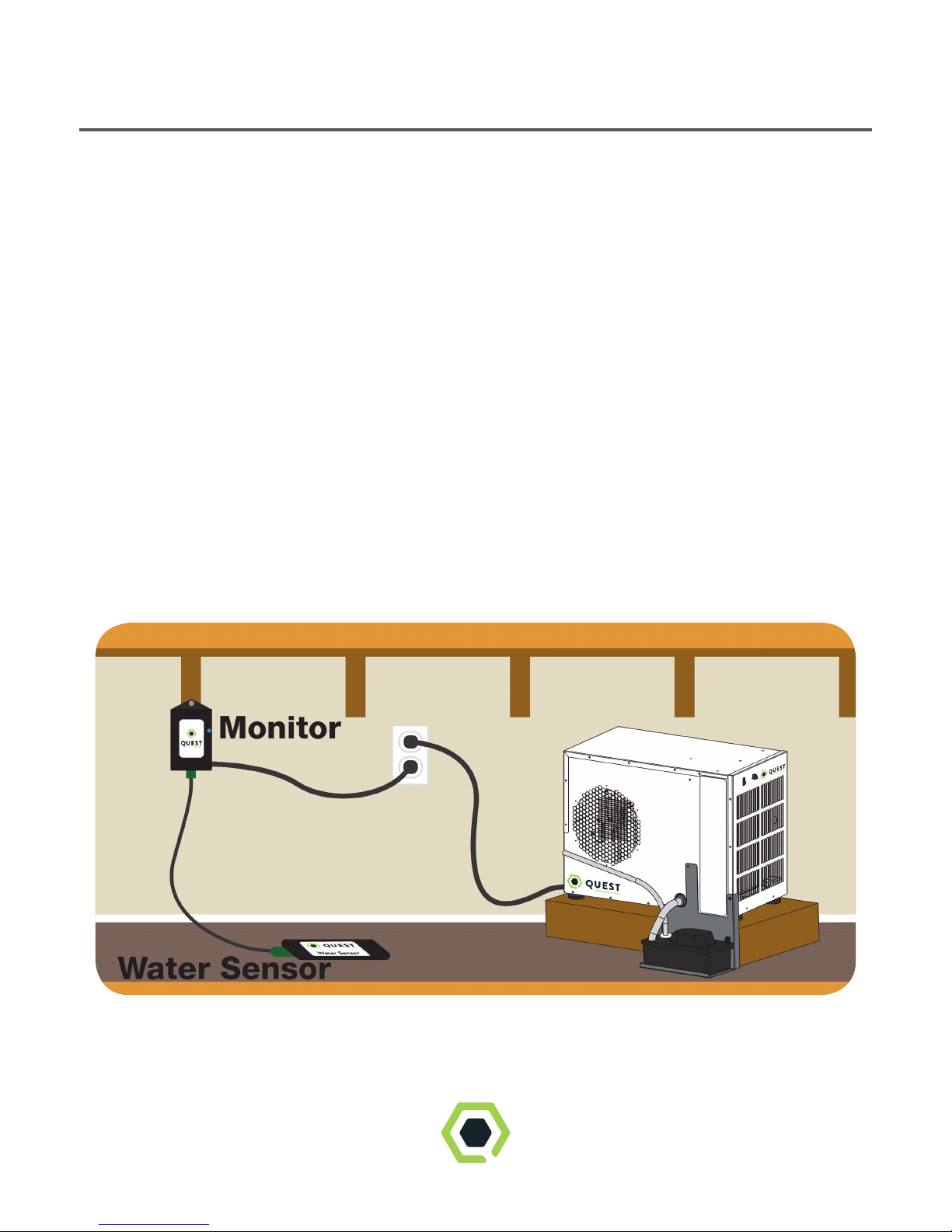
Location Considerations
Place Quest Sentry in the space you’d like to monitor.
Locate the Quest Sentry in a central part of the location. Verify Wi-Fi
connection by plugging in the Quest
Sentry Monitor to an outlet. Wi-Fi verification may take a couple
of minutes. A slow blinking turquoise light will indicate Wi-Fi is
connected.
Once you have verified Wi-Fi connection, mount the Monitor
using the hanging screw provided.
Plug one end of the cable into the Water Sensor and the other
end of the cable into the Monitor. Place the Quest Sentry
Water Sensor (label side up) at the lowest level of the space you wish to
monitor.
4

Step 1.
Download the Quest Sentry app from www.
QuestProtect.com/Sentry
or search “Quest Sentry” on the
App Store or Google play.
Step 2.
Launch the Quest Sentry
app and enter your email and
password. Then select Sign Up.
Installation
Step 3.
Enter your account details and select
notification preferences. Email, SMS,
or both can be selected to best meet
your notification needs. Then
select Create Account.
5
SENTRY

Step 4.
Launch the Quest Sentry app and log
in using your email address and password that was
used to create your account (from Step 2).
Forgot your password? Click the “Forgot
Password” link and an email will be sent to
you with a temporary password and reset
instructions.
Select LOG IN to access your Quest
Sentry account. You will be automatically routed to
Home View. On your initial
login, the dashboard will be blank as
no Sentry monitors will have been added
to your account.
Installation
Step 5.
To add a Sentry site to your account,
select either the +sign in the top right corner
or ADD SITE from the drop-down menu in
the upper left corner of the dashboard.
6
SENTRY

Installation
Step 6.
Follow the steps in the app. First
unplug and re-plug in your Sentry.
Press continue.
If the Sentry is blinking blue,
press Proceed and go to Step 8.
Otherwise, press Wait and go to Step 7.
7
SENTRY
SENTRY

Installation
Step 8.
Click on the Settings button
to go to the phone’s Wi-Fi
settings. Connect to the
Photon- network.
Once the phone connects
to the Sentry, a check mark will
appear.
Navigate back to the
Sentry app.
The Continue button will
be highlighted dark blue. Press
Continue.
Step 7.
Once the Sentry LED is blinking blue,
press Proceed.
8

Installation
Step 9.
Select the network you wish to connect to. If
the network you want doesn’t show up here,
the network could be out of range, hidden, or
5GHz. Enter network password if required.
Press CONTINUE to connect.
Note 1: The Quest Sentry requires a 2.4GHz
Wi-Fi network, check that your
network and password are for your
2.4GHz network.
Note 2: A tan lock to the right of the network
indicates WEP router security. You will need
to provide a Key number, an encryption type
and the passcode
required by the router. A Red X to the right
indicates an Enterprise network which is not
supported by Sentry.
9

Installation
Step 11.
Add Site Info by filling in the required
fields with site specific information. Click
CONTINUE in the bottom
right corner.
Step 10.
The Sentry will blink green
rapidly as it receives the network
credentials. The app will then wait
for verification that the Sentry has
connected to the cloud. This may
take up to two minutes. When done
‘Sentry connected successfully!’ will be
displayed. Press CONTINUE.
10
This manual suits for next models
1
Table of contents
Other thermastor Measuring Instrument manuals


