
Status Pro mLine F1 User manual
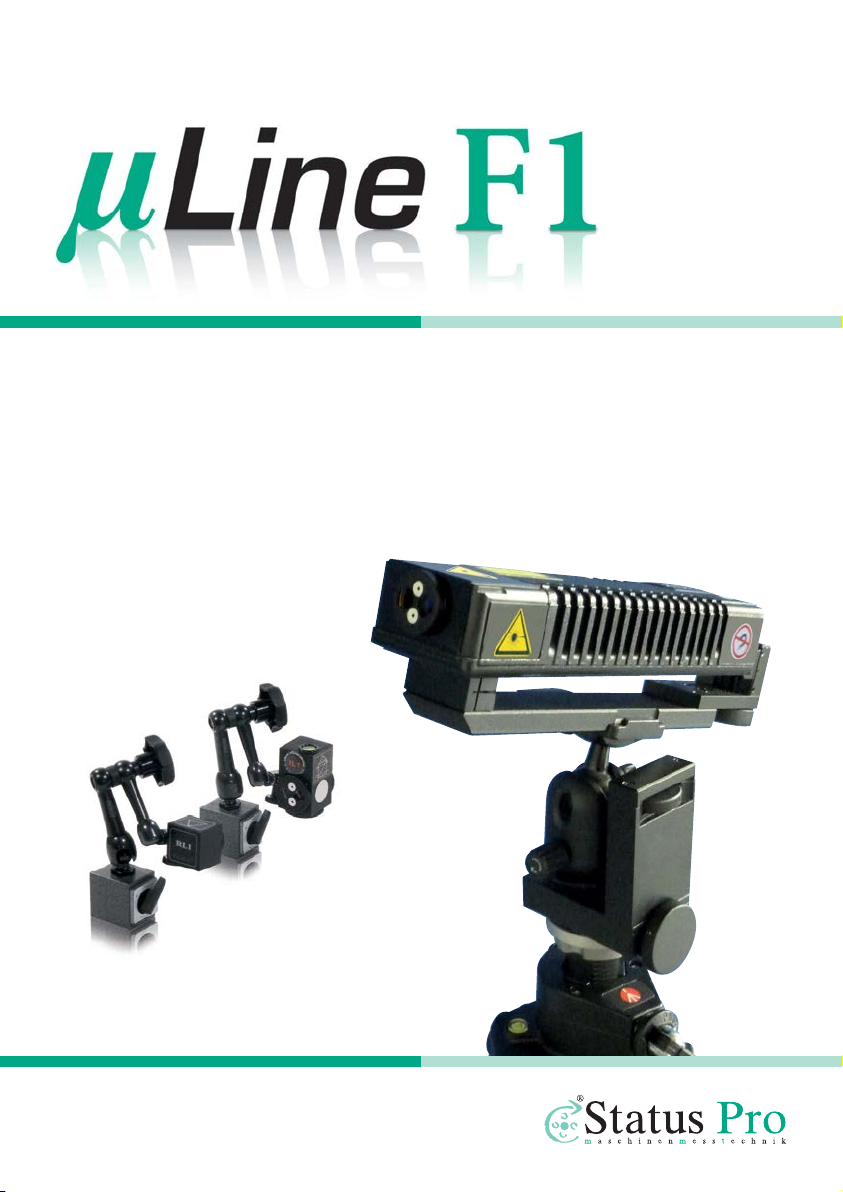
Precision Laser Interferometer
User Manual
Another fine solution by
BA 1075 E

2Status Pro – µLine F1 User Manual
User Manual – English
(BG 840300)
Congratulations and thank you for choosing the Status Pro µLine F1 Laser Interferometer.
Before using it for the first time, please read notes on safety and instructions for use care-
fully. We wish you much joy and success in applying your newly acquired device for precise
displacement detection on machine tools or any other means of measurement you see fit.
Please be aware that here at Status Pro we are constantly improving our products. To
make sure you are reading the up-to-date manual, please go to www.statuspro.de and
download the most recent version.
1 NOTES ON SAFETY . . . . . . . . . . . . . . . . . . . . . . . . . . . . . . . . . . . . . . . . . . . . . . . . . . . . . . . . . . . . . 5
1.1 Laser Protection Class . . . . . . . . . . . . . . . . . . . . . . . . . . . . . . . . . . . . . . . . . . . . . . . . . . . . . . 5
1.2 Standards. . . . . . . . . . . . . . . . . . . . . . . . . . . . . . . . . . . . . . . . . . . . . . . . . . . . . . . . . . . . . . . . . . 6
1.3 Information on Batteries / Accumulators . . . . . . . . . . . . . . . . . . . . . . . . . . . . . . . . . . . . . . 6
1.4 Cleaning . . . . . . . . . . . . . . . . . . . . . . . . . . . . . . . . . . . . . . . . . . . . . . . . . . . . . . . . . . . . . . . . . . . 7
1.5 Service & Maintenance . . . . . . . . . . . . . . . . . . . . . . . . . . . . . . . . . . . . . . . . . . . . . . . . . . . . . 7
1.6 Calibration . . . . . . . . . . . . . . . . . . . . . . . . . . . . . . . . . . . . . . . . . . . . . . . . . . . . . . . . . . . . . . . . . 8
1.7 Disclaimer . . . . . . . . . . . . . . . . . . . . . . . . . . . . . . . . . . . . . . . . . . . . . . . . . . . . . . . . . . . . . . . . . 8
2 INTRODUCTION . . . . . . . . . . . . . . . . . . . . . . . . . . . . . . . . . . . . . . . . . . . . . . . . . . . . . . . . . . . . . . . . 9
3 INSTALLATION. . . . . . . . . . . . . . . . . . . . . . . . . . . . . . . . . . . . . . . . . . . . . . . . . . . . . . . . . . . . . . . . 10
3.1 System requirements. . . . . . . . . . . . . . . . . . . . . . . . . . . . . . . . . . . . . . . . . . . . . . . . . . . . . . . 10
3.2 Installing Software . . . . . . . . . . . . . . . . . . . . . . . . . . . . . . . . . . . . . . . . . . . . . . . . . . . . . . . . . 10
4 COMPONENTS. . . . . . . . . . . . . . . . . . . . . . . . . . . . . . . . . . . . . . . . . . . . . . . . . . . . . . . . . . . . . . . . 11
4.1 Required Components . . . . . . . . . . . . . . . . . . . . . . . . . . . . . . . . . . . . . . . . . . . . . . . . . . . . . . 11
4.2 Additional Components . . . . . . . . . . . . . . . . . . . . . . . . . . . . . . . . . . . . . . . . . . . . . . . . . . . . . 12
5 SETUP . . . . . . . . . . . . . . . . . . . . . . . . . . . . . . . . . . . . . . . . . . . . . . . . . . . . . . . . . . . . . . . . . . . . . . . 14
5.1 Software. . . . . . . . . . . . . . . . . . . . . . . . . . . . . . . . . . . . . . . . . . . . . . . . . . . . . . . . . . . . . . . . . . 14
5.2 Hardware . . . . . . . . . . . . . . . . . . . . . . . . . . . . . . . . . . . . . . . . . . . . . . . . . . . . . . . . . . . . . . . . . 14
Contents

Status Pro – µLine F1 User Manual 3
CONTENTS
5.3 Object of Measurement . . . . . . . . . . . . . . . . . . . . . . . . . . . . . . . . . . . . . . . . . . . . . . . . . . . . 14
6 FEATURES OF THE SYSTEM BUILD . . . . . . . . . . . . . . . . . . . . . . . . . . . . . . . . . . . . . . . . . . . . . . 15
6.1 Basics. . . . . . . . . . . . . . . . . . . . . . . . . . . . . . . . . . . . . . . . . . . . . . . . . . . . . . . . . . . . . . . . . . . . 15
6.2 Switching on the System Components. . . . . . . . . . . . . . . . . . . . . . . . . . . . . . . . . . . . . . . . 15
6.3 Running the Program. . . . . . . . . . . . . . . . . . . . . . . . . . . . . . . . . . . . . . . . . . . . . . . . . . . . . . . 16
6.4 Aligning the Interferometer and Optics . . . . . . . . . . . . . . . . . . . . . . . . . . . . . . . . . . . . . . . 19
6.4.1 Basics in Conducting Measurement . . . . . . . . . . . . . . . . . . . . . . . . . . . . . . . . . . . . . 19
6.4.2 Adjusting the Interferometer for Alignment . . . . . . . . . . . . . . . . . . . . . . . . . . . . . . . 20
6.4.3 Positioning the interferometer . . . . . . . . . . . . . . . . . . . . . . . . . . . . . . . . . . . . . . . . . . 22
6.4.4 Aligning the Interferometer/Positioning the Reflector RL1 . . . . . . . . . . . . . . . . . . 23
6.4.5 Aligning despite Obstacles . . . . . . . . . . . . . . . . . . . . . . . . . . . . . . . . . . . . . . . . . . . . . 24
6.4.6 Aligning the Interferometer Element IL1 . . . . . . . . . . . . . . . . . . . . . . . . . . . . . . . . . . 27
6.4.7 Adjusting RL1 . . . . . . . . . . . . . . . . . . . . . . . . . . . . . . . . . . . . . . . . . . . . . . . . . . . . . . . . . 30
6.4.8 Fine Tuning the Software. . . . . . . . . . . . . . . . . . . . . . . . . . . . . . . . . . . . . . . . . . . . . . . 30
6.5 Placing the temperature sensors . . . . . . . . . . . . . . . . . . . . . . . . . . . . . . . . . . . . . . . . . . . . 31
7 MEASURING ACCURACY IN POSITION . . . . . . . . . . . . . . . . . . . . . . . . . . . . . . . . . . . . . . . . . . 32
7.1 Vibration (optional). . . . . . . . . . . . . . . . . . . . . . . . . . . . . . . . . . . . . . . . . . . . . . . . . . . . . . . . . 32
7.2 Configuring Accuracy of Measurement in Position. . . . . . . . . . . . . . . . . . . . . . . . . . . . . 32
7.2.1 Basics . . . . . . . . . . . . . . . . . . . . . . . . . . . . . . . . . . . . . . . . . . . . . . . . . . . . . . . . . . . . . . . 32
7.2.2 Selecting the Method of Measurement . . . . . . . . . . . . . . . . . . . . . . . . . . . . . . . . . . 33
7.2.3 Automatic Point Detection . . . . . . . . . . . . . . . . . . . . . . . . . . . . . . . . . . . . . . . . . . . . . 35
7.2.4 Creating a Data File . . . . . . . . . . . . . . . . . . . . . . . . . . . . . . . . . . . . . . . . . . . . . . . . . . . 36
7.2.5 Creating a CNC Program . . . . . . . . . . . . . . . . . . . . . . . . . . . . . . . . . . . . . . . . . . . . . . . 36
8 PERFORMING MEASUREMENT OF ACCURACY IN POSITION . . . . . . . . . . . . . . . . . . . . . . . 38
8.1 Reading Data. . . . . . . . . . . . . . . . . . . . . . . . . . . . . . . . . . . . . . . . . . . . . . . . . . . . . . . . . . . . . . 38
8.2 Saving Data . . . . . . . . . . . . . . . . . . . . . . . . . . . . . . . . . . . . . . . . . . . . . . . . . . . . . . . . . . . . . . . 39
8.3 Assessing Data and Creating a Report . . . . . . . . . . . . . . . . . . . . . . . . . . . . . . . . . . . . . . . 39
8.4 Creating CNC Error Compensation . . . . . . . . . . . . . . . . . . . . . . . . . . . . . . . . . . . . . . . . . . . 40
8.5 Dynamic Measurement of Displacement. . . . . . . . . . . . . . . . . . . . . . . . . . . . . . . . . . . . . . 41
8.5.1 Setting up Measurement . . . . . . . . . . . . . . . . . . . . . . . . . . . . . . . . . . . . . . . . . . . . . . . 41
8.5.2 Generating a CNC-program. . . . . . . . . . . . . . . . . . . . . . . . . . . . . . . . . . . . . . . . . . . . . 42
8.5.3 Conducting Measurements . . . . . . . . . . . . . . . . . . . . . . . . . . . . . . . . . . . . . . . . . . . . . 45
8.5.4 Assessing Data and Creating a Report . . . . . . . . . . . . . . . . . . . . . . . . . . . . . . . . . . . 46
8.5.5 Creating CNC Error Compensation. . . . . . . . . . . . . . . . . . . . . . . . . . . . . . . . . . . . . . . 47

4Status Pro – µLine F1 User Manual
CONTENTS
9 ADDITIONAL OPTIONS AND SOFTWARE. . . . . . . . . . . . . . . . . . . . . . . . . . . . . . . . . . . . . . . . . 49
9.1 Main menu. . . . . . . . . . . . . . . . . . . . . . . . . . . . . . . . . . . . . . . . . . . . . . . . . . . . . . . . . . . . . . . . 49
9.2 Measuring Straightness with Standard Optics. . . . . . . . . . . . . . . . . . . . . . . . . . . . . . . . . 50
9.2.1 Basics . . . . . . . . . . . . . . . . . . . . . . . . . . . . . . . . . . . . . . . . . . . . . . . . . . . . . . . . . . . . . . . 50
9.2.2 Selecting Optics . . . . . . . . . . . . . . . . . . . . . . . . . . . . . . . . . . . . . . . . . . . . . . . . . . . . . . 51
9.2.3 Configuring measurement . . . . . . . . . . . . . . . . . . . . . . . . . . . . . . . . . . . . . . . . . . . . . . 51
9.2.4 Conducting measurement . . . . . . . . . . . . . . . . . . . . . . . . . . . . . . . . . . . . . . . . . . . . . . 52
9.2.5 Assessing Measurement . . . . . . . . . . . . . . . . . . . . . . . . . . . . . . . . . . . . . . . . . . . . . . . 53
9.3 Measuring Straightness with Angular Detection Optics . . . . . . . . . . . . . . . . . . . . . . . . 54
9.3.1 Additional Components . . . . . . . . . . . . . . . . . . . . . . . . . . . . . . . . . . . . . . . . . . . . . . . . 54
9.3.2 Aligning Optics to laser . . . . . . . . . . . . . . . . . . . . . . . . . . . . . . . . . . . . . . . . . . . . . . . . 54
9.3.3 Adjusting Optics to each other . . . . . . . . . . . . . . . . . . . . . . . . . . . . . . . . . . . . . . . . . . 56
9.3.4 Fine Tuning with the Software . . . . . . . . . . . . . . . . . . . . . . . . . . . . . . . . . . . . . . . . . . 56
9.3.5 Configuring Measurement in Straightness with Angular Detection Optics . . . . 57
9.3.6 Performing Measurement . . . . . . . . . . . . . . . . . . . . . . . . . . . . . . . . . . . . . . . . . . . . . . 58
9.3.7 Technical Details regarding Straightness Measurement and Angular
Detection . . . . . . . . . . . . . . . . . . . . . . . . . . . . . . . . . . . . . . . . . . . . . . . . . . . . . . . . . . . . . . . . . 59
9.3.8 Precautions concerning Measurement with Angular Detecting Optics. . . . . . . 61
9.4 Measuring a Rotary Axle as to its Properties in Positioning . . . . . . . . . . . . . . . . . . . . . 62
9.5 Measuring the Velocity along an Axis . . . . . . . . . . . . . . . . . . . . . . . . . . . . . . . . . . . . . . . . 62
9.5.1 Aligning the Optics . . . . . . . . . . . . . . . . . . . . . . . . . . . . . . . . . . . . . . . . . . . . . . . . . . . . 62
9.5.2 Conducting measurement . . . . . . . . . . . . . . . . . . . . . . . . . . . . . . . . . . . . . . . . . . . . . . 62
9.6 Measuring the Dynamic Properties of the Axis . . . . . . . . . . . . . . . . . . . . . . . . . . . . . . . . 63
9.6.1 Basics . . . . . . . . . . . . . . . . . . . . . . . . . . . . . . . . . . . . . . . . . . . . . . . . . . . . . . . . . . . . . . . 63
9.6.2 Selecting the right Optics . . . . . . . . . . . . . . . . . . . . . . . . . . . . . . . . . . . . . . . . . . . . . . 63
9.6.3 Measuring Environmental Influences with the Sensors . . . . . . . . . . . . . . . . . . . . 64
9.6.4 Configuring measurement . . . . . . . . . . . . . . . . . . . . . . . . . . . . . . . . . . . . . . . . . . . . . . 64
9.6.5 Performing and Assessing Measurement . . . . . . . . . . . . . . . . . . . . . . . . . . . . . . . . 64
9.7 Measuring Flatness . . . . . . . . . . . . . . . . . . . . . . . . . . . . . . . . . . . . . . . . . . . . . . . . . . . . . . . . 65
9.7.1 Basics . . . . . . . . . . . . . . . . . . . . . . . . . . . . . . . . . . . . . . . . . . . . . . . . . . . . . . . . . . . . . . . 65
9.7.2 Configuring Measurement in Flatness . . . . . . . . . . . . . . . . . . . . . . . . . . . . . . . . . . . 66
9.7.3 Measuring with the Diagonal Method (Moody) . . . . . . . . . . . . . . . . . . . . . . . . . . . 66
9.7.4 Measuring with the Grid Method . . . . . . . . . . . . . . . . . . . . . . . . . . . . . . . . . . . . . . . . 69
9.7.5 Assessment . . . . . . . . . . . . . . . . . . . . . . . . . . . . . . . . . . . . . . . . . . . . . . . . . . . . . . . . . . 69
9.8 Measuring Parallelism between two Axes . . . . . . . . . . . . . . . . . . . . . . . . . . . . . . . . . . . . 69
9.9 Measuring Squareness (Perpendicularity) . . . . . . . . . . . . . . . . . . . . . . . . . . . . . . . . . . . . 70

Status Pro – µLine F1 User Manual 5
NOTES ON SAFETY
10 SETTINGS FOR MEASUREMENTS . . . . . . . . . . . . . . . . . . . . . . . . . . . . . . . . . . . . . . . . . . . . . . 70
10.1 Selecting Configurations. . . . . . . . . . . . . . . . . . . . . . . . . . . . . . . . . . . . . . . . . . . . . . . . . . . 70
10.2 Interface. . . . . . . . . . . . . . . . . . . . . . . . . . . . . . . . . . . . . . . . . . . . . . . . . . . . . . . . . . . . . . . . . 71
10.3 General. . . . . . . . . . . . . . . . . . . . . . . . . . . . . . . . . . . . . . . . . . . . . . . . . . . . . . . . . . . . . . . . . . 72
10.4 Parameters . . . . . . . . . . . . . . . . . . . . . . . . . . . . . . . . . . . . . . . . . . . . . . . . . . . . . . . . . . . . . . 73
10.5 Meteo . . . . . . . . . . . . . . . . . . . . . . . . . . . . . . . . . . . . . . . . . . . . . . . . . . . . . . . . . . . . . . . . . . . 73
10.6 WiMeteo . . . . . . . . . . . . . . . . . . . . . . . . . . . . . . . . . . . . . . . . . . . . . . . . . . . . . . . . . . . . . . . . 74
10.7 Firmware update . . . . . . . . . . . . . . . . . . . . . . . . . . . . . . . . . . . . . . . . . . . . . . . . . . . . . . . . . 75
10.8 Extension Connector . . . . . . . . . . . . . . . . . . . . . . . . . . . . . . . . . . . . . . . . . . . . . . . . . . . . . . 75
10.9 Statistics . . . . . . . . . . . . . . . . . . . . . . . . . . . . . . . . . . . . . . . . . . . . . . . . . . . . . . . . . . . . . . . . 76
10.10 About . . . . . . . . . . . . . . . . . . . . . . . . . . . . . . . . . . . . . . . . . . . . . . . . . . . . . . . . . . . . . . . . . . 76
11 TECHNICAL DETAILS . . . . . . . . . . . . . . . . . . . . . . . . . . . . . . . . . . . . . . . . . . . . . . . . . . . . . . . . . 77
12 PRODUCTS AND SERVICE . . . . . . . . . . . . . . . . . . . . . . . . . . . . . . . . . . . . . . . . . . . . . . . . . . . . . 78
Caution!
• Do not look into the beam directly
• Do not point the beam at other people
• Adhere to common safety regulations and/or house rules. In doubt,
please refer to an authorized person
• Do not operate in moist or in-closed humid conditions
• Avoid direct sunlight and other possible heat sources
• Moisture and extreme heat may damage the device
1 Notes on Safety
1.1 Laser Protection Class
All laser transmitters from Status Pro emit a light source under 1.0 mW of output. This puts
the device within the Laser Protection Class 2, a classification considered safe by IEC
60825. Nonetheless, some safety precautions should be met:

6Status Pro – µLine F1 User Manual
NOTES ON SAFETY
1.2 Standards
All lasers and receivers by Status Pro are developed and produced to the following CE
standards:
• EN 55 011
• EN 55 022
• EN 61 000-4-2
• EN 61 000-4-3
• EN 60 335
1.3 Information on Batteries / Accumulators
Please remove batteries before storing and likewise if the device is plugged in to a power
source. Damage from a possible battery leak can thus be prevented. Please use the char-
ger provided to charge the batteries and adhere to charging times.
Accumulators can be charged on average 1000 times before full capacity diminishes
noticeably. Please replace when battery life increasingly become shorter.
Notes on Handling
Do not drop the device or expose it to heavy shocks. The delicate mecha-
nism and optics could be damaged and cause erratic measuring results.
Do not touch rotating parts while in operation.
Danger!
Do not charge normal alkaline batteries or throw any type of capacitor
into the fire! Danger of explosion! Do not mix rechargeable and non-
rechargeable batteries. Do not mix old and new batteries.

Status Pro – µLine F1 User Manual 7
NOTES ON SAFETY
1.4 Cleaning
This device is designed for harsh environments. It is splash proof and protected against
dust and fine particles. Clean the body with a soft cotton cloth, soaked if necessary in
mildly soapy water. Laser apertures and sensors should be wiped with a soft dry clean
cloth only. Do not use paper rolls or anything that might scratch the lens' surface. For opti-
mal measurements, keep these clean at all times.
1.5 Service & Maintenance
Due to the nature of this device, mechanical parts are invariably subject to wear. Opening
it on own accord without authorized supervision will fortify the warranty. In case of a fault,
please always contact our service team. Please also use the original case for transportati-
on and remove any moisture before storing in a dry place.
Contact us by using our Repair & Calibration form at
www.statuspro.de/userfiles/pdf/Service/FORM_RepairCalibration_1032_E.pdf
Notes on Environment
Please take care of the environment! Dispose of used batteries at the
appropriate recycling stations near you. Do not simply throw them in
the bin.
Please note:
Include the serial no. on the model label to simplify identification of your
device. Our R&C does not cover instances of attempts to repair by third
parties.

8Status Pro – µLine F1 User Manual
NOTES ON SAFETY
1.6 Calibration
We strongly recommend a regular inspection of the Interferometer and all
its system components. In order to guarantee correct calibration, and to
ensure precise measurements, we advise an annual overhaul in our work-
shop by our experienced R&C team.
Our service provides not just re-calibration but also a structural inspection
of all components with updated firmware where applicable. In other words, your device is
not just fixed but undergoes fundamental refurbishment with enhancements. It comes
back more than new with a dated seal for the next inspection. You can find our repair &
calibration form at:
www.statuspro.de/userfiles/pdf/Service/FORM_RepairCalibration_1032_E.pdf
1.7 Disclaimer
Status Pro GmbH is not responsible for damages made due to mishandling of the device.
Proper handling includes awareness of the contents of this manual. Please follow the
advice and recommendations made here carefully. Our costumer guarantee does not
cover errors made by negligence of these recommendations.

Status Pro – µLine F1 User Manual 9
INTRODUCTION
2 Introduction
Since 2011 the Laser-Interferometer-System μLine F1 is manufactured in Poland in accor-
dance to ISO 9001. Due to continuous development and high manufacturing standards with
modern sensor technology, we have produced a measuring system that need not shy away
at the competition. This particular system excels at measuring position, linearities, velocity
and flatness. In a word, it is ideal for measuring displacement at machine tools and other
measuring apparatuses.
The μLine F1 system can be connected to a PC by Bluetooth or using an USB cable. It is
specifically designed to measure positioning. By way of a patented method, it can also
achieve excellent results in straightness too.
Because the μLine F1 works with two frequencies, it is compatible with modern operating
systems and has been tested on Windows NT/2000/XP/7/8 and Win 10. Visual read-out
complies with ISO/DIS 230, PN-93 M55580 regarding reports and diagrams. Results in stati-
stics comply with ISO 230-2, VDI/DGQ 3441, NMTBA, BSIBS 4656 Part 16 and PN-93 M55580
standards and can be displayed accordingly.
The transmitter is a class 2 laser product tested under conditions to international stan-
dards.
Conditions or use
Do not expose the laser to strong magnetic fields•
Do not open or dismantle the laser head•
Do not drop•
Use 100% alcohol to keep the optics clean. Do not scratch!•
Keep proximity to laser clear and tidy•
10 Status Pro – µLine F1 User Manual
INSTALLATION
3.2 Installing Software
Having acquired the program either by download or CD-ROM, click the appropriate sym-
bol to start the installation process. In most cases, Windows setup wizard will prompt
you through the process. When prompted, please select and install the database
BDE/Borland.
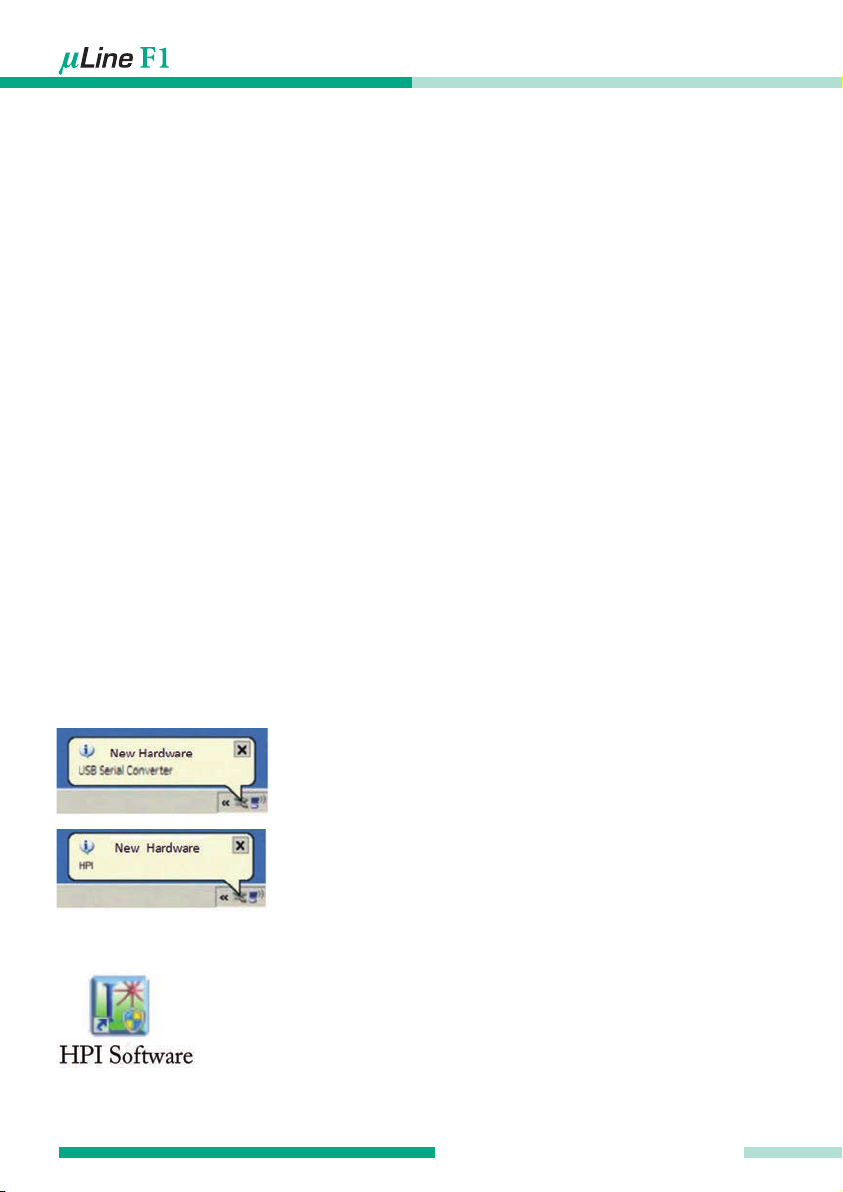
After installation do not immediately run the program. Connect the laser to your PC via
USB. Please allow Windows to detect the device and install drivers if necessary.
Alert after the USB device is found.
Alert after driver is installed.
You can now run the program by clicking the following symbol:
3.1 System requirements
Windows NT/XP/Vista/7/8/10•
Pentium IV processor with 1GHz•
SVGA graphic chip with a resolution of 800x600 ppi or more•
USB 2.0 or Bluetooth 2.0•
WiFi 802.11b/g (WiFi version only)•
3 Installation
In order to use this system with all its features, the appropriate software must be installed
on your PC.
Other manuals for mLine F1
1
This manual suits for next models
1
Table of contents
Other Status Pro Measuring Instrument manuals


