
Stack Dash-2 User manual

ST542038-002
Dash-2Dash-2
Kart LoggerKart Logger
Models:Models:
ST8201ST8201
ST8202ST8202
ST8203ST8203
ST8204ST8204
User GuideUser Guide


STACK Dash-2 Kart Logger Preface
User Guide i
PrefacePreface
Congratulations
CongratulationsonchoosingtheDash-2KartLogger.Thissystemwillgiveyouawealthofinformationtoenableyoutoobtainthe
maximumsafeperformancefromyourkart.
Registration Form
Pleasecompleteandreturntheregistrationformcontainedinthepackage.Thiswillallowustokeepyouuptodateonthelatest
developmentsfromSTACK.
Purpose of this manual
ThismanualwillhelpyouinstallandusetheDash-2KartLogger.Itexplainshowtosetupandconfigurethesystemforyourkart.
Edition Notice
ThiseditionisforallversionsoftheDash-2KartLoggerdistributedtocustomersworldwide.Theunitsofmeasurementusedto
illustratetheuseoftheDash-2KartLoggerinthiseditionarefortheUKversion.Unitsusedinthevariousversionsareshowninthe
followingtable.
Parameter Type UK US EC
Speed MPH MPH km/h
Temperature Degrees C Degrees F Degrees C
Wheel Circumference Millimetres Inches Millimetres

Preface STACK Dash-2 Kart Logger
ii Users Guide
Related Products From Stack Limited
IfyouneedinformationaboutotherSTACKmotorsportproducts,thesecanbeobtainedfromSTACKorfromyourlocalSTACKdealer.
ProductsavailablefromSTACKinclude:
•IntelligentTachometers
•ActionReplayTachometers
•PerformanceAnalysers
•Speedometers
•BoostGauges
•AnalogueSensors
•DigitalSensors
•DataLoggingSystems
•DisplayandLoggingSystems
•RadioTelemetrySystems
•DisplayandAnalysisSoftware
Who to Contact at STACK in Case of Difficulty
STACKanditsapproveddistributorsprovideacomprehensiveTechnicalHelpservicetoassistwithyourenquiries.Contactyourlocal
STACKbranchordistributor.
UnitedKingdomTelephoneNumbers:
Sales: +44(0)1869240404
TechnicalSupport: +44(0)1869240420
Fax: +44(0)1869245500
STACKisaregisteredtrademarkofSTACKLimited.
InformationinthispublicationissubjecttochangewithoutnoticeanddoesnotrepresentacommitmentonthepartofStackLimited.No
responsibilityisacceptedforerrororomission.
Copyright1994,1995,1996,1997STACKLimited

STACK Dash-2 Kart Logger Contents
User Guide iii
ContentsContents
Preface i
Congratulations i
RegistrationForm i
Purposeofthismanual i
EditionNotice i
RelatedProductsFromStackLimited ii
WhotoContactatSTACKinCaseofDifficulty ii
Contents iii
1. Introducing the Kart Logger 1
HowtoUsethisManual 1
2. Getting Started 3
Unpacking 3
OptionalDash-2KartLoggerItems 4
ItemsnotincludedwithyourDash-2 4
TheDisplayModule 5
WiringHarness 5
ConnectingtheComponents 6
3. Operating the Dash-2 Kart Logger 7
Switches 7
Warninglights 8
Changingthedisplaylayers 8
PeakValues(TellTales) 11
Laptimes 13
Gearshiftlight 14
4. Configuring the Dash-2 Kart Logger 15
Configurationmode 15
Settingorresettingconfigurationvalues 16
Leavingconfigurationmode 17
5. Using the Dash-2 Charts 18
Allchannels 18
Allchannelsfull 18
Carburettorsetting 19
Cornerradius 19
Driveractivity 20
Drivercompare 20
EGT&CHT 21
EGT&Watertemperature 21
Gforces 22
Gearratio 22
Laptimes 23
Rollinglaptime 23
Speed&RPM 24
Speed&timecompare 24
Steering 25

Contents STACK Dash-2 Kart Logger
iv Users Guide
6. Installing the Dash-2 Kart Logger 26
FittingtheDisplayModule 26
Procedure 26
Wiring 27
FittingtheEngineSpeed(RPM)Sensor 29
FittingtheWaterTemperaturesensor 30
FittingtheWheelspeedsensor 31
FittingtheThrottleorBrakePositionSensors 31
FittingtheSteeringPositionSensor 33
FittingtheCylinderHeadTemperaturesensor 34
FittingtheExhaustGasTemperatureSensor 35
BatteryandCharger 36
TracksideInfra-RedLapBeacon 37
7. Troubleshooting 38
Spares 42
8. Summary of Switch Functions 43
NormalOperation 43
SystemConfigurationMode 43
Index 45

STACK Dash-2 Kart Logger 1. Introducing the Kart Logger
Users Guide 1
1. Introducing the Kart Logger1. Introducing the Kart Logger
TheSTACKDash-2KartLoggermonitorsanddisplaysarangeofvalues,knownasperformanceparameters,neededforeffectivekart
anddrivermanagementinmostcompetitivesituations.
Thesystemcombinesananaloguetachometerwithadigitaldisplayforthefollowingperformanceparameters:
1. Enginespeed(RPM)
2. WheelSpeed
3. CylinderHeadTemperature(CHT)(option)
4. WaterTemperature(option)
5. ExhaustGasTemperature(EGT)(option)
6. BatteryVoltage
7. LapTimes
8. SteeringPosition(option)
9. ThrottlePosition(option)
10. BrakePosition(option)
11. LateralAcceleration(option)
12. Maximumandminimumcornerspeedsdisplay(option)
13. PerformanceMeter(option)
Youcanviewthepeakvalues(tell-tales)foralltheparametersexceptlateralg,steering,throttleandbrake.
Thesystemprovidesarangeofwarningmessagesbasedonpresetalarmvaluesforthefollowingperformanceparameters:
1. HighCylinderHeadTemperature
2. HighExhaustGasTemperature
3. HighWaterTemperature
4. LowBatteryVoltage
5. LowLithiumBatteryVoltage
Youcanenableordisablethewarningsystemforeachparameterindividually.
Youcanredefinepresetalarmvaluestovaluesthataremoresuitableforyourkart.
ThesystemprovidesagearshiftwarninglightthatisbasedonanRPMvaluethatyoudefineforyourkart.
How to Use this Manual
STACKrecommendsthatyouunpackandconnectthecomponentsinthesystembeforeyouinstallitinyourkart.Thiswillenableyou
tofamiliariseyourselfwithoperatingthedisplayandconfiguringitforthekart.

1. Introducing the Display System STACK Dash-2 Kart Logger
2Users Guide
Thismanualstartsbytakingyouthroughtheprocessofsettingupthesystembeforeinstallation,operatingthedigitaldisplay,
configuringthesystemandsettingthealarmvalues,andinstallingitonthekart.BytheendofSection2,youwillhavesetupthe
systemsothatyouwillbeassuredthatitisfunctioningnormally.YoucanthenreadSection3andpracticeusingitsfunctions.Section
4takesyouthroughconfiguringitforyourkart.Section5describesthegraphsandchartsavailable.Section6explainshowtoinstall
itonthekart.Section7providesasetoftrouble-shootingguidelines.
Pleasenotethatdatainterpretationadvicegiveninthismanualisgiveningoodfaith,butcannotbeguaranteedtobesuitabletoyour
kartandtypeofracing.Thebestadvicewecangiveistowatchcarefullywhatthekartisdoing,howthedriverisperformingand
thendoyourbesttotiethisinwithwhatyouseefromtheDash-2.

STACK Dash-2 Kart Logger 2. Getting Started
Users Guide 3
2. Getting Started2. Getting Started
Thissectionguidesyouthroughtheinitialunpackingandsettingupoftheequipmentforpre-installationchecksandfamiliarisationwith
itsoperation.
Unpacking
Youshouldfindthefollowingcomponentsintheshippingbox:
Description 8201 8202 8203 8204
Display in Composite Housing without G sensor 1
Display in Composite Housing with built-in G sensor 1 1 1
Wiring Harness (ST872 ) 1 1 1 1
RPM Sensor (ST696 ST697 H.T. Pick-up) 1 1 1 1
Wheel Speed Sensor with magnets (ST669) 1 1 1 1
PCNIU Interface 1 1 1 1
Infra-red Lap Time Beacon (ST544) 1 1 1 1
9.6V NiCd Battery Pack (111410) 1 1 1 1
Charger for 9.6V NiCd Battery Pack 1 1 1 1
Software installation disks 2 2 2 2
Data Analysis Software User Guide 1 1 1 1
Dash-2 User guide (this document) 1 1 1 1
Kart logger fastener kit 1 1 1 1
Steering position sensor 1
Pedal sensor kit 2
CHT sensor Option Option
Water temperature sensor Option Option
EGT sensor Option
1

2. Getting Started STACK Dash-2 Kart Logger
4Users Guide
Optional Dash-2 Kart Logger Items
TheDash-2KartLoggercanpurchasedforusewiththefollowingoptionalcomponents:
Items not included with your Dash-2
•12voltbatteryforlaptimetransmitter
•IBMcompatiblePersonalComputer(PC)
Description
Cylinder Head Temperature Sensor (ST758)
Exhaust Gas Temperature Sensor (ST759)
Water Temperature Sensor (ST760/1/2/4)
Performance Meter option. Note: The ST8108 Performance meter option is
delivered prefitted in the Display Module.
Corner Speed option. Note: The ST8109 Corner Speed option is delivered
prefitted in the Display Module.
This manual suits for next models
4
Table of contents
Other Stack Measuring Instrument manuals

Stack
Stack Clubman ST200 User manual
Stack
Stack ST8382 Pro DVR User manual

Stack
Stack ST8956 Installation and operating instructions
Stack
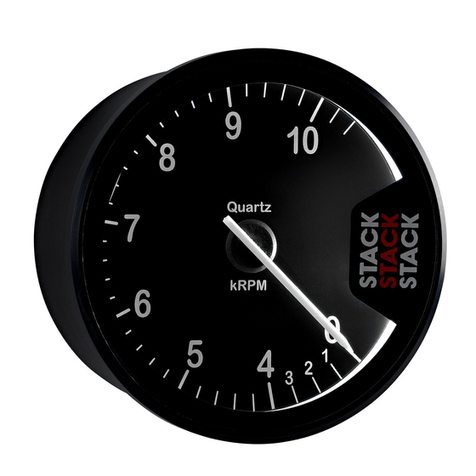
Stack ST200 User manual
Stack
Stack ST8150 Installation and operating instructions

Stack
Stack Clubman ST200 User manual

Stack
Stack ST500 User manual

Stack
Stack ST8120 User manual


