Starting work with the Race Meter
Race Meter device is easy to use and user does not require any additional skills to operate it.
Nevertheless, it is necessary to follow several requirements for receiving accurate measurement
results.
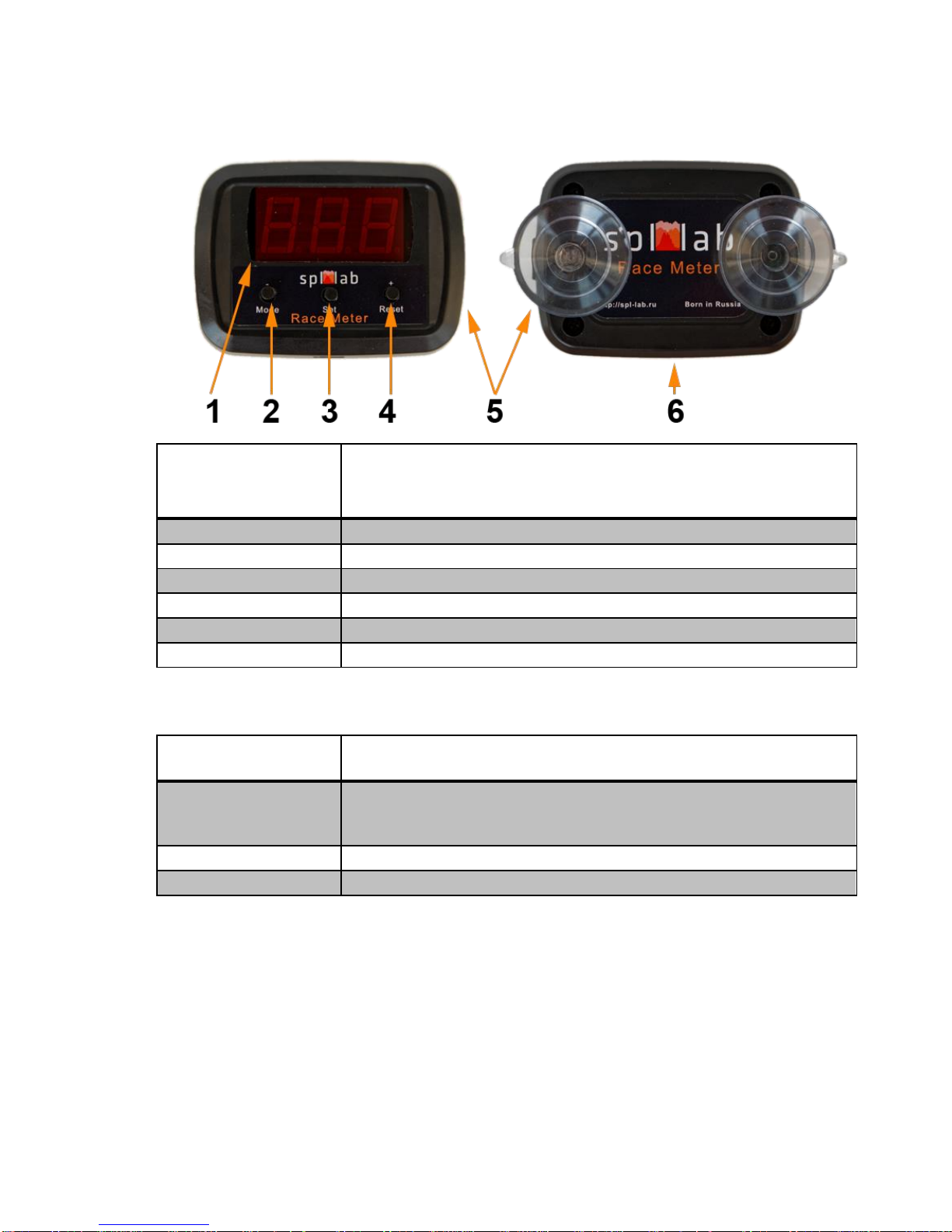
Unpack the device and check the contents of the set. If necessary, insert micro SD into the slot.
Connect the USB cable to the device. Connect the other end of the cable to the USB adapter of
the cigarette lighter or to a PC, tablet or smartphone. Use only quality cables and adapters, which
are included with the delivery set or their equivalents. Using suction cups at the back of the
device’s enclosure, attach the Race Meter in the middle of the windshield as illustrated in the
picture.
If the measurements are taken in a vehicle other than a car, when installing the device, consider
that for consistent GPS/GLONASS reception, the backside of the device should be directed
upwards. For improving the quality of reception, avoid placing other electronic devices (radar
detection device, tablet PC, smartphone) close to the area where the Race Meter is attached.
If the device was not used for a long time or was removed to a considerable distance, it is
necessary to reset all settings and GPS/GLONASS data. For doing so, before connecting the
device, press Functional button #2 and wait until the screen shows “rES”.
The Race Meter has a system of self-testing that starts to work each time the device is switched
on and during the time it operates. If after starting the device, indication BAt appears onscreen, it
means that the internal battery should be replaced. For replacing it, take the backside of the
enclosure off and replace the battery. Use CR1225 Batteries ONLY. If while starting or
operating the device, you see Er onscreen or if any other questions, please get in touch with
Support at www.spllabusa.com.
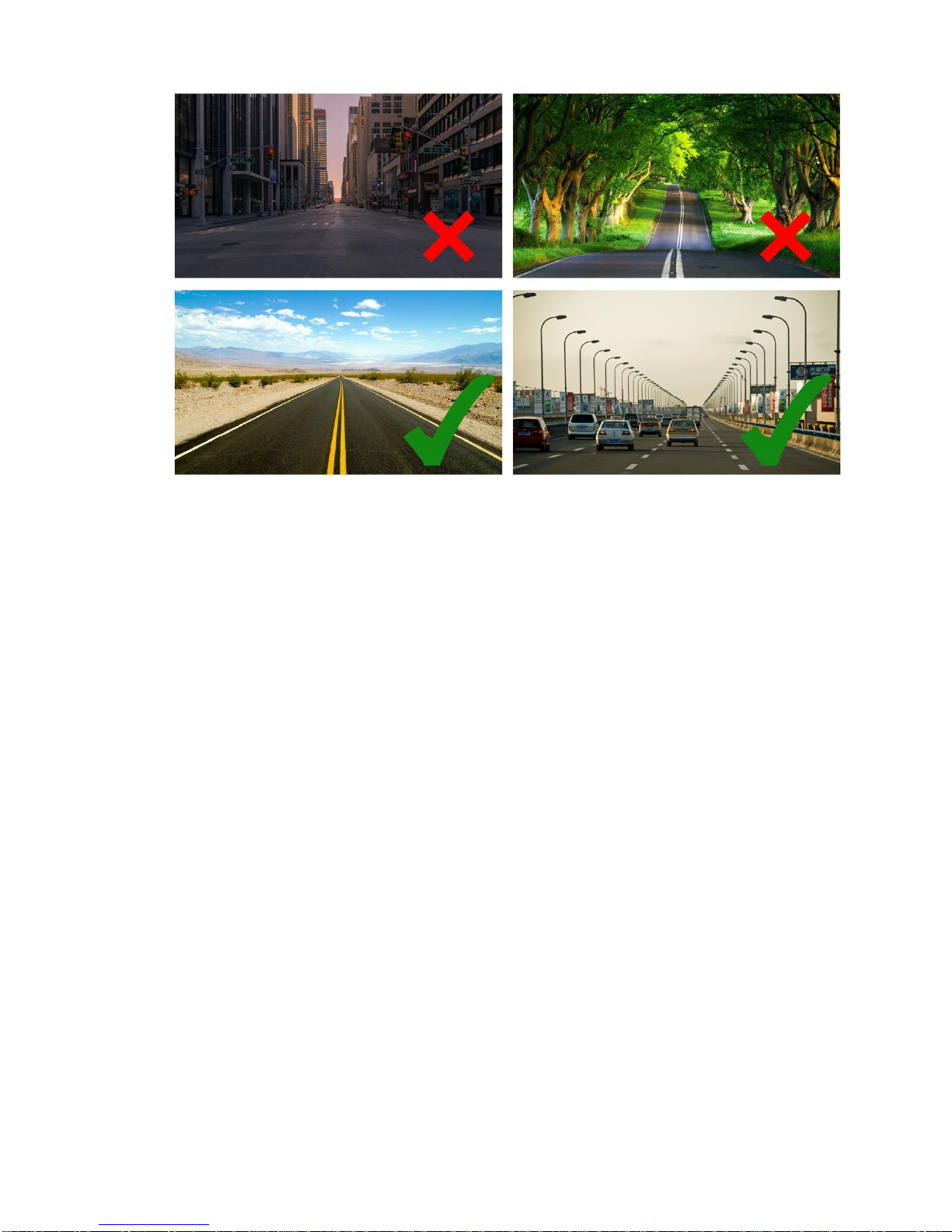
When choosing a place and a road for taking measurements, consider that buildings and trees
next to the road makes reception of GPS/GLONASS worse and can distort the measurement
results. Choose an open space without trees, buildings, mountains, hills, etc. At the picture
below, the typical examples are shown.