Version 2.2_en page 7
Checking the calibration
We recommend to check the calibration of the humimeter LM6 every 4 weeks, using the
proof plate delivered with the device. For this check the device has to show a temperature
between 18,0 and 24,0°C.
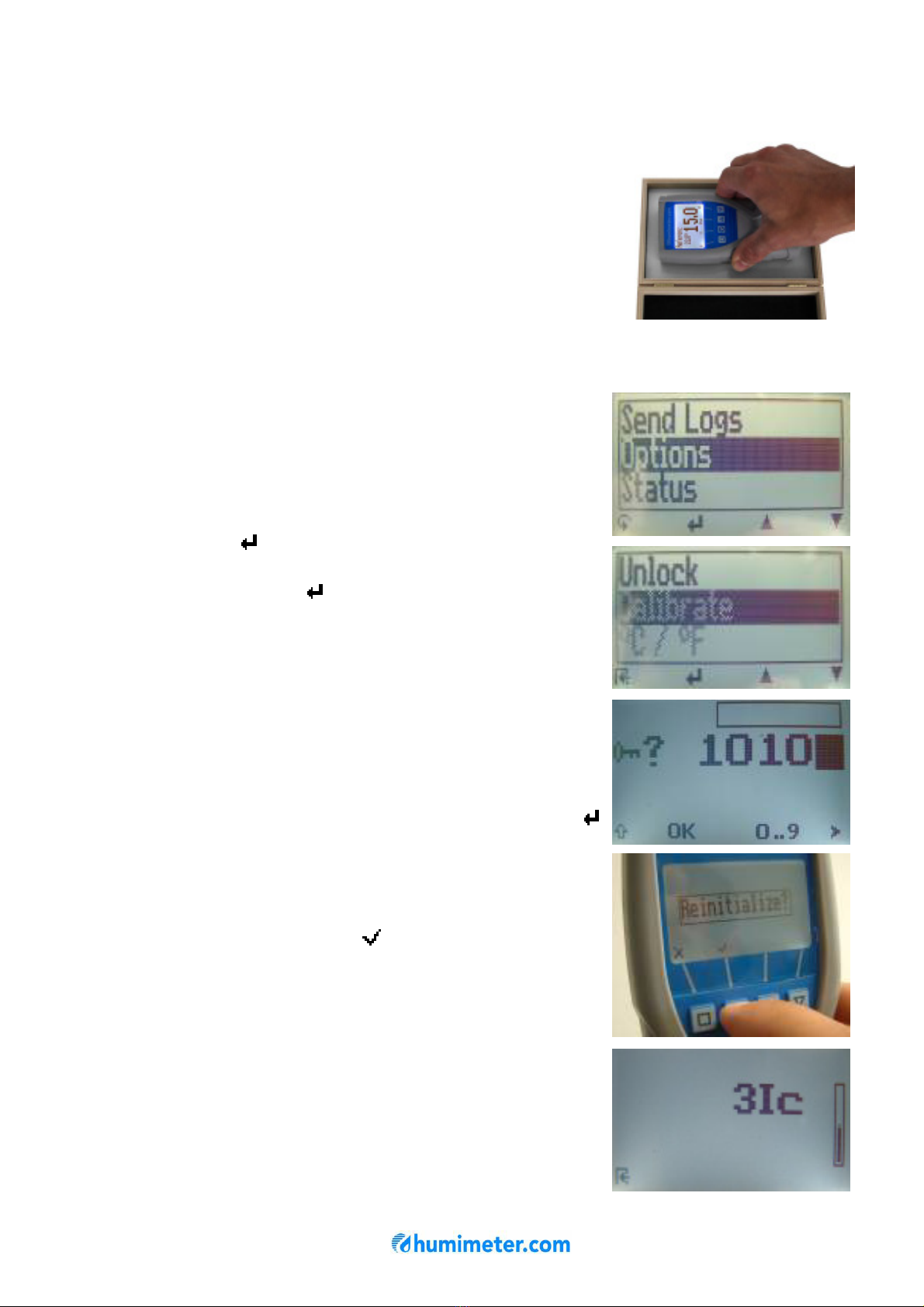
Switch on the instrument and select the calibration curve
„reference“ using the arrow keys. Hold the humimeter LM6
in one hand and press it onto the grey proof plate
(compacting pressure of 4,0kg).
The shown measuring value should range between 14,5
and 15,5. If the shown value is out of this range, you have
to carry out a calibration (see instructions below)
Calibration
By a zero point adjustment you can correct a too high
deviation of the calibration check.
For that please proceed as follows:
Press the left key twice to reach the menu level. Navigate
to the menu item „Options“ using the arrow keys. Confirm
by pressing the button.
Select the menu item „Calibrate“ using the arrow keys and
confirm by pressing the key.
This menu item has to be unlocked. For that you have to
enter the 4-digit serial number of your humimeter LM6. You
can find the serial number on the top right edge of your
display a short time after switching on the instrument, or on
the sticker in the battery slot.
Press the third button as long as the black bar stands on
the first digit of the serial number. After a waiting time of a
few seconds the device accepts the entered digit. Now the
other 3 digits have to be entered. When the 4-digit number
has been entered correctly (see picture), press the
button to confirm.
The request “Reinitialize?” will appear at the display.
Hold the humimeter LM6 in one hand and make sure that
nothing stands behind the measuring field (black plate).
Now press the second button ( ) with one finger.
The calibration procedure will take a few seconds. During
that time, the instrument has to be held up in the air and
the measuring field must NOT be touched.
The device is ready when the shown picture on the right
disappears automatically.