Mcube BioCon-500 User manual

User’s Manual

User’s Manual for BioCon-500
TM
Mcube Technology Co., Ltd.
1/41
www.mcubetech.co.kr
Safety Summary
1. Since the surface of the Probe affects the result of data, users should
keep as follows;
(1) Clean the cap of probe with tissue before using the device.
(2) Apply gel on the top of probe, position the probe on the abdomen of
patient, and start scanning.
(3) Try to scan at least 2 ~ 3 times to get more accurate results.
(4) Remove and re-apply gel after scanning 4 ~ 5 times, to scan again.
(5) Remove the residual gel on the probe’s surface after scanning finished.
(6) Move carefully not to drop the probe off.
2. The device can be used as being charged. In case of using the device
as being charged, users should assure if the device is connected to
the charger.
3. The device should be made its adapter parted from the main unit with
the charging lamp(Yellow) off.
4. The indication lamps (Green, Yellow) are turned off automatically in
SCAN mode and turned on as the SCAN mode is terminated, which
users should not be misconceived for an equipment failure.
5. In case the error message appears, users can refer to the operation
manual and take a proper action. [p. 30, 3.9 Error Message]
6. The device should be used after ultrasonic gel applied on the probe or
patient’s abdomen. Thus, users should avoid using this device against
patients with skin disease or injury.
7. In order to get more accurate data, the probe should be positioned
toward patient’s bladder during examination.

User’s Manual for BioCon-500
TM
Mcube Technology Co., Ltd.
2/41
www.mcubetech.co.kr
8. The device is turned off automatically in 7 minutes if not used, which is
set as default and can be changed as adjusting the value of ‘Auto
Power’ in ‘Maintenance Mode’.
9. Do not decompose by yourself if a failure is detected as it may cause
additional failure.
10. The device must not be used without the battery module of main unit.
11. When you scan the bladder of patient, you must place the scan button
on the probe to the right side of patient.

User’s Manual for BioCon-500
TM
Mcube Technology Co., Ltd.
3/41
www.mcubetech.co.kr
1. Introduction
BioCon-500
TM
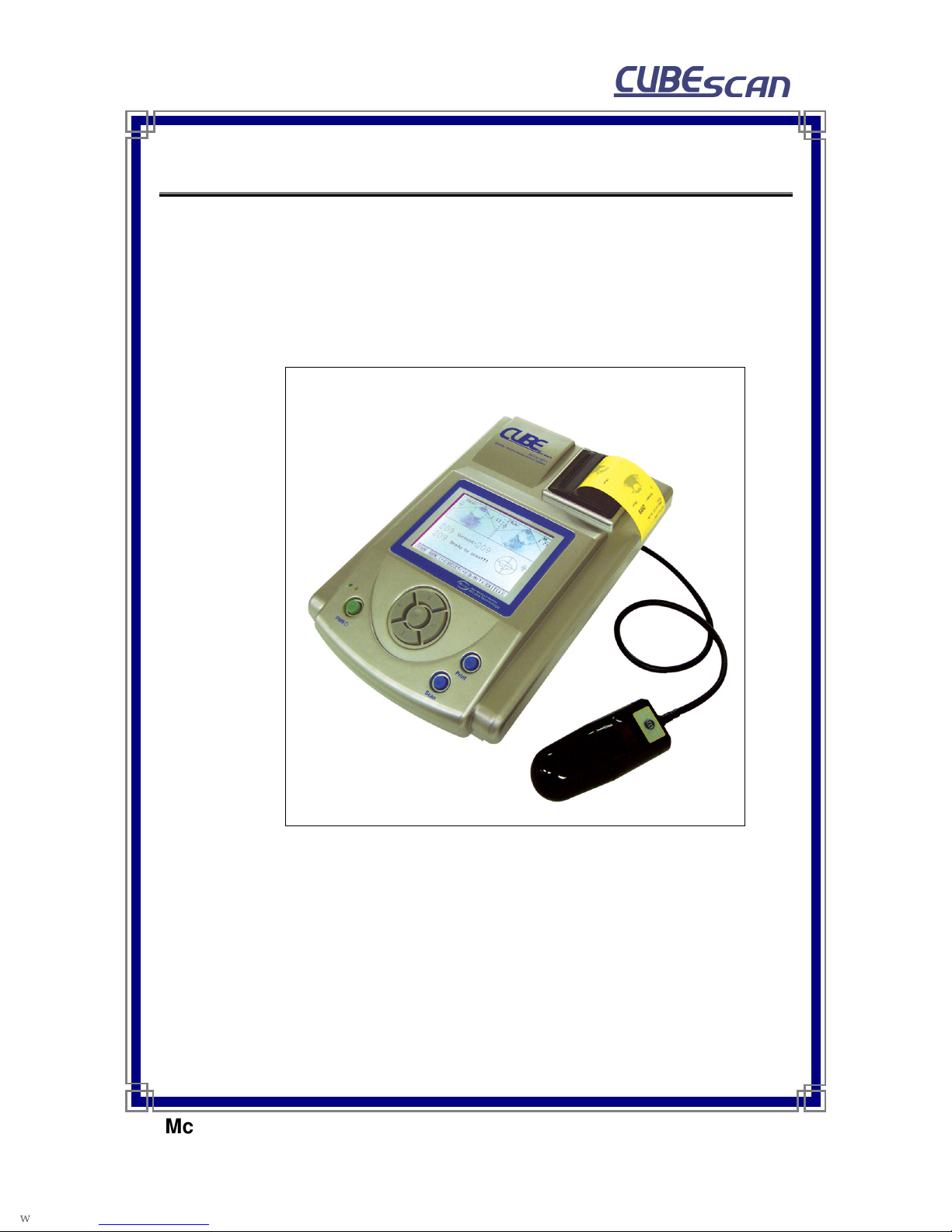
is the device that measures the volume of bladder and the residual
urine using echo effect of ultrasound. BioCon-500
TM
is composed of the main unit
processing data and the ultrasonic probe. Main unit consists of LCD for display,
thermal printer for output results and USB terminal for transferring the measured
data to PC.
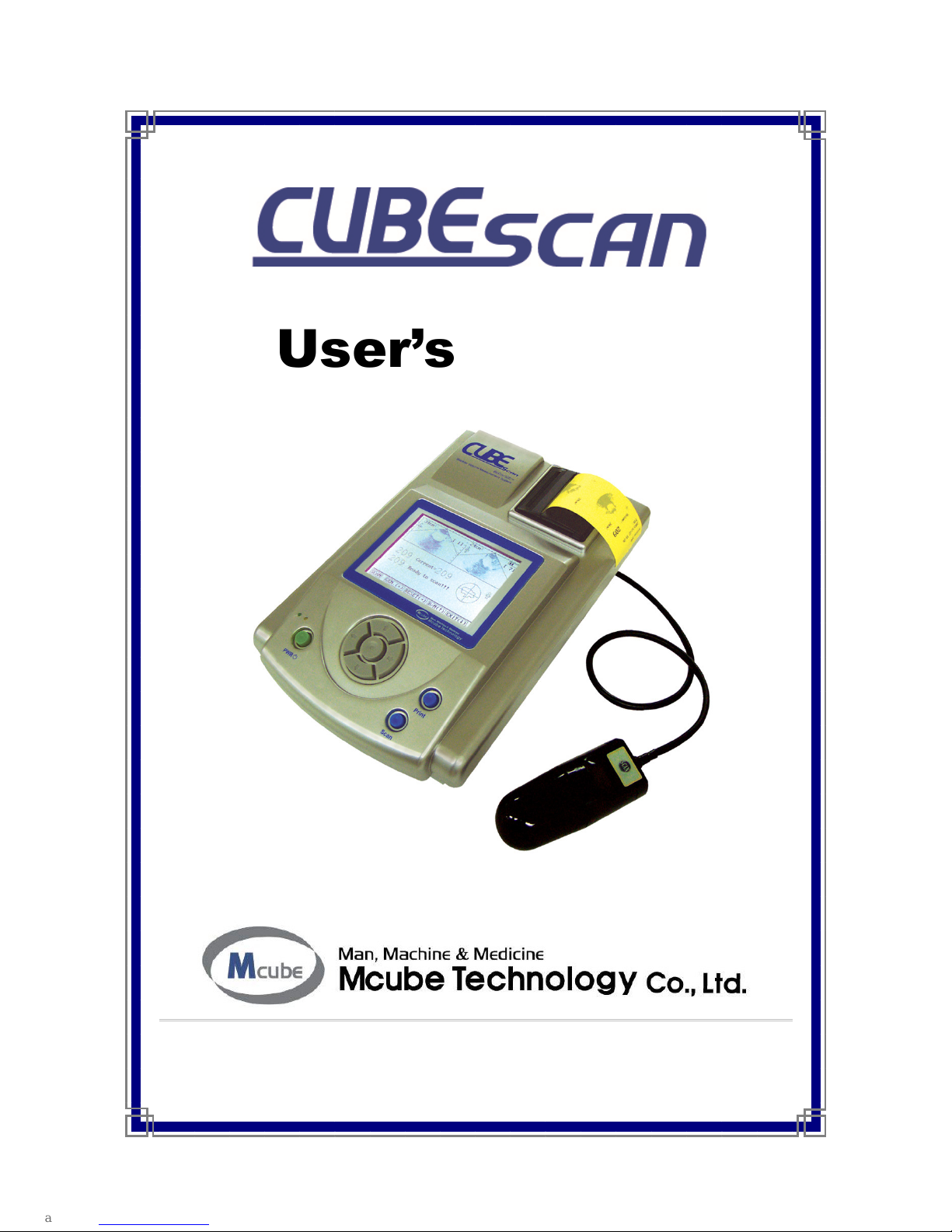
Fig 1.1 BioCon-500

User’s Manual for BioCon-500
TM
Mcube Technology Co., Ltd.
4/41
www.mcubetech.co.kr
2. Composition of BioCon-500
BioCon-500 consists of the main unit and the ultrasonic probe.
2.1. Functions of each part of the main unit
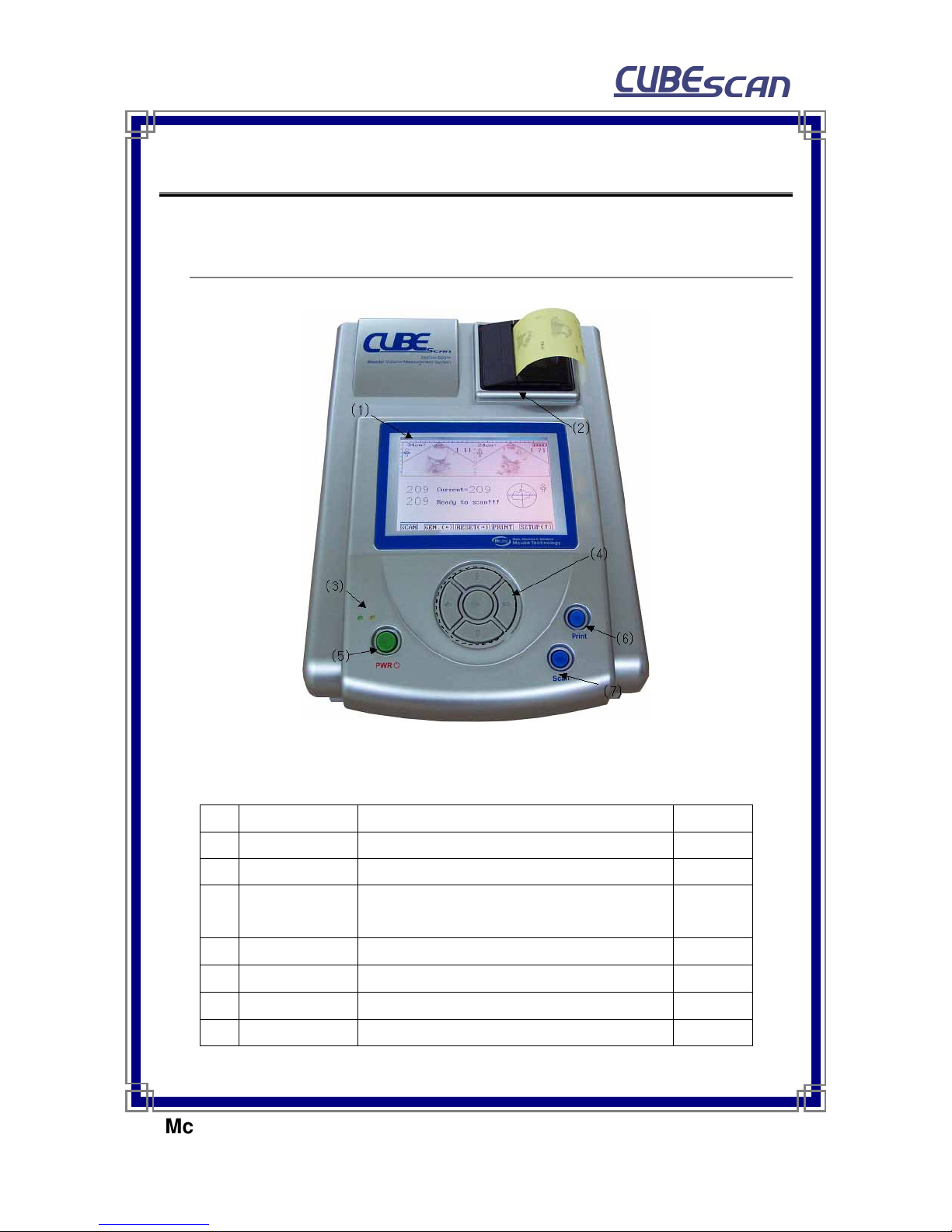
Fig. 2.1 Front of main unit
No.
Item Function Remark
1 LCD Displays menu, indicates current state
2 Thermal printer Prints out measured data.
3 Indication lamp Green lamp(left) : Adaptor connection status
Yellow lamp(right) : Charging status
4 Select button Function menu selection
5 Power button Turns on / off main unit power
6 PRINT button Prints measured data to thermal printer
7 SCAN button For SCAN function

User’s Manual for BioCon-500
TM
Mcube Technology Co., Ltd.
5/41
www.mcubetech.co.kr
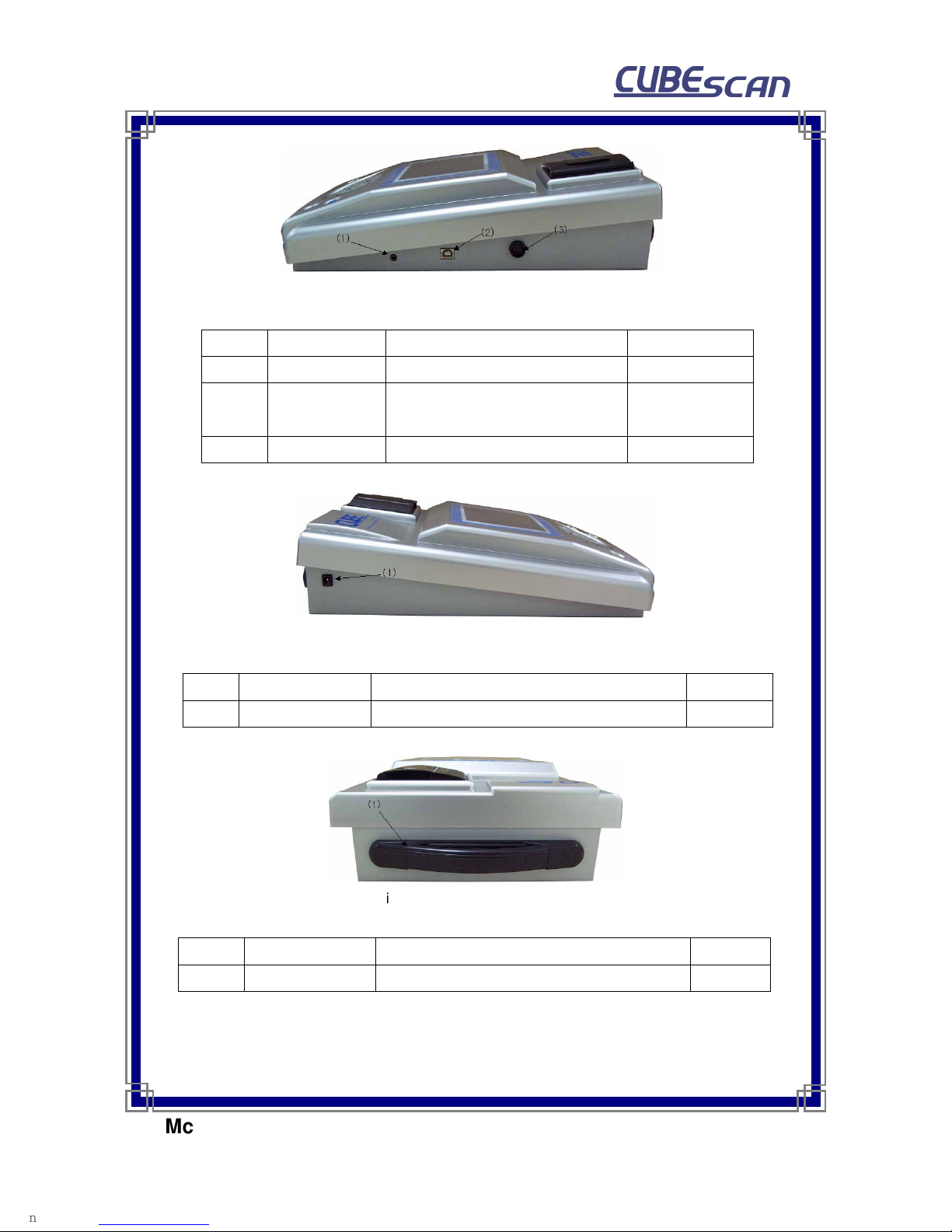
Fig. 2.2 Right-side view of main unit
No. Item Function Remark
1 Phone terminal Updates software of system RS232
2 USB terminal Transmits measured data to PC Will be expanded
hereafter
3 Probe terminal Connects probe to main unit.
Fig. 2.3 Left-side view of main unit
No. Item Function Remark
1 Adapter terminal Connects charging DC adapter to main unit.
Fig. 2.4 Rear view of main unit
No. Item Function Remark
1 Handle When Carrying to a close distance.

User’s Manual for BioCon-500
TM
Mcube Technology Co., Ltd.
6/41
www.mcubetech.co.kr
2.2 Probe
Fig. 2.4 Ultrasonic probe and cable
No. Item Function Remark
1 Probe cap Transmits and receives ultrasound signal
2 Cable Connects between probe and main unit.
3 Connector Junction part between ultrasonic cable and
main probe terminal
4 SCAN button The same function as SCAN button of main
unit.

User’s Manual for BioCon-500
TM
Mcube Technology Co., Ltd.
7/41
www.mcubetech.co.kr
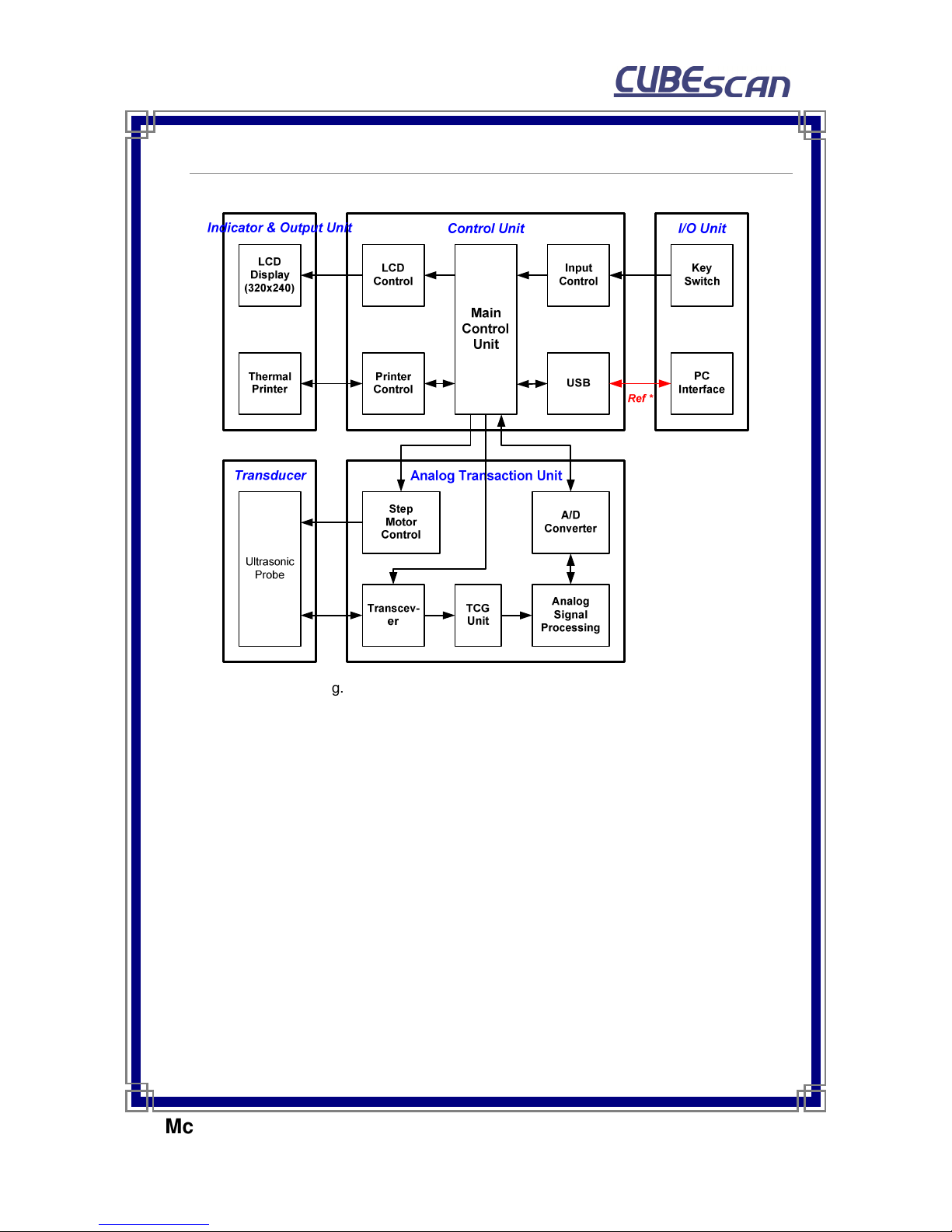
2.3 System diagram
Fig. 2.5. System Diagram (excluding power unit)
* PC software will be expanded hereafter.

User’s Manual for BioCon-500
TM
Mcube Technology Co., Ltd.
8/41
www.mcubetech.co.kr
3. How to use
3.1 Preliminary preparation for use
3.1.1 Check charging status of device.
3.1.2 Check the connection between main unit and probe.
3.1.3 Apply ultrasonic gel on probe cap evenly.
3.1.4 The probe should be placed on the lower abdomen at 4 cm away from the
pubis and positioned toward the bladder.
3.1.5 The probe should be placed in the direction of scan button toward the
right side of patient.
3.2 Explanation about 2 modes
The device can be operated in 2 modes, which are standard mode and
advanced mode.
3.2.1 Standard Mode
1) General view
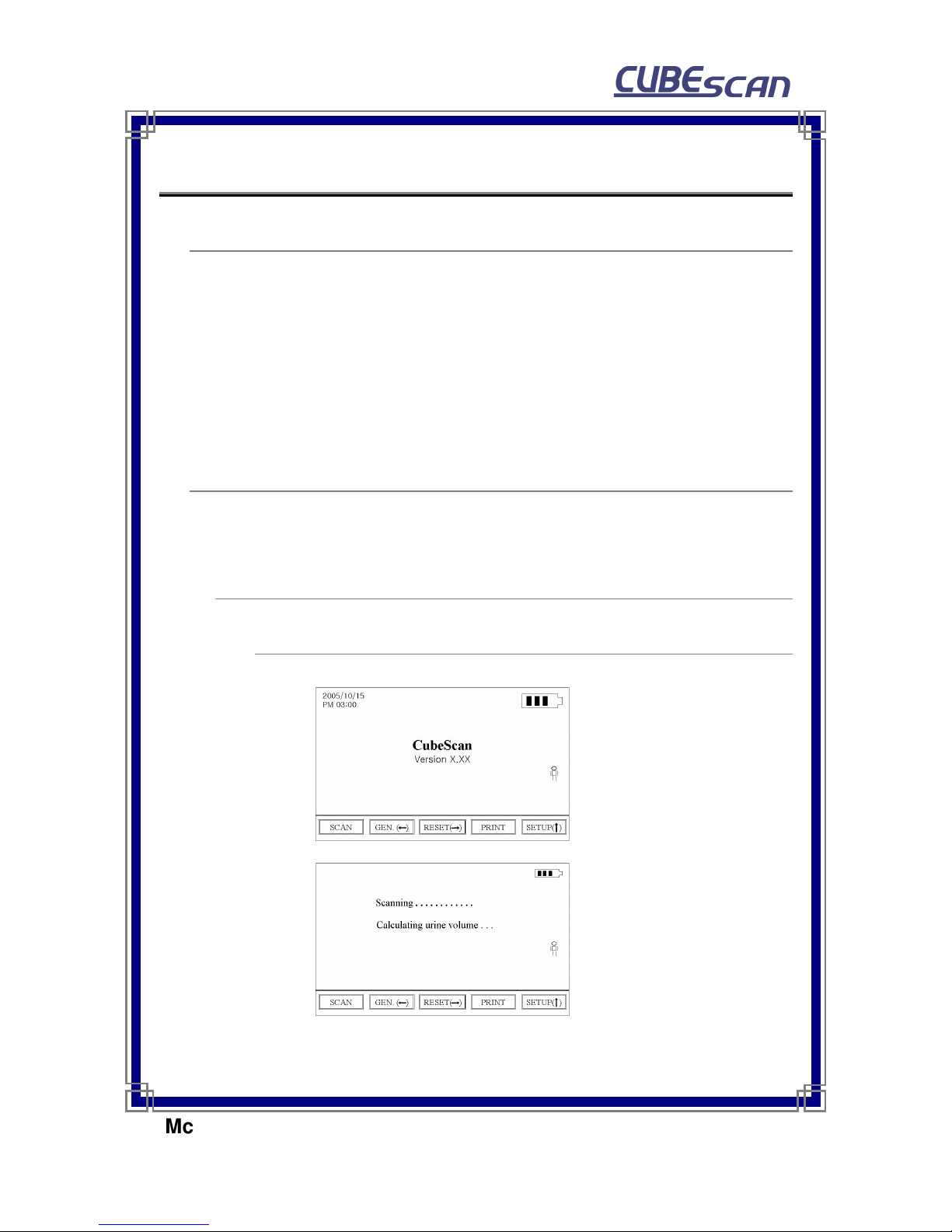
Fig.3.1
Initial page of Standard Mode
Fig.3.2
SCAN function screen in
standard mode

User’s Manual for BioCon-500
TM
Mcube Technology Co., Ltd.
9/41
www.mcubetech.co.kr
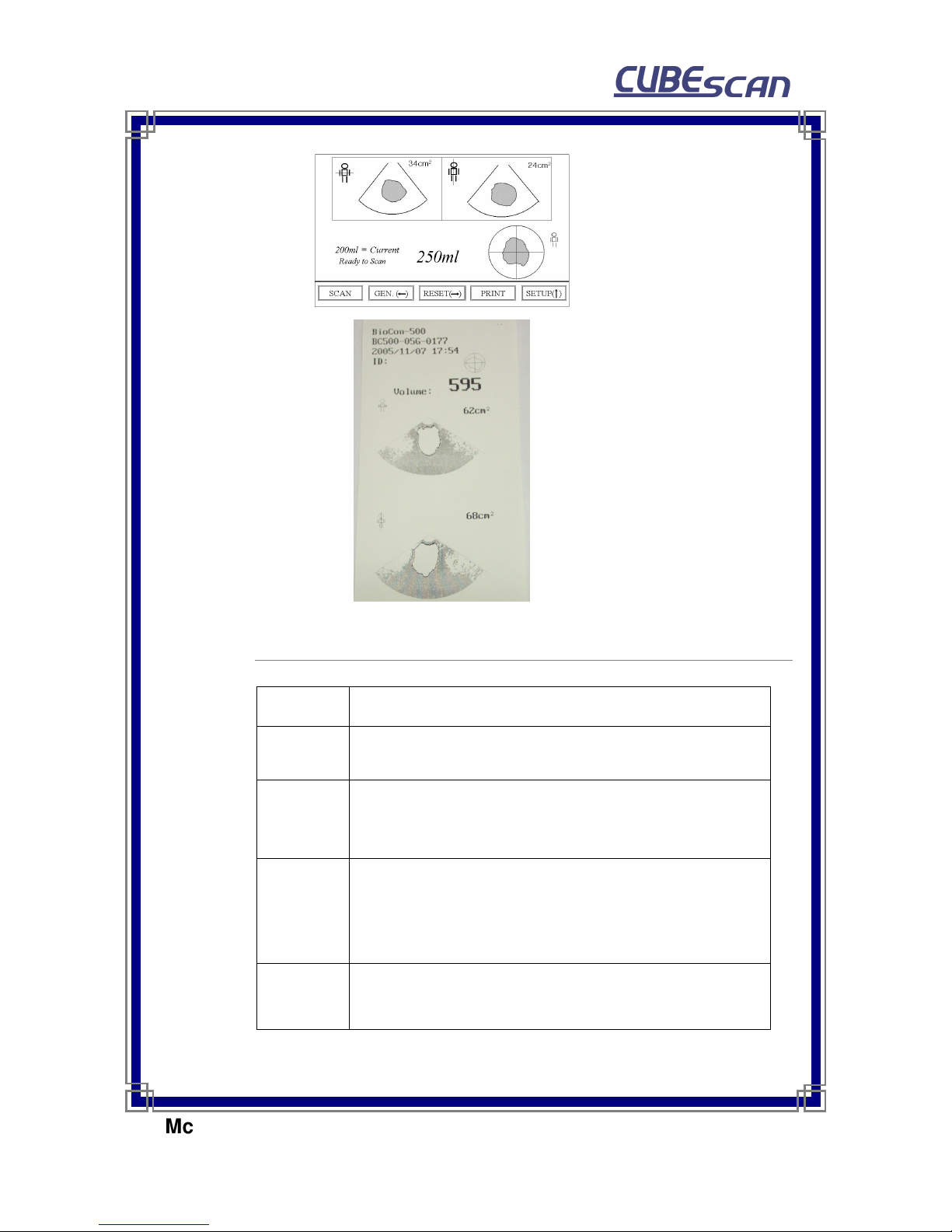
Fig.3.3
SCAN result screen in
standard mode
Fig. 3.4
Image of printer output in
standard mode
(Print Option : Raw Image)
2) Functions in Standard Mode
Function Description
GEN. (←) Push the left arrow key to change the gender as fig.3.5.
RESET(→) Push the right arrow key to go to initial page as Fig.3.1 in any
status.
PRINT
Print out the current SCAN results in one session as Fig.3.4.
“NO DATA AVAILABE” message appears if pressing PRINT
button without having any measured data.
SETUP(↑) Push the up arrow key to go to SETUP page
(See page 16, 3.4.1 SETUP in Standard Mode )
Other manuals for BioCon-500
3
Table of contents
Other Mcube Measuring Instrument manuals