2
Basics
Copyright 2018 · Subject to change without notice.
Return of products under warranty
Please contact our Service Team before returning a defective device.
Ship the cleaned device to the address you have been given.
If the device has been in contact with process uids, it must be de-
contaminated/disinfected before shipment. In that case, please attach
a corresponding certicate, for the health and safety of our service
personnel.
Disposal
Please observe the applicable local or national regulations concerning
the disposal of “waste electrical and electronic equipment”.
About this manual:
This manual is intended as a reference guide to your device –
You don't have to read the book from front to back.
Take a look at the Table of Contents or the Index to nd the function
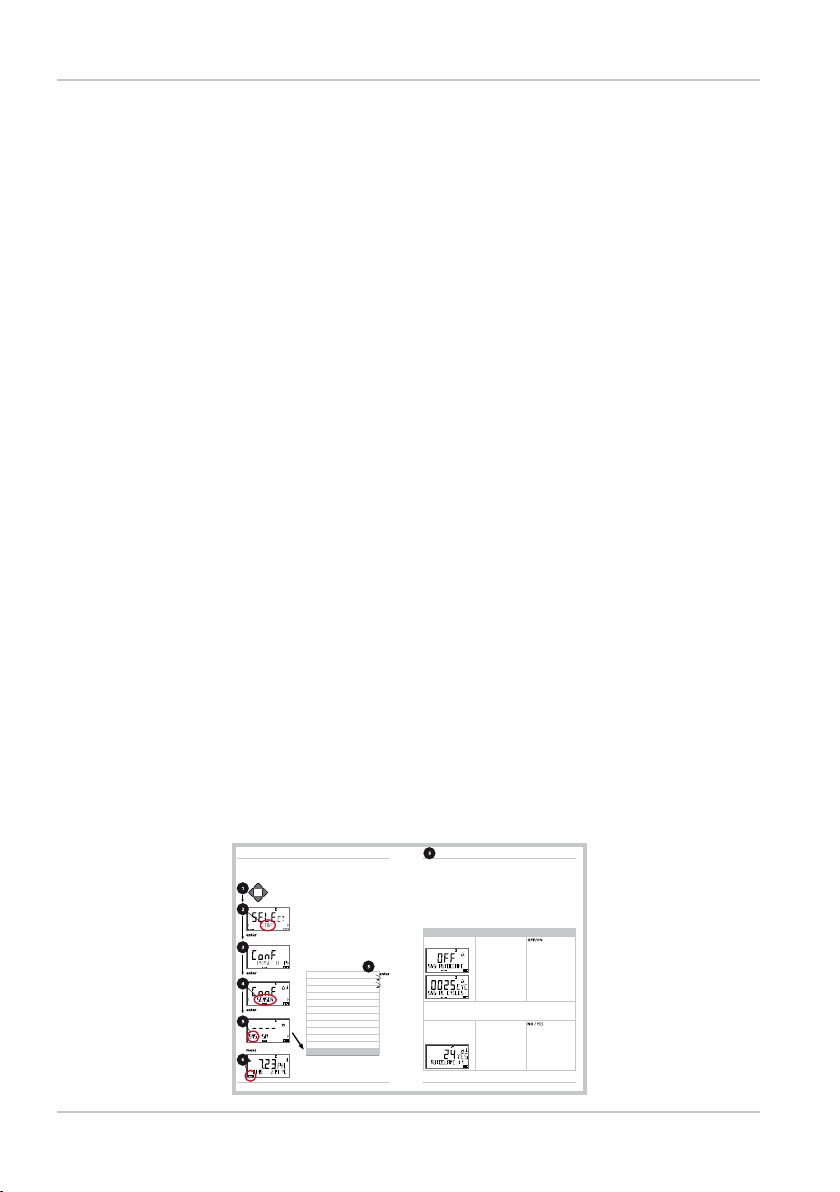
you are interested in. Each topic is explained on a double-page spread
with step-by-step instructions on how to congure the desired func-
tion. Clearly legible page numbers and headlines help you to quickly
nd the information:
56 57
Conguration
ISM Sensor
Autoclaving counter
Select sensor type
Temperature unit
Temp detection during measurement
(Manual temperature)
Temp detection during calibration
(Manual temperature)
Calibration mode
(AUTO: Buffer set)
ACT - Adaptive calibration timer
TTM - Adaptive maintenance timer
CIP/SIP cycles
Autoclaving counter
Conguration
Autoclaving Counter
After reaching a specied limit value the autoclaving counter gen-
erates a Sensoface message. As soon as the counter has reached
the specied value, Sensoface is getting“sad”. Pressing the info key
shows the text “AUTOCLAVE CYCLES OVERRUN” which reminds you
that the maximum number of autoclaving cycles has been reached.
After each autoclaving process, you must manually increment the
autoclaving counter in the SENSOR service menu on the transmitter.
The transmitter displays“INCREMENT AUTOCLAVE CYCLE”as conr-
mation. You can congure the current outputs so that a Sensoface
message generates a 22-mA error signal, see page 63.
Menu item Action Choices
Autoclaving counter Select using keys:
ON:
The cycles are specified
manually (0 ... 9999)
Press enter to confirm.
With the autoclaving counter switched on, you must increment the
count after each autoclaving process in the SERVICE menu SENSOR/
AUTOCLAVE :
Incrementing the
autoclaving counter
(SERVICE menu)
After having completed
an autoclaving process,
open the SERVICE menu
SENSOR / AUTOCLAVE to
increment the autoclav-
ing count.
To do so, select“YES”
and confirm by pressing
enter.
1) Press any arrow key.
2) Select CONF using keys,
press enter.
3) Select parameter set using keys,
press enter.
4) Select SENSOR menu using keys,
press enter.
5) All items of this menu group are indicated by
the “SNS:” code.
Press enter to select menu,
edit using arrow keys (see next page).
Confirm (and proceed) by pressing enter.
6) Exit: Press meas key until the [meas] mode
indicator is displayed.
Left page:
How do I get to
the function
Right page:
Which settings
are provided for
this function