
Foxwell BT780 User manual

BT780 Battery Analyzer User’s Guide - English Version_V1.00
7
1 Using This Manual
We provide tool usage instructions in this manual. Below is the conventions we used in the
manual.
1.1 Bold Text
Bold text is used to highlight selectable items such as buttons and menu options.
Example:
Press the ENTER button to select.
1.2 Symbols and Icons
1.2.1 Solid Spot
Operation tips and lists that apply to specific tool are introduced by a solid spot ●.
Example:
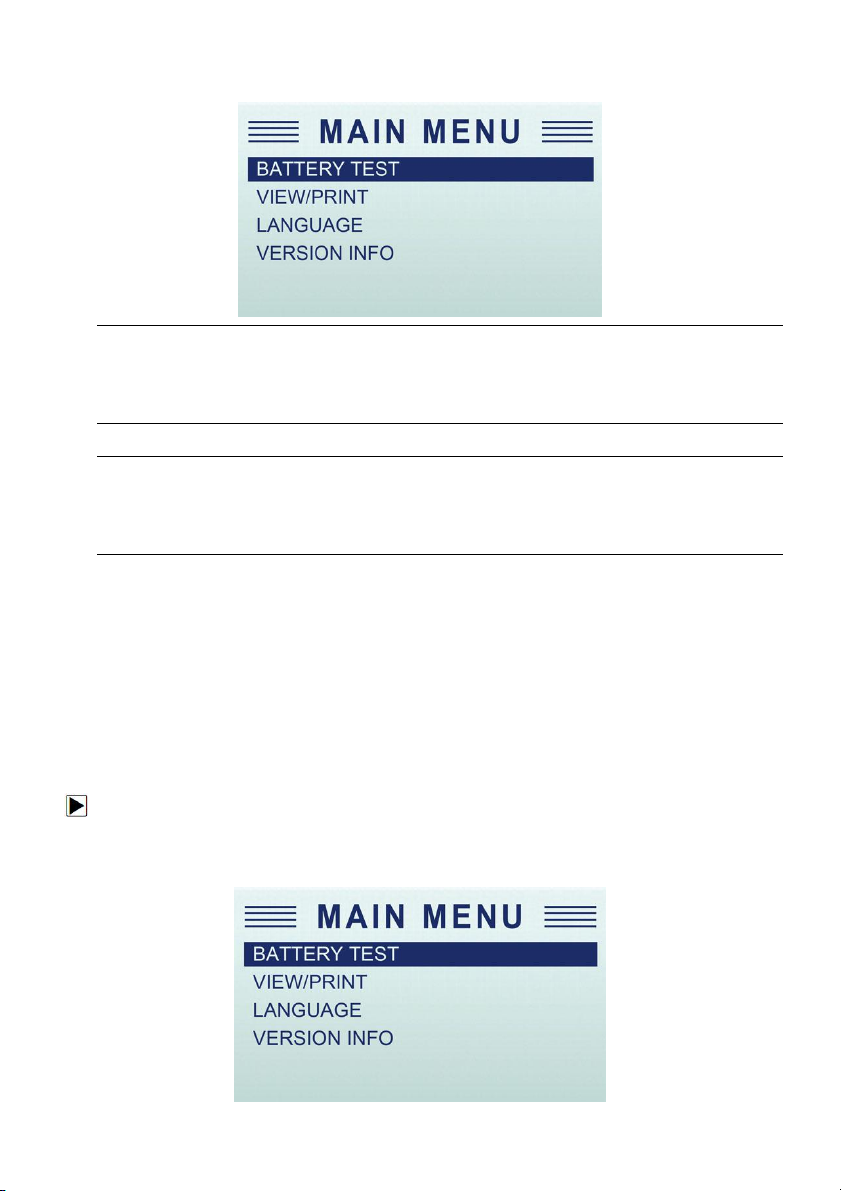
When System Main Menu is selected, a menu that lists all available options displays. Menu
options include:
●BATTERY TEST
●VIEW/PRINT
●LANGUAGE
1.2.2 Arrow Icon
An arrow icon indicates a procedure.
Example:
To change menu language:
1. Scroll with the arrow keys to highlight Language on the menu.
2.Press the ENTER button to select.
1.2.3 Note and Important Message
Note
A NOTE provides helpful information such as additional explanations, tips, and comments.
Example:
NOTE
Test results indicate a faulty component or system.

BT780 Battery Analyzer User’s Guide - English Version_V1.00
8
Important
IMPORTANT indicates a situation which, if not avoided, may result in damage to the test
equipment or vehicle.
Example:
IMPORTANT
Do not soak product as water might find its way into the tester.
2 Introductions
The newly developed BT-780 Battery Analyzer from Foxwell aims to test start-
stop AGM and EFB batteries. And it is developed to test 12V regular flooded, AGM flat plate, AG
M spiral and gel batteries and 12V & 24V starting and charging system. Advanced conductance t
est and ripple voltage test provide a quick, easy and affordable solution for technicians to check
battery health and detect faults of starting and charging system. Besides, built-
in thermal printer allows technicians to print the test data at anytime and anywhere.
2.1 Tester Descriptions
This section illustrates external features, ports and connectors of the tester.
ALCD Display - shows menus, test results and operation tips.
BBACK Button - exits a screen and generally returns to previous screen.
CMenu Button - access the Main Menu options of the tester.

BT780 Battery Analyzer User’s Guide - English Version_V1.00
9
DENTER Button - executes a selected option and generally goes to the next screen.
E /H UP and Down Buttons - selects an option or scroll to menu options.
F/G Left and Right Buttons - moves the cursor left or right to select characters when inputting
the plate number of the car.
IPrint Button - Prints test results through optional Bluetooth printer.
JPower Switch - Turn off/on battery for testing.
IMPORTANT
Do not use solvents such as alcohol to clean keypad or display. Use a mild nonabrasive
detergent and a soft cotton cloth.
2.2 Accessory Descriptions
This section lists the accessories that go with the tester. If you find any of the following items
missing from your package, contact your local dealer for assistance.
1BT-780 Battery Analyzer
2User’s Guide
3O-1000A Current Clamp (Optional)
2.3 Specifications
Display: 128 * 64 pixels, large, backlit display screen
Working Temperature: -20 to 60°C (-4 to 140°F)
Storage Temperature: -20 to 70°C (-4 to 158°F)
Power Supply: 8-30V DC
Dimensions (L*W*H): 90*240*45mm
Net Weight (without printer): 0.8 KG
Net Weight (with printer): 1.0KG
2.4 Current Clamp
To test cranking amps and charging current, first connect the current clamp before tester startup,
then turn on the current clamp power switch.
After tester connected, current clamp is able to work.
Press the reset key of the current clamp and connect the current clamp jaw to the anode wiring
between the battery to be tested and the generator.

BT780 Battery Analyzer User’s Guide - English Version_V1.00
10
As the minimum width of the current clamp jaw is only 28mm, choose the connection cable or
connection pole with diameter less than 28mm to test. Otherwise, the current clamp jaw cannot
close completely.
NOTE: 1. Current clamp jaw must close to avoid test tolerance.
2. Current clamp uses 9V alkaline battery. Turn the clamp power off after using the
current clamp.
3. Before testing the current, take off the current clamp from the battery positive
connection cable, and reset.
3 Operations
This section describes how to use the tester to perform tests on car batteries and 12V&24V
starting and charging system. The menu-driven display will guide you step by step through the
test process.
3.1 Connecting The Tester
The tester powers on automatically when it is correctly connected to the battery. The preferred
test position is at the battery terminals. If the battery is not accessible, you may test at the jumper
post; however, the power measurement may be lower than the actual value.
To connect the tester:
1. Clean the battery posts or side terminals.
2. Connect the red clamp to the positive (+) terminal and the black clamp to the negative (-)
terminal.
3. Rock the clamps back and forth to make sure the clamps are firmly connected. In case the
connection is poor, a “CHECK CONNECTION” message displays.
4. When the tester is correctly connected, it boots up automatically and show the voltage of the
battery.
BT780 Battery Analyzer User’s Guide - English Version_V1.00
11
5. Press the MENU button to go to the Main Menu.
NOTE
Do not connect the tester to a voltage source greater than 30V DC; otherwise you may damage
the tester.
NOTE
If you are testing inside a vehicle, make sure all accessory loads are cut off, the key is not in the
ON position and the doors are closed.
3.2 Battery Test
Battery Test is mainly targeted to analyze the battery healthy status to calculate the actual cold
cranking capability of the battery and the aging extent, which provide reliable analysis evidence
for the test and maintenance of the battery.It notifies the user to replace battery in advance when
the battery is getting aged.
To start a battery test:
1. Scroll with the UP or DOWN button to highlight Battery Test from Main Menu and press the
ENTER key.

BT780 Battery Analyzer User’s Guide - English Version_V1.00
12
2. Scroll with the UP or DOWN button to highlight the voltage from Main Menu and press the
ENTER key.
3. Scroll with the UP or DOWN button to highlight the TEST TYPE from Main Menu and press
the ENTER key.
4. Scroll with the UP or DOWN button to highlight OUT OF VEHICLE or IN VEHICLE from
BATTERY LOCATION menu and press ENTER to select the battery location.
5. Scroll with the UP or DOWN button to highlight TOP POST or SIDE POST from POST TYPE
menu and press ENTER to select the battery post type.

BT780 Battery Analyzer User’s Guide - English Version_V1.00
13
6. Scroll with the UP or DOWN button to select the battery type from BATTERY TYPE menu and
press ENTER to confirm.
7. Scroll with the UP or DOWN button to select the battery standard from BATTERY
STANDARD menu and press ENTER to confirm. Not all rating systems are available for each
application.
You may find the battery type and battery rating label on every battery.
Global Rating Systems
No.
Standard
Description
BT780 Testing Range
1
CCA
Cold Cranking Amps, as specified by SAE.
The most common rating for cranking
batteries at 0°F (-18°C)
100-2000
2
BCI
Battery Council International standard
100-2000
3
CA
Cranking Amps standard. The effective
starting current value at 0°C (32°F).
100-2000
4
MCA
Marine Cranking Amps standard. The
effective starting current value at 0°C
100-2000

BT780 Battery Analyzer User’s Guide - English Version_V1.00
14
(32°F).
5
JIS
Japanese Industry Standard, shown on a
battery as a combination of numbers and
letters
26A17--245H52
6
DIN
Deutsche Industrie-Norm
100-2000
7
IEC
International Electrotechnical Commission
100-2000
8
EN
Europa-Norm
100-2000
9
SAE
Society of Automotive Engineers
100-2000
10
GB
China National Standard
100-2000
8. Use UP or DOWN button to change measure range till you enter the correct range of your
battery. Press ENTER to start the test.
If your battery belongs to CCA system, just select the right CCA number and press ENTER
to start the test.
9. View test results on the screen. Depending on battery status, one of the following test results
may display.
No.
Test Results
Interpretation
1
GOOD BATTERY
The battery is in good condition.
2
GOOD-RECHARGE
The battery is in good condition but low current. Fully charge
the battery and return it to service.

BT780 Battery Analyzer User’s Guide - English Version_V1.00
15
3
CHARGE & RETEST
Fully charge the battery and retest. Failure to fully charge the
battery before testing may result in inaccurate results. If you
still get CHARGE & RETEST message after you fully charge
the battery, replace it.
4
REPLACE BATTERY
The battery is almost dead or the connection between the
battery and battery cable is poor. Replace the battery and
retest; or disconnect the battery cables and retest the battery
using the out-of-vehicle test before replacing it.
5
BAD CELL-REPLACE
The battery may be damaged such as broken cell or short
circuit. Replace the battery and retest.
10. Use UP or DOWN button to check the second page of battery test result which include state
of health (SOH), state of charge (SOC), and resistance (RES).
11. Press the BACK button to return to Main Menu. Or, press the ENTER button for cranking
test if you are processing an in-vehicle test.
NOTE
The tester keeps the results of last test only. When you start a new test, the last results are
overwritten.
3.3 Cranking Test
NOTE
Before starting the test, inspect the alternator drive belt. A belt that is glazed or worn, or lacks the
proper tension, will prevent the engine from achieving the rpm levels needed for the test.
After an in-car battery test, the display alternates between the battery test results and the
message PRESS FOR CRANKING TEST.
To start cranking test:
1. Press the ENTER button for cranking test.
2. Start the engine when prompted.
3. The tester displays the decision on the starter system, cranking voltage, and cranking time in
seconds. For instance, as below display, the starter system is REPLACE BATTERT, cranking
voltage is 10.76 V, and cranking time in second is 0.86 S.

BT780 Battery Analyzer User’s Guide - English Version_V1.00
16
No.
Test Results
Interpretation
1
CRANKING
NORMAL
The starter voltage is normal and the battery is fully
charged.
2
LOW
VOLTAGE
The starter voltage is low and the battery is fully charged.
3
CHARGE
BATTERY
The starter voltage is low and the battery is discharged.
Fully charge the battery and repeat the starter system
test.
4
REPLACE
BATTERY
Battery must be replaced before the starting system can
be tested.
5
NO START
No vehicle start detected.
6
CRANKING
SKIPPED
A start was not detected.
4. Press ENTER button to proceed with the charging system test, Print button to print the test
results, BACK button to return to the main menu.
NOTE
For an in-vehicle test, the display alternates between the test results and the message. Press
ENTER for charging test.
3.4 Charging System test
Once you have completed an in-vehicle test, the display alternates between the battery test
results and the message press ENTER for charging test. Press ENTER to proceed with the
charging test.
To start charging system test:
1. Follow the on-screen prompts to Rev the engine.
Other manuals for BT780
1
Table of contents
Other Foxwell Measuring Instrument manuals


