ELKOR TECHNOLOGIES INC. - Page 3 - MCM –USER MANUAL
TABLE OF CONTENTS
1. Introduction .............................................................................................................................................. 5
1.1. Documentation .................................................................................................................................................5
1.2. Disclosure.........................................................................................................................................................5
1.3. Product Description ...........................................................................................................................................5
1.4. Features...........................................................................................................................................................5
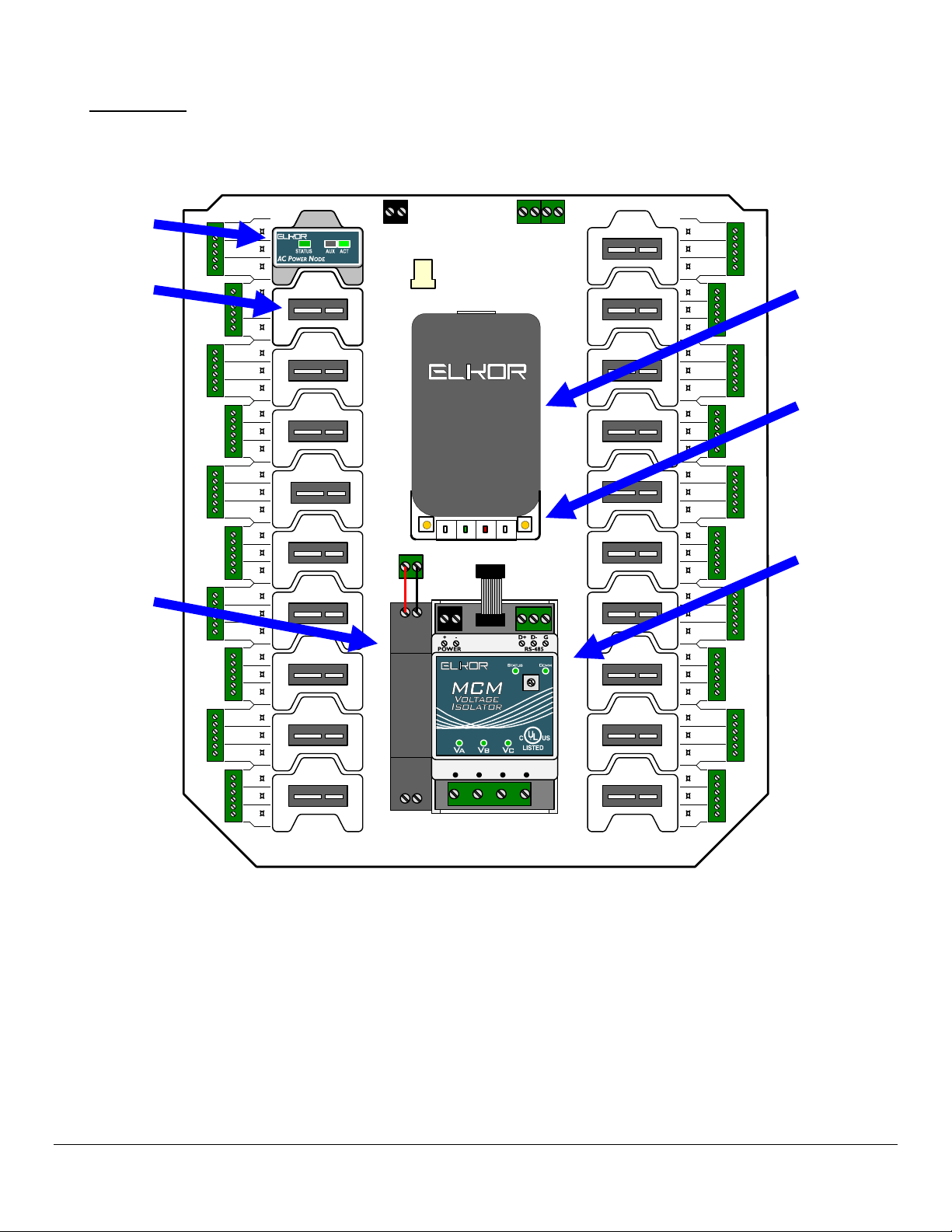
1.5. Visual Guide .....................................................................................................................................................6
1.6. Connectors .......................................................................................................................................................7
1.7. Main Indicators .................................................................................................................................................7
1.8. Node Indicators ................................................................................................................................................7
1.9. Voltage Isolator Indicators.................................................................................................................................7
1.10. Status Indicator Codes ....................................................................................................................................8
1.11. Buttons ..........................................................................................................................................................9
1.12. Default Settings ..............................................................................................................................................9
2. Installation.............................................................................................................................................. 10
2.1. Overall Procedure ...........................................................................................................................................10
2.2. Communication Setup .....................................................................................................................................10
2.3. Network Discovery and Network Settings .........................................................................................................11
2.4. Enclosure Mounting.........................................................................................................................................13
2.5. Node Installation.............................................................................................................................................13
2.6. Current Inputs ................................................................................................................................................14
2.7. Voltage Inputs ................................................................................................................................................14
2.8. Power Supply..................................................................................................................................................14
3. The Web Interface .................................................................................................................................. 15
3.1. Accessing the Web Interface............................................................................................................................15
3.2. Node Setup ....................................................................................................................................................15
3.3. Monitor Page ..................................................................................................................................................16
3.4. User Registers Page ........................................................................................................................................16
3.5. Posting Status.................................................................................................................................................17
3.6. Information Page ............................................................................................................................................18
3.7. Diagnostics Page.............................................................................................................................................18
3.8. Filesystem Page ..............................................................................................................................................18
3.9. Network Page .................................................................................................................................................19
3.10. System Page.................................................................................................................................................19
3.11. Changing the Administrator Password ............................................................................................................19
3.12. Reading Registers .........................................................................................................................................19
3.13. Posting Data to the Elkor Cloud......................................................................................................................19
3.14. Posting Data to your own Web Server (Advanced Feature) ..............................................................................20
3.15. Customizing the Web Posting Format (Advanced Feature) ...............................................................................21
4. The Modbus Protocol ..............................................................................................................................23
4.1. Protocol Overview ...........................................................................................................................................23
4.2. Basic Information Registers .............................................................................................................................26
4.3. Universal Card Parameters...............................................................................................................................27
4.4. Node Electrical Parameters ..............................................................................................................................28
4.5. Voltage Parameters.........................................................................................................................................29
5. Upgrades and Other Procedures ............................................................................................................. 30
5.1. Adding a New Node ........................................................................................................................................30
5.2. Replacing a Node ............................................................................................................................................30
5.3. Reconfiguring a Node ......................................................................................................................................30
5.4. Removing a Previously Configured Node...........................................................................................................30
5.5. Moving a Node to a New Slot...........................................................................................................................30
5.6. Factory Reset .................................................................................................................................................30
5.7. Changing the Firmware ...................................................................................................................................30
6. Appendix A, Modbus Protocol Details ..................................................................................................... 32
6.1. Modbus Frames on RS-485 Networks ...............................................................................................................32
6.2. Modbus Frames on Ethernet/Wi-Fi Networks.....................................................................................................32