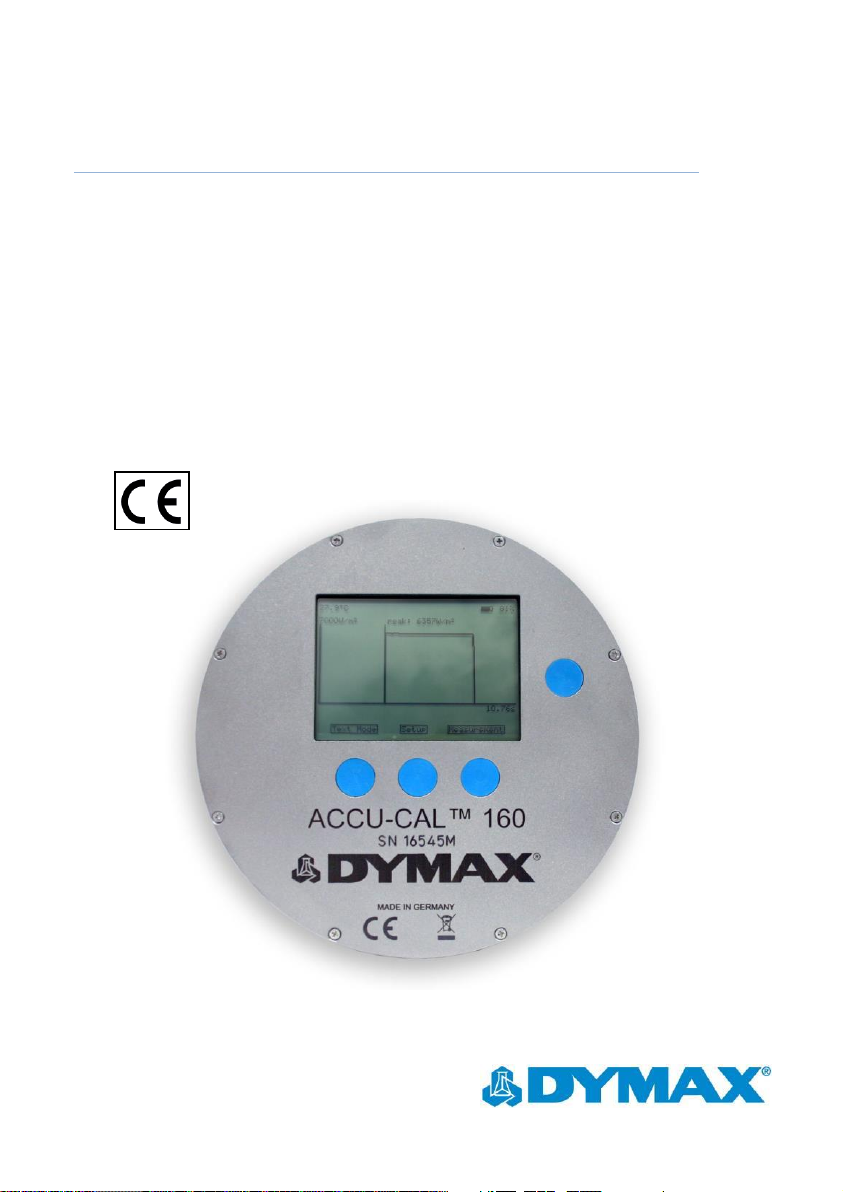
dymax ACCU-CAL 160 User manual

ACCU-CAL™ 160 User Guide
Radiometer for UVA & LED
■Instructions for Safe Use
■Setup and Operation
■Maintenance
■Ordering Spare Parts and Accessories

ACCU-CAL™ 160 Radiometer User Guide
2
About Dymax
UV/Visible light-curable adhesives. Systems for light curing, fluid dispensing, and fluid packaging.
Dymax manufactures industrial adhesives, light-curable adhesives, epoxy resins, cyanoacrylates, and activator-cured
adhesives. We also manufacture a complete line of manual fluid dispensing systems, automatic fluid dispensing systems,
and light-curing systems. Light-curing systems include LED light sources, spot, flood, and conveyor systems designed for
compatibility and high performance with Dymax adhesives.
Dymax adhesives and light-curing systems optimize the speed of automated assembly, allow for 100% in-line inspection,
and increase throughput. System designs enable stand-alone configuration or integration into your existing assembly line.
Please note that most dispensing and curing system applications are unique. Dymax does not warrant the fitness of the
product for the intended application. Any warranty applicable to the product, its application, and use is strictly limited to
that contained in the Dymax standard Conditions of Sale. Dymax recommends that any intended application be evaluated
and tested by the user to insure that desired performance criteria are satisfied. Dymax is willing to assist users in their
performance testing and evaluation by offering equipment trial rental and leasing programs to assist in such testing and
evaluations.

ACCU-CAL™ 160 Radiometer User Guide
3
Contents
Contents.............................................................................................................................. 3
Introduction ........................................................................................................................ 4
Introduction to the User Guide ................................................................................................. 4
Intended Audience .............................................................................................................. 4
Where to Get Help..................................................................................................................... 4
Safety.................................................................................................................................. 4
Product Overview................................................................................................................ 5
Description of the ACCU-CAL™ 160 Radiometer ....................................................................... 5
Environmental Considerations .................................................................................................. 6
Setup & Operation .............................................................................................................. 6
Controls ..................................................................................................................................... 6
Setup Menu ............................................................................................................................... 8
Perform a Measurement ......................................................................................................... 10
Perform a Reference Measurement .................................................................................. 12
USB Interface .................................................................................................................... 13
Data Transfer ........................................................................................................................... 13
Software Setup & Usage .................................................................................................... 13
Power Supply........................................................................................................................... 15
Maintenance ..................................................................................................................... 16
Cleaning ................................................................................................................................... 16
Maintenance/ Calibration........................................................................................................ 16
Specifications .................................................................................................................... 17
Warranty........................................................................................................................... 18

ACCU-CAL™ 160 Radiometer User Guide
4
Introduction
Introduction to the User Guide
This guide describes how to set up, use, and maintain the ACCU-CAL™ 160 radiometer safely
and efficiently.
Intended Audience
Dymax prepared this user guide for experienced process engineers, technicians, and
manufacturing personnel. If you are new to light-curing equipment and do not understand the
instructions, contact Dymax Application Engineering for answers to your questions before
using the equipment.
Where to Get Help
Dymax Customer Support and Application Engineering teams are available in the United States,
Monday through Friday, from 8:00 a.m. to 5:30 p.m. Eastern Standard Time. You can also email
on the back cover of this user guide.
Additional resources are available to ensure a trouble-free experience with our products:
Detailed product information on www.dymax.com
Dymax adhesive Product Data Sheets (PDS) on our website
Material Safety Data Sheets (MSDS) provided with shipments of Dymax adhesives
Safety
The ACCU-CAL™ 160 radiometer is designed to be used in conjunction with Dymax light-curing
equipment that is properly set up, with components correctly connected, and operated in
accordance with relevant instructions. For eye protection when working with light-curing
sources, use the provided goggles or a face shield that’s been approved for UV protection. Use
of long-sleeved shirts or lab coats are recommended to protect the arms and use of UV-opaque
gloves are recommended to protect the hands.

ACCU-CAL™ 160 Radiometer User Guide
5
We encourage you to read, understand, and follow all safety and operating instructions and
recommendations in this and other related manuals prior to setting up and operating this
instrument and any associated UV light-curing systems.
WARNING! The device should only be used for its intended purpose and
according to its technical specifications. Any other use of the device is not
allowed.
Always wear protective goggles or a face shield when working near any unit
which emits UV light!
The device should be inspected before startup for any mechanical damage or
loose parts. In such cases, the device should never be used. Safety can be
compromised if the device is not functioning properly.
Product Overview
Description of the ACCU-CAL™ 160 Radiometer
The ACCU-CAL™ 160 radiometer measures and displays irradiance (intensity), irradiance
profiles (irradiance over measurement time), and dose (irradiance for a given time period) of a
light-curing system. Its compact size and design withstands the extremes of light-curing
environments while providing accurate measurements.
The unit can be controlled manually via four buttons on the faceplate. Measurement data is
displayed on the integrated LCD display screen and can be downloaded to a computer via the
USB port and supplied interface cable. The calibration data of the optical quantities is stored in
the device and automatically considered. The ACCU-CAL™ 160 has a built-in lithium polymer
battery that can be charged using the USB interface.
The ACCU-CAL™ 160 radiometer and data logger contains a photodiode and several filters for
specific spectral sensitivities. The spectral sensitivity should be chosen to fit your measurement
application. Several options are available upon purchase.
The input optics is made from a translucent diffuser material with approximated cosine field of
view.

ACCU-CAL™ 160 Radiometer User Guide
6
The device’s internal temperature during calibration and measurement is recorded. With this
information, the temperature dependency is automatically corrected within the device.
Environmental Considerations
Radiometers are sensitive to extremes in environmental conditions like high temperature,
humidity, and contamination. Protect the device and its detector(s) from high humidity, high
temperature, direct sunlight, and contamination.
■Do not use the ACCU-CAL™ 160 immediately after moving it from a cold to a warm
environment. Under certain circumstances, condensation could arise and negatively
impact the electrical and optical functions. Allow the radiometer to adjust to the
temperature of the surroundings before switching it on.
■Do not use the ACCU-CAL™ 160 in powerful magnetic, electromagnetic, and electrostatic
fields. These disturbances may influence measurement results.
■Do not expose the ACCU-CAL™ 160 to temperatures exceeding 60°C (140°F) during an
exposure run. Exposure to temperatures exceeding 80°C will cause unit failure and will
void the warranty.
Setup & Operation
Controls
Turning on the radiometer: Press and hold the On/Off Button until the Display Window
illuminates. The Display Window will briefly show the radiometer model name, serial number,
software version, date of calibration, range, and wavelength band installed. Continuing to
press the On/Off Button at startup will display the startup information until the button is
released. The Display Window will then enter the default mode and show the data from the
last run before the unit was turned off.
Turning off the radiometer: Press and hold the On/Off Button for approximately two seconds.
The Display Window will indicate that the unit is shutting down and eventually turn off.
Turn backlight illumination on/off: Quickly press the On/Off Button.

ACCU-CAL™ 160 Radiometer User Guide
7
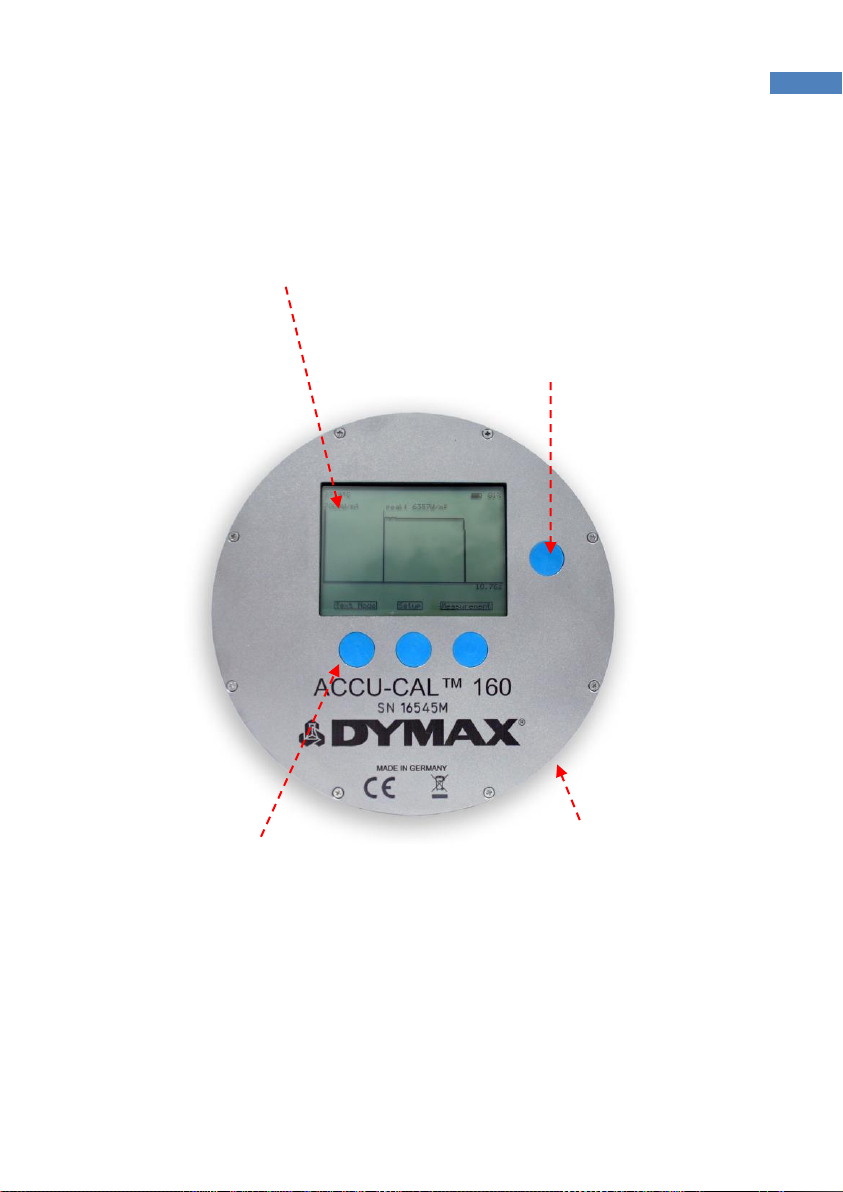
Figure 1. ACCU-CAL™ 160 Radiometer Face Plate
Display Window
Continuously displays the internal temperature
of the device (top left), as well as the battery
level (top right) in all menu mode screens.
The real time clock is set to UTC
(Universal Time, Coordinated)
values.
Soft Button Operation
Right, Left, and Middle Buttons
perform the function indicated on
the Display Window’s bottom
line.
ON/OFF Button
To turn on, press & hold until the
screen is illuminated.
To turn off, press & hold for 2 seconds.
Backlight Illumination
Press the On/Off button to turn the
backlight on the display window on or off.
USB PC Connector
(side of unit)

ACCU-CAL™ 160 Radiometer User Guide
8
Setup Menu
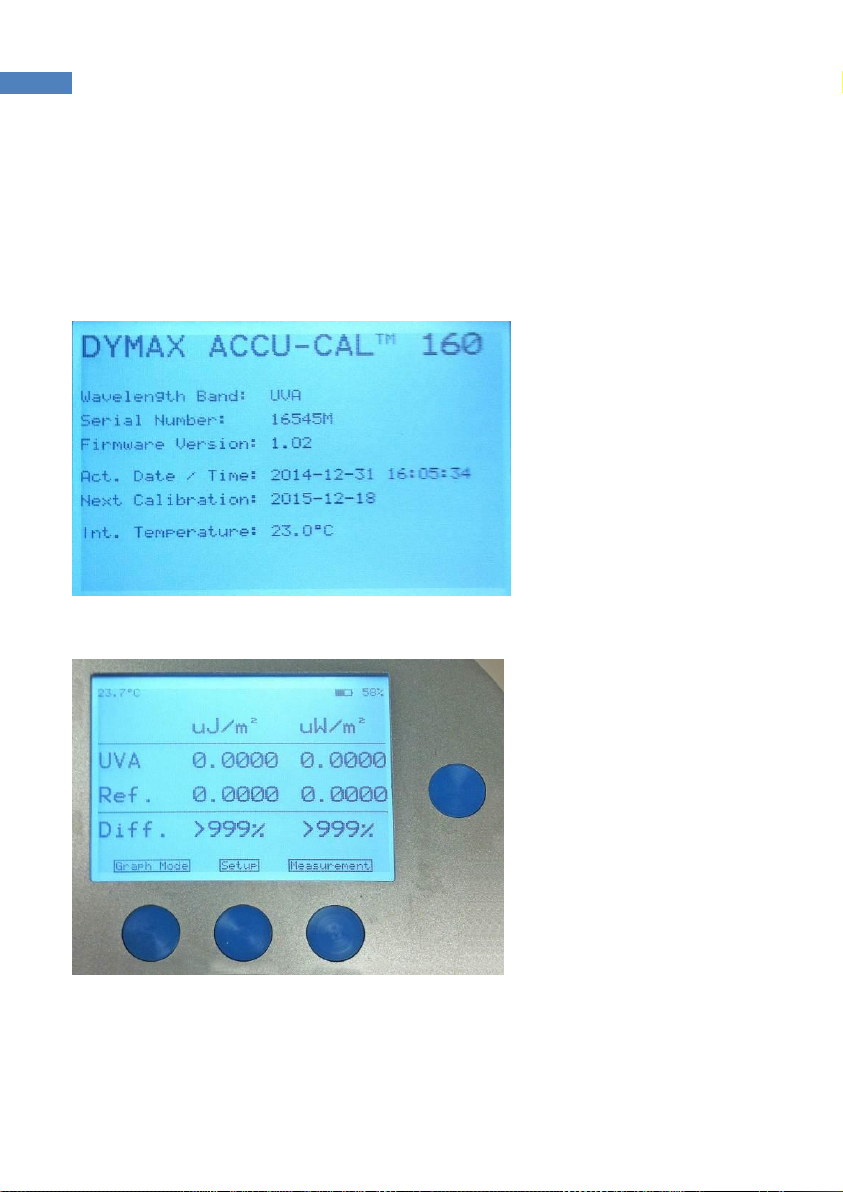
To enter the setup menu, switch the device on and wait for the welcome screen (Figure 2) to
disappear. The graph mode or text mode screen will appear. Press the button in the middle to
enter the setup (Figure 3).
Figure 2. Welcome Screen
Figure 3. Text Mode Screen - Push the Middle Button to Enter Setup
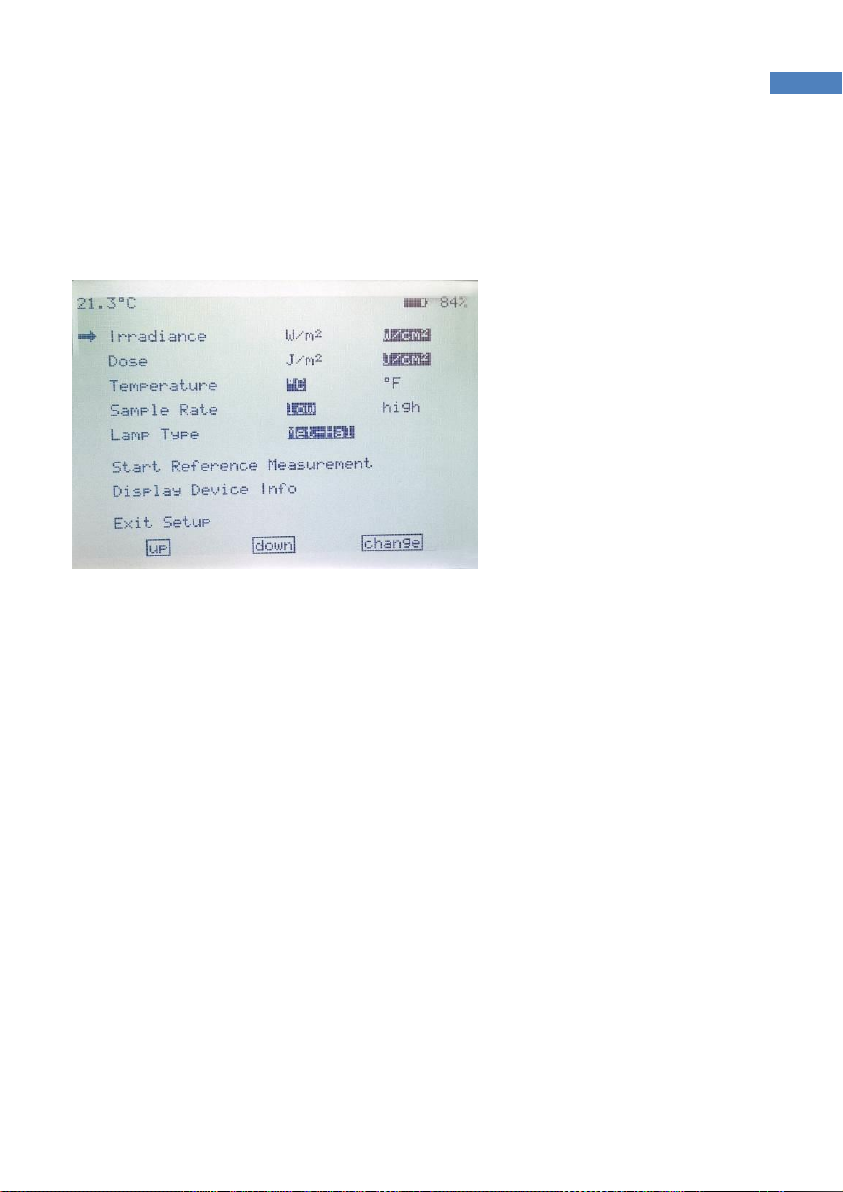
Once on the setup screen (Figure 4), you can toggle the units for irradiance and dose (per m² or
per cm²), the temperature scale (°C or °F), the sample rate (low (25 Hz), or high (2,500 Hz)) the
lamp type of your application for spectral correction (press the right button several times to
select your lamp type. If your specific lamp model is not listed, select “unknown”).

ACCU-CAL™ 160 Radiometer User Guide
9
To navigate through the setup menu, press the left button to move the highlighted selection
up and the middle button to move the highlighted selection down. The right button is used to
select the highlighted menu item.
Figure 4. Setup Menu
In the setup menu, you can also start a reference measurement and display the device info;
i.e., wavelength band, serial number, firmware version, date/time, next calibration date,
internal temperature.
All settings are automatically saved to the device and are readily available upon device startup.
To exit setup, move the arrow to the bottom-most item and press the right button.

ACCU-CAL™ 160 Radiometer User Guide
10
Perform a Measurement
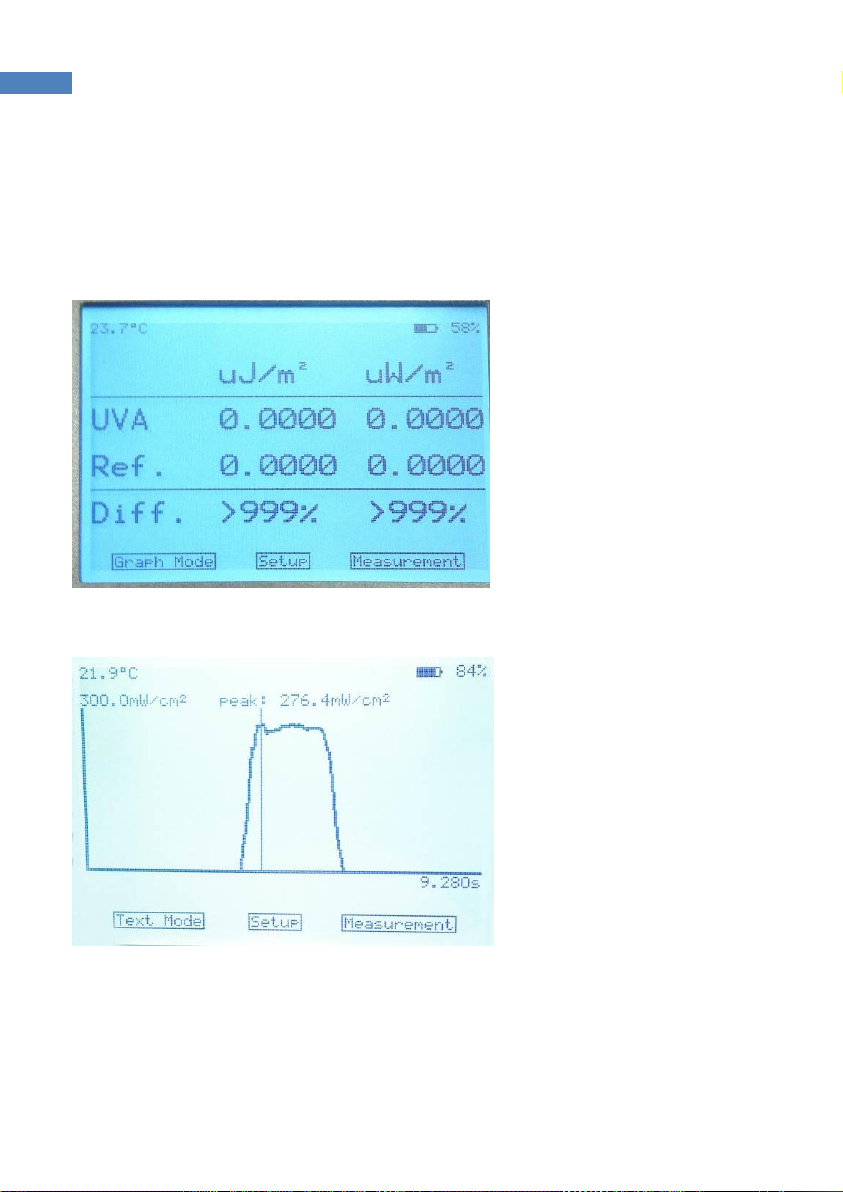
To perform a measurement, press the right button when the text mode (Figure 5) or graph
mode (Figure 6) screen is shown.
Figure 5. Text Mode Screen
Figure 6. Graph Mode Screen
A message “Start Measurement” is shown (Figure 7). To start the measurement, press the right
button. If you have gotten to this screen by mistake and need to cancel the operation, press
the left button.
Place the radiometer on the belt or object with the Optic Window (Figure 8) facing toward the
light source. (The display window and buttons will be facing away from the source).
Table of contents
Other dymax Measuring Instrument manuals