
Beta LaserMike BenchMike Pro Installation and operating instructions
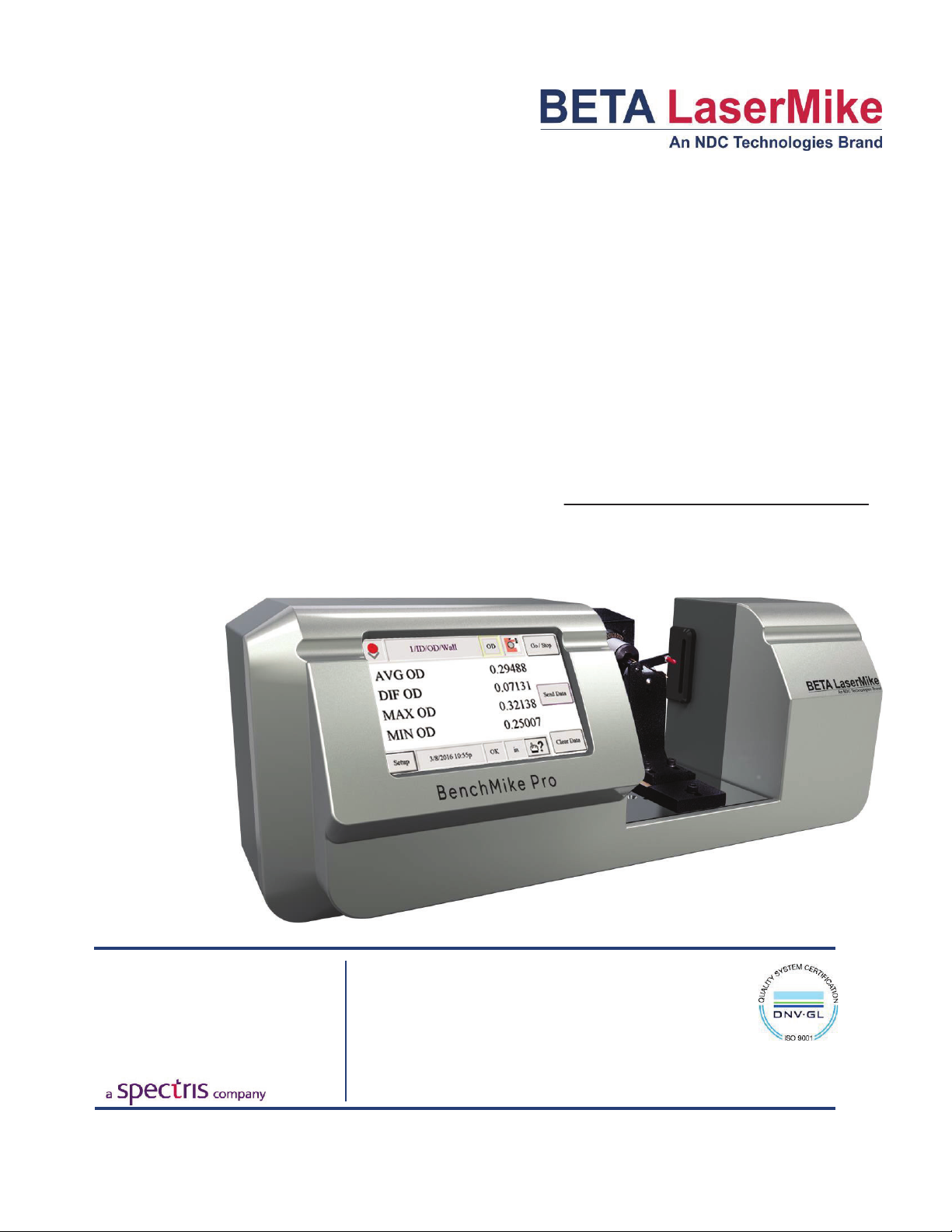
BenchMike Pro
ID/OD/WALL
Addendum
NDC Technologies
8001 Technology Blvd.
Dayton,
Ohio 45424
U.S.A.
© 2018 NDC Technologies
Main Phone +1 (937) 233-9935
General Fax +1 (
937) 233-7284
www.betalasermike.com
Making Light Work

Proprietary Notice
The information and design disclosed herein were originated by and are the property of NDC Technologies. NDC
Technologies reserves all patent, proprietary design, manufacturing, reproduction use, and sales rights thereto,
and to any article disclosed therein, except to the extent rights are expressly granted to others. The foregoing
does not apply to vendor proprietary parts.
In-line with NDC’s policy of continuous improvement, the information contained in this document may change to
allow the introduction of design improvements.
BenchMike Pro ID/OD/WALL Addendum
Part Number: MAN/EN5008-0098
Revision: C
Date of Release: September, 2018
Contact NDC
Online Support
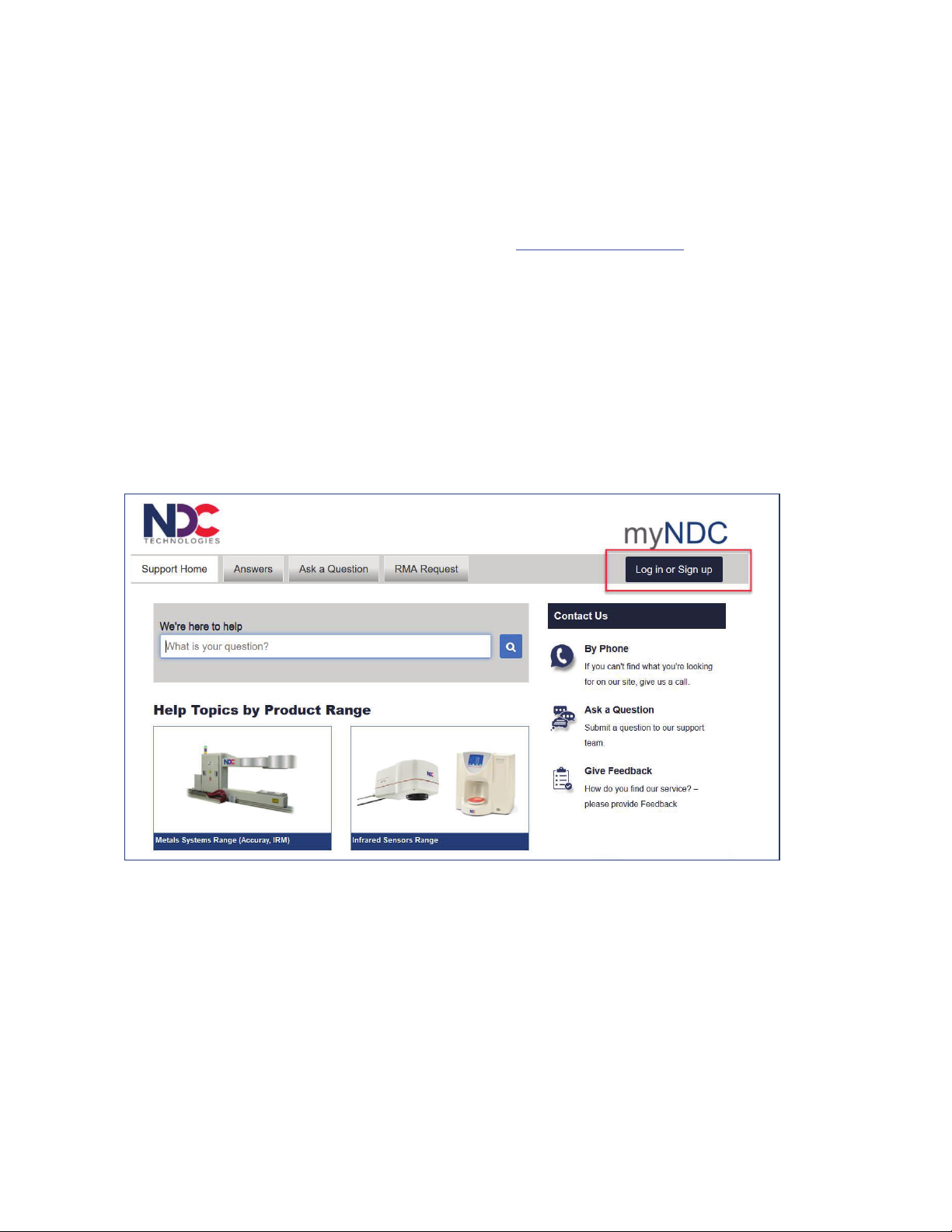
You can access the NDC Customer Support portal, myNDC at https://ndc.custhelp.com.
myNDC is a cloud-based portal that allows you to get product support by phone, ask a question, provide feed-
back, submit an RMA request or access information in our on-line knowledge database. You can browse the
myNDC site or create a myNDC account.
x To create a myNDC account, click the Log in or Sign up button. After creating the account, you will be
immediately logged in. To log in on subsequent visits to myNDC, click the Log in or Sign up button, en-
ter your user name and password, and then click Log in.
x To submit an RMA, click on the RMA Request tab and follow the on-screen instructions.

NDC Contact Numbers
Please have your sales order number at hand before contacting NDC.
− Beta LaserMike Gauges
Beta LaserMike Gauges
Americas
+1 937 233 9935
Asia Pacific
India: +91-124-2789507
Alternative number +91
-124-
2789508
Japan: +81 (0)3 3255 8157
All other countries: +1 937 233 9935
Alternative number +44 1621 852244
China +86 21 61133609
EMEA
(Europe,
Middle East,
Africa)
Germany: 0800 1123194
France: 0810 600 400
Italy: +39 0331 454 207
All other countries (English speaking):
+44 1621 852244
Please select option 3 to be
connected to the service team
BenchMike Pro ID/OD/WALL Addendum: Caution i
Caution
x This equipment must be earthed/grounded.
x Under NO circumstances should the earth safety
connections be broken – internal damage to sensi-
tive electronic components may occur and at worst
electrocution to personnel may result.
x Digital outputs are open - collector outputs, with max-
imum specs of 35 V DC and 250ma. These levels
must not be exceeded.
x Maintenance, repairs and electrical connections
should be performed by a suitably qualified person
for the country of installation.
x The equipment contains a slow blow type fuse to
protect against input power overloads and is not user
replaceable.
Intended Use
If the equipment is used in a manner not specified by the
manufacturer, the protection provided by the equipment may
be impaired.
Laser Safety Precautions
The BenchMike Pro uses a Collimated Diode laser which emits red light at a wavelength of 635nm. No invisible or
otherwise harmful radiation is emitted.
The radiant output power of either internal laser (whether it be a laser diode or gas laser) and of the entire
BenchMike Pro is relatively low. The laser beam will not harm your skin, and your eyes are protected by a natural
aversion response that will cause you to blink or look away. However, the laser light emitted from the BenchMike
Pro should be treated with caution and common sense. Do not attempt to look into the BenchMike Pro, and avoid
staring at reflections of the beam.
The American National Standard for the Safe Use of Lasers (ANSI Z136.1 — 2014) classifies this laser product
as Low Power — Class II and provides reasonable and adequate guides for its safe use. The user of the Bench-
Mike Pro and other personnel responsible for its safe use should consult this ANSI standard. It is available from:
American National Standards Institute
1430 Broadway
New York, New York 10018
The Center for Devices and Radiological Health (CDRH) of the Food and Drug Administration has established
regulations for manufacturers of laser products. All laser products sold in the U.S.A. since August, 1976 must be
certified by the manufacturer as meeting certain product performance (safety) standards, and each laser must
bear a label indicating compliance with the standard and denoting laser hazard classification.

ii BenchMike Pro ID/OD/WALL Addendum: Caution
Labels and Safety Features
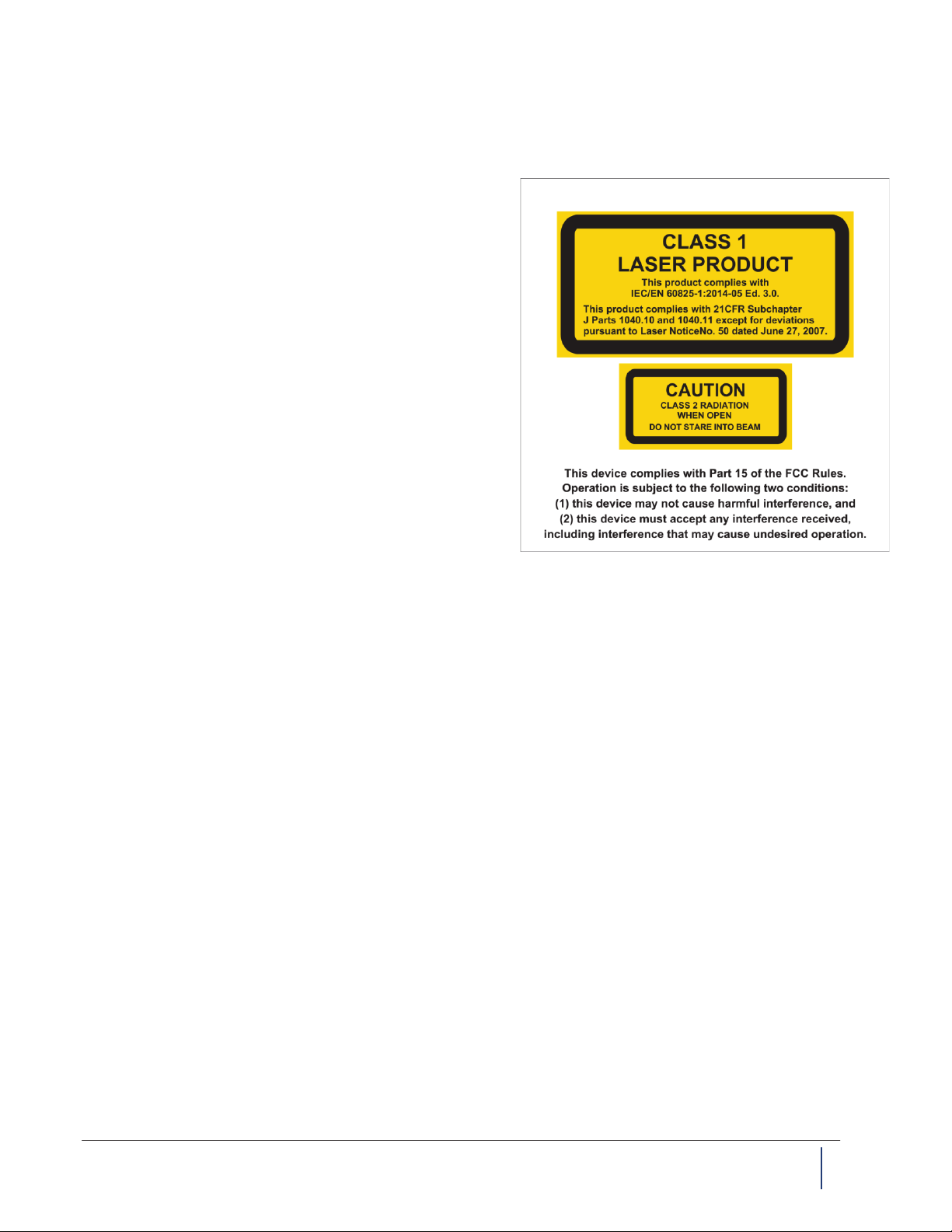
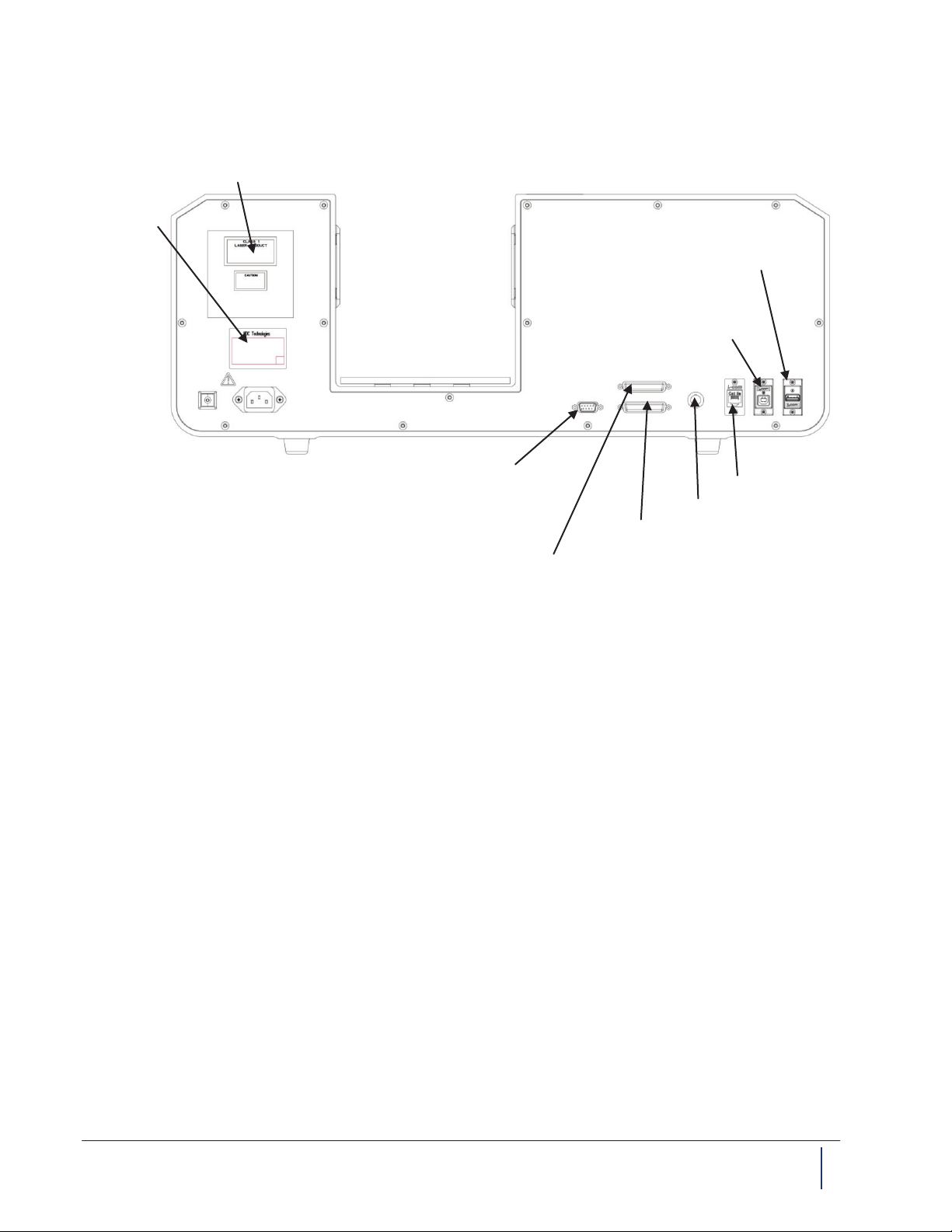
This section acquaints you with the advisory and identification labels on the instrument and the safety features
incorporated into the design of the instrument. The following figures show the identification and advisory labels on
the BenchMike Pro.
Front View
Model 2025
DB-9 FEMALE
SERIAL 1
LASER SAFETY LABEL
SERIAL TAG
ETHERNET
DB-25 MALE I/O
BNC
DB-25 FEMALE FIXTURE
USB-A PRINTER
USB-B SERIAL
Aperture
label
Scanning
laser beam
Laser safety label
(back panel)
Laser emission
LED
BenchMike Pro ID/OD/WALL Addendum: Caution iii
Model 2050
FCC Manual Digital Devices Statement
NOTE: This equipment has been tested and found to comply with the limits for a Class A digital device, pursuant
to part 15 of the FCC Rules. These limits are designed to provide reasonable protection against harmful interfer-
ence when the equipment is operated in a commercial environment. This equipment generates, uses, and can
radiate radio frequency energy and, if not installed and used in accordance with the instruction manual, may
cause harmful interference to radio communications. Operation of the equipment in a residential area is likely to
cause harmful interference, in which case, the user will be required to correct the interference at his own expense.
Important Note
This BenchMike Pro ID/OD/WALL Addendum is designed to be used in conjunction with the BenchMike
Pro Instruction Handbook and BenchMike Pro Operator Guide. This Addendum contains only specific in-
formation about the BenchMike Pro ID/OD/WALL, while the Instruction Handbook and Operator Guide
contain information about all BenchMike Pros, with and without special fixtures.
Your questions about the use of the ID/OD/WALL features of the BenchMike Pro should be answered by
this Addendum, while your more general questions about the use of the BenchMike Pro should be an-
swered by the Instruction Handbook and Operator Guide.
DB-9 FEMALE
SERIAL 1
USB-A PRINTER
LASER SAFETY LABEL
SERIAL TAG
ETHERNET
USB-B SERIAL
DB-25 MALE I/O
BNC
DB-25 FEMALE FIXTURE

iv BenchMike Pro ID/OD/WALL Addendum: Table of Contents
Table of Contents
1 QUICK START .................................................................................................................................... 1-1
1.1 INTRODUCTION ........................................................................................................................... 1-1
1.2 QUICK START PROCEDURE ......................................................................................................... 1-1
1.3 INSTALLATION ............................................................................................................................ 1-2
1.4 OPERATION ............................................................................................................................... 1-3
1.4.1 Mastering for ID/OD/WALL Measurements..................................................................... 1-3
1.4.2 Taking Measurements ..................................................................................................... 1-3
1.4.3 Mastering for ID/OD/WALL with Force Gauge measurements ....................................... 1-4
1.5 FACTORY DEFAULTS .................................................................................................................. 1-5
1.5.1 Changing the Fixture Default Settings............................................................................. 1-5
1.5.2 Changing Main Screen Defaults...................................................................................... 1-7
1.5.3 Default Settings ............................................................................................................... 1-9
2 INTRODUCTION ................................................................................................................................. 2-1
2.1 BENCHMIKE OPTIONS ................................................................................................................ 2-1
2.1.1 Interfaces ......................................................................................................................... 2-1
2.1.2 Measurement Fixtures..................................................................................................... 2-1
2.2 USING THE BENCHMIKE .............................................................................................................. 2-2
2.3 MEASURING A PRODUCT ............................................................................................................ 2-2
2.4 UNDERSTANDING THE DATA DISPLAY .......................................................................................... 2-3
2.4.1 What are Libraries? ......................................................................................................... 2-4
2.4.2 What are Features?......................................................................................................... 2-4
2.4.3 ID, OD, and WALL Features............................................................................................ 2-4
3 WORKHOLDING FIXTURES ............................................................................................................. 3-1
3.1 ID/OD/WALL FIXTURES ............................................................................................................ 3-1
3.1.1 Terminology ..................................................................................................................... 3-1
3.1.2 How the ID/OD/WALL Fixture Measures......................................................................... 3-2
3.1.3 Installing the Fixture ........................................................................................................ 3-3
3.1.4 Taking Measurements ..................................................................................................... 3-3
3.2 DESCRIPTION OF FIXTURES ........................................................................................................ 3-4
3.2.1 Auto-Rotating ID/OD/WALL Fixture for Small Tube & Hose ........................................... 3-4
3.2.2 Auto-Rotating ID/OD/WALL Fixture with Force Gauge for Very Small Tube & Hose ..... 3-6
3.2.3 Auto-Rotating Heavy Duty ID/OD/WALL Fixture for Large Tube & Hose ....................... 3-8
3.2.4 Manual ID/OD/WALL Fixture for Small Tube & Hose ................................................... 3-10

BenchMike Pro ID/OD/WALL Addendum: Table of Contents v
3.3 OTHER FIXTURES ..................................................................................................................... 3-11
4 SETUP ................................................................................................................................................ 4-1
4.1 FEATURE ICON ........................................................................................................................... 4-1
4.2 SYSTEM FUNCTIONS .................................................................................................................. 4-2
4.3 SETTINGS FUNCTIONS ................................................................................................................ 4-2
4.3.1 Batch Report.................................................................................................................... 4-2
4.3.2 Fixture Sample Report..................................................................................................... 4-3
4.3.3 Fixture Batch Report........................................................................................................ 4-4
4.4 MEASUREMENT FUNCTIONS ........................................................................................................ 4-5
5 ADVANCED CAPABILITIES .............................................................................................................. 5-1
5.1 ADVANCED SCREEN CAPABILITIES .............................................................................................. 5-1
6 SERVICING YOUR EQUIPMENT ...................................................................................................... 6-1

Table of contents
Other Beta LaserMike Measuring Instrument manuals


