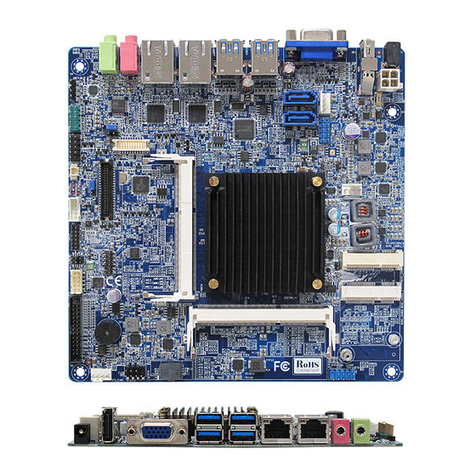
BCM RX680R User manual

RX680R
Intel® R680E support 12th generation Core™ i9, Core i7, Core i5,
Core i3, Pentium, Celeron
Micro-ATX Motherboard
User’s Manual
V1.1

RX680R User’s Manual
2
Content
Safety Information ...................................................................................................... 5
About this guide ......................................................................................................... 7
Typography ................................................................................................................. 8
Packing List ................................................................................................................ 9
Revision History ....................................................................................................... 10
RX680R Motherboard Features ............................................................................... 11
Specifications Summary .......................................................................................... 11
Block Diagram .......................................................................................................... 13
Chapter 1 - Product Introduction ............................................................................ 14
1.1 Before you Proceed ........................................................................................................ 15
1.2 Motherboard Overview .................................................................................................... 15
1.2.1 Placement Direction ............................................................................................................................... 15
1.2.2 Screw Holes ........................................................................................................................................... 16
1.2.3 Motherboard Layout ............................................................................................................................... 17
1.2.4 Layout Content List ................................................................................................................................ 18
1.3 Central Processing Unit (CPU) ....................................................................................... 20
1.3.1 Installing the CPU .................................................................................................................................. 21
1.3.2 Installing the CPU Heatsink and Fan ..................................................................................................... 23
1.3.3 Uninstalling the CPU Heatsink and Fan................................................................................................. 25
1.4 System Memory .............................................................................................................. 26
1.4.1 Overview ................................................................................................................................................ 26
1.4.2 Installing a DIMM ................................................................................................................................... 27
1.4.3 Removing a DDR5 DIMM ...................................................................................................................... 27
1.5 Expansion Card .............................................................................................................. 27
1.5.1 Installing an Expansion Card ................................................................................................................. 28
1.5.2 Configuring an Expansion Card ............................................................................................................. 28
1.5.3 PCI Express x16 slot .............................................................................................................................. 28
1.5.4 PCI Express x4 slot ................................................................................................................................ 29
1.5.5 M.2 connector ........................................................................................................................................ 29
1.6 Jumpers .......................................................................................................................... 30
1.6.1 Clear CMOS (CMOS1)........................................................................................................................... 30
1.6.2 AT/ATX Power Mode Select (AT1) ........................................................................................................ 31
1.6.3 COM POWER SETTING (J56,J45~J48,J25) ......................................................................................... 31
1.6.4 LVDS Panel Power Select (PANEL_SEL1) ........................................................................................... 32
1.6.5 LVDS Blacklight Voltage Selection (BKLVOL1) ..................................................................................... 32
1.7 Connectors...................................................................................................................... 33
1.7.1 Rear panel connectors ........................................................................................................................... 33
1.7.2 CPU and System fan connectors (CPU_FAN1, SYS_FAN1, SYS_FAN2) ........................................... 34

RX680R User’s Manual
3
1.7.3 System Panel (FIO_PANEL) .................................................................................................................. 34
1.7.4 ATX power connectors (ATX24P_1& ATX12V) ..................................................................................... 35
1.7.5 Serial Port connectors (COM1~6) .......................................................................................................... 36
1.7.6 Serial ATA connector (SATA1~4 ) ......................................................................................................... 36
1.7.7 USB connectors (USB2_HR1, USB2_HR2, USB2_HR3, USB2_HR4) ................................................. 37
1.7.8 USB3.2 connector (USB3_HR1) ............................................................................................................ 37
1.7.9 Front Audio connector (FIO_AUD1) ....................................................................................................... 38
1.7.10 Amplifier connector (SPK1) .................................................................................................................. 38
1.7.11 LVDS connector (LVDS1) ................................................................................................................ 389
1.7.12 LVDS Backlight connector (BKLT1) ..................................................................................................... 39
1.7.13 LAN LED status connector (LAN_LED1) ............................................................................................. 40
1.7.14 Chassis intrusion connector (INTRUD1) .............................................................................................. 40
1.7.15 8 bit GPIO header (GPIO_HDR1) ........................................................................................................ 41
1.7.16 SMBUS/I2C/KMBS connectors (J_i2C1, J_SMB1, J57)) ..................................................................... 41
Chapter 2 - BIOS Setup ............................................................................................ 42
2.1 Main Page ....................................................................................................................... 43
2.2 Advanced BIOS Setup .................................................................................................... 44
2.2.1 CPU Configuration ................................................................................................................................. 46
2.2.1.1 Performance-core Information ........................................................................................................................ 48
2.2.2 PCH-FW configuration ........................................................................................................................... 49
2.2.2.1 TPM Configuration ......................................................................................................................................... 50
2.2.3 Trusted Computing ................................................................................................................................. 51
2.2.4 ACPI Settings ......................................................................................................................................... 52
2.2.5 NCT6126D Super IO configuration ........................................................................................................ 53
2.2.5.1 Serial Port 1 Configuration.............................................................................................................................. 54
2.2.5.2 Serial Port 2 Configuration.............................................................................................................................. 55
2.2.5.3 Serial Port 3 Configuration.............................................................................................................................. 56
2.2.5.4 Serial Port 4 Configuration.............................................................................................................................. 57
2.2.5.5 Serial Port 5 Configuration.............................................................................................................................. 58
2.2.5.6 Serial Port 6 Configuration.............................................................................................................................. 59
2.2.5.7 Pallallel Port Configuration ............................................................................................................................. 60
2.2.6 Hardware monitor ................................................................................................................................... 61
2.2.6.1 Smart Fan Function ......................................................................................................................................... 62
2.2.6.1.1 Front Fan Setting .................................................................................................................................... 63
2.2.6.1.2 CPU Fan Setting ..................................................................................................................................... 64
2.2.6.1.3 Rear Fan Setting ..................................................................................................................................... 66
2.2.7 S5 RTC wake settings ............................................................................................................................ 67
2.2.8 AMI Graphic Output Protocol Policy ....................................................................................................... 68
2.2.9 USB configuration .................................................................................................................................. 69
2.2.10 Network Stack Configuration ................................................................................................................ 70

RX680R User’s Manual
4
2.2.11 NVMe Configuration ............................................................................................................................. 71
2.3 Chipset ............................................................................................................................ 72
2.3.1 System Agent (SA) Configuration .......................................................................................................... 73
2.3.1.1 Memory Configuration .................................................................................................................................... 74
2.3.1.2 Graphic Configuration ..................................................................................................................................... 75
2.3.1.3 VMD setup menu ............................................................................................................................................ 76
2.3.2 PCH-IO Configuration ............................................................................................................................ 76
2.3.2.1 PCI Express Configuration .............................................................................................................................. 79
2.3.2.1.1 PCI Express M.2 E .................................................................................................................................. 80
2.3.2.1.2 PCI Express M.2 M ................................................................................................................................. 81
2.3.2.1.3 PCI Express X4 Open End ...................................................................................................................... 82
2.3.2.1.4 PCI Express X4 SLOT3 .......................................................................................................................... 83
2.3.2.1.5 PCI Express X4 SLOT4 .......................................................................................................................... 84
2.3.2.1.6 M.2 E CNVi Configuration ..................................................................................................................... 85
2.3.2.2 SATA Configuration ....................................................................................................................................... 86
2.3.2.3 USB Configuration .......................................................................................................................................... 87
2.3.2.4 HD audio Configuration .................................................................................................................................. 88
2.4 Security ........................................................................................................................... 89
2.4.1 HDD Security ..................................................................................................................................................... 90
2.4.2 Secure Boot ........................................................................................................................................................ 91
2.4.2.1 Key Management ........................................................................................................................................ 92
2.5 Boot Page ....................................................................................................................... 95
2.6 Save & Exit Page ............................................................................................................ 98
2.6.1 AMI FW update interface ................................................................................................................................... 99
2.7 MEBX ............................................................................................................................ 100

RX680R User’s Manual
5
Safety Information
Electrical safety
⚫ To prevent electrical shock hazard, disconnect the power cable from the electrical outlet
before relocating the system.
⚫ When adding or removing devices to or from the system, ensure that the power cables
for the devices are unplugged before the signal cables are connected. If possible,
disconnect all power cables from the existing system before you add a device.
⚫ Before connecting or removing signal cables from the motherboard, ensure that all
power cables are unplugged.
⚫ Seek professional assistance before using an adapter or extension cord. These devices
could interrupt the grounding circuit.
⚫ Make sure that your power supply is set to the correct voltage in your area. If you are
not sure about the voltage of the electrical outlet you are using, contact your local power
company.
⚫ If the power supply is broken, do not try to fix it by yourself. Contact a qualified service
technician or your retailer.
Operation safety
⚫ Before installing the motherboard and adding devices on it, carefully read all the
manuals that came with the package.
⚫ Before using the product, make sure all cables are correctly connected and the power
cables are not damaged. If you detect any damage, contact your dealer immediately.
⚫ To avoid short circuits, keep paper clips, screws, and staples away from connectors,
slots, sockets and circuitry.
⚫ Avoid dust, humidity, and temperature extremes. Do not place the product in any area
where it may become wet.
⚫ Place the product on a stable surface.
⚫ If you encounter technical problems with the product, contact a qualified service
technician or your retailer.
The symbol of the crossed out wheeled bin indicates that the product
(Electrical and electronic equipment) should not be placed in
municipal waste. Check local regulations for disposal of electronic
products.

RX680R User’s Manual
6
Safety Declaration
This device complies with the requirements in Part 15 of the FCC rules. Operation is subject
to the following two conditions:
⚫ This device may not cause harmful interference.
⚫ This device must accept any interference received, including interference that may
cause undesired operation.

RX680R User’s Manual
7
About this guide
This user guide contains the information you need when installing and configuring the
motherboard.
How this guide is organized
This manual contains the following parts:
Chapter 1: Product introduction
This chapter describes the features of the motherboard and the new technology it
supports. This chapter also lists the hardware setup procedures that you have to perform
when installing system components. It includes description of the jumpers and
connectors on the motherboard.
Chapter 2: BIOS setup
This chapter tells how to change system settings through the BIOS Setup menus.
Detailed descriptions of the BIOS parameters are also provided.
Where to find more information
Refer to the following sources for additional information and for product and software updates.
1. Motherboard User’s Manual and Device Drivers
Motherboard User’s Manual and Device Drivers can be downloaded at BCM Advanced
Research website: https://www.bcmcom.com/product_industrialMB_MATX.html
2. Technical Support
If a problem arises with your system and no solution can be obtained from the user’s manual,
please contact your place of purchase or local distributor. Alternatively, please try the following
help resources for further guidance. Visit the BCM Advanced Research website:
https://www.bcmcom.com/
Conventions used in this guide
To make sure that you perform certain tasks properly, take note of the following symbols
used throughout this manual.
DANGER/WARNING: Information to prevent injury to yourself
when trying to complete a task.
CAUTION: Information to prevent damage to the components
when trying to complete a task.
IMPORTANT: Instructions that you MUST follow to complete a
task.
NOTE: Tips and additional information to help you complete a
task.

RX680R User’s Manual
8
Typography
Bold text
Indicates a menu or an item to select
Italics
Used to emphasize a word or a phrase
<Key>
Keys enclosed in the less-than and greater-than sign means
that you must press the enclosed key
Example: <Enter> means that you must press the Enter or
Return key
<Key1>+<Key2>+<Key3>
If you must press two or more keys simultaneously, the key
names are linked with a plus sign (+)
Example: <Ctrl>+<Alt>+<D>
Command
Means that you must type the command exactly as shown,
then supply the required item or value enclosed in
brackets Example: At the UEFI shell, type the command
line:
AfuEfix64 [filename] /B /P /N /X
AfuEfix64 71841100.ROM /B /P /N /X

RX680R User’s Manual
9
Packing List
Before you begin installing your single board, please make sure that the following materials
have been shipped:
⚫1 x RX680R Micro-ATX Main board
⚫1 x I/O Shield
If any of the above items is damaged or missing, please contact your
retailer.

RX680R User’s Manual
10
Revision History
Revision
Revision History
Date
V 1.0
First release version
Oct, 2022
V 1.1 Add BIOS Programming command.
Change Line out port to Green color.
Nov, 2022
Table of contents
Other BCM Motherboard manuals