
BANTE TB100 User manual

TB100 Portable Turbidimeter
Instruction Manual
BANTE INSTRUMENTS LIMITED
TB100 Portable Turbidimeter
1
Introduction
Thank you for selecting the TB100 portable turbidimeter. This manual provides a step-by-step guide to help you operate the meter, please carefully read the
following instructions before use.
UNPACKING THE METER:
Before unpacking, ensure that the current work environment meet following conditions.
●Relative humidity is less than 80%.
●Ambient temperature is greater than 0oC and less than 60oC.
●No potential electromagnetic interference.
The following list describes the standard accessories of the meter. After the unpacking, please check all accessories are complete. If any are damaged or
missing, please contact nearest distributor.
ACCESSORIES:
●Glass sample vials
●Calibration standards 0, 10, 200 and 1000 NTU
●Lint-free cloth
●9V battery
Operating Principles
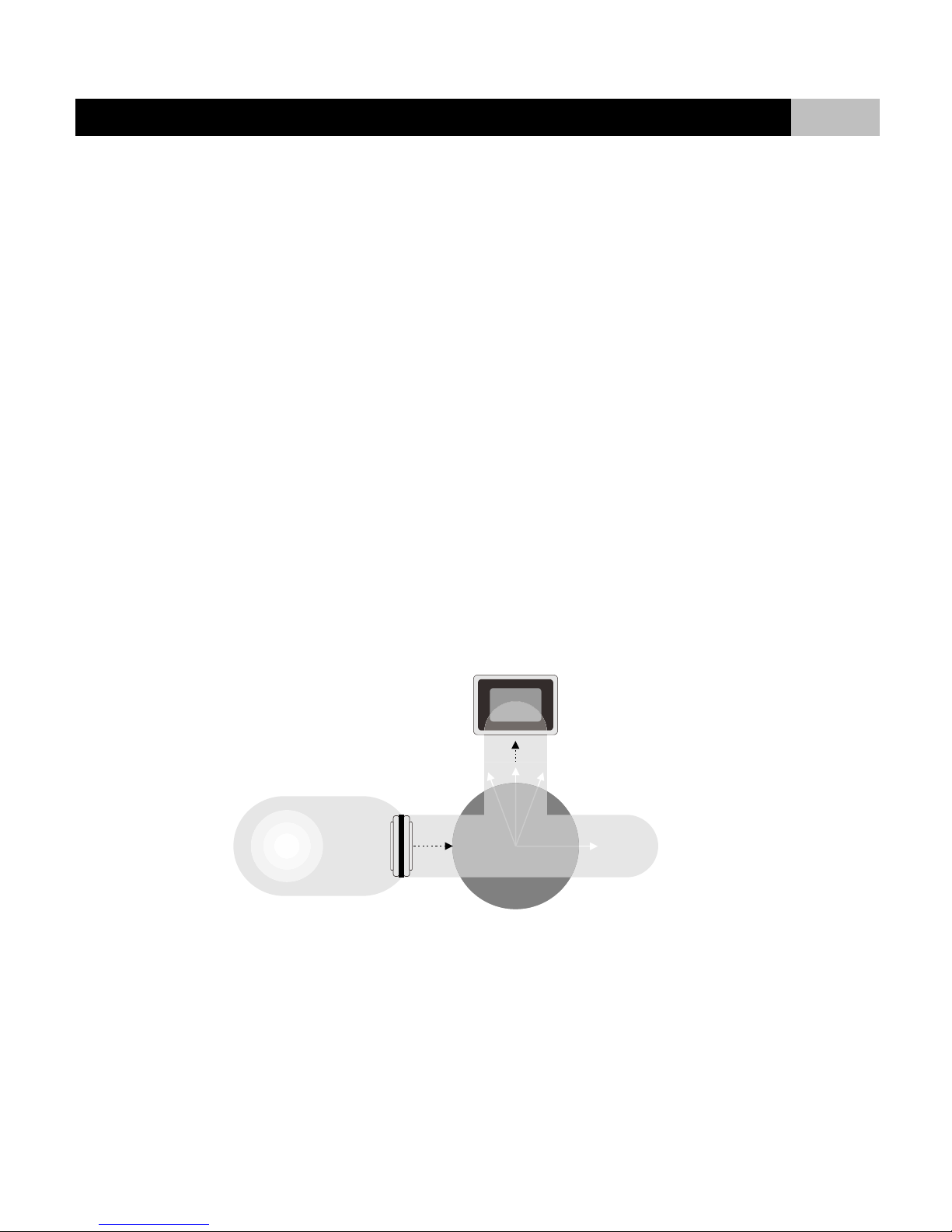
TB100 portable turbidimeter operates on the nephelometric principle of turbidity measurement and is designed to meet the criteria specified in ISO 7027.
The following figure shows basic optical system of the meter. It includes a light source and a detector to monitor the light scattered at 90°with respect to
the incident beam.
IR LED
Emitted Light
Sample
90o Scattered Light
Detector
TB100 Portable Turbidimeter
2
Overview
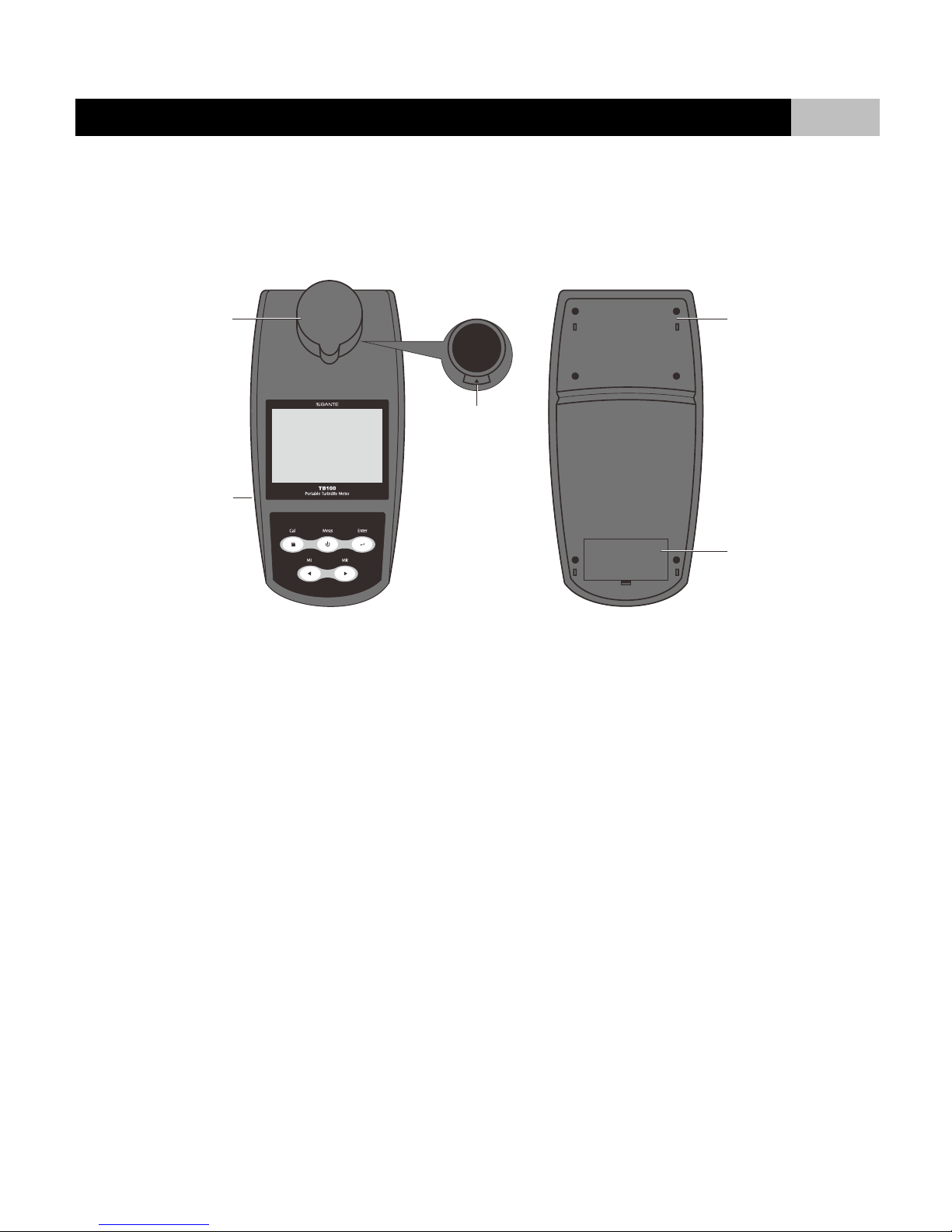
TB100 portable turbidimeter measures turbidity from 0 to 1100 NTU/FNU, or 0 to 275 EBC, or 0 to 9999 ASBC. The setup menu contains the 7 optional
parameters. Data can be stored and transferred to the computer by USB interface.
Sample chamber
USB interface
Alignment arrow
Measurement module
Battery compartment
TB100 Portable Turbidimeter
3
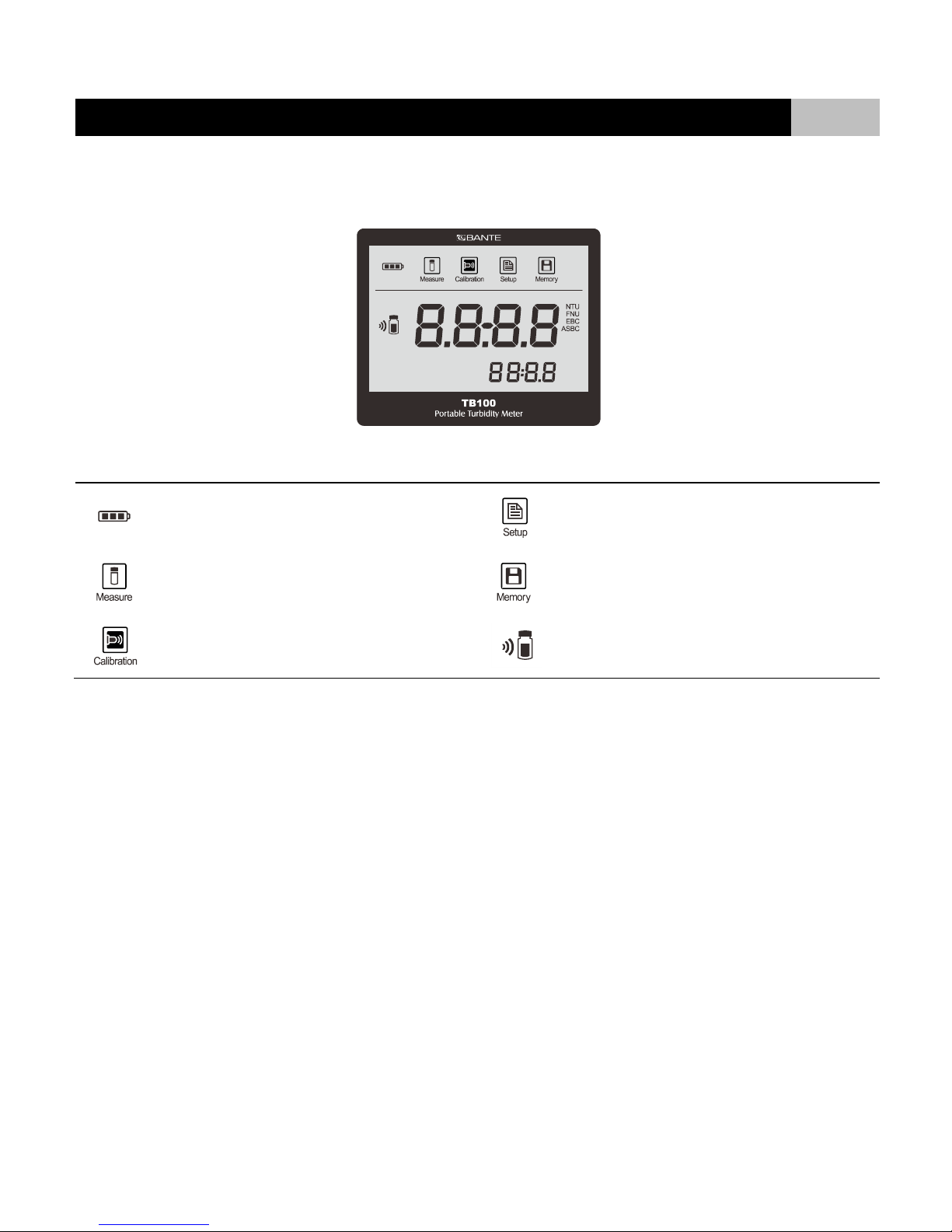
Display
INDEX:
Low Battery Alarm:
When battery is depleted, the icon will disappear
Setup mode icon:
Indicates meter is in SETUP mode
Measurement mode icon:
Indicates meter is in the measurement mode
Memory mode icon:
Indicates data is stored into memory
Calibration mode icon:
Indicates meter is in the calibration mode
Calibration icon:
Indicates meter is calibrating

TB100 Portable Turbidimeter
4
Keypad
INDEX:
KEY
FUNCTION
MEAS|
●Switching the turbidimeter On or Off.
●Press the key to perform a measurement.
●In the calibration or setting mode, exits current mode and returns to measurement.
CAL|
●Press the key to enter the calibration mode.
●Press and hold the key to enter the setup menu.
MI|◄
●Press the key to store current measured value.
●Press ◄key in setup mode to scroll up through menu.
●Press ◄key in setting mode to increase the setting value.
MR|►
●Press the key to view stored data.
●Press ►key in setup mode to scroll down through menu.
●Press ►key in setting mode to decrease the setting value.
ENTER
●Confirms the calibration, setting value or displayed option.
TB100 Portable Turbidimeter
5
Inserting the Battery
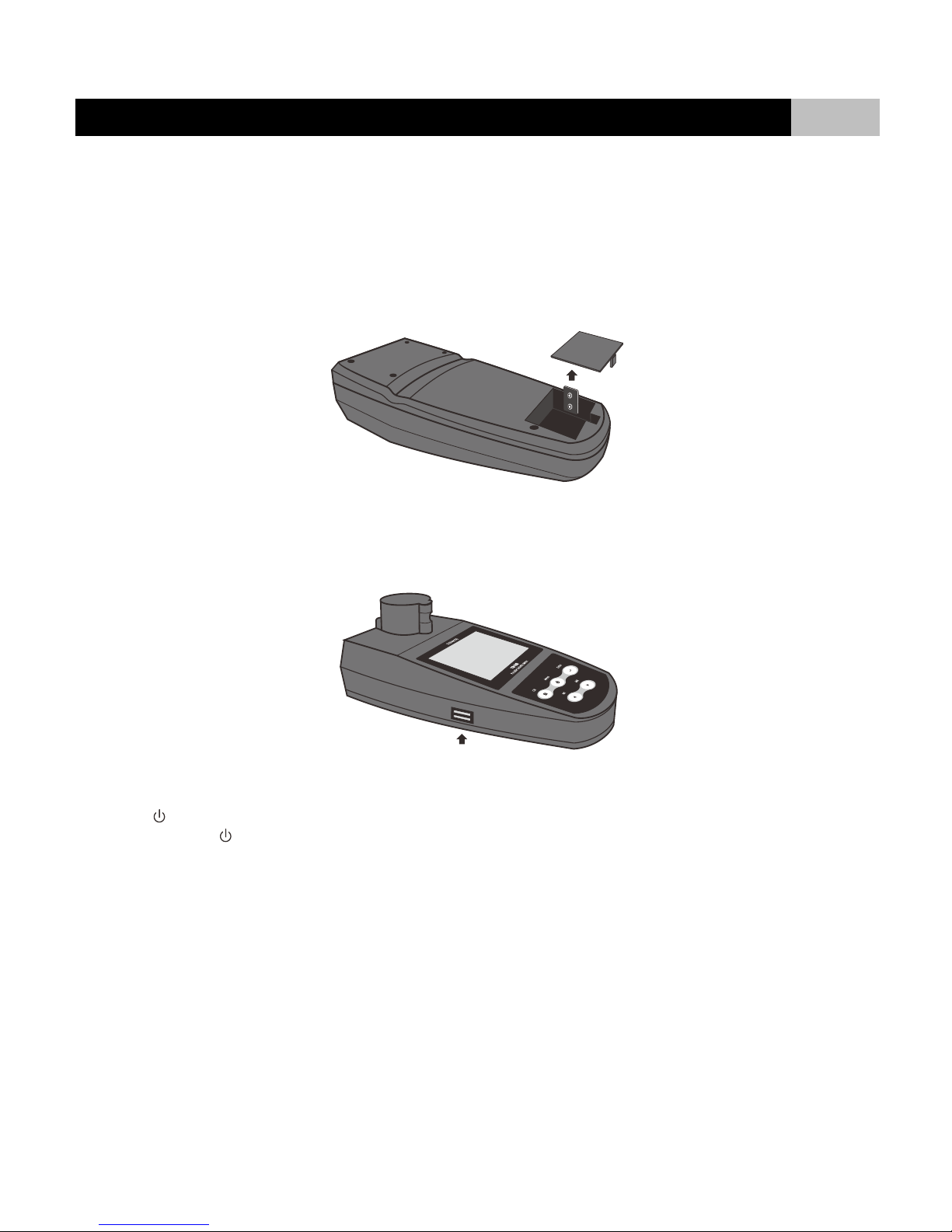
TB100 portable turbidimeter is packaged with one 9V battery. Before using, insert the battery into the battery compartment, follow the procedure outlined
below.
1. Remove the battery compartment cover from the meter’s backside.
2. Insert the 9V battery into the battery compartment, note polarity.
3. Replace the battery compartment cover to its original position. Installation is completed.
When battery is depleted, the meter allows you to use the USB cable connected to computer as a temporarily power supply.
Power On/Off
●Press key to turn on the meter, the display shows measuring value and mode icons.
●Press and hold the key for 3 seconds, the meter will turn off.
TB100 Portable Turbidimeter
6
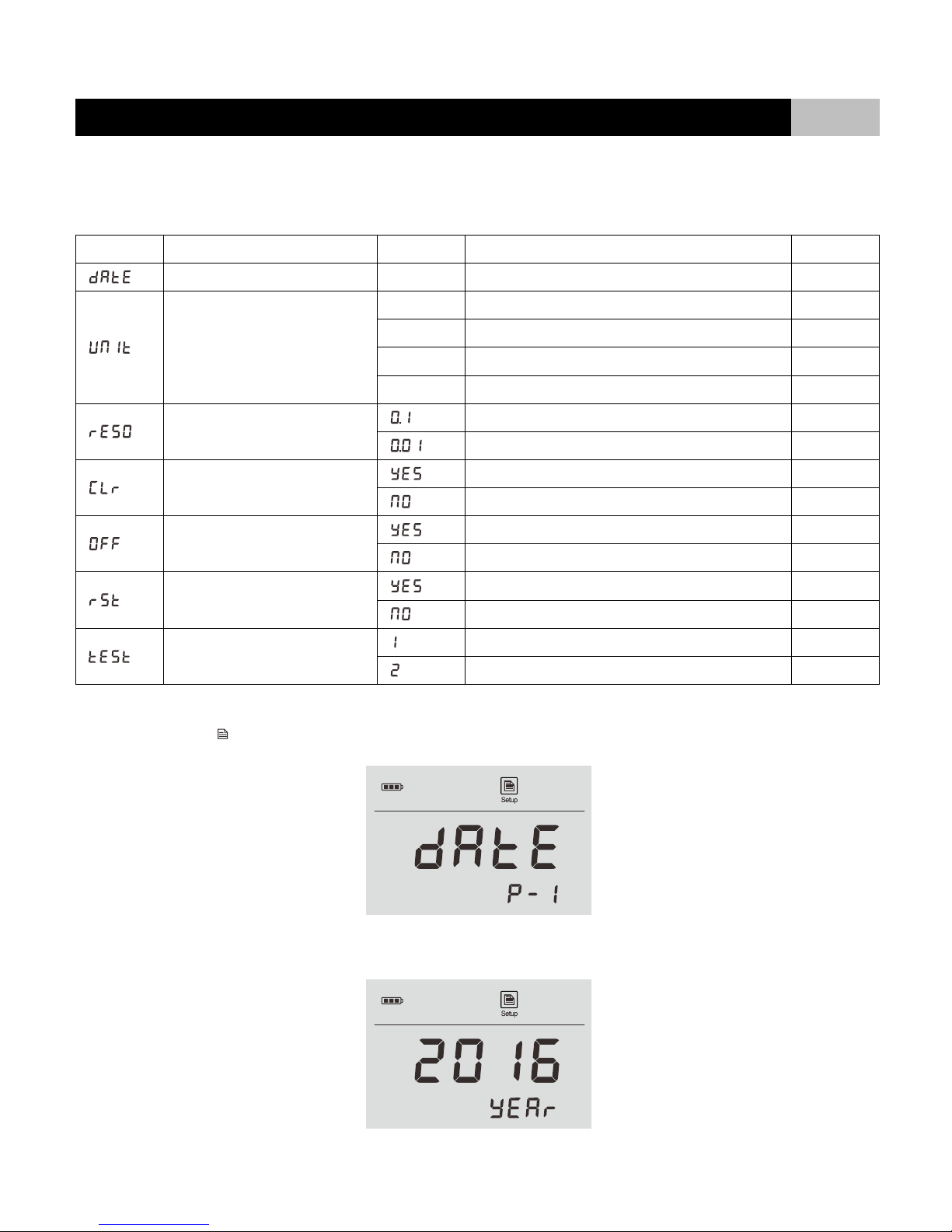
Setup Menu
TB100 portable turbidimeter contains an integrated setup menu that allows you to customize each displayed option to meet measurement requirements.
PARAMETER
DESCRIPTION
OPTIONS
DESCRIPTION
DEFAULT
Date and Time
---
Sets the date and time for data log
Sets the default turbidity unit
NTU
Nephelometric Turbidity Unit
●
FNU
Formazin Nephelometric Unit
EBC
Turbidity scale of the European Brewery Commission
ASBC
Turbidity scale of the American Society of Brewing Chemists
Sets the resolution for measurement
Resolution: 0.1
Resolution: 0.01
●
Clear all stored data
Enable
Disable
●
Auto-power off
Enable
Disable
●
Restore factory settings
Enable
Disable
●
Measurement mode
Single measurements
●
Continuous measurements
SETTING THE DATE AND TIME:
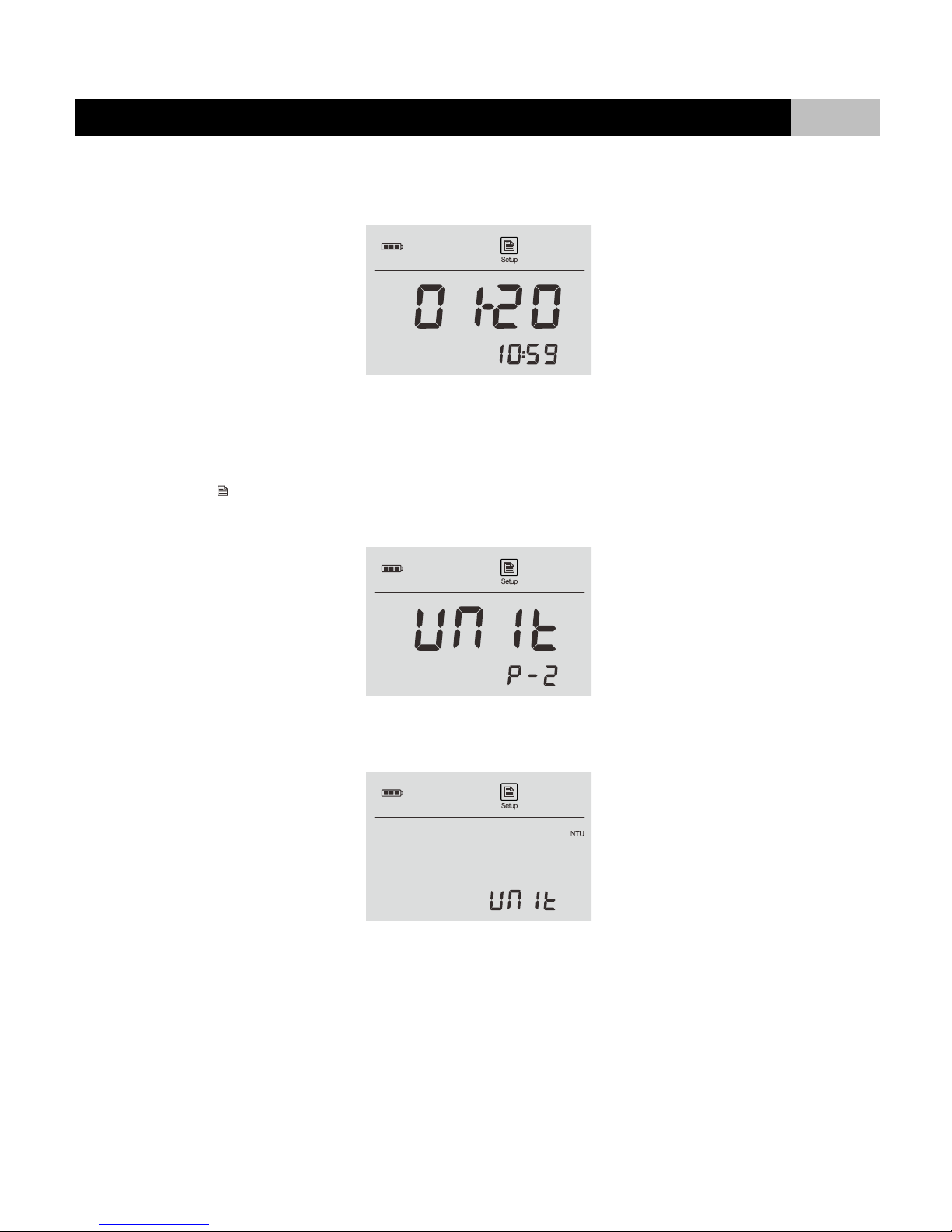
1.1 Press and hold the key for 3 seconds to enter setup menu, the display shows DATE/P-1.
1.2 Press ENTER key to confirm, the meter shows current year.
TB100 Portable Turbidimeter
7
1.3 Press ◄or ►key to set the year, press ENTER key to confirm. The meter shows current date and time (Format: mm-dd, hh-mm).
1.4 Press ◄or ►key to set the date and time, press ENTER key to confirm until the meter returns to measurement mode. Setting is completed.
SETTING THE TURBIDITY UNIT:
TB100 portable turbidimeter is capable of selecting the four turbidity units, including the NTU, FNU, EBC and ASBC. The default setting is NTU.
2.1 Press and hold the key for 3 seconds to enter setup menu.
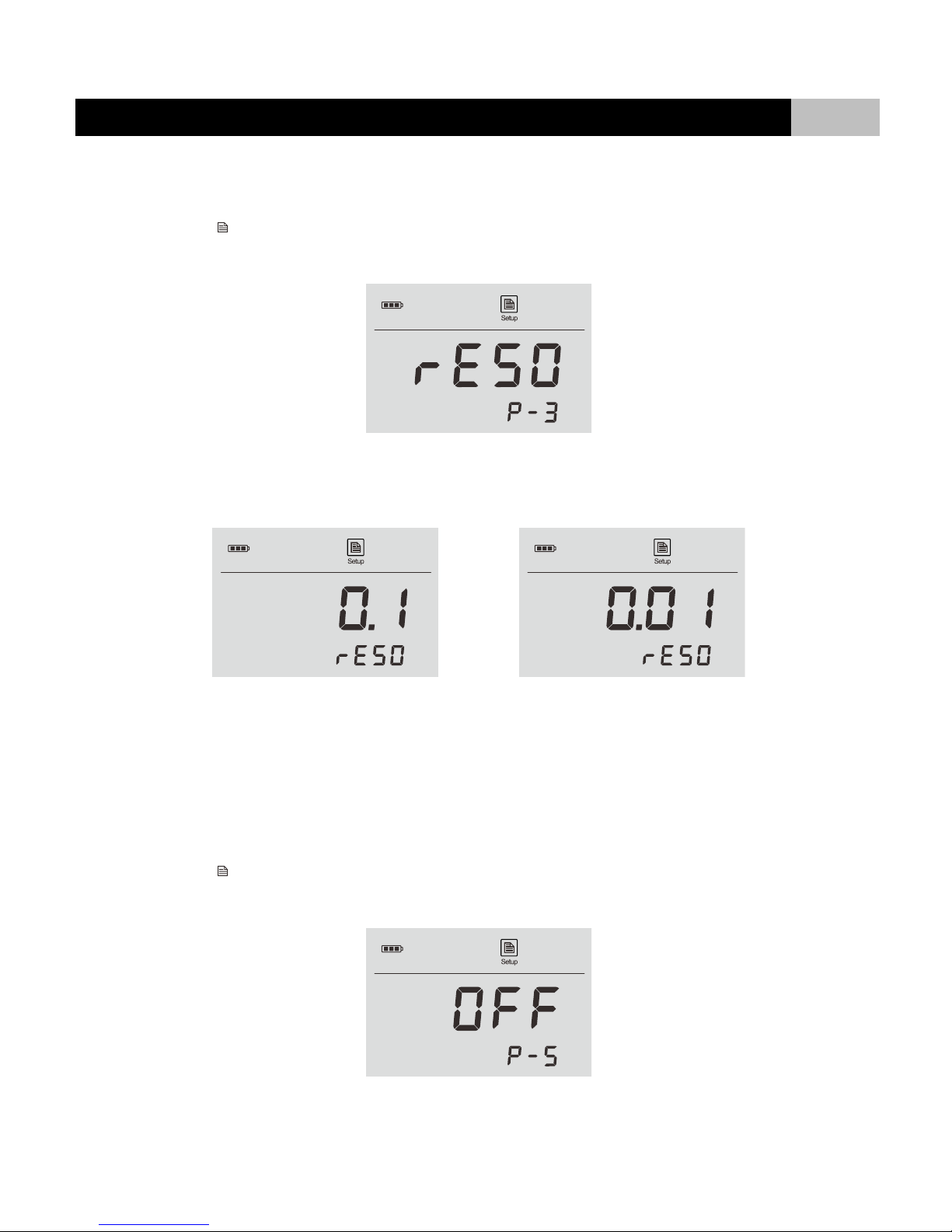
2.2 Press ◄or ►key until the display shows UNIT/P-2.
2.3 Press ENTER key to confirm, the meter shows default turbidity unit.
2.4 Press ◄or ►key to select the desired measurement unit.
2.5 Press ENTER key to confirm, the meter returns to measurement mode. Setting is completed.
TB100 Portable Turbidimeter
8
SETTING THE RESOLUTION:
The meter contains two resolution options. For the high-accuracy measurement, we recommend that you select the 0.01. The default option is 0.1.
3.1 Press and hold the key for 3 seconds to enter setup menu.
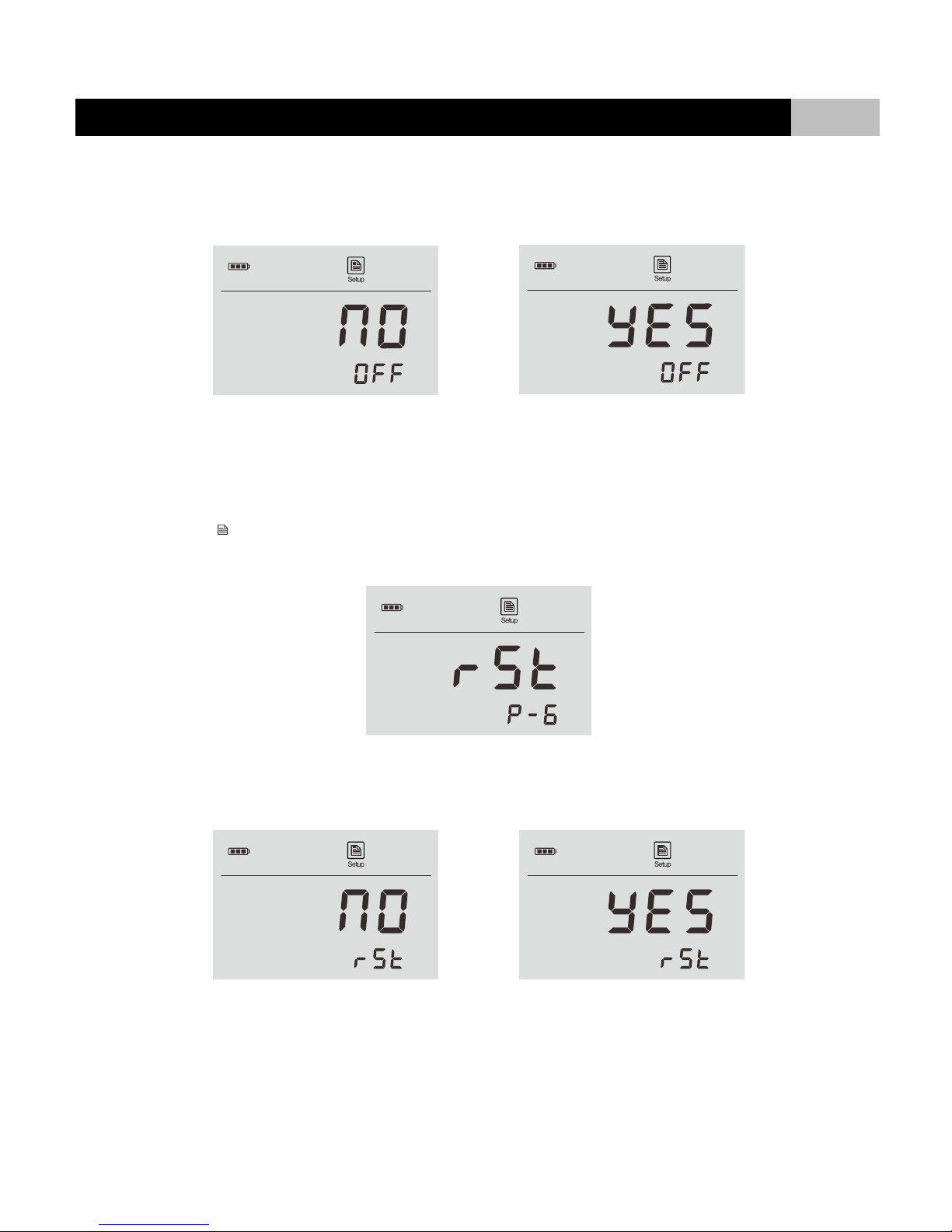
3.2 Press ◄or ►key until the display shows RESO/P-3.
3.3 Press ENTER key to confirm, the meter shows 0.1/RESO.
3.4 Press ◄or ►key to select the desired resolution (0.1 or 0.01 NTU).
3.5 Press ENTER key to confirm, the meter returns to measurement mode. Setting is completed.
CLEAR ALL STORED DATA:
Please refer to page 17 (Clear Stored Data).
AUTO-POWER OFF:
TB100 portable turbidimeter has an auto-power off function that can be set to 15 minutes or OFF. When auto-power off function is enabled, if you do not
press any key within the specified time period, the meter will automatically turn off.
5.1 Press and hold the key for 3 seconds to enter setup menu.
5.2 Press ◄or ►key until the display shows OFF/P-5.
TB100 Portable Turbidimeter
9
5.3 Press ENTER key to confirm, the meter shows NO/OFF indicating that the auto-power off function is disabled.
5.4 Press ◄or ►key to enable or disable this function.
5.5 Press ENTER key to confirm, the meter returns to measurement mode. Setting is completed.
RESTORE FACTORY SETTINGS:
During the calibration, if the meter shows ERR and it cannot be corrected by recalibration, you need to enable the Reset function. Warning: once Reset
function is enabled, all calibration values and selected parameters will be lost or reset. The meter must be calibrated.
6.1 Press and hold the key for 3 seconds to enter setup menu.
6.2 Press ◄or ►key until the display shows RST/P-6”.
6.3 Press ENTER key to confirm, the meter shows NO/RST indicating that do not reset the meter.
6.4 Press ◄or ►key to enable or disable this function.
6.5 Press ENTER key to confirm, the meter returns to measurement mode. Setting is completed.
Table of contents
Other BANTE Measuring Instrument manuals


