5
HYDROCAL M4 - User Manual
The meter is not suitable for drinking water but is suitable for circulating water in central heating systems.
The quality of the water has to be as specified by the CEN/TR 16911 regulation.
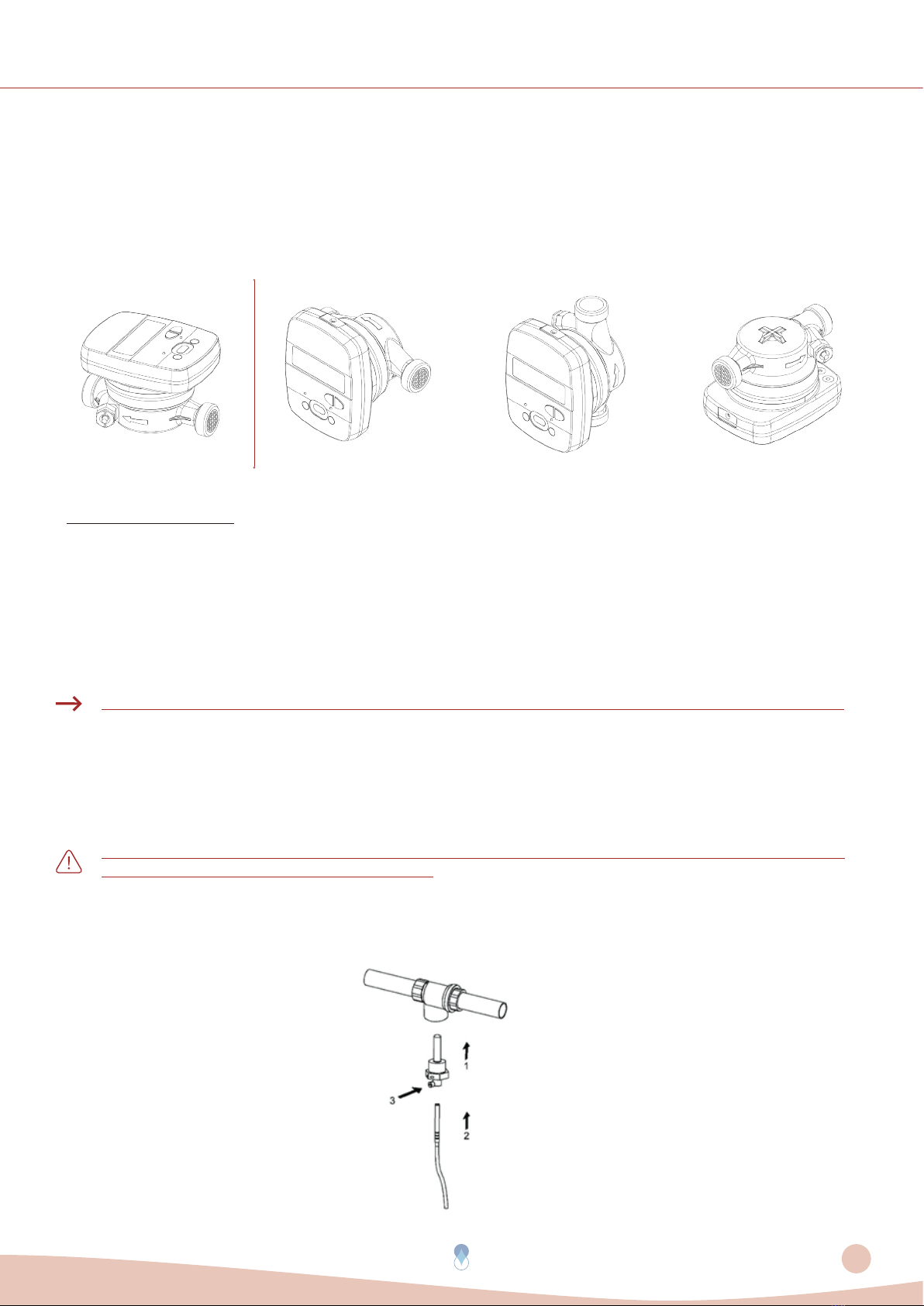
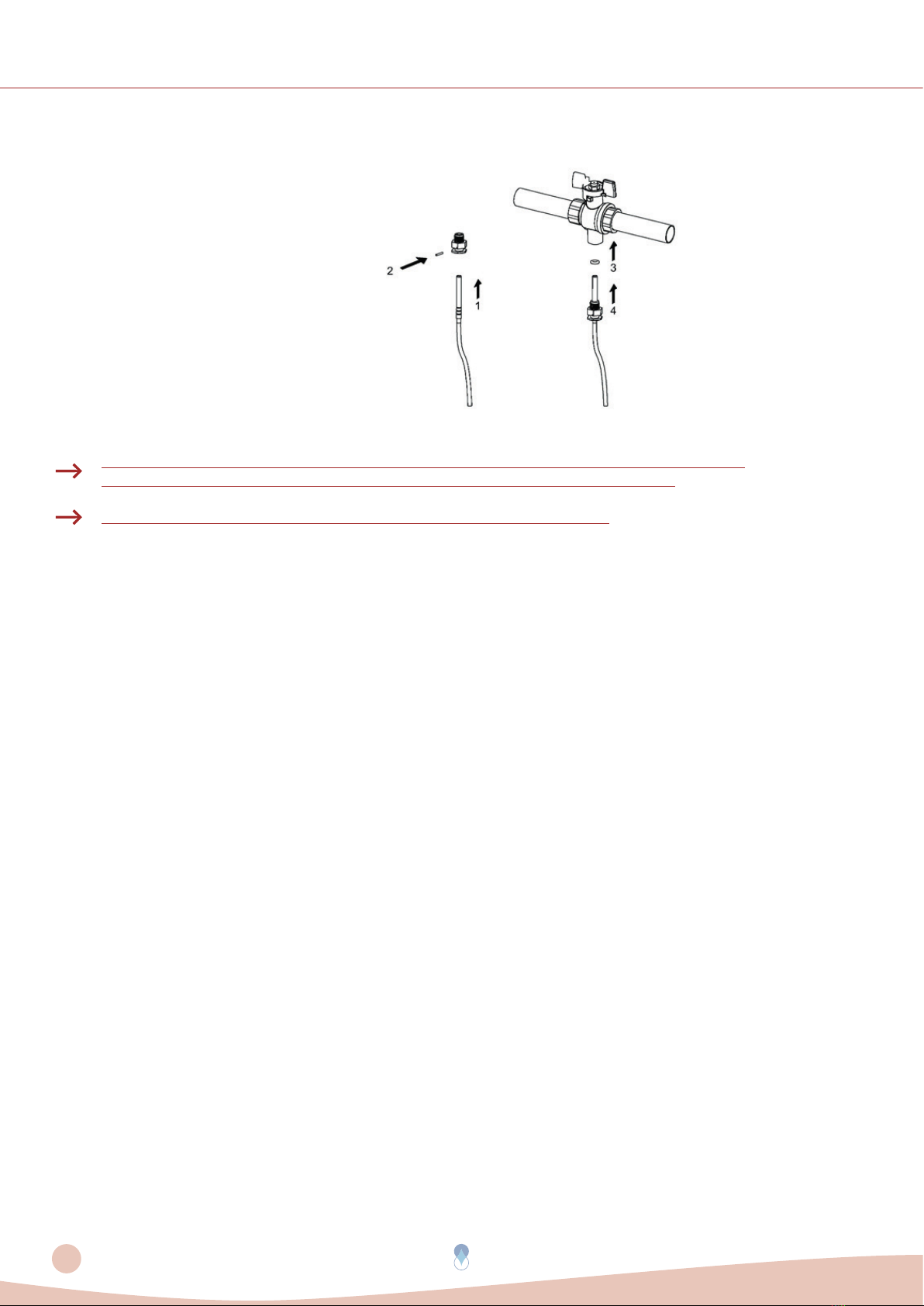
Do not twist, wrap, extend or shorten the cables of the temperature probes and the cable that connects the
electronic unit to the part of the lower-case body.
The thermal energy meter can be installed only in areas protected from frost.
The thermal energy meter must be protected against pressure shocks in the pipeline.
Slowly fill the pipe with water at the end of the installation.
After installing the meter perform a leak test of the system.
Assemble or disassemble the meter only after depressurization of the system.
The meter does not have lightning protection.
Thermal energy meters do not require special protection against electrical interference; however,
electromagnetic interference must be avoided.
If transmission network interfaces are used, especially when cables are routed outside the building, use
increased protection against electrical interference.
Rinse the pipes thoroughly before installing the meter.
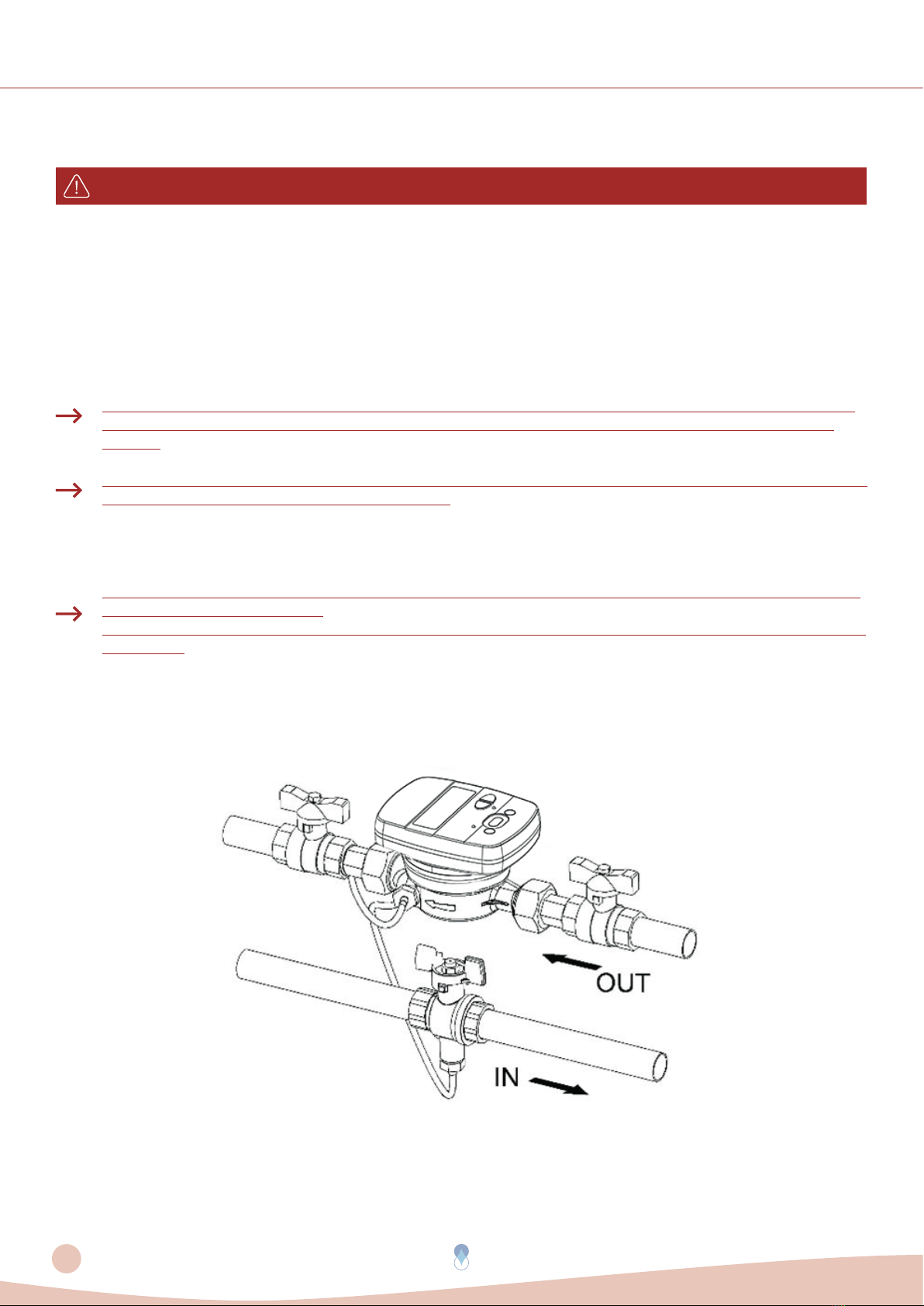
The device must be installed pay attention to matching the direction of the arrow on the meter brass body to
the direction of the flow.
Avoid collecting air bubbles in the meter during the installation process.
The thermal energy meter must not be subjected to mechanical stress when installed in the pipeline.
The meter must be installed in such a way as to be protected from all impurities and external contamination.
Manually and simultaneously screw the device fittings on both sides, and then tighten in opposite directions
using a suitable tool.
Remove old seals and clean the sealing surfaces.
Slightly grease the sealing surfaces (use grease approved by MID Standards).
Mount only the newly supplied gaskets (gaskets should not get in the pipeline). Seals provided on site
must be fit for purpose and comply with local guidelines and directives. B METERS disclaim all liability for
consequential damage resulting from the use of third-party gaskets, such as corrosion of sealing surfaces and
threads.
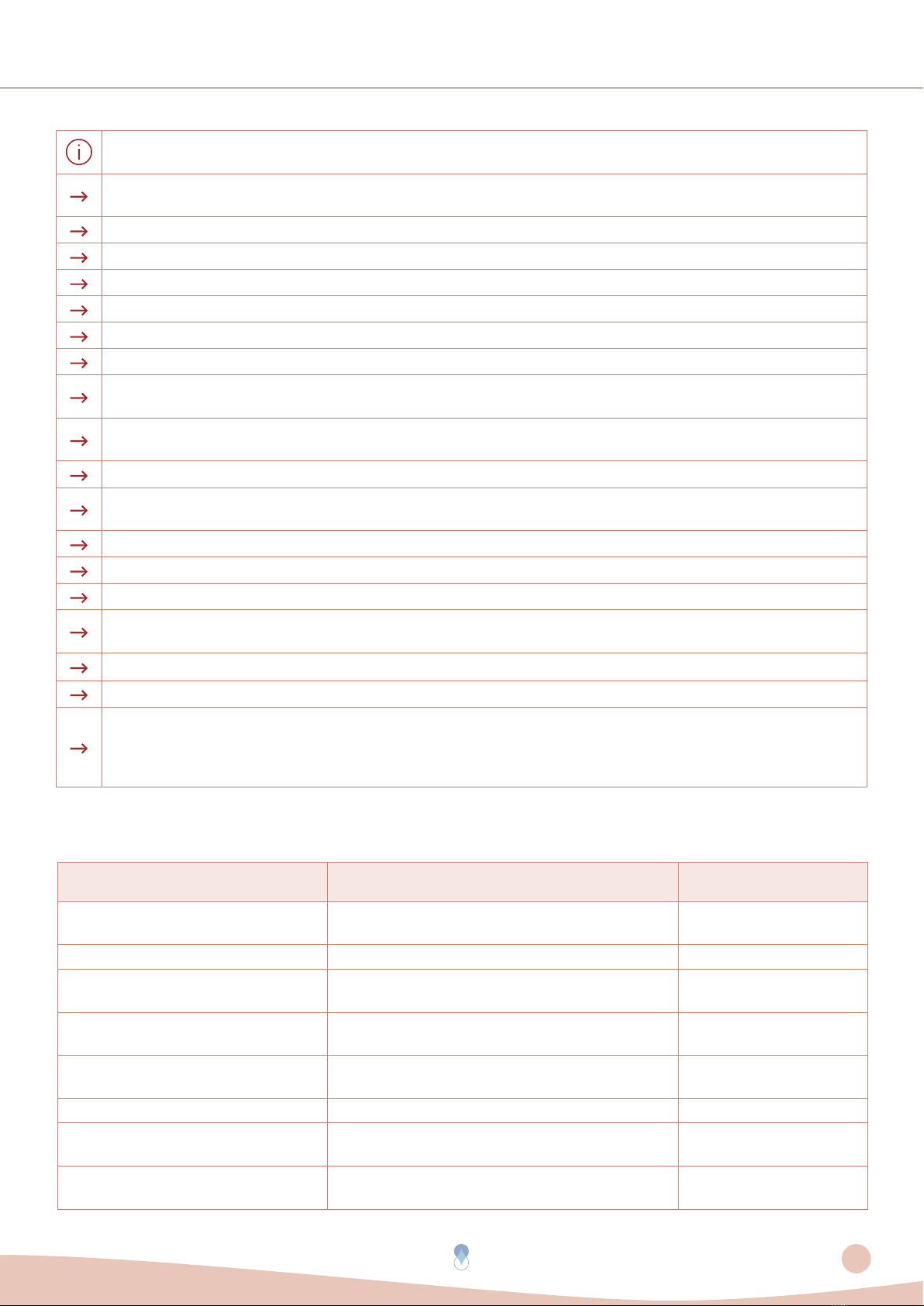
The table below presents troubleshooting steps:
Problem Cause Solution
Display off, pressing buttons does not
respond The battery may be damaged or discharged Inform Customer Service
Damaged brass case or leakage Possible external impact or fall to the ground Inform Customer Service
Lower case brass separated by
electronic unit
Tampering by third party or strong external
impacts Inform Customer Service
Open and visible electronic unit Tampering by third party or strong external
impacts Inform Customer Service
No consumption is accounted Tampering by third party, strong external shocks
or damage to the flow detection sensor Inform Customer Service
Error 12 always present Damaged temperature probes Inform Customer Service
Error 18 or 19 always present Damaged temperature probes or
out of system temperatures limits Inform Customer Service
Does not transmit via radio Failure to pass 5 absolute liters or the batteries
may be damaged or discharged Inform Customer Service