TMC TI6VG4 User manual

TI6VG4
Pentium II/III Apollo Pro 133(A)
ATX Motherboard
User's Manual
Version 1.1

ii TI6VG4 User’s Manual
Copyright Notice
This publication is protected by copyright and all rights are reserved. No
part of it may be reproduced or transmitted by any means or in any form,
without prior consent of the original manufacturer.
The information in this document has been carefully checked and is
believed to be accurate. However, the original manufacturer assumes no
responsibility for any inaccuracies that may appear in this manual. In no
event will the original manufacturer be liable for direct, indirect, special,
exemplary, incidental, incidental or consequential damages resulting
from any defect or omission in this manual, even if advised of possibility
of such damages. The material contained herein is for informational
purposes only.
Acknowledgments
Award is a registered trademark of Award Software International, Inc.
IBM, PS/2 are trademarks of International Business Machines
Corporation.
Intel and Pentium are registered trademarks of Intel Corporation.
Apollo Pro is a trademark of VIA Technologies.
Microsoft Windows is a registered trademark of Microsoft Corporation.
All other product names or trademarks are properties of their respective
owners.

Contents
TI6VG4 User’s Manual iii
Contents
Chapter 1 Introduction....................................................1
Chapter 2 Specifications..................................................3
Chapter 3 Hardware Description ...................................5
3.1 Processor ...................................................................................7
3.2 L2 Cache ...................................................................................7
3.3 Main Memory............................................................................7
3.4 BIOS..........................................................................................9
3.5 Onboard AGP Slot.....................................................................9
3.6 Hardware Monitoring................................................................9
3.7 Multi-I/O ...................................................................................9
3.8 Interrupt Request (IRQ) Lines.................................................10
3.9 Onboard PCI-IDE....................................................................10
3.10 DMA Channels......................................................................10
3.11 I/O Port Address Map............................................................11
3.12 Onboard Audio......................................................................11
3.13 AMR Slot ..............................................................................11
Chapter 4 Configuring the Motherboard ....................13
4.1 CPU Frequency Setting ...........................................................15
4.2 JP4, JP5: Force Clock Select...................................................15
4.3 JP6: Onboard Audio and AMR Slot Setting ...........................16
4.4 JP9: Clear CMOS Select .........................................................16
Chapter 5 Installation....................................................17
5.1 I/O Connectors ........................................................................19
5.2 J1: PS/2 Keyboard and PS/2 Mouse Connectors.....................19
5.3 J2: ATX Power Supply Connector..........................................20
5.4 J5: Floppy Drive Connector ....................................................20
5.5 IDE1, IDE2: EIDE Connectors...............................................21
5.6 J3, J6: Serial Ports...................................................................23
5.7 J4: Parallel Port Connector......................................................23
5.8 J10, J7, J8, J9: Game Port, Mic In/Line In/Line Out...............24
5.9 J12, J13, J14: CD In and Auxiliary In Connectors.................24
5.10 FAN1, FAN2, FAN3: Fan Power Connectors.......................24
5.11 J16: IrDA Connector .............................................................25
5.12 USB1, J18: USB Connectors.................................................25

Contents
iv TI6VG4 User’s Manual
5.13 J15: Wake on LAN Connector...............................................25
5.14 J17: Front Bezel Connectors..................................................26
Chapter 6 BIOS Configuration.....................................28
6.1 BIOS Introduction ...................................................................31
6.2 BIOS Setup..............................................................................31
6.3 Standard CMOS Setup.............................................................33
6.4 BIOS Features Setup................................................................36
6.5 Chipset Features Setup.............................................................40
6.6 Power Management Setup .......................................................43
6.7 PNP/PCI Configuration ...........................................................46
6.8 Load BIOS Defaults ................................................................48
6.9 Load Setup Defaults.................................................................48
6.10 CPU Speed Setting ................................................................49
6.11 Integrated Peripherals............................................................51
6.12 Supervisor / User Password...................................................53
6.13 IDE HDD Auto Detection......................................................54
6.14 Save & Exit Setup..................................................................55
6.15 Exit Without Saving...............................................................55
Chapter 7 VIA Drivers Installation Guide ..................56
7.1 Windows 98 4-in-1 Driver Installation....................................56
7.2 Windows 98/95 DirectX Installation.......................................59
7.3 Windows 98 Audio Driver Installation....................................61
7.4 Windows 98SE 4-in-1 Driver Installation................................62
7.5 Windows 98SE Audio Driver Installation ...............................64
7.6 Windows 95 4-in-1 Driver Installation....................................65
7.7 Windows 95 Audio Driver Installation....................................70
7.8 Windows NT 4.0 Audio Driver Installation.............................71
Appendix..........................................................................75
A. Slot 1 Retention Mechanism......................................................75
Additions & Errata.........................................................76
Chapter 1 Introduction
TI6VG4 User’s Manual 1
Chapter 1 Introduction
This manual is designed to give you information on the TI6VG4
motherboard. It is divided into the following sections:
•
••
•
Introduction
•
••
•
Specifications
•
••
•
Hardware Description
•
••
•
Configuring the Motherboard
•
••
•
Installation
•
••
•
BIOS Configuration
•
••
•
VIA Drivers and DirectX Installation
Checklist
Please check that your package is complete and contains the items below.
If you discover damaged or missing items, please contact your dealer.
The TI6VG4 Motherboard
1 IDE ribbon cable
1 floppy ribbon cable
1 CD containing a system monitoring utility, Bus Master IDE
driver and utilities.
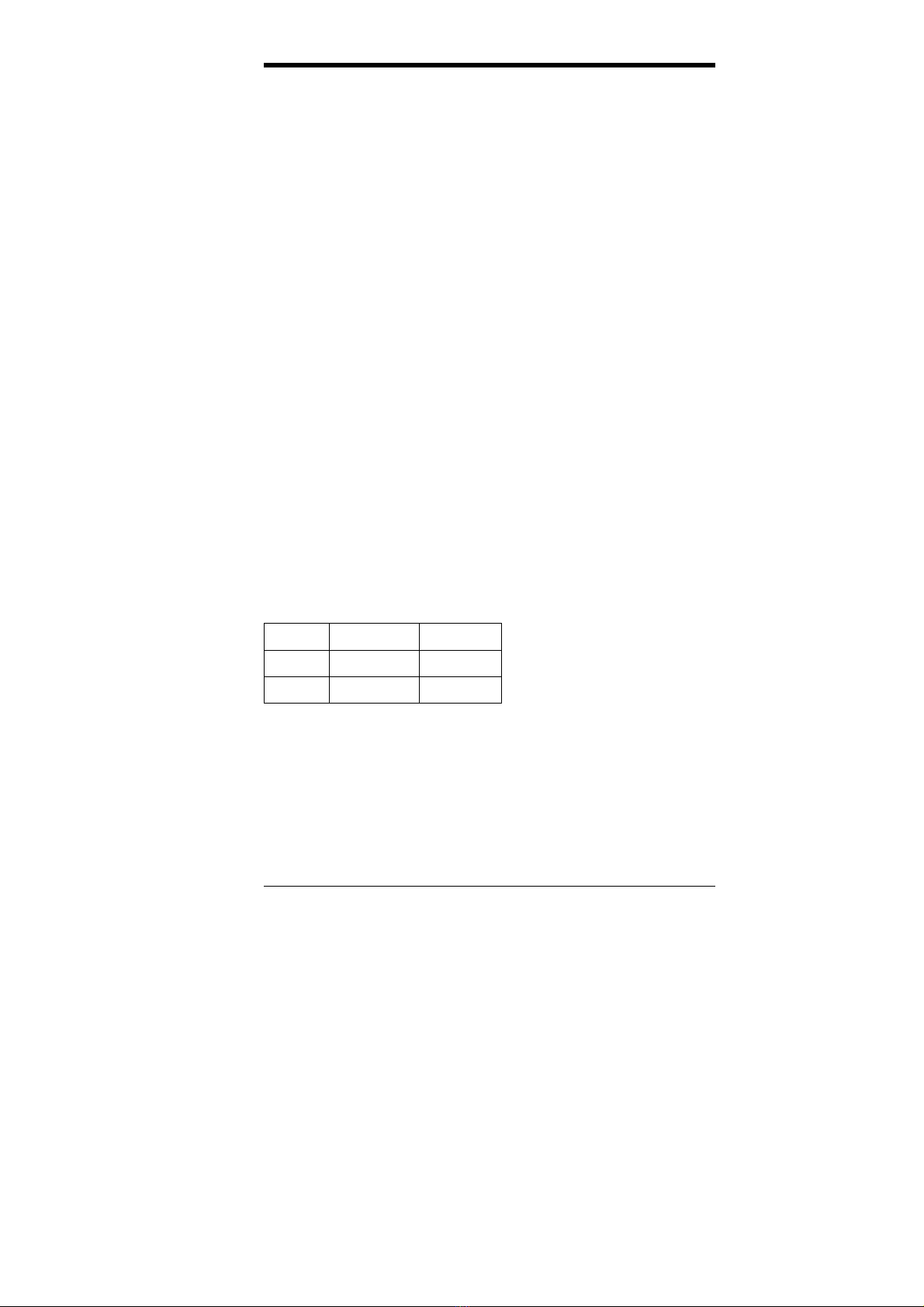
Product Information
TI6VG4 TI6VG4X
Chipset 82C693AA 82C694X
AGP 2X 2X/4X
* After installing Windows 95 or Windows 98(SE), install VIA 4 in 1
drivers to ensure that your system works properly.

Chapter 1 Introduction
2TI6VG4 User’s Manual
This page was intentionally left blank.

Chapter 2 Specifications
TI6VG4 User’s Manual 3
Chapter 2 Specifications
The TI6VG4 is a high-performance ATX Apollo Pro 133(A)
motherboard with a Slot 1 connector for PentiumII/III processors. It
offers flexibility in terms of CPU frequency and main memory type and
size. The main features of the motherboard consist of the following:
CPU Socket
Slot 1
Processor
Intel Pentium II 233/266/300MHz (66MHz / Klamath)
Intel Celeron 266/300/300A/333 (66MHz)
Intel Pentium II 333MHz (66MHz / Deschutes)
Intel Pentium II 300/350/400/450MHz (100MHz / Deschutes)
Intel Pentium III 450/500/550MHz (100MHz / Katmai)
Intel Pentium III 533/600/667MHz (133MHz / Katmai/Coppermine)
L2 Cache
CPU integrated L2 cache
Main Memory
Three 168-pin DIMM sockets with PC133 support
Memory types: Extended Data Output (EDO) DRAM, SDRAM
(Synchronous DRAM)
Memory size: 16MB, 32MB, 64MB, 128MB, 256MB, 512MB
Chipset
VIA Apollo Pro 133(A) (VT82C693AA/X and VT82C686A)
Super I/O
The super I/O is a built in the VT82C686A chip and supports:
z
Two 16550 UART compatible serial ports
z
One parallel port (ECP/EPP compatible)
z
One floppy controller (2.88MB compatible)
z
One IrDA port
PCI Bus Master IDE Controller (UDMA33/66)
Onboard PCI Bus Master IDE (UDMA33/66) controller with two
connectors for up to four IDE devices in two channels, supporting
faster data transfer rates, enhanced IDE devices, PIO Mode 3/4 and
Bus Mastering Ultra DMA33/66 (You have to install the Bus Master
IDE driver to enable this feature.)

Chapter 2 Specifications
4TI6VG4 User’s Manual
BIOS
Award BIOS with ISA Plug and Play (PnP) extension, DMI, bootable
CD-ROM and power-management features. The BIOS is Y2K (Year
2000) compliant.
Mouse Connector
PS/2 type
Keyboard Connector
PS/2 type
USB Connector
One external stacked USB connector with 2 ports and a pin-header
connector for the optional USB connector to support another 2 ports.
Windows 98/95-shut-off
Allows shut-off control from within Windows 98/95
Onboard Audio
The AC-97 audio function is integrated in the VIA VT82C686A South
Bridge chip.
Onboard AGP Slot
The AGP (Accelerated Graphics Port) slot supports AGP compliant
VGA cards to achieve rich 3D and video graphics display.
VT82C693AA supports 2X AGP while VT82C694X supports 2X/4X
AGP.
Expansion Slots
Five 32-bit PCI slots
One 16-bit ISA slots
One AGP slot
One AMR slot for a modem riser card
Form Factor
ATX, 12” x 7.48 (30.5cm x 19cm)

Chapter 3 Hardware Description
TI6VG4 User’s Manual 5
Chapter 3 Hardware Description
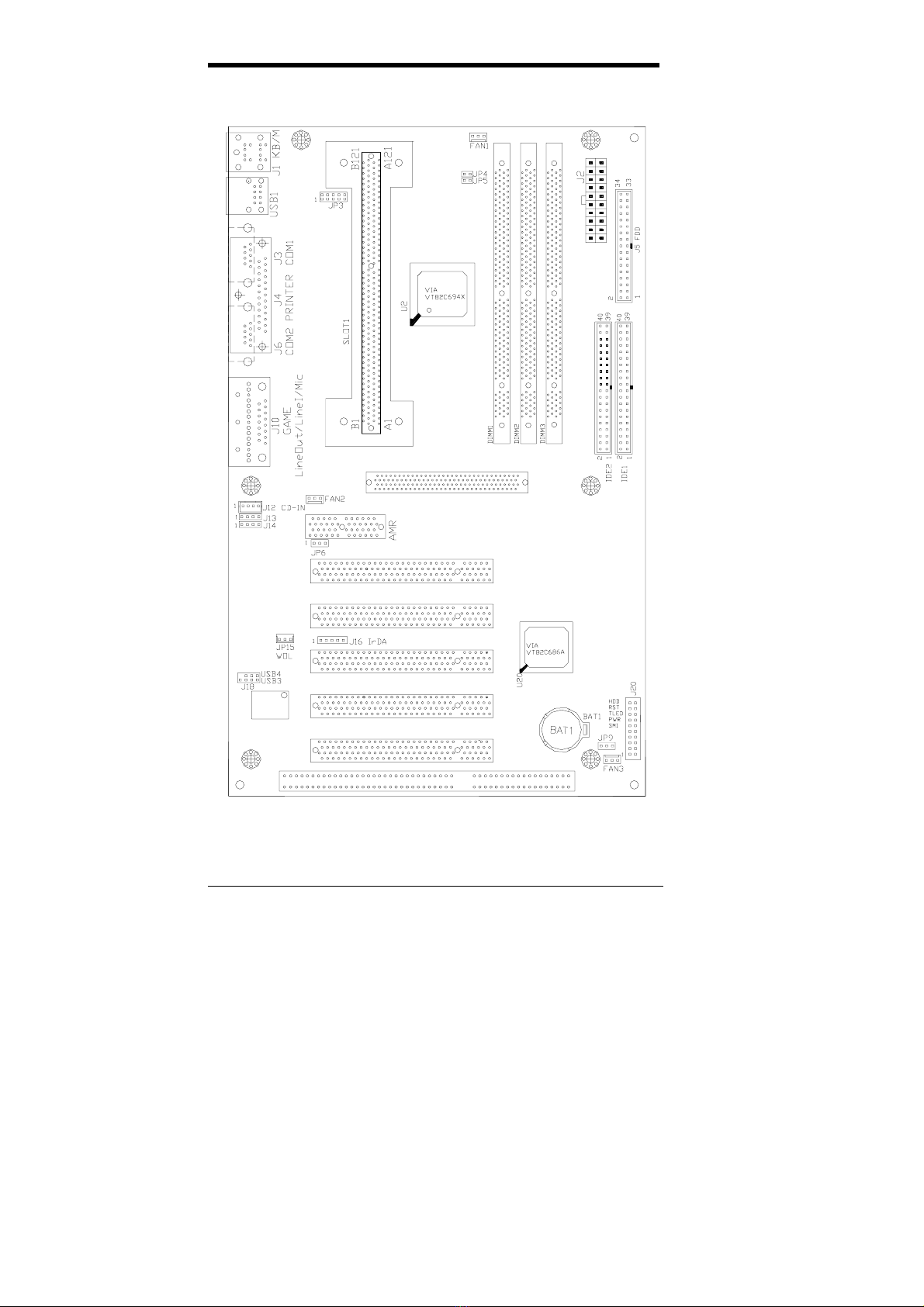
This chapter briefly describes each of the major features of the TI6VG4
motherboard. The layout of the board in Figure 1 shows the location of
the key components. The topics covered in this chapter are as follows:
3.1 Processor ...................................................................................7
3.2 L2 Cache ...................................................................................7
3.3 Main Memory............................................................................7
3.4 BIOS..........................................................................................9
3.5 Onboard AGP Slot.....................................................................9
3.6 Hardware Monitoring................................................................9
3.7 Multi-I/O ...................................................................................9
3.8 Interrupt Request (IRQ) Lines.................................................10
3.9 Onboard PCI-IDE....................................................................10
3.10 DMA Channels......................................................................10
3.11 I/O Port Address Map............................................................11
3.12 Onboard Audio......................................................................11
3.13 AMR Slot ..............................................................................11
Chapter 3 Hardware Description
6TI6VG4 User’s Manual
Figure 1: Layout of the TI6VG4 Motherboard
Table of contents
Other TMC Motherboard manuals