Sherwood TX-5090C User manual

AM/FM Stereo Digital Tuner
Digital-Tuner für UKW Stereo, MW und LW
Sintonizzatore Stereo Digital AM/FM
Sintonizador AM/FM Estéreo Digital
TX-5090C/RDS
OPERATING INSTRUCTIONS
BEDIENUNGSANLEITUNG
ISTRUZIONI PER L’USO
MANUAL DE INSTRUCCIONES

2
ENGLISH
UNPACKING AND INSTALLATIONUNPACKING AND INSTALLATION
IntroductionIntroduction
This symbol is intended to alert the
user to the presence of uninsulated
"dangerous voltage" within the
product's enclosure that may be of
sufficient magnitude to constitute a
risk of electric shock to persons.
FOR U.S.A.
Note to CATV System Installer: This reminder is
provided to call the CATV system installer's attention to
Article 820-40 of the NEC that provides guidelines for
proper grounding and, in particular, specifies that the cable
ground shall be connected to the grounding system of the
building, as close to the point of cable entry as practical.
FCC INFORMATION
This equipment has been tested and found to comply with
the limits for a Class B digital device, pursuant to Part 15 of
the FCC Rules. These limits are designed to provide
reasonable protection against harmful interference in a
residential installation. This equipment generates, uses and
can radiate radio frequency energy and, if not installed and
used in accordance with the instructions, may cause
harmful interference to radio communications. However,
there is no guarantee that interference will not occur in a
particular installation. If this equipment does cause harmful
interference to radio or television reception, which can be
determined by turning the equipment off and on, the user is
encouraged to try to correct the interference by one or more
of the following measures:
Reorient or relocate the receiving antenna.
Increase the separation between the equipment and
receiver.
Connect the equipment into an outlet on a circuit different
from that to which the receiver is connected.
Consult the dealer or an experienced radio/TV technician
for help.
CAUTION: Any changes or modifications in construction of
this device which are not expressly approved by the party
responsible for compliance could void the user's authority to
operate the equipment.
This symbol is intended to alert the
user to the presence of important
operating and maintenance (servicing)
instructions in the literature
accompanying the appliance.
To reduce the risk of fire or electric shock, do not
expose this appliance to rain or moisture.
WARNING
Congratulations on your purchase!
Your new high fidelity Tuner is designed to deliver maximum enjoyment and years of trouble free service.
Please take a few moments to read this manual thoroughly. It will explain the features and operation of your unit
and help ensure a trouble free installation.
Please unpack your unit carefully. We recommend that you save the carton and packing material. They will be
helpful if you ever need to move your unit and may be required if you ever need to return it for service. Your
unit is designed to be placed in a horizontal position and it is important to allow at least two inches of space
behind your unit for adequate ventilation and cabling convenience.
To avoid early damage, never place the unit near radiators, in front of heating vents, in direct sunlight or in
excessively humid or dusty location. Connect your complementary components as illustrated in the following
section.
CAUTION : TO REDUCE THE RISK
OF ELECTRIC SHOCK, DO NOT
REMOVE COVER(OR BACK).
NO USER-SERVICEABLE PARTS INSIDE.
REFER SERVICING TO
QUALIFIED SERVICE PERSONNEL.
CAUTION
RISK OF ELECTRIC SHOCK
DO NOT OPEN

Introduction
3
ENGLISH
READ THIS BEFORE OPERATING YOUR UNIT
Units shipped to the U.S.A. and Canada are
designed for operation on 120 V AC only.
Safety precaution with use of a polarized AC plug.
However, some products may be supplied with a
nonpolarized plug.
CAUTION : To prevent electric shock, match wide
blade of plug to wide slot, fully insert.
ATTENTION : Pour eviter les choc electriques,
introduire la lame la plug large de la borne
correspondante de la prise et poussre jusqu’au
fond.
FOR U.S.A. AND CANADA 120 V
Units shipped to Australia are designed for
operation on 240 V AC only.
To ensure safe operation, the three-pin plug
supplied must be inserted only into a standard
three-pin power point which is effectively earthed
through the normal household wiring. Extension
cords used with the equipment must be three-core
and be correctly wired to provide connection to
earth. Improper extension cords are a major cause
of fatalities.
The fact that the equipment operates satisfactorily
does not imply that the power point is earthed and
that the installation is completely safe. For your
safety, if in any doubt about the effective earthing
of the power point, consult a qualified electrician.
PAN-EUROPEAN UNIFIED VOLTAGE
All units are suitable for use on supplies 230 - 240 V
AC.
FOR EUROPE AND AUSTRALIA 230 V/240 V
FOR YOUR SAFETY
FOR YOUR SAFETY
Units shipped to countries other than the above
countries are equipped with an AC voltage selector
switch on the rear panel. Refer to the following
paragraph for the proper setting of this switch.
AC VOLTAGE SELECTION
This unit operates on 110 - 220 V AC. The AC
voltage selector switch on the rear panel is set to
the voltage that prevails in the area to which the
unit is shipped.
Before connecting the power cord to your AC outlet,
make sure that the setting position of this switch
matches your line voltage. If not, it must be set to
your voltage in accordance with the following
direction.
FOR OTHER COUNTRIES 110 V/ 220 V
FOR YOUR SAFETY
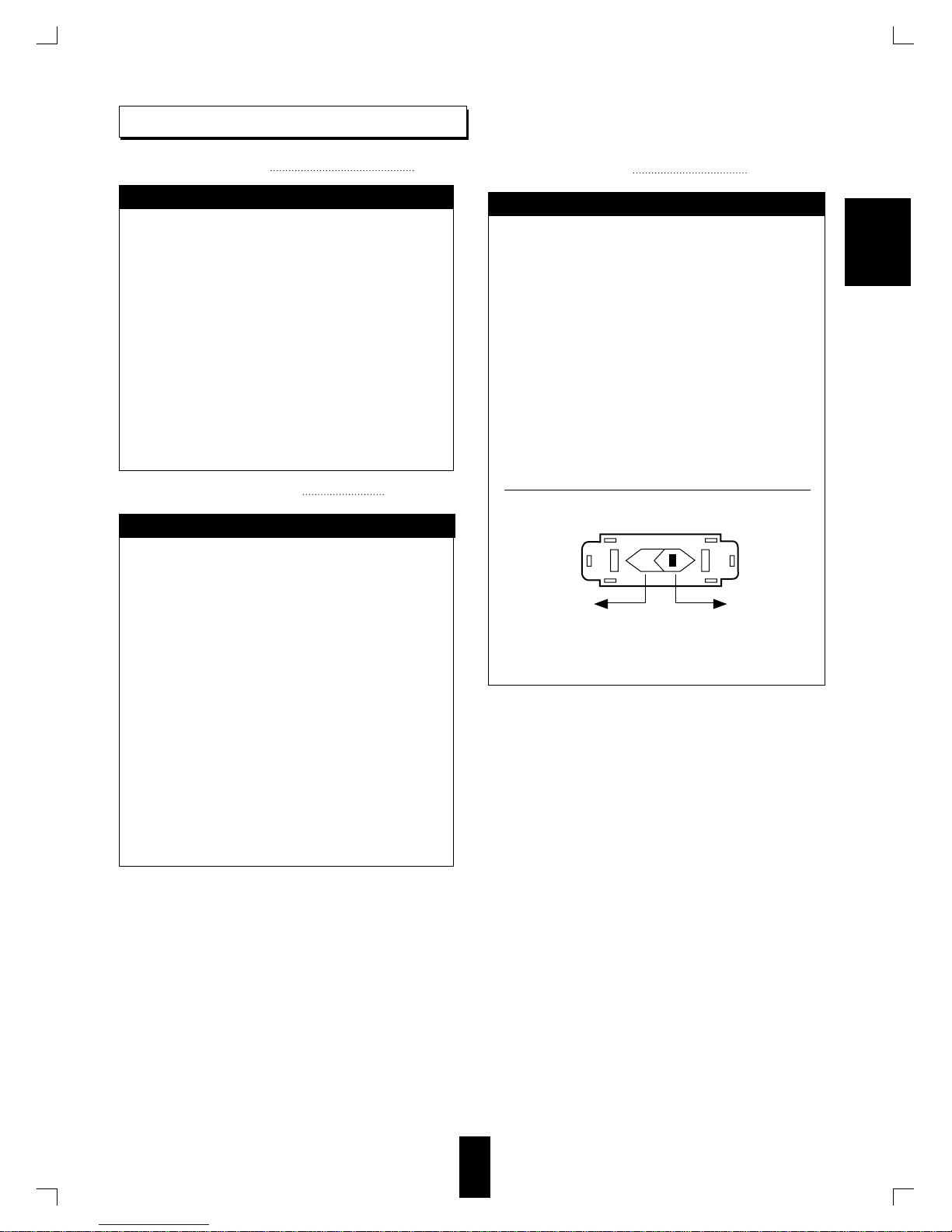
AC voltage selector switch
Move switch lever to match your line voltage
with a small screwdriver or other pointed tool.
AC 110 V AC 220 V

Introduction
UNPACKING AND INSTALLATION 2
READ THIS BEFORE OPERATING YOUR UNIT 3
Rear Panel Connections 5
Front Panel Controls 7
Operations
LISTENING TO RADIO BROADCASTS 9
LISTENING TO FM STEREO BROADCASTS 9
PRESETTING RADIO STATIONS 10
LISTENING TO PRESET STATIONS 11
LISTENING TO RDS BROADCASTS (FM only) 12
(Additional Function for TX-5090RDS Only)
Troubleshooting Guide 15
Specifications 16
Introduction
4
CONTENTS
ENGLISH

Rear Panel Connections
5
ENGLISH
AM loop antenna
AMPLIFIER/RECEIVER
FM
FM
(INDOOR ANTENNA)
(OUTDOOR ANTENNA)
SUPPLIED ADAPTOR
300 ohm
feeder
L
R
DIGI LINK
TUNER
Do not plug the AC input cord into the AC outlet when making connections.
Be sure to connect the white plugs to the L(Left) and the red plugs to the R(Right) jacks when making connections .
Refet to the connecting diagram in the operating instractions of AMPLIFIER/RECEIVER.
①
⑤
⑦
⑥
③
④
②

6
ENGLISH
①OUTPUT JACKS
Connect these jacks to the TUNER INPUT jacks of your amplifier such as AX-5090R, etc.
②AM LOOP ANTENNA TERMINALS
The supplied antenna is for indoor use. Place it as far as possible from the main system, TV, speaker cords and AC input
cord and set it to a direction for the best reception.
③FM INDOOR ANTENNA
The supplied antenna is for indoor use. Strech out the antenna fully and find the position for the best reception, then fix it.
④FM OUTDOOR ANTENNA
It is recommended to install an FM outdoor antenna for very high quality FM reception.
An FM outdoor antenna can be connected to the tuner with a 75Ωcoaxial cable.
⑤DIGI LINK JACKS
Connect this jack to the DIGI LINK jack of Sherwood amplifier such as AX-5090R,etc. bearing the DIGI LINK III or II
logo to control this unit remotely by DIGI LINK system.
⑥AC INPUT CORD
Plug this cord into the switched AC outlet of amplifier or a household AC outlet.
⑦UNSWITCHED AC OUTLET
Power always flows to this outlet. regardless of whether this unit is switched ON or OFF if power flows through the AC
input cord of this unit.
Note : The equipment whose power consumption exceeds 100 watts should not be connected.

Front Panel Controls
27
①
⑥⑦④②
⑨⑧⑤
③
①POWER SWITCH
Press this switch to turn the power on and press again
to turn the power off.
For system operation, plug the AC input cord into the
switched AC outlet on amplifier, keep the POWER
switch ON and control power ON/OFF with the
power operation on the amplifier.
②BAND BUTTONS
Press these buttons to select the FM or AM (MW or
LW : For Europe version only).
③TUNING UP/DOWN(▲/▼)BUTTONS
Use these buttons to select the desired station
frequency.
④MEMORY BUTTON
Press this button to memorize the desired station
frequency.
⑤FM MODE BUTTON
When listening to FM broadcasts, press this button to
select the stereo or mono mode.
⑥PRESET NUMERIC BUTTONS
Use these buttons to memorize or recall the preset
number of the desired station frequency.
⑦PRESET SCAN BUTTON
Press this button to scan the stations memorized in the
memory.
⑧RDS CONTROLS(TX-5090RDS ONLY)
EON PTY : For receiving the desired program type in
the RDS mode.
EON TA : For receiving traffic announcement in the
TP mode.
SEARCH : For selecting RDS, PTY or TP search
mode.
DISPLAY : For changing the display mode.
PTY SELECT : For selecting the desired program
type.
⑨FLUORESCENT DISPLAY
For details, refer to the next page.
ENGLISH

8
FLUORESCENT DISPLAY
RDS EON TP TA
PTY ST
TUNED
TIMER
VCR
12
DVD TAPE 2M
PRESET
SLEEP
ms
HALLTHEATER
StereoPro Logic
DIGITAL
DTS
3
12
MEM
dB
KHz
M
Hz
TUNED INDICATOR
STEREO INDICATOR
RDS INDICATOR
EON INDICATOR
TP INDICATOR
TA INDICATOR
PTY INDICATOR
MEMORY INDICATOR
PRESET NUMBER, SLEEP TIME DISPLAY
FREQUENCY, OPERATING INFORMATIONS,etc.
DISPLAY
In case of making DIGI LINK connection between this unit
and the Sherwood compatiable amplifier such as AX-5090R,
the INPUT SOURCE or SLEEP TIME,etc. may be displayed.
※DIGI LINK SYSTEM REMOTE CONTROL
※※This unit can be remotely controled with Sherwood DIGI LINK III amplifier such as AX-5090R.
For available functions, refer to the compatiable unit's operating instructions.
To listen to a TUNER by DIGI LINK system, first make DIGI LINK connection between this unit and Sherwood
compatiable amplifier such as AX-5090R.
ENGLISH

Operations
9
ENGLISH
LISTENING TO RADIO BROADCASTS
LISTENING TO FM STEREO BROADCASTS
Manual tuning
Auto tuning
Each time the AM button is pressed, the band changes
as follows;
Example) When selecting the FM band.
MW LW
Each time the POWER switch is pressed, this unit is
turned on or off.
This unit will now search until a station of sufficient
strength has been found.
The display shows the tuned frequency and “TUNED”.
If the station found is not the desired one, simply repeat
this operation.
Weak stations are skipped during auto tuning.
While listening to FM brodcasts, select the desired
FM mode.
Each time this button is pressed, the FM mode changes
as follow;
When FM stereo broadcasts are poor because of weak
brocasts signals, select the FM mono to reduce the
noise, then FM broadcasts are reproduced in monaural
sound.
Manual tuning is useful when you already know the
frequency of the desired station.
Perform the steps 1~2 in “Auto tuning” porocedure
and press the TUNING UP(▲) or DOWN(▼) button
repeatedly until the desired frequency has been
reached.
Press the TUNING UP(▲) or DOWN(▼)
button for more than 0.5 second.
3
Turn the power on.
1
Select the desired band.
2
M
Hz
STEREO mode : “ST” lights up
MONO mode : “ST” goes off

10
ENGLISH
PRESETTING RADIO STATIONS
You can store up to 30 preferred stations in the memory.
When using the PRESET NUMERIC buttons on the
front panel,
Example)When selecting “9” : 9
When selecting “12” : 12
within 2 sec.
If "MEM" goes off, start from the step 2 again.
When selecting the PRESET NUMERIC buttons, the
station is memorized automatically without
pressingthe “MEMORY” button.
A stored frequency is erased from the memory by
storing another frequency in its place.
If the electricity fails or the AC input cord is
disconnected for about 2 weeks, the memorized
contents are all cleared. Should this happen, memorize
them again.
”MEM” indicator flickers for 5 seconds.
Select the desired preset number.
3Press the MEMORY button to memorize.
4
Repeat steps 1~4 to memorize other
stations.
5
Tune in the desired station with auto or
manual tuning.
Example)When memorizing FM broadcast
of 91.9MHz in preset memory.
1Press the MEMORY button.
2
ST
TUNED
MEM
M
Hz
ST
TUNED
M
Hz
ST
TUNED
MEM
M
Hz
This manual suits for next models
1
Table of contents
Other Sherwood Stereo System manuals