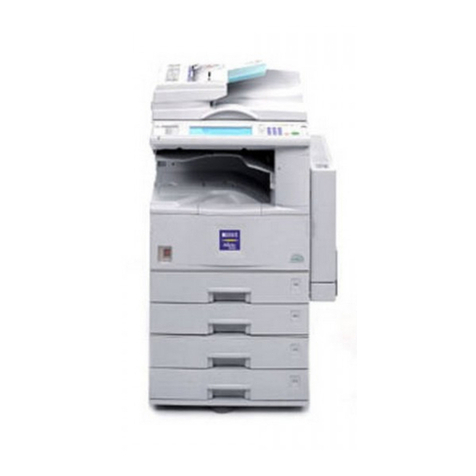
Sharp AR-M280N Imager User manual

AR- M 280U/280N

With powerful features and amazing
functionality, the Sharp AR-M280 and
AR-M280N Digital Imagers redefine productivity.
Multi-tasking. It’s essential to optimizing your productivity. And with the
accelerated pace of today’s business, it’s never been more important. That’s
why Sharp created the AR M280U and the AR M280N Digital Imagers. The new
AR M280N is a network ready multi tasking system that can copy and network
print—right out of the box. With the AR M280N at your command, you can
manage workflow in ways never before possible. If your business requires a
high performance standalone copier, take a look at the new AR M280U Imager.
Designed for busy workgroups, the AR M280U delivers first class digital
copying with superior image quality and exceptional reliability. Both of these
versatile systems combine
best in class functionality
with incredible flexibility,
giving you the power to
generate, duplicate,
integrate and disseminate
information quickly,
seamlessly and securely.
multi-tasking

COPY
Enhanced Productivity
and Document Finishing
At 28 copies per minute and continuous
copy output of up to 3100 pages, the
Sharp AR M280U/280N Digital Imager
can easily handle the requirements of
busy offices and workgroups. With its
high performance engine and scan once,
print many technology, the Sharp
AR M280U Imager can streamline
office workflow like never before.
Delivering crisp 600 dpi resolution with
Sharp’s enhanced smoothing technology,
the AR M280U/280N Imager creates
superior quality output equivalent to
1200 dpi. The large LCD panel features
an intuitive, alpha numeric touch screen,
making it easy to select various options.
For even more productivity, the time
saving Duplex Single Pass Feeder makes
two sided copying fast and efficient. With
the Job Build function, you’re not limited
by the capacity of the document feeder.
You can scan up to 10,000 originals
into memory*, and then copy as one
continuous set—for greater efficiency.
For production oriented environments,
choose one of three optional finishers
to simplify document management. With
hole punching, multi position stapling,
and saddle stitching/folding, the AR M280U
Imager produces professionally finished
documents in a snap. In addition, an
optional Two Tray Sorter/Stapler provides
30 sheet stapling in three positions.
And for even more versatility, the
Multi Purpose Paper Tray handles
special print media including envelopes,
overhead transparencies and heavy
cover stocks. Copying has never been
so easy—and so productive.
Duplex Single Pass Document Feeder
Efficient, two-sided copying speeds your
workflow with the 50-sheet Duplex Single
Pass Feeder.
he easy-to-use touch screen on the control panel of the AR-M280U/280N
Digital Imager quickly guides users through various functions.
* Requires optional 5 GB hard disk drive
▲
▲

COPYING
AR- M 280U / AR- M 280N
Highlights:
• 1200 dpi equivalent resolution
with smoothing technology
• Compatible with PCL5e/6 (standard)
and PostScript Level 3 (option)
• Large 3100-sheet paper capacity with options
• Multi-Purpose Paper Tray handles special
print media including OH transparencies,
heavy stock and envelopes
• Job Build feature for high-volume environments*
• Various image editing functions: Margin-Shift,
Overlay,Watermarks, Fit to Page, etc.
at a glance
AR-M280 /280N Digital Imager
Accessory Options and Upgrades
AR FN6
Stapler/Sorter
Finisher
AR FN7
Saddle Stitch
Finisher
AR D14
Stand with three
500 Sheet Paper
Drawers
Because of its innovative modularity, you can easily upgrade
the AR-M280U Imager to a fully networkable system—quickly
and easily. ➧
AR-M280U
High Performance
Copying
Optional Network Print
Kit (AR-P14) and Network
Interface Card (AR-NC5J)
required for connectivity
AR-M280N
Standard Network
Printing
Upgrade to Connectivity

PRINT
The AR M280N Imager combines
state of the art digital technology
with advanced functionality—for
truly best in class features.
With 1200 dpi equivalent resolution and
256 shades of grayscale, the AR M280N
Imager delivers ultra crisp text and incredi
bly detailed images. Whether you print one
document or one hundred, this powerful
performer delivers exceptional print
quality—each and every time.
With standard network connectivity, the
AR M280N Imager is much more than just a
network printer. With easy to use software,
your Imager can help you manage, monitor
and streamline document workflow—
increasing overall productivity.
The Administrative tility Suite, Sharp’s
integrated software, is intuitive and easy to
use. Check printer availability, paper levels,
and other options—without ever leaving
your desk—with Printer Status Monitor.
Network Administrators will find versatile
tools to speed up the installation and
configuration of Imagers on the network
with Printer Administration tility.
Administrators can also track printing
usage for cost accounting and monitor
network printer conditions—all with a
few keystrokes—right from the desktop.
Add the optional hard drive, and the
AR M280N Imager provides advanced job
control features including Confidential
Print, Hold Print, and Proof Print—ideal
for secure environments.
Best of all, the AR M280N Digital
Imager is compatible with multiple
operating systems and protocols,
so integrating the Imager into your
existing network is never an issue.
Uncompromising Quality,
Unparalleled Integration
PCL5e/PCL6 Print Drivers
Job Control Screen
Printer Queue Panel
he user-friendly LCD touch screen on the Imager’s control panel
allows administrators to monitor and control multiple print projects
simultaneously.
▲
▲
With the optional
5GB Hard Disk Drive
installed, the following
Job Control features are
enabled—Print Hold,
Confidential (PIN) Print,
and Proof Print allowing
you to manage docu-
ment output from
the control panel.

NETWORK PRINTING
AR- M 280N
Highlights:
• Job Retention functions* (hold print/sample print/
confidential print) allow you to control
printout from the control panel
• 1200 dpi equivalent resolution
with smoothing technology
• Compatible with PCL5e/6 (standard)
and PostScript Level 3 (option)
• Large 3100-sheet paper capacity
with options
• Multi-Purpose Paper Tray handles special print
media including OH transparencies, heavy stock
and envelopes
• Various image editing functions: Margin Shift,
Overlays, Watermarks, Fit to Page, etc.
• Sharp Status Monitor software lets you monitor
printer activities
* Requires optional hard disk drive
AR-M280N Digital Imager
Printing Capabilities
Printer Administration
tility Software
Enables Network Administrators
to monitor any SNMP-
compliant printer
on the network—
right from the
convenience of
their desktop.
▲
▲
Printer Status Monitor
An application which enables
users to view network printer
conditions through an easy-
to-use graphical interface.
It even notifies you when
your job is complete!
at a glance
▲
Remote E-Mail Diagnostic (R.E.D.)
A utility that enables key operators, I
Managers and Sharp Authorized Service
Providers to automatically receive e-mails
regarding specific device notifications. From
basic maintenance—such as adding paper
or toner or providing reminders of regular
service calls, R.E.D. ensures that your
Imager will function at peak performance.

SCAN
The Sharp AR M280U/280N Digital Imager is
much more than just an output device with copy
and print features. With the ability to scan a
document, convert it to digital information,
and distribute it to multiple users and locations,
the AR M280U/280N Imager becomes a
powerful document management system
that can streamline your workflow, saving
time and money.
With ImageSEND, users can scan a document
and send it instantly to a variety of destina
tions—quickly and easily—with the touch of
a few buttons. Sharp’s Administration tility
Suite makes it easy to program one touch
keys, so your documents can be scanned
and routed right from the Imager’s control panel.
What’s more, the built in QWERTY keyboard
makes it easy to send a document to any
address—on the fly.
Six main scanning functions are integrated
into the ImageSEND button on the
AR M280U/280N Imager’s control panel for
one touch simplicity. ImageSEND can drastically
reduce overnight mailing costs, streamline your
workflow, and save valuable time.
Effortless Document
Distribution with ImageSEND
he AR-M280U/280N Digital Imager’s control panel is intuitive
and easy to use.
▼
▼
Easy-to-use utilities enable you to program one-touch
destinations for instant recall.
Send to Desktop allows users to send
scanned files directly to their desktop
computers and store them in their
favorite file formats.
Send to E-mail saves time and allows
users to send scanned images
directly to any e mail address.
Send to FTP enables direct scanning
to an FTP file server for special
applications.
Send to Group allows users to send
the same document to multiple
e mail, fax and internet fax
destinations—simultaneously.
With the optional fax installed,
Send to Fax enables users to scan
and fax right from the control panel.
Send to i-Fax enables users to send
documents worldwide to another
T 37 Internet fax machine at virtually
no cost—and in considerably less
time—as compared to a phone line.

SCANNING/IMAGESEND
AR- M 280N
Highlights:
• ImageSEND allows users to scan and send a
document right from the touch-screen LCD Panel
• Send scanned documents to a variety of destinations:
Send to E-mail, Send to Desktop, Send to FTP, Send to Fax,
Send to i-Fax, and Send to Group.
• Sharpdesk 3.0 software allows for easy and
sophisticated document management
• Clear 200, 300 and 600 dpi resolution levels
Sharpdesk™ 3.0
(included with AR-NS2)
Desktop document management software
features include Composer, OCR, Image
Viewer and more. Use SharpDesk to
organize, annotate, edit and combine
your files before you print, e-mail, fax
or archive them.
▲
▲
at a glance
Additionally, Sharp’s proprietary software,
SharpdeskTM 3.0 with Index and Search
provides users with a comprehensive,
easy to use document management tool
that allows them to edit, integrate and
distribute both paper and electronic
documents, regardless of the varied
applications in which they were created.
With Sharpdesk 3.0, users can scan
documents directly to workstations,
file servers, a specific application,
or any e mail address they choose.
Sharpdesk’s new search and Index
capabilities enable you to locate a
Sharpdesk file quickly and easily.

With the optional fax module installed, the Sharp
AR M280U/280N Digital Imager becomes much
more than a high performance copier. This lightning
fast fax will enhance your workflow like never
before with a 33.6 Kbps modem and transmission
times as low as two seconds per page*.
Designed to be both efficient and convenient, the
AR M280U/280N Digital Imager can store up to
500 quick dial numbers, so high volume faxing is
never an issue. With exceptional clarity, 256
grayscale levels, and variable resolution settings,
even documents with extra fine print and graphics
are clearly legible. For even greater efficiency, the
Duplex Single Pass Feeder, allows you to fax both
sides of a two sided document automatically—
reducing time.
For added versatility, documents can also be faxed
to any Internet enabled fax machine. Simply press
the ImageSEND key, enter the Network IP address
of any fax machine on the QWERTY keyboard,
and walk away. The AR M280U/280N Imager
saves time and reduces costs on dialing expenses.
The Sharp AR M280U/280N Imager also supports
the F code standard, enabling you to perform
special operations such as relay broadcast
transmission and confidential transmission.
F code is essential in secure environments
where confidential transmission and reception
is required.
Powerful Fax Functionality
FAX
Duplex Single Pass Document Feeder
Duplex faxing enables users to automatically fax both
sides of a 2-sided document, enhancing productivity.
▼
he LCD touch screen display makes it easy to enter in a fax or
Internet fax address quickly and easily.
▼
*with ITU-T No.1 chart standard resolution, SUPER G3 mode, 33,600 bps, JBIG compression.
With a touch of the ImageSEND button,
users can easily fax right from the control
panel. Plus, Send to i-Fax allows users to
fax documents worldwide to any -37
Internet fax machine, reducing phone
expenses.
Send to i-Fax
▲
With the addition of the Network
Scan Expansion Kit, you can send
documents to e-mail, fax, and i-fax
destinations simultaneously.
▲
Send to Fax
Send to Group

Highlights:
• ImageSEND allows users to scan and fax a document
right from the LCD touch screen
• Transmission times of 2 seconds (Super G3)
1
and 6 seconds (G3)
• 33.6 Kbps modem speed
• 256 grayscale levels
• JBIG Compression
• 500 one-touch and group dial keys
• Serial Broadcast up to 300 locations
• Fax and E-mail mixed broadcasting
• Duplex Faxing
at a glance
FAXING
1
With ITU-T No.1 chart standard resolution, SUPER G3 mode, 33,600 bps, JBIG compression.
AR- M 280U / AR- M 280N
▲
Dual Page Scanning
Easily send multiple page faxes from books with the Dual Page Scanning feature.
▲
The document is
scanned into memory
Reception
Reception
Reception
Successive
transmission
Destination C
(recipient)
Destination B
(recipient)
Destination A
(recipient) Broadcast Polling
For added efficiency,
you can automatically fax
a document to up to 3
locations at the same time.
Book or Sheet original
YOUR MACHINE THE OTHER MACHINE
When page division is set, the original is divided
into two pages when scanned into memory
Transmission
to other
machine
Printed out as two
separate pages
Scanned original size
11" x 17"
Transmitted document
Two 8-1/2" x 11" pages
Example:
This manual suits for next models
1
Table of contents
Other Sharp All In One Printer manuals

Sharp
Sharp MX-3070N User manual

Sharp
Sharp MX-M503U User manual

Sharp
Sharp BP-50C26 User manual

Sharp
Sharp AR-M208N imager User manual

Sharp
Sharp AR-M550N User manual

Sharp
Sharp MX-2310U Guide

Sharp
Sharp MX-B382 Guide

Sharp
Sharp FO-2080 Setup guide
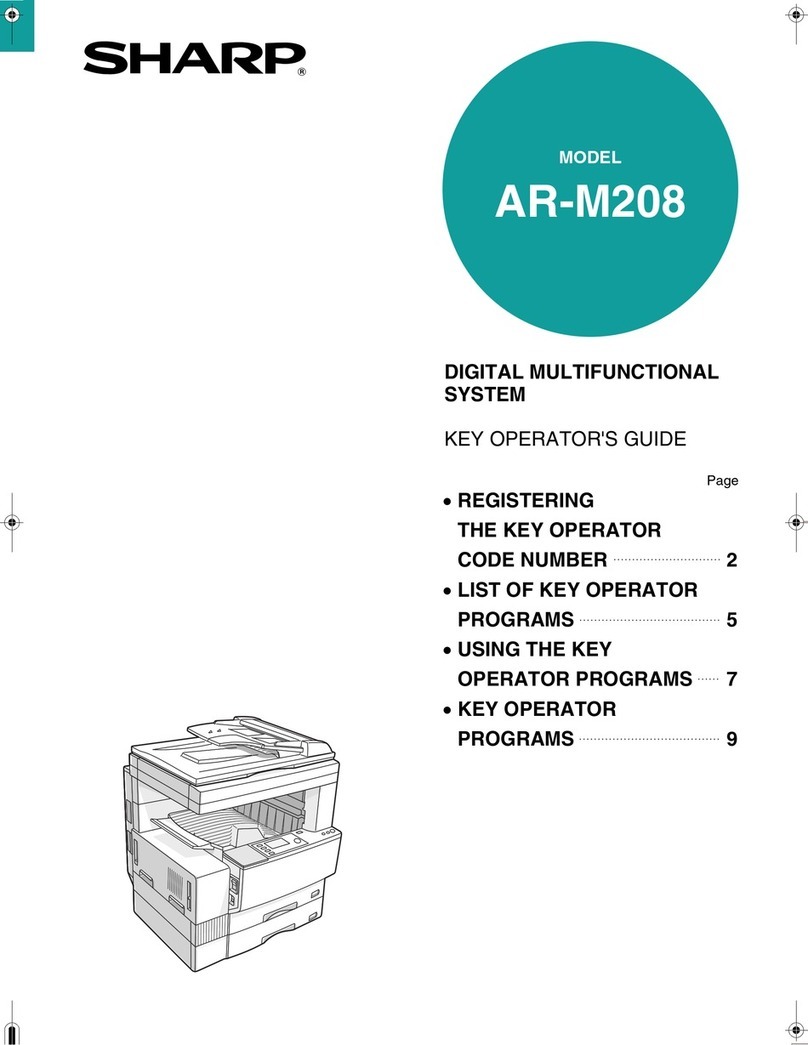
Sharp
Sharp AR-M208 User manual
Sharp
Sharp MX-C557F User manual

Sharp
Sharp MX-2651 Instruction manual

Sharp
Sharp AR-M236 User manual

Sharp
Sharp MX-C507F User manual
Sharp
Sharp MX-M182 User manual

Sharp
Sharp MX-M700N User manual

Sharp
Sharp AR-M351U User manual

Sharp
Sharp AL-841 User manual

Sharp
Sharp DM-2000 User manual

Sharp
Sharp AR-F15 User manual

Sharp
Sharp MX-B201D User manual