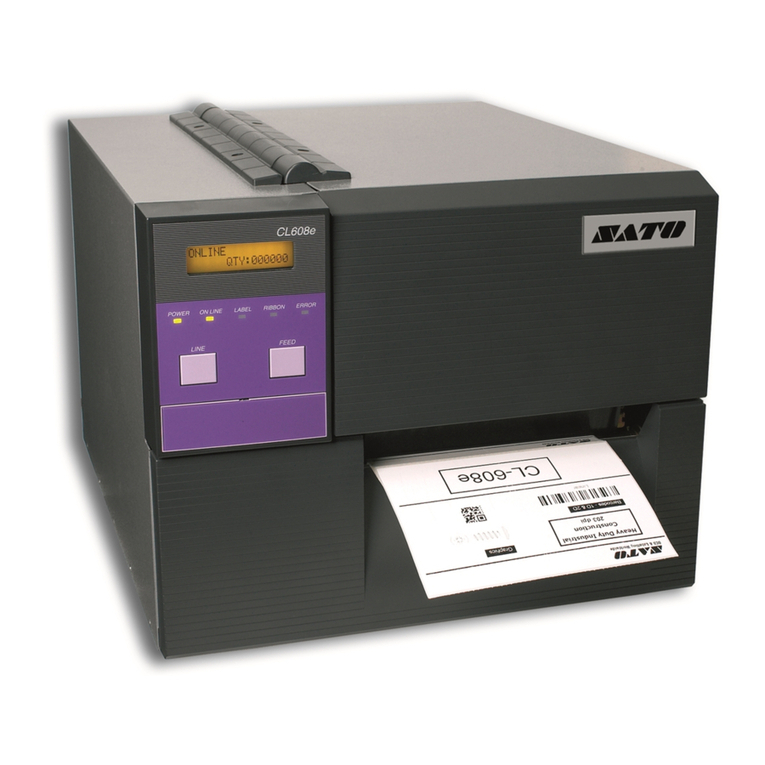
SATO M-84Pro Series User manual

M-84PRO Thermal Transfer
Printer
Operation Manual

Warning: This equipment complies with the requirements in Part 15 of FCC rules for a Class A
computing device. Operation of this equipment in a residential area may cause unacceptable
interference to radio and television reception requiring the operator to take whatever steps
necessary to correct the interference.
All rights reserved. This document, nor any part of it, may be reproduced or issued to third
parties in any form without the express permission of SATO Europe. The material in this
document is provided for general information only and is subject to change without notice.
SATO Europe does not assume responsibility for any errors or omissions.
SATO Group of Companies
www.satoworldwide.com
SATO INTERNATIONAL PTE LTD
438A Alexandra Road #05-01/ 02,
Alexandra Technopark,
Singapore 119967
Tel: 65-6271-2122
Fax: 65-6271-2151
Email: sales@sato-int.com
SATO EUROPE NV
Leuvensesteenweg 369,
1932 Sint-Stevens-Woluwe, Brussels,
Belgium
Tel: 32 (0)-2-788-80-00
Fax: 32 (0)-2-788-80-80
SATO UK LTD
Valley Road, Harwich, Essex England
Co12 4RR, United Kingdom
Tel: 44-1255-240000
Fax: 44-1255-240111
SATO DEUTSCHLAND GMBH
Schaberweg 28, 61348
Bad Homburg, Germany
Tel: 49 (0)-6-1726-8180
Fax: 49 (0)-6-1726-818-199
SATO POLSKA SP Z O.O.
Ul Okolna 2, 50-422 Wroclaw
Poland
Tel: 48-71-335-23-20
Fax: 48-71-335-23-25
Email: biuro@sato-polska.com.pl
SATO FRANCE S.A.
Parc d'activités - rue Jacques Messager
59175 TEMPLEMARS, France
Tel: +33 (0)3 20 62 96 40
Fax: +33 (0)3 20 62 96 55
Email: france@sato-europe.com
SATO AMERICA INC.
10350 Nations Ford Road Suite A,
Charlotte, NC 28273, USA
Tel: 1-704-644-1650
Fax: 1-704-644-1662
Email: satosales@satoamerica.com
SATO ASIA PACIFIC PTE LTD
438A Alexandra Road #05-01/02,
Alexandra Technopark, Singapore 119967
Tel: 65-6271-5300
Fax: 65-6273-6011
Email: sales@satosingapore.com

SATO M-84PRO iii
Warning
It is essential that the safety and operating procedures contained within this manual be
brought to the attention of, and are used by, all personnel likely to operate this printer/prod-
uct.
This printer/product must only be used for the purpose for which it was designed.
This is a Class A product. In a domestic environment this product may cause radio inter-
ference in which case the user may be required to take adequate measures.
Electrostatic discharges on the connector pins and on the memory card may damage the
printer.
In the case of fire, water must not be used on the product to extinguish the fire, and the
appropriate type of fire extinguisher should be readily available.
No modifications, either mechanical or electrical, should be made to this printer/product or
accessory without the written consent of SATO Europe NV. Any modifications made without
this consent may invalidate guarantee claims.
Other manuals relating to this printer include additional information relating to other aspects
of the safe operation of the printer, and are available from your SATO supplier.
All consumable waste, such as the label backing paper and used carbon ribbon must be
disposed of carefully, and in a manner that will cause the minimum of environmental pollu-
tion.
Should you have any doubts regarding the setting, operating or any safety aspects of this
printer/product, please contact your SATO supplier.
SATO Europe NV makes no guarantee that all the features described in this manual are
available in all models, and, due to SATO’s policy of continuous development and improve-
ment, specifications are liable to change, without notice.

SATO M-84PRO iv
Consumables
Always use SATO carbon ribbons or equivalent. The use of incorrect materials may cause
malfunctions of the printer and void the warranty.
Conventions
Text that appears bold italic and all in capitals such as LABEL refers to a key or an LED on
the operation panel.
Text that appears enclosed in brackets such as <ESC> refers to an Escape sequence of a
data string.
Text that appears bold italic such as On-Line refers to a function or to a result.
Text that appears in bold such as VR1 refers to electrical components like pins, resistors
connectors and so on.
Warranty and Copyright
SATO Europe NV makes no guarantee of any kind with regard to this material, including,
but not limited to, the implied guaranties of merchantability and fitness for a particular pur-
pose.
SATO Europe NV shall not be liable for errors contained herein or for any incidental conse-
quential damages in connection with the furnishing, performance, or use of this material.
This document contains proprietary information which is protected by copyright.
All rights are reserved.
No part of this document may be reproduced or issued to third parties in any form whatso-
ever without the express permission of SATO Europe NV.
The information in this document is subject to change without notice.
© Copyright 2003 SATO Europe NV.

SATO M-84PRO v
TABLE OF CONTENTS
Section 1. Printer Overview
Introduction ................................................................................................1-1
Specifications.............................................................................................1-2
Section 2. Installation
Introduction ................................................................................................2-1
Setting Up the Printer.................................................................................2-1
Loading Labels and Tags...........................................................................2-3
Loading the Ribbon....................................................................................2-6
Operators Panel .........................................................................................2-8
Rear Panel..................................................................................................2-10
Sensors ......................................................................................................2-11
Section 3. CONFIGURATION
Printer Dip Switch Configuration................................................................3-1
Default Settings..........................................................................................3-7
Potentiometer Adjustments........................................................................3-8
LCD Panel Printer Configuration................................................................3-10
Section 4. CLEANING
Cleaning the Print Head, Platen and Rollers..............................................4-1
Cleaning the Label Edge Sensors..............................................................4-2
Section 5. Troubleshooting
Introduction ................................................................................................5-1
Troubleshooting Tables..............................................................................5-1
Print Quality Problems ...............................................................................5-1
Error Signals...............................................................................................5-3
Section 6. Interface Specifications
Introduction ................................................................................................6-1
IEEE1284 Parallel Interface ........................................................................6-2
RS232 Serial Interface................................................................................6-4
Universal Serial Bus (USB) Interface ..........................................................6-6
Local Area Network (LAN) Optional Interface ............................................6-6
Section 7. Appendix A
Appendix A................................................................................................ A-1

Operation Manual Section 1: Overview
SATO M-84PRO Page 1-1
SECTION 1.
PRINTER OVERVIEW
INTRODUCTION
The SATO M-84PRO Thermal Transfer Printers arecomplete, high-performanceon-site labelling
systems. All printer parameters are user programmable using the front panel controls and the
DIP switches. All popular barcodes and 14 human-readable fonts, including a vector font and
two raster fonts, are resident in memory providing literally thousands of type styles and sizes.
The Operator’s Manual will help you understand the basic operations of the printer such as
setup, installation, configuration, cleaning and maintenance.
The M-84PRO can print labels up to four inches wide and is available in three resolurions; 203
dpi, 305 dpi and 609 dpi. The resolution is determined by the print head that is installed in the
printer and can be changed in the field simply by installing the desired print head. The printer
autmatically detects the resolution of the print head and loads the appropriate controlling firm-
ware.
The M-84PRO uses the standard SATO RISC printer command codes. The only differences
between it and other RISC printers are the allowable values representing the print positions on
the label. These values are specified in “dots” and will vary depending upon the resolution of the
printer and the amount of memory available for imaging the label. The allowable range for the
various M-84PRO models is specified in a table in the “e” and PRO Printer Programming Refer-
ence.
This commonality makes it very easy to convert labels from one RISC printer to another without
having to create an entirely different command stream. There are some caveats that must be
observed though to compensate for the different resolution print heads. The effect of the differ-
ent printer resolutions are best illustrated by taking a label designed for a 203 dpi printer and
sending the command stream to the its 305 dpi counterpart. The label printed will be an exact
two-thirds scale, including the fonts, barcode dimensions and line lengths/widths. The only
exception is the PostNet barcode which has only one legal size and the printer resolution is
automatically compensated for by the printer. Conversely, a label designed for a 305 dpi printer
and sent to its 203 dpi cousin will be one-third larger. It probably will be “truncated” if the result-
ing label size is larger than the maximum allowable for the printer.

Section 1: Overview Operation Manual
Page 1-2 SATO M-84PRO
GENERAL PRINTER SPECIFICATIONS
SPECIFICATION M-84PRO-2 M-84PRO-3 M-84PRO-6
PRINT
Method Direct or Thermal Transfer
Speed (User Selectable) 2 to 10 ips
50 to 250 mm/s
2 to 8 ips
50 to 200 mm/s
2 to 6 ips
50 to 150 mm/s
Print Module (Dot Size) .0049 in.
.125 mm
.0033 in.
.083 mm
0017 in.
.081 mm
Resolution 203 dpi
8 d/mm
305 dpi
12 d/mm
609 dpi
24 d/mm
Maximum Print Width 4.1 in.
104 mm
Maximum Print Length 49.2 in.
1249 mm
32.8 in.
835 mm
14.0 in.
356 mm
MEDIA
Minimum Width .87 in.
22 mm
Minimum Length
Continuous
Tea r- O ff
Cutter
Dispense
0.24 in. (6 mm)
0.63 in. (16 mm)
1.18 in. (30 mm)
1.18 in. (30 mm)
Maximum Width 5.0 in.
125 mm
Type Roll or Fan-Fold Die Cut Labels
Thermally Sensitive
Maximum Caliper 0.008 in.
0.21 mm
Roll OD (max) Face-In 8.6 in.
220 mm
Core ID (min) 3 in
76.2 mm
SENSING
See-Thru Movable
Reflective Eye-Mark Movable
Continuous Form Sensor Not Used
RIBBON
Maximum Width 4.4 in. (111 mm)
Length (max) 1475 ft. (450 m)
Thickness 4.5 micron, Wound Face-In

Operation Manual Section 1: Overview
SATO M-84PRO Page 1-3
SPECIFICATION M-84PRO All Models
CONTROLS AND INDICATORS
Power Green LED
On-Line Green LED
Label Red LED
Ribbon Red LED
Error Red LED
LCD Panel 2 Line x 16 Character
Label Feed Front Panel
Power On/Off Switch Front Panel
POTENTIOMETER ADJUSTMENTS
Print Darkness Front Panel
Offset Front Panel
Pitch Front Panel
Display Front Panel
INTERFACE CONNECTIONS (1)
Parallel IEEE1284 Standard
Centronics
Serial RS232C (2,400 to 19,200 bps)
RS232C (9,600 to 57,600 bps) Standard
RS422/485 (9,600 to 57,600 bps) Optional
Ready/Busy or X-On/X-Off Flow Control
Bi-directional Status
Universal Serial Bus USB Ver. 1.1 Standard

LAN 10/100BaseT
Wireless LAN 802.11b
PROCESSING
CPU 32 Bit RISC
Flash ROM 2 MB
SDRAM 16 MB
Receive Buffer 2.95 MB
Memory Expansion See Options and Accessories
(1) Only one interface module can be installed in a printer at a time.

Section 1: Overview Operation Manual
Page 1-4 SATO M-84PRO
CHARACTER FONTS
SPECIFICATION M-84PRO-2 M-84PRO-3 M-84PRO-6
MATRIX FONTS
U Font 5 dots W x 9 dots H
S Font 8 dots W x 15 dots H
M Font 13 dots W x 20 dots H
XU Font 5 dots H x 9 dots H (Helvetica)
XS Font 17 dots H x 17 dots W (Univers Condensed Bold)
XM Font 24 dots H x 24 dots W (Univers Condensed Bold)
OA Font (OCR-A) 15 dots W x 22 dots H 22 dots W x 33 dots H 44 dots W x 66 dots H
OB Font (OCR-B) 30 Dots W x 36 dots H 30 Dots W x 36 dots H 60 dots W x 72 dots H
AUTO SMOOTHING FONTS
WB 18 dots W x 30 dots H
WL 28 dots H x 52 dots H
XB 48 dots H x 48 dots W (Univers Condensed Bold)
XL 48 dots W x 48 dots H (Sans Serif)
VECTOR FONT
Proportional or Fixed Spacing
Font Size 50 x 50 dots to 999 x 999 dots
Helvetica, 10 Font Variations
AGFA® RASTER FONTS
Font A CG Times ®, 8 pt to 72 pt
Font B CG Triumvirate®, 8 pt to 72 pt
DOWNLOADABLE FONTS
Bit Mapped TrueType® Fonts with Utility Program
CHARACTER CONTROL
Expansion to 12X in either X or Y coordinates
Character Pitch control
Line Space control
Journal Print facility
0°, 90°, 180° and 270° Rotation

Operation Manual Section 1: Overview
SATO M-84PRO Page 1-5
BARCODES
BARCODE M-84PRO All Models
SYMBOLOGIES
Linear Barcodes Bookland (UPC/EAN Supplemental)
EAN-8/EAN-13
CODABAR
CODE 39
CODE 93
CODE 128
Interleaved 2 of 5 (I 2/5)
Industrial 2 of 5
Matrix 2 of 5
MSI
POSTNET
UCC/EAN-128
UPC-A/UPC-E
Two Dimensional Data Matrix
Maxicode
PDF417
Micro PDF
Truncated PDF
QR Code
Ratios 1:2, 1:3, 2:5, User Programmable
Bar Height 4 to 999 dots, User Programmable
Rotation 0°, 90°, 180° and 270° Rotation
OTHER FEATURES
Sequential Numbering Sequential numbering of both numerics and barcodes
Custom Characters RAM storage for custom designed characters
Graphics Dot addressable, SATO Hex/Binary, BMP or PCX formats
Forms Overlay Overlay of predesigned forms in image buffer
Other manuals for M-84Pro Series
6
This manual suits for next models
3
Table of contents
Other SATO Printer manuals

SATO
SATO M10e Series User manual

SATO
SATO D512 PCL Owner's manual

SATO
SATO MB410i User manual

SATO
SATO CL608 User manual

SATO
SATO M-84Pro Series User manual

SATO
SATO CL-408 User manual

SATO
SATO LC400e Series Owner's manual

SATO
SATO CT4i Series User manual

SATO
SATO CL408e User manual

SATO
SATO CL408e User manual