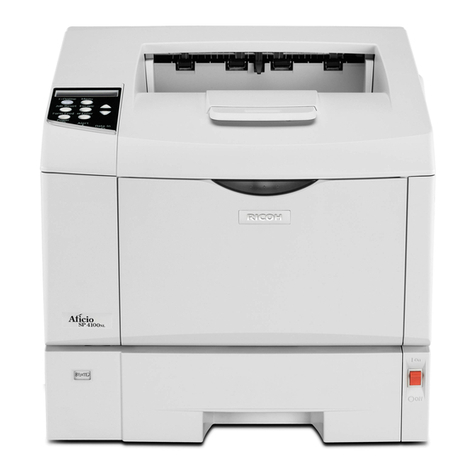
Ricoh Ri 100 Original instructions

Read this manual carefully before you use this machine and keep
it handy for future reference. For safe and correct use, be sure to
read the Safety Information in this manual before using the
machine.
For information not in this manual, refer to
the PDF files on the supplied CD-ROM.
Information for This Machine
Safety Information for This Machine
Manuals Provided with This Machine
Safety Information


TABLE OF CONTENTS
Introduction......................................................................................................................................................... 2
How to Read the Manuals.............................................................................................................................2
1. Manuals Provided with This Machine
Manuals for This Machine................................................................................................................................. 3
2. Safety Information for This Machine
Safety Symbols for This Machine...................................................................................................................... 5
Safety Information...............................................................................................................................................6
Safety During Operation............................................................................................................................... 6
Safety Precautions to Be Followed................................................................................................................6
Safety Labels of This Machine.........................................................................................................................12
Positions of WARNING and CAUTION labels.........................................................................................12
Power Switch Symbols.................................................................................................................................12
Notice................................................................................................................................................................13
Important...................................................................................................................................................... 13
User's Notes................................................................................................................................................. 13
Notes for Using This Machine Safely............................................................................................................. 16
3. Information for This Machine
Laws and Regulations...................................................................................................................................... 17
Legal Prohibition.......................................................................................................................................... 17
Notes to users in USA and CANADA........................................................................................................17
Notes to USA Users of FCC Requirements................................................................................................ 17
Notes to Canadian Users of IC Rules.........................................................................................................18
Notes on lamp(s) inside this machine.........................................................................................................19
Notes to users in the state of California..................................................................................................... 19
1

Introduction
This manual contains detailed instructions and notes on the operation and use of this machine. For your
safety and benefit, read this manual carefully before using the machine. Keep this manual in a handy
place for quick reference.
How to Read the Manuals
Disclaimer
Contents of this manual are subject to change without prior notice.
To the maximum extent permitted by applicable laws, in no event will the manufacturer be liable for any
damages whatsoever arising out of failures of this machine, losses of the registered data, or the use or
non-use of this product and operation manuals provided with it.
Make sure that you always copy or have backups of the data registered in this machine. Documents or
data might be erased due to your operational errors or malfunctions of the machine.
In no event will the manufacturer be responsible for any documents created by you using this machine or
any results from the data executed by you.
Notes
The manufacturer shall not be responsible for any damage or expense that might result from the use of
parts other than genuine parts from the manufacturer with your office products.
For good output quality, the manufacturer recommends that you use genuine ink from the manufacturer.
Some illustrations in this manual might be slightly different from the machine.
Certain options might not be available in some countries. For details, please contact your local dealer.
Depending on which country you are in, certain units may be optional. For details, please contact your
local dealer.
Power source
• 100-120V: 60Hz 1A
Voltage must not fluctuate more than 10%.
Please be sure to connect the power cable to a power source as above.
Confirm that the wall outlet is near the machine and freely accessible, so that in event of an emergency,
it can be unplugged easily.
2

1. Manuals Provided with This Machine
This chapter explains manuals for this machine.
Manuals for This Machine
The operating instructions of this machine are provided in the following formats:
Format Manuals
Printed manuals • Safety Information
• User's Guide
• Quick Installation Guide
• Quick Guide
• Notes for Wireless LAN Users
• Maintenance Guide
CD-ROM • Safety Information
• User's Guide
• Quick Installation Guide
• Quick Guide
• Notes for Wireless LAN Users
• Maintenance Guide
• About Open Source Software
• Operating Instructions
Web page • Safety Information
• User's Guide
• Quick Installation Guide
• Quick Guide
• Notes for Wireless LAN Users
• Maintenance Guide
• About Open Source Software
• Operating Instructions
• Firmware Update Guide
3

Safety Information
Before using the machine, be sure to read the section of this manual entitled Safety Information. It
also describes each regulation and environmental conformance.
User's Guide
Describes the basic usage of this machine, the function you often use, and how to resolve when an
error message is displayed.
Quick Installation Guide
Describes the procedures from unpacking the machine to printing a document.
Quick Guide
Describes the basic printing procedure using this machine.
Operating Instructions
Describes in detail how to use the machine.
Describes how to use the machine in a network environment and various printing functions and
settings on the printer driver, how to check the status and settings of the machine using a web
browser and utilites, etc.
Describes what to do when the setup fails, how to resolve problems when printing does not start,
how to resolve problems when printouts are not as expected, troubleshooting, information about
fabrics, and important information about replacing consumable items.
We recommend that you install it on your computer so that it can be used immediately.
Notes for Wireless LAN Users
Describes how to connect the machine via wireless LAN in infrastructure mode.
Maintenance Guide
Describes how to clean the inside of the machine.
• You can see the following manuals on the Web page.
• About Open Source Software License
• Firmware Update Guide
1. Manuals Provided with This Machine
4

2. Safety Information for This Machine
This chapter describes the safety precautions.
Safety Symbols for This Machine
The meanings of the safety symbols for this machine are as follows:
Caution
Prohibition
General mandatory action sign
Do not touch
Be careful not to injure your fingers
5

Safety Information
Safety During Operation
In this manual, the following important symbols are used:
Indicates a potentially hazardous situation which, if instructions are not followed, could result in death
or serious injury.
Indicates a potentially hazardous situation which, if instructions are not followed, may result in minor
or moderate injury or damage to property.
Safety Precautions to Be Followed
Environments where the machine can be used
• Do not use flammable sprays or solvents in the vicinity of this machine. Also, avoid placing these
items in the vicinity of this machine. Doing so could result in fire or electric shock.
• Do not place vases, plant pots, cups, toiletries, medicines, small metal objects, or containers
holding water or any other liquids, on or close to this machine. Fire or electric shock could result
from spillage or if such objects or substances fall inside this machine.
• Keep the machine away from humidity and dust. Otherwise a fire or an electric shock might
occur.
• Do not place the machine on an unstable or tilted surface. If it topples over, an injury might
occur.
• Do not obstruct the machine's vents. Doing so risks fire caused by overheated internal
components.
• Do not place heavy objects on the machine. Doing so can cause the machine to topple over,
possibly resulting in injury.
2. Safety Information for This Machine
6

• Make sure the room where you are using the machine is well ventilated and spacious. Good
ventilation is especially important when the machine is used heavily.
Handling power cords and power cord plugs
• Do not use any power sources other than those that match the specifications shown in this
manual. Doing so could result in fire or electric shock.
• Do not use any frequencies other than those that match the specifications shown. Doing so could
result in fire or electric shock.
• Do not use multi-socket adaptors. Doing so could result in fire or electric shock.
• Do not use extension cords. Doing so could result in fire or electric shock.
• Do not use power cords that are damaged, broken, or modified. Also, do not use power cords
that have been trapped under heavy objects, pulled hard, or bent severely. Doing so could
result in fire or electric shock.
• It is dangerous to handle the power cord plug with wet hands. Doing so could result in electric
shock.
• Touching the prongs of the power cable's plug with anything metallic constitutes a fire and
electric shock hazard.
• The supplied power cord is for use with this machine only. Do not use it with other appliances.
Doing so could result in fire or electric shock.
• If the power cord is damaged and its inner wires are exposed or broken, contact your service
representative for a replacement. Use of damaged power cords could result in fire or electric
shock.
Safety Information
7

• Be sure to disconnect the plug from the wall outlet at least once a year and check for the
following:
• There are burn marks on the plug.
• The prongs on the plug are deformed.
• If any of the above conditions exist, do not use the plug and consult your dealer or service
representative. Use of the plug could result in fire or electric shock.
• Be sure to disconnect the power cord from the wall outlet at least once a year and check for the
following:
• The power cord's inner wires are exposed, broken, etc.
• The power cord's coating has a crack or dent.
• When bending the power cord, the power turns off and on.
• Part of the power cord becomes hot.
• The power cord is damaged.
• If any of the above conditions exist, do not use the power cord and consult your dealer or
service representative. Use of the power cord could result in fire or electric shock.
• When disconnecting the power cord from the wall outlet, always pull the plug, not the cord.
Pulling the cord can damage the power cord. Use of damaged power cords could result in fire
or electric shock.
• Be sure to push the plug of the power cord fully into the wall outlet. Partially inserted plugs
create an unstable connection that can result in unsafe buildup of heat.
• Be sure to disconnect the plug from the wall outlet and clean the prongs and the area around
the prongs at least once a year. Allowing dust to build up on the plug constitutes a fire hazard.
• If this machine is not going to be used for several days or longer at a time, disconnect its power
cord from the wall outlet.
• When performing maintenance on the machine, always disconnect the power cord from the
wall outlet.
• Rating voltage of the connector for option: Max. DC 37 V.
2. Safety Information for This Machine
8
Other manuals for Ri 100
10
Table of contents
Other Ricoh Printer manuals

Ricoh
Ricoh DDP 70e User manual

Ricoh
Ricoh G-P2 User manual

Ricoh
Ricoh IM C6500 User manual

Ricoh
Ricoh Pro L5130e Service manual

Ricoh
Ricoh Ri 1000 Installation guide

Ricoh
Ricoh Aficio SG 3110DN User manual

Ricoh
Ricoh Pro L5160 User manual

Ricoh
Ricoh Aficio SP 3410DN Installation instructions

Ricoh
Ricoh SP C440dn User manual

Ricoh
Ricoh Ri 100 User manual

Ricoh
Ricoh SP 8400DN User manual

Ricoh
Ricoh SP 213SFw User manual

Ricoh
Ricoh MP CW2200SP User manual

Ricoh
Ricoh Aficio GX3000 User manual

Ricoh
Ricoh Aficio AP2700 Service manual

Ricoh
Ricoh SP 1200S User manual

Ricoh
Ricoh SP 210 User manual

Ricoh
Ricoh Lanier AP206 User manual

Ricoh
Ricoh PRO TF6215 User manual

Ricoh
Ricoh Pro 1107 User manual