RCA RV-3798 User manual

USER’S
GUIDE
AUDIO/VIDEO RECEIVER
RV-3798

WARNING
RISK OF ELECTRIC SHOCK
DO NOT OPEN
TO REDUCE THE RISK OF ELECTRIC SHOCK,
DO NOT REMOVE COVER (OR BACK). NO
USER SERVICEABLE PARTS INSIDE. REFER
SERVICING TO QUALIFIED SERVICE PERSONNEL.
Safety Information
This symbol
indicates important
instructions accompanying
the product.
This symbol indicates
"dangerous voltage" inside
the product that presents a
risk of electric shock or
personal injury.
Refer to the identification/rating label located on the back panel of your
product for its proper operating voltage.
FCC Regulations state that unauthorized changes or modifications to this
equipment may void the user’s authority to operate it.
WARNING
To reduce fire or shock
hazard, do not expose this
product to rain or moisture.
Caution: To reduce the risk of electric shock, match
wide blade of plug to wide slot, fully insert.
Attention: Pour éviter les chocs électriques,
intoduire la lame la plus large de la fiche dans la borne
correspondante de la prise et pousser jusqú au fond.

1
Table of Contents
First Things First ...................................................... 3
Operating the Receiver.......................................... 7
Tuning the Receiver ........................................................................ 8
Storing Stations in Memory ........................................................... 8
Preset Scanning ............................................................................... 9
Balancing the Speaker System ..................................................... 10
Using Swap Audio......................................................................... 11
Tour of the Receiver ..............................................13
Front Panel .................................................................................... 14
Front Panel Displays...................................................................... 16
Remote Control............................................................................. 18
Back Panel ..................................................................................... 24
Programming the Remote ................................. 25
Programming the Remote to Control a TV ................................. 26
Programming the Remote to Control a VCR............................... 28
Programming the Remote to Control an Audio Component .... 30
Programming the Remote to Control a Cable Box ..................... 31
Programming the Remote to Control a Laserdisc Player ........... 32
Programming the Remote to Control a DVD Player................... 32
Programming the Remote to Control an RCA DSS®Receiver .... 33
Programming the Remote to Control a Satellite Receiver ......... 33
Appendix A: Connecting Your Receiver ....... 35
Things to know before connecting the components ................. 35
Using the Subwoofer Connections .............................................. 36
Connecting a TV and VCR ............................................................ 37
Connecting an RCA DSS®Receiver ............................................... 38
Connecting a DVD Player ............................................................. 39
Connecting a Second VCR ............................................................ 40
Connecting a Camcorder or Video Camera ................................. 41
Connecting a Laserdisc Player ...................................................... 42
Connecting a Compact Disc Player .............................................. 43
Connecting a Tape deck or Minidisc Player................................. 44
Connecting Antennas ................................................................... 45
Connecting Speakers .................................................................... 46
Connecting The Subwoofer ......................................................... 46
Appendix B: Speaker Placement ....................... 47
Appendix C: Troubleshooting Guide ............. 48
Appendix D: Care and Cleaning........................ 49
Appendix E: FCC Information............................50
DSS®is a registered trademark of DIRECTV, INC.,
a unit of GM Hughes Electronics.

2
Table of Contents
Appendix F: Limited Warranty .........................51
Appendix G: Equipment Specifications ......... 52
Appendix H: Preset Station List Form ........... 54
Index ............................................................................ 55

3
➣➣
3
2
1
First Things First
READ ME…
Note boxes like this one
contain helpful and interesting
information about using your
audio receiver.
3
➣
Programming the Remote
4
Hi, my name is KIM …
...and I wrote this user manual along with the help of the
engineers, designers and product managers. We worked
hard to make sure that you have a rewarding experience
using this RCA A/V receiver.
read the first four chapters
The first section of this owner’s manual shows you how to
use your audio receiver for the first time. The next three
sections tell you about using the receiver’s controls and
programming the remote. Use the last sections of the
manual to connect your receiver to other components
and as a general reference. If you have a specific question,
refer to the table of contents or the index.
PLEASE READ THE NOTES IN THE TEXT
The engineers and designers gave me some great tips
about this audio/video receiver. When a tip applies to the
information on a page, I included it in a note box at the
bottom of the page.
First Things First
Operating the Receiver
Tour of the receiver

4
First Things First
Step 1: Unpack the Receiver
Unpack the receiver and the accessories. The accessories
packed with the receiver include the remote (CRK67G1), four
AAA batteries, an AM loop antenna, an FM wire antenna,
and Important Safeguards.
Step 2: Connect the Receiver
Before you plug in and turn on your audio/video receiver,
connect the receiver to the components in your system and
connect the speakers.
The next section shows how to connect the receiver to a TV
only. If you are going to connect the receiver to a TV and
VCR, laserdisc player or other component, see Appendix A:
Connecting the Receiver. (Page 37)
For information on connecting your speakers, see Appendix
A: Connecting the Receiver. For three suggestions on placing
your speakers for the best sound, see Appendix B: Speaker
Placement. (Page 47.)
TV Only
Do not plug your TV or VCR into the “switched”
outlet on the back of the receiver.
You will need:
(1) paired (red/white) stereo cable
(1) single (yellow) video cable
or
(1) stereo A/V cable
(1) coaxial cable.
Connect the cables as shown to the right.
VCR
(MONO)
1
2
SUB WOOFER
OUT
AUDIO
IN OUT
DVD/
LD SAT
AUDIO
L
R
IN OUT
CD TAPE/MD
TV
L
R
VCR SAT
IN OUT
VIDEO
DVD/
LD MONITOR
OUT
DVD5.1
L
R
DVD
5.1
AUDIO
CENTER
L-SUR
SUB
WOOFER
REAR
R-SUR
CABLE
BOX
IN
OUT
OR ANTENNA
L/MONO RIGHT S-VIDEO
INPUT 1
VIDEO
L/MONO RIGHT
S-VIDEO
INPUT 2
VIDEO
L/MONO RIGHT
INPUT 3
VIDEO
ANT A
SIGNAL
SOURCE
ANT B
L/MONO RIGHT
OUTPUT
BRIDGED
FROM
INPUT 1
VIDEO
L/MONO RIGHTVIDEO
L/MONO RIGHTVIDEO
FIXED
OUTPUT
TV TUNER
OUTPUT
TV
AUDIO
RECEIVER
5
First Things First
Read on…
The next section tells you how to
operate the receiver. Then, read
the section that takes you on a
tour of the receiver and remote
control.
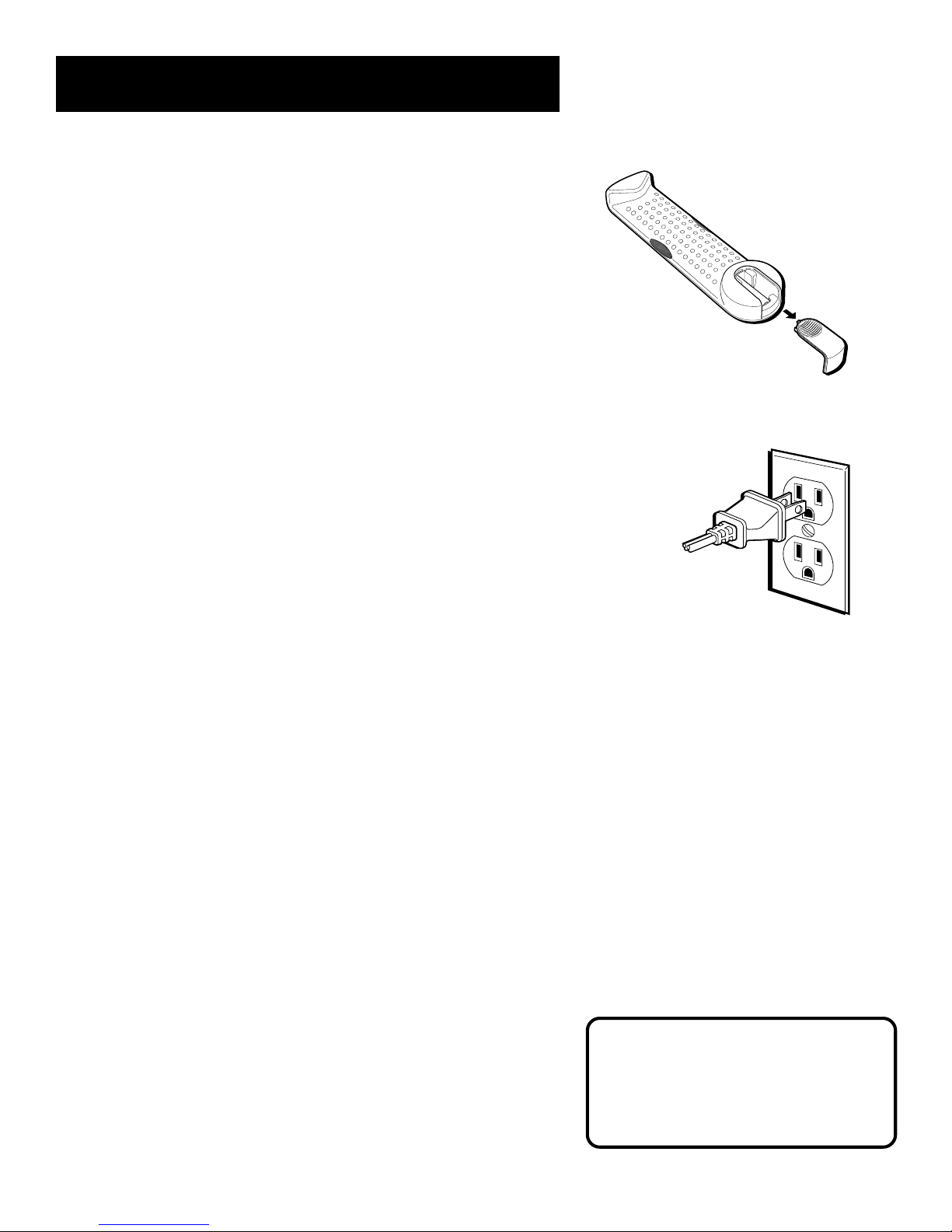
Step 3: Put Batteries in the Remote
1. Slide the battery compartment cover off the back of
the remote.
2. Insert the four AAA batteries, matching the +and -ends of
each battery with the symbols in the compartment.
3. Replace the cover.
Step 4: Plug in the receiver
Before you plug in the receiver, connect the other components
and speakers.
Plug the power cord into the wall outlet, matching the wide
blade of the plug with the wide slot in the outlet. Be sure to
insert the plug completely.
Step 5: Turn on the receiver
Press the POWER button on the receiver or any device button on
the remote.

6

7
➣
1
Operating the Receiver
If you have questions …
…about the front panel or remote control buttons as you
go through this section, refer to Chapter 3, Tour of the
Receiver.
➣
2
3
➣
4Programming the Remote
First Things First
Operating the Receiver
Tour of the receiver
Important:
In order to safeguard your
hearing, turn the volume down
before turning on your receiver.
Unless otherwise specified, the
buttons mentioned in this
chapter are on the remote
control.

8
Operating the Receiver
If the Memory indicator on the
display turns off before you
preset your station selection,
press MENU/SELECT again.
If the receiver is disconnected
from its power source, the preset
stations are maintained in
memory for up to 7 days.
Tuning the Receiver using the
remote
1. Press AM•FM to activate the tuner.
2. Press AM•FM again to select the AM or FM band.
Tuning
Press FWD to move up the AM or FM band.
Press REV to move down the AM or FM band.
Auto Tuning
Use the SEEK feature to automatically search for stations of
sufficient strength.
Press INPUT•SEEK. “SEARCH” appears in the display.
Beginning at its current frequency, the tuner finds and stops
on the next station whose frequency is strong enough to be
received. To continue the search, press INPUT•SEEK again.
Storing Stations in Memory
You can store up to 30 AM and FM stations. These stations can
be stored in random order. Use the convenient Preset Stations
List in this guide to note the name and location of the
stations you have stored.
To Store a Station
1. Press AM•FM to turn on the receiver.
2. Select the band—AM or FM.
3. Select the station you want to store in memory using the
methods described above.
4. Press MENU/SELECT . “MEMORY” appears in the display.
While “MEMORY” is visible, press number buttons on the
remote for the station.
For stations 1, 2 or 3 press 0, then press 1, 2, or 3. For
stations 4 through 30, press the numbers directly.
Table of contents
Other RCA Receiver manuals