
e-survey E100 User manual

E100 User Manual
E100 GNSS Receiver
User Manual
V1.0_201910

E100 User Manual
Contents
1. Introduction ..........................................................................................................3
1.1 Appearance...................................................................................................3
1.2 Indicator........................................................................................................3
1.3 Interface........................................................................................................4
1.4 Pin definition.................................................................................................4
1.5 Power button................................................................................................5
2. Web User Interface...............................................................................................5
2.1 Position .........................................................................................................5
2.2 Satellites........................................................................................................6
2.3 Information...................................................................................................6
2.4 Working Mode ..............................................................................................6
2.5 Satellite Setting.............................................................................................7
2.6 Device Configuration.....................................................................................7
2.7 NMEA Message.............................................................................................8
2.8 View Logs ......................................................................................................8
2.9 Raw Data.......................................................................................................8
2.10 Backup Data ..................................................................................................9
2.11 Management.................................................................................................9
3. Basic Operation...................................................................................................10
3.1 Insert SIM card............................................................................................10
3.2 Charge the battery......................................................................................10
3.3 Measure antenna height.............................................................................10
3.4 E-bubble Calibration ...................................................................................11
4. Standard Accessories..........................................................................................12
5. Technical Specifications......................................................................................13
6. Warranty Policy...................................................................................................14

E100 User Manual
1. Introduction
This is the user manual for survey E100 GNSS receiver. It gives basic description and
operation guide which may help user to operate device properly.
1.1 Appearance
The E100 main body is designed with magnesium alloy material to provide durable
usage and better heat dispersion as well as light weight 900g. The internal battery
ensures up to 9-hours continuous working.
1.2 Indicator
Working status is viewable through the indicators. The meaning of each indicator:
Indicator
Color
Meaning
Satellite
Red and Green
•Off: no receiving satellites
•Flash red: receiving satellites but no
solution status
•Flash green: have solution but not fixed
•Solid green: fixed solution
•Flash red and green alternately: mainboard
abnormal
Data link
Green and Blue
•Solid green: datalink is ready to start
•Flash green: datalink is transmitting data
normally
•Flash Blue: when raw data recording is
enabled, the LED will flash according to the
interval
Bluetooth
Blue
•Off: no Bluetooth connection
•Solid blue: has Bluetooth connection

E100 User Manual
Battery
Green and Red
•Solid green: battery level between
30%~100%
•Flash green: battery level between
10%~30%, speaker will beep
•Flash red: battery level below 10%
1.3 Interface
E100 GNSS receive bottom interface is shown as below. The 5-pin port is used to
connect external radio and external power, or output NMEA messages. Type-C port
can be used for data download (internal storage access) or charging.
1.4 Pin definition
The 5-pin port is defined as below:
5 Pin
Front View
1
+12V
Power
2
GND
Power ground
3
TXD
Device out
4
SGD
Signal ground
5
RXD
Device in
Power Button
Type-C Port
5-Pin Port
Micro SIM
Speaker
SIM Card
Type-C and 5-Pin

E100 User Manual
1.5 Power button
There is a power button on E100 control panel, the main function as below:
Power On
Long press button for two seconds to power on
receiver.
Power Off
Long press button for two seconds then release,
will hear the voice “Power off?” Then press the
button again to confirm.
Broadcast Current Working
Mode
Receiver will broadcast current working mode
when press the power button.
Self-check
Long press button for two seconds then release,
will hear the voice “Power off?” Then long press
button for three seconds, will hear the voice “self-
check”.
2. Web User Interface
User can connect to receiver WIFI hotspot with PC, smart phone or tablet. The hotspot
name is the device serial number, can be found under the bottom of the device label.
Open web browser and input the IP address “192.168.10.1”. The default user name is
“admin”, password is “password”. From the website, user can manage working status,
change working mode, configurate basic settings, download raw data, update
firmware and register device.
2.1Position
View basic position information, satellite number, PDOP and time. In static mode, can
start and stop recording here.

E100 User Manual
2.2Satellites
View satellite list and satellite map, set cut-off angle.
2.3Information
View receiver information: firmware version, GNSS board, and network module.
2.4Working Mode
Configurate working mode: base, rover or static.

E100 User Manual
2.5Satellite Setting
Configurate the satellites to be used. “RTK Timeout” setting is for aRTK service (With
Hemisphere L-Band service, user cans still keep high accuracy for a period when
correction data loses). “Surefix” is hemisphere technology to increase the reliability
of the fixed solution. Which means it will be much more difficult to get fixed solution
in tough environment.
2.6Device Configuration
Configurate receiver settings: User can set time zone. Sensor means e-bubble data
output. Also, the 5-pin port baud rate is changeable. Smart voice broadcast can be
disabled. When SIM card is insert and “WIFI share network” is enabled, PC can surf
the internet when connected to device hotspot by using SIM data. “Cloud service” and
“Track back” is used for uploading position information to cloud/TCP server.

E100 User Manual
2.7NMEA Message
Configurate NMEA data output through Bluetooth or 5-pin port.
2.8View Logs
The log files can be used to diagnose issues. Click “download” to download the files.
2.9Raw Data
Download raw data or convert data to RINEX format. User can use check box, then
click “Package” to download multiple files.

E100 User Manual
2.10 Backup Data
The points collected in SurPad4.0 will be backup in receiver storage automatically to
avoid data loss. Can restore the data to SurPad software.
2.11 Management
User can update receiver and GNSS firmware as well as register device, format
internal disk, restore factory setting, restart device. To update the firmware, click
“Chose File” to import the firmware, then click “Upload File” to start updating.

E100 User Manual
3. Basic Operation
This part shows user some basic operations to start working with E100.
3.1Insert SIM card
E100 supports network working mode. Open the cover and insert SIM card.
3.2Charge the battery
E100 is equipped with Type-C charger which support maximum 45w PD quick charge.
Fully charge the battery will take 4 hours typically. The battery indicator is red when
charging, will turn green when fully charged.
3.3Measure antenna height
In order to get correct elevation value, we need to know the correct phase center
height of the receiver. However, it is almost not possible to measure the phase center
directly. Normally, the software will read the receiver antenna offset parameters.
Once user input the measurement height, software will calculate the phase center
height automatically. Typically, there are two ways to measure the height:
A: Slant height (to measurement line)
•Centering and leveling the tripod on known point, then measure slant height from
the ground point to the arrow at the side of the receiver.
B: Pole height (straight height to device bottom)
•Read the straight pole height
A: Slant height Measurement Line B: Pole height
Other manuals for E100
1
Table of contents
Other e-survey Receiver manuals

e-survey
e-survey E500 User manual
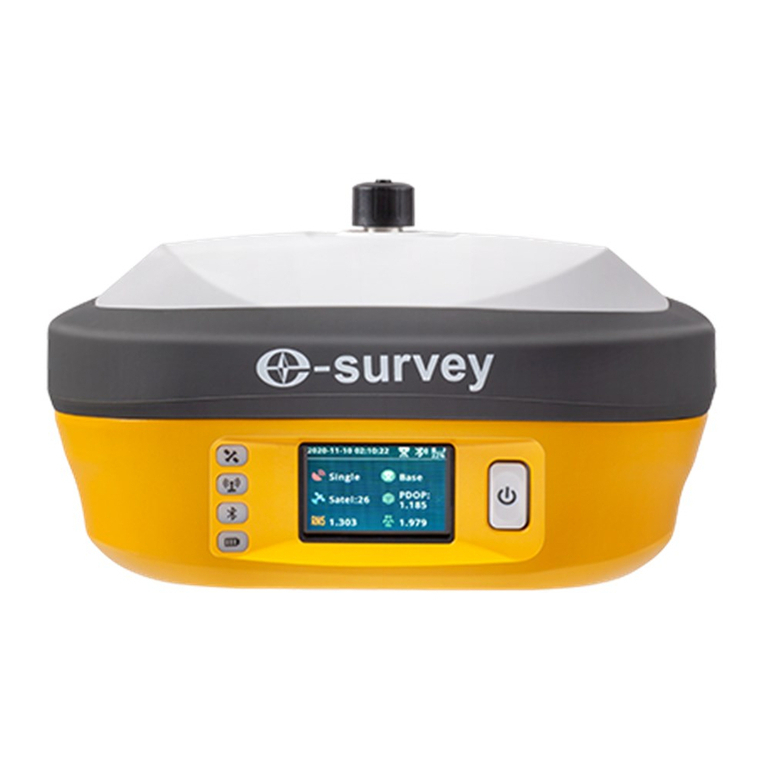
e-survey
e-survey E800 User manual

e-survey
e-survey E300 Pro User manual

e-survey
e-survey E800 User manual

e-survey
e-survey E600 User manual

e-survey
e-survey E800 User manual

e-survey
e-survey E500 User manual

e-survey
e-survey E300 Pro User manual

e-survey
e-survey CORS System Net 20 Plus User manual

e-survey
e-survey CORS System Net 20 Plus User manual







