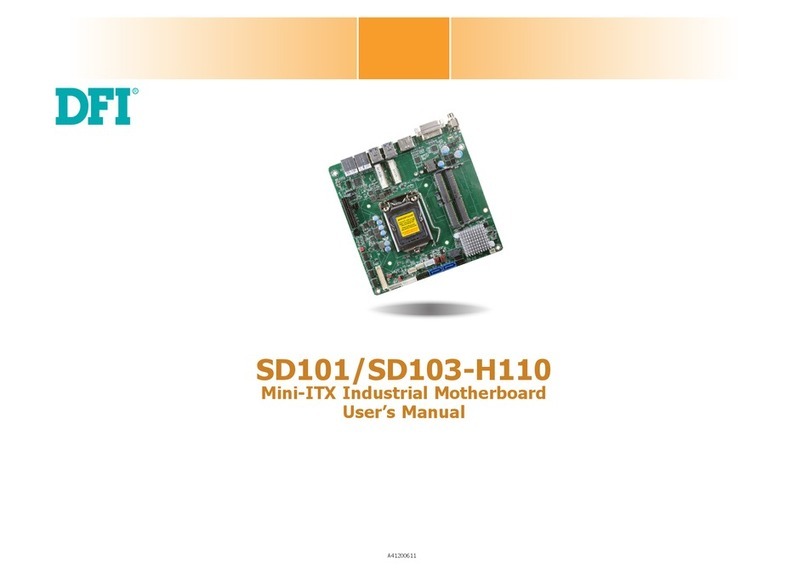
DFI G7L330-B User manual

935-G7L332-000G
A89020622
G7L330-B
System Board
User’s Manual

Copyright
This publication contains information that is protected by copyright.
No part of it may be reproduced in any form or by any means or
used to make any transformation/adaptation without the prior
written permission from the copyright holders.
This publication is provided for informational purposes only. The
manufacturer makes no representations or warranties with respect to
the contents or use of this manual and specifically disclaims any
express or implied warranties of merchantability or fitness for any
particular purpose.The user will assume the entire risk of the use or
the results of the use of this document. Further, the manufacturer
reserves the right to revise this publication and make changes to its
contents at any time, without obligation to notify any person or
entity of such revisions or changes.
© 2006. All Rights Reserved.
Trademarks
Product names or trademarks appearing in this manual are for
identification purpose only and are the properties of the respective
owners.

FCC and DOC Statement on Class B
This equipment has been tested and found to comply with the limits
for a Class B digital device, pursuant to Part 15 of the FCC rules.
These limits are designed to provide reasonable protection against
harmful interference when the equipment is operated in a residential
installation. This equipment generates, uses and can radiate radio
frequency energy and, if not installed and used in accordance with
the instruction manual, may cause harmful interference to radio
communications. However, there is no guarantee that interference
will not occur in a particular installation. If this equipment does cause
harmful interference to radio or television reception, which can be
determined by turning the equipment off and on, the user is
encouraged to try to correct the interference by one or more of the
following measures:
• Reorient or relocate the receiving antenna.
• Increase the separation between the equipment and the receiver.
• Connect the equipment into an outlet on a circuit different from
that to which the receiver is connected.
• Consult the dealer or an experienced radio TV technician for
help.
Notice:
1. The changes or modifications not expressly approved by the
party responsible for compliance could void the user's authority
to operate the equipment.
2. Shielded interface cables must be used in order to comply with
the emission limits.

Table of Contents
About this Manual................................................................................
Warranty.....................................................................................................
Static Electricity Precaution................................................................
Safety Measures.....................................................................................
About the Package...............................................................................
Before Using the System Board.........................................................
Chapter 1 - Introduction....................................................................
Specifications...................................................................................................................................
Special Features of the System Board..................................................................
Chapter 2 - Hardware Installation....................................................
System Board Layout ..........................................................................................................
System Memory..........................................................................................................................
CPU.......................................................................................................................................................
Jumper Settings............................................................................................................................
Rear Panel I/O Ports.............................................................................................................
I/O Connectors..........................................................................................................................
Chapter 3 - BIOS Setup......................................................................
Award BIOS Setup Utility.................................................................................................
Updating the BIOS..................................................................................................................
Chapter 4 - Supported Softwares.....................................................
Drivers, Utilities and Software Applications......................................................
Installation Notes.......................................................................................................................
Appendix A - Enabling Hyper-Threading Technology......................
Enabling Hyper-Threading Technology......................................................................
Appendix B - System Error Messages...............................................
Error Messages.........................................................................................................................
Appendix C - Troubleshooting..........................................................
Troubleshooting Checklist...............................................................................................
Appendix D - Watchdog Sample Code...........................................
Watchdog Sample Code...................................................................................................
5
5
6
6
7
7
8
8
11
16
16
17
22
28
32
43
55
55
94
96
96
106
107
107
110
110
112
112
116
116

About this Manual
An electronic file of this manual is included in the CD. To view the
user’s manual in the CD, insert the CD into a CD-ROM drive. The
autorun screen (Main Board Utility CD) will appear. Click “User’s
Manual” on the main menu.
Warranty
1. Warranty does not cover damages or failures that arised from
misuse of the product, inability to use the product, unauthorized
replacement or alteration of components and product
specifications.
2. The warranty is void if the product has been subjected to
physical abuse, improper installation, modification, accidents or
unauthorized repair of the product.
3. Unless otherwise instructed in this user’s manual, the user may
not, under any circumstances, attempt to perform service,
adjustments or repairs on the product, whether in or out of
warranty. It must be returned to the purchase point, factory or
authorized service agency for all such work.
4. We will not be liable for any indirect, special, incidental or
consequencial damages to the product that has been modified
or altered.

Introduction
1
6
Static Electricity Precautions
It is quite easy to inadvertently damage your PC, system board,
components or devices even before installing them in your system
unit. Static electrical discharge can damage computer components
without causing any signs of physical damage. You must take extra
care in handling them to ensure against electrostatic build-up.
1. To prevent electrostatic build-up, leave the system board in its
anti-static bag until you are ready to install it.
2. Wear an antistatic wrist strap.
3. Do all preparation work on a static-free surface.
4. Hold the device only by its edges. Be careful not to touch any of
the components, contacts or connections.
5. Avoid touching the pins or contacts on all modules and
connectors. Hold modules or connectors by their ends.
Important:
Electrostatic discharge (ESD) can damage your processor, disk
drive and other components. Perform the upgrade instruction
procedures described at an ESD workstation only. If such a
station is not available, you can provide some ESD protection
by wearing an antistatic wrist strap and attaching it to a metal
part of the system chassis. If a wrist strap is unavailable,
establish and maintain contact with the system chassis
throughout any procedures requiring ESD protection.
Safety Measures
To avoid damage to the system:
• Use the correct AC input voltage range.....
To reduce the risk of electric shock:
• Unplug the power cord before removing the system chassis
cover for installation or servicing. After installation or servicing,
cover the system chassis before plugging the power cord.
Battery:
• Danger of explosion if battery incorrectly replaced.
• Replace only with the same or equivalent type recommend
by
the manufacturer.
• Dispose of used batteries according to the battery
manufacturer’s
instructions.

1
Introduction
7
About the Package
The system board package contains the following items. If any of
these items are missing or damaged, please contact your dealer or
sales representative for assistance.
;One system board
;One IDE cable
;One FDD cable
;One bracket mounted with 2 USB ports
;One Serial ATA data cable
;One Serial ATA power cable
;One I/O shield
;One “Mainboard Utility” CD
;One user’s manual
The system board and accessories in the package may not come
similar to the information listed above.This may differ in accordance
to the sales region or models in which it was sold. For more
information about the standard package in your region, please
contact your dealer or sales representative.
Before Using the System Board
Before using the system board, prepare basic system components.
If you are installing the system board in a new system, you will need
at least the following internal components.
•A CPU
•Memory module
•Storage devices such as hard disk drive, CD-ROM, etc.
You will also need external system peripherals you intend to use
which will normally include at least a keyboard, a mouse and a video
display monitor.

Introduction
1
8
Chapter 1 - Introduction
Specifications
Processor
• LGA 775 socket for:
- Intel®Pentium®D
- Intel®Pentium®4 or Intel®Celeron
- Intel®Celeron D
• Supports Intel Enhanced Memory 64 Technology (EMT64T)
• Supports Enhanced Intel SpeedStep Technology (EIST)
• Supports Intel Hyper-Threading Technology
• Supports 1066/800/533MHz FSB
Chipset
• Intel chipset
- North bridge: Intel®945G Express chipset
- South bridge: Intel®ICH7
System Memory
• Four 240-pin DDR2 DIMM sockets
• Supports DDR2 533 and DDR2 667 DIMMs
• Supports dual channel (128-bit wide) memory interface
• Supports up to 4GB system memory
• Supports non-ECC x8 and x16 DIMMs
• Supports 4 banks for all DDR2 devices up to 512Mbit density
Supports 8 banks for 1Gbit DDR2 devices
• Supports unbuffered DIMMs
BIOS
• Award BIOS
• 4Mbit flash memory
Energy Efficient Design
• Supports ACPI specification and OS Directed Power
Management
• Supports ACPI STR (Suspend to RAM) function
• Wake-On-Events include:
- Wake-On-PS/2 Keyboard/Mouse
- Wake-On-USB Keyboard/Mouse
- Wake-On-Ring (external modem)

1
Introduction
9
- Wake-On-LAN
- RTC timer to power-on the system
• AC power failure recovery
Hardware Monitor
• Monitors CPU/system temperature and overheat alarm
• Monitors Vcore/V3SB/Vcc3/Vcc5/12V/V5SB/VBAT voltages
• Monitors the speed of the CPU/system fan
• CPU Overheat Protection function monitors CPU temperature
and fan during system boot-up - automatic shutdown upon
system overheat
• Watchdog timer function
Onboard VGA Features
• Built-in Intel Graphics Media Accelerator 950
Onboard Audio Features
• 6-channel audio CODEC
• Full-duplex codec with independent variable sampling rate
• True stereo line level outputs
• S/PDIF-in/out interface
Onboard LAN Features
• Realtek RTL8110SB PCI Gigabit LAN controller
• Supports 10/100/1Gbps
• IEEE 802.3ab compliant
• Integrated power management functions
• Supports wire for management
Serial ATA Interface
• Supports four SATA (Serial ATA) interfaces which are compliant
with SATA 1.0 specification
• SATA speed up to 3Gb/s
IEEE 1394 Interface
• Supports two 100/200/400 Mb/sec ports
IDE Interface
• One IDE connector supports up to two UltraDMA100Mbps
hard drives

Introduction
1
10
Rear Panel I/O Ports
• 1 mini-DIN-6 PS/2 mouse port

• 1 mini-DIN-6 PS/2 keyboard port
• 1 DB-9 serial port
• 1 DB-25 parallel port
• 1 DB-15 VGA port
• 1 IEEE 1394 port
• 1 RJ45 LAN port
• 4 USB 2.0/1.1 ports
• Line-in, line-out and mic-in jacks
I/O Connectors
• 2 connectors for 4 additional external USB 2.0/1.1 ports
• 1 connector for an external COM 2 port
• 1 connector for 1 external IEEE 1394 port
• 1 front audio connector for external line-out and mic-in jacks
• 1 CD-in internal audio connector
• 1 S/PDIF connector
• 1 IR connector
• 4 Serial ATA connectors
• 1 IDE connector
• 1 floppy connector
• 1 24-pin ATX power connector
• 1 4-pin ATX 12V power connector
• 1 front panel connector
• 2 fan connectors
Expansion Slots
• 1 PCI Express x16 slot
• 1 PCI Express x1 slot
• 2 PCI slots
PCB
• microATX form factor
• 24.4cm (9.6") x 24.4cm (9.6")
Table of contents
Other DFI Motherboard manuals