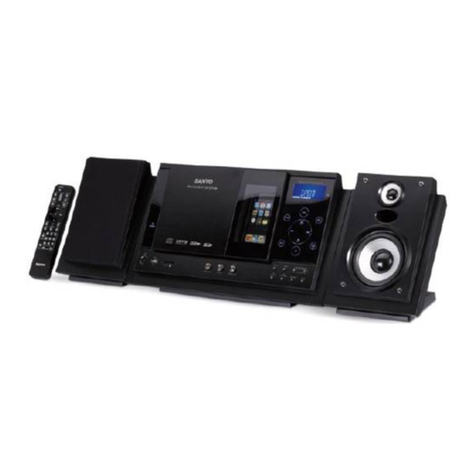
Coby Butterfly CSMP145 User manual

EN Buttery™ Sound System for iPod® & iPhone®
Instruction Manual ...........................................................Page 2
ES Système Sonore Buttery™ pour iPod® & iPhone®
Manual de Instrucciones............................................... Pagina 22
FR Système Sonore Buttery™ pour iPod® & iPhone®
Manuel D’instruction ...................................................... Page 42
Please read carefully before use • Léa el manual antes de usar • Veuillez lire ce livret avant utilisation
For series /
Para la serie /
Pour la série
CSMP145

Page 2 Table Of Contents
English
Table of ContentsÂ
THANK YOU.....................................................................................................................................4
Package Contents..........................................................................................................................4
Features............................................................................................................................................4
CSMP145 AT A GLANCE.................................................................................................................5
Main Unit..........................................................................................................................................5
Remote Control...............................................................................................................................7
About the Remote Control Battery....................................................................................9
GETTING STARTED.........................................................................................................................10
Connections..................................................................................................................................10
Connecting Power.............................................................................................................10
Connecting an iPod®or iPhone®....................................................................................10
Connecting an Auxiliary Device......................................................................................11
Basic Controls................................................................................................................................11
USING IPOD®/IPHONE®MODE.....................................................................................................12
Controls ..........................................................................................................................................12
Browsing iPod/iPhone Menus with the Remote..............................................................13

English
Table Of Contents Page 3
USING AUX MODE........................................................................................................................14
Controls ..........................................................................................................................................14
SPECIFICATIONS...........................................................................................................................15
SUPPORT........................................................................................................................................16
SAFETY & REGULATORY STATEMENTS...........................................................................................17

Page 4 Thank You
English
Thank YouÂ
Thank you for purchasing a Coby® CSMP145 Vitruvian™ Sound System for iPod® and iPhone®. Please
read this manual carefully before using this device and retain it for future reference.
Package Contents
CSMP145
Power adapter
Remote control
3.5mm auxiliary cable
Instruction manual
If any of the above items are missing, please
contact the dealer from whom you purchased this
product.
This package may contain plastic bags
or other materials that pose a hazard
to children. Be sure to safely dispose
of all packing materials after opening.
Features
Premium sound system designed for iPod®& iPhone®
Built-in Universal dock charges and playsyour iPod/iPhone
Bass Boost circuitry for low end frequencyenhancement
Supports iPod shufe and other portable players with a 3.5mm audio connection
Adjustable ambient lighting

English
Csmp145 At A Glance Page 5
Csmp145 At A Glance Page 5
English
CSMP145 at a GlanceÂ
Main Unit
1 [Light –] Press to decrease the intensity of the
background light.
2 [Light +] Press to increase the intensity of the
background light.
3[Power] Press to turn the unit on or off.
4 [Volume –] Press to decrease the volume level.
5 [Volume +] Press to increase the volume level

Page 6 Csmp145 At A Glance
English
6 AUX IN 3.5mm auxiliary connector. Use a
3.5mm auxiliary cable to connect
portable audio devices with a 3.5mm
headphone output (e.g., iPod shufe,
Coby MP3 players).
7 DC IN Power connector. Use the AC adapter
to connect to an AC 100-240V power
outlet.
8 Universal
Dock Dock for iPod® and iPhone®.
Connector for your compatible iPod
or iPhone.

English
Csmp145 At A Glance Page 7
Remote Control
1[POWER] Press to turn the unit on or off.
2 [LIGHT +] Press to increase the intensity of the
background light.
3 [LIGHT –] Press to decrease the intensity of the
background light.
4[BASS] Press to turn the Bass Boost en-
hancement on or off.
5[LEFT] Press to skip to the previous track.
Hold to scan in reverse quickly
through the current track.
[RIGHT] Press to skip to the next track.
Hold to scan forward quickly through
the current track.
[UP] Use to browse iPod® or iPhone®
menus.
[DOWN]
6[OK] Press to enter an iPod or iPhone
menu selection.

Page 8 Csmp145 At A Glance
English
7[MUTE] Press to disable or enable speaker
output.
8 [VOL +] Press to increase the volume level.
9 [VOL –] Press to decrease the volume level.
10 [AUX/iPod] Press to switch between AUX and
iPod modes.
11 [Play/
Pause] Press to start or pause iPod or iPhone
playback.
12 [M] Press to access the iPod or iPhone
menu, or to return to a previous
screen.

English
Csmp145 At A Glance Page 9
About the Remote Control Battery
The remote control is powered by one (1)
CR2025-type battery. Before using the remote,
be sure to remove the plastic protective tab from
the battery compartment.
To replace the battery:
Squeeze the tab of the battery compartment1. to the right while drawing the compartment
out.
Remove the battery and replace it with a2. new “CR2025” lithium battery.
Replace the compartment.3.

Page 10 Getting Started
English
Connections
Connecting Power
This unit is powered by an AC adapter.
Connect one end of the included AC adapter
to an AC 100-240V ~50/60Hz mains outlet.
Connect the other end to the DC IN connector
located on the rear of the unit.
Do not connect the power adapter to
a power outlet other than that which is
indicated here or on the label as this
may result in the risk of re or electric
shock.
Do not handle the power plug with wet
hands. Doing so may cause electric
shock.
Connecting an iPod®or iPhone®
If you have a compatible iPod or iPhone,you can play it through the speakers of the
CSMP145.
Compatible iPod/iPhone models are listed in
the Specications section of this manual.
For the latest product information and
specications, please visit the Coby Elec-
tronics website at www.cobyusa.com.
To connect your iPod/iPhone:
If you have a dock adapter cartridge, seat1.
the adapter rmly in the Universal Dock.
Plug your compatible iPod/iPhone into the2. Universal Dock.
Getting StartedÂ
Other manuals for Butterfly CSMP145
1
This manual suits for next models
1
Table of contents
Languages:
Other Coby Stereo System manuals

Coby
Coby DVD468 - AV System User manual

Coby
Coby COBY CX-CD282 User manual

Coby
Coby COBY CX-CD375 User manual

Coby
Coby Vitruvian CSMP175 User manual

Coby
Coby CX CX-CD400 User manual

Coby
Coby MP-C351 User manual

Coby
Coby COBY CX CD377 User manual

Coby
Coby CX-CD425 User manual

Coby
Coby DVD468 - AV System User manual

Coby
Coby COBY CX-CD379 User manual