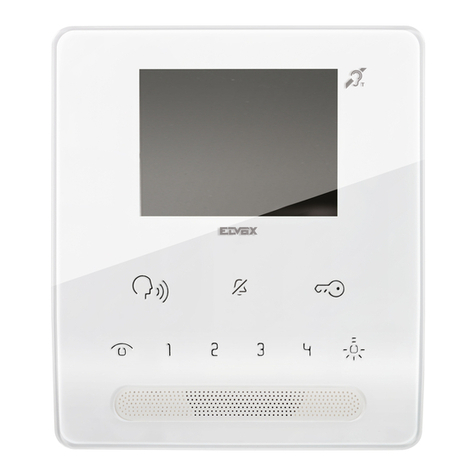
CDVI CDV4791 User manual


2
2Easy 1 User Video Entry Kit
CDV4791/2

Camera Lens
BUS
PL
S1+ S2+ S-
1 2
ON
Rain Cover
2Easy 1 User Video Entry Kit
CDV4791/2
2.1: Terminal Descriptions
2: CDV91/92 Parts and Functions
3
Main Connection Port

160-165cm
1
2
1 2 3 4
2.2: Installation & Adjustments
Mounting Without Rain Cover
2Easy 1 User Video Entry Kit
CDV4791/2
160-165cm
1
2
1 2 3 4
Mounting With Rain Cover
4

name label
1 2
ON
2Easy 1 User Video Entry Kit
CDV4791/2
5
From the rear of the metal section of the CDV91/92 unclip the plastic cover to open the transparent
name plate, insert a name label and replace the plastic cover.
The PC6A is a power/bus combiner unit, which is designed for the CDV 2Easy 2 wire
system to supply power for the external station, internal monitor and other accessories on
the bus. It can operate as a normal power/bus combiner or auxiliary PSU. The features are
as follows:
• Universal AC input/full range
• Multi protection: short circuit, overload, over voltage
• Integrated with DT-DPS(power separator), Additional
DT-DPS is not needed.
• Support up to 4~8 monitors(depend on models)
• DIN Rail Mounting
3.1:Description:
3: CDV-PC6A Parts and Functions
Fitting The Name Label

2Easy 1 User Video Entry Kit
CDV4791/2
LED
CN
1 2 3
BUS(IM) BUS(DS)
N LPG L
100~240 Vac
PG NLL
PG: Earth ground terminal.
N: AC input terminal.
L: AC input terminal.
LED: Power indicator, on when power connected.
CN: Bus control terminal.
BUS(IM): Indoor monitor connection terminal.
BUS(DS): Door station connection terminal.
6
Open the AC cover:
1. Push the cover base towards
the centre with your fingers;
2. Lift up and pull out the cover.
After connecting the AC cable, it is
advised to replace the cover.
Note:
1. The AC cable is not included in the
package, it must comply to the specific
requirements of country where installed.
CN
1 2 3
BUS(IM)
Connect to monitor Connect to door staiton
BUS(DS)
AC Input
100~240Vac
N L
PG L
*
2. Pins 1&2 should be short-circuited
with a C3-3P link(included in the package)
if the unit operates as a standard power
combiner. If operating as an auxiliary
power combiner, the link should be
removed.
2:Terminal Descriptions:

4: CDV47 Parts and Functions
145~160 cm
Terminal description
1 2 3 4 5 6
ON DIP
L2
L1
DIP Switches
SW+
SW-
RING
GND
NC
1 2 3 4 5 6
ON DIP
L1,L2: Bus line terminal (green Connector).
NC: Reserved
SW+,SW-: Doorbell call button connection
port.
DIP switches: Total 6 bits can be
•Bit 1~Bit5: User Code (Address) setting.
•Bit6 : Set to ON if the monitor is at the
end of the line or operates with DBC4A.
Otherwise, set to OFF.
Ring,GND: Extra buzzer connection port.
2Easy 1 User Video Entry Kit
CDV4791/2
7

CLOSE
SETTINGS
PHONE
TCETEDNOITOMTHGIL
SMS
MEDIA
CALL RECORD
CALL SCENARIO
INTERCOM
Current date and time
Status bar
LOGO
Main Menu
00:10 DS-1
REC
The Main menu is the starting point for using all the applications on the monitor. The Main
menu can be customised to display a chosen logo.
Touch anywhere of the screen on monitor in standby mode, the Main menu will appear as fol-
lows:
MONITOR
Touch to view doorstation camera
Touch t o ent er
intercom options.
Touch to view Device
information.The logo
can be customized.
Touch to enter
set up page.
Touch to set up the divert
number or activate the divert
function.
Touch to activate the
light function via RLC.
Touch to enter motion
detection options.
Touch to turn off the screen
and set the monitor in standby
mode.
Touch to activate Mute,Left
message and Divert call
functions.
Touch to view calling in/calling
out records or missed calls .
Touch to write messages or
review the received/sent
messages.
Touch to play recorded images
or video from door stations.
In communication with a door station
Displays door station ID
during call.
Shows status of talk, unlock etc.
Displays talk time.
Flashes while recording.
Review messages left by visitor.
View information from memory/SD
card.
5 direction pad button,
To enable pan, tilt &
zoom of the picture.
Note: The 5 direction pad operates only with CDV97 door station.
2Easy 1 User Video Entry Kit
CDV4791/2
8

eInput No. User Code Input No. User Code Input No. User Cod
2Easy 1 User Video Entry Kit
CDV4791/2
User code (address) for the monitor:
4. Touch “ “ key to exit.
Cursor
Keypad type
abc- Alphabet keypad
123-Number keypad
Edit box
Delete the last character
Save setting
Exit current page
INSTALLER SETUP 123
_
00-31
Space key
Insert a space.
Move the cursor.
1.In the address setting page, select Manual Input Address setting mode, then touch icon,
a keypad will be displayed.
2.Enter the code by touching the digital number.
3.Touch “OK” key to save, code setting complete.
Switch the keypad
between alphabet
and numerical.
Manual Input Address
The address can also be entered manually .
•A total of 32 numbers can be set, from 00~31.
•When multiple monitors are installed in one apartment, the monitors should be set to
thsame user code and the master/slave mode should be set on the monitor. (Details refer
to the section of Setting Slave Monitor)
9

Touch the screen anywhere on monitor
in standby mode, the main menu page
will be shown as follows:
Setting the Slave address:
2Easy 1 User Video Entry Kit
CDV4791/2
INSTALLER SETUP 123
_
? + OK: Help Menu
@ + OK: Address Setting Menu
Master/Slave can also be set directly as follows:
Touch the keys“@ and ok” to open Address Setting menu. Refer to the following:
•Select Master/Slave setting option,
touch / icon to scroll to next
option,settings will saved
immediately.
Entering installer setup
00:10 DS-1
About
Local Address 00.00
Video Standard AUTO
System Verson 00.01.00
Display Driver 1.0
Font 1.0
UI 1.0
INSTALLER SETUP 123
_
? + OK: Help Menu
@ + OK: Address Setting Menu
•On main menu page, touch [Logo] icon to enter the About page.
•When the screen shows the About page, press UNLOCK button on front panel and
hold for 2 seconds.
Refer to the following:
•A keypad is shown.
A maximum of 4 monitors can be connected in one apartment (call button),one
master monitor together with 3 slave monitors, the address must be set
correctly.(Note: one monitor to be set as master monitor - address 00)
The code of 8000 is used to set the master monitor.
The code of 8001 is used to set the first slave monitor .
The code of 8002 is used to set the second slave monitor .
The code of 8003 is used to set the third slave monitor .
10
This manual suits for next models
1
Table of contents
Other CDVI Intercom System manuals




CDVI
CDVI CDV-4791S-DXB User manual

CDVI
CDVI 2EASY CDV-96KP User manual

CDVI
CDVI CDV-471IP User manual

CDVI
CDVI 2Easy CDV4796KP-DX User manual

CDVI
CDVI CDV97-8ID Series User manual

CDVI
CDVI 2EASY CDV-91S User manual

CDVI
CDVI CDV-91 User manual

CDVI
CDVI 2EASY CDV-47DX User manual

CDVI
CDVI CDV96KP User manual

CDVI
CDVI KCIEN User manual