AOpen MT85 User manual

Chapter 0 Catalogue
Chapter 0 Contents.......................................................... 0-1
Chapter 1 How To Use This Manual ...................... 1-1
1.1 A Thank-you Note Before You Get Started..........................................................................1-1
1.2 The Features Of This Manual..............................................................................................1-2
1.3 Preliminary Tools.................................................................................................................1-3
Chapter 2 Start To Assemble..................................... 2-1
2.1 Open The Housing ..............................................................................................................2-1
2.2 Check Accessories..............................................................................................................2-3
2.3 Check Your I/O Back-panel .................................................................................................2-5
2.4 Set Up Hard Disk.................................................................................................................2-7
2.5 Set Up Motherboard ..........................................................................................................2-10
2.6 Set Up CPU.......................................................................................................................2-12
2.7 Plug In Memory .................................................................................................................2-19
2.8 Set Up Floppy Diskette Drive ............................................................................................2-21
2.9 Set Up Optical Storage Devices........................................................................................2-24
2.10 Connect Signal Cable......................................................................................................2-27
2.11 Connect Power Cord .......................................................................................................2-30
2.12 Connect The Signal Cables Of Front Panel Light ...........................................................2-33
2.13 Set Up Interface Card......................................................................................................2-34
2.14 All Set ..............................................................................................................................2-37
Chapter 3 Check What You've Achieved.3-1
3.1 Connect The External Peripherals ......................................................................................3-1
3.2 Turn On The Power To Check .............................................................................................3-5
3.3 Postscripts...........................................................................................................................3-9
0-1
Catalogue


Chapter 1 How To Use This Manual
1.1 A Thank-you Note Before You Get Started
First of all, we would like to express our gratitude to your purchase of this specially designed
Baresystem by AOpen. Once again, this Baresystem is designed uniquely to meet all your
personal needs with our great industrial designing ability and our everlasting perseverance with
the quality of all products.
This manual is for those who want to set up the computer by themselves. In other words, this is a
book for " Fresh drives on the road." If you are already a veteran, this manual may not be that
suitable for you. It is our hope that the novices can build up their own computers step by step.
Now, we invite you to personally experience this user-friendly manual and all the powerful
functions this AOpen Baresystem offer.
The logos of Adobe and Acrobat are the registered trademarks of Adobe Systems Incorporated.
The logos of AMD, Athlon, and Duron are the registered trademarks of Advanced Micro Devices, Inc.
The logos of Intel, Intel Celeron and Pentium II&III are the registered trademarks of Intel Corporation.
The logos of Microsoft, Windows are the registered trademarks of Microsoft Corporation in America and other
countries.
All the titles of the products and the trademarks mentioned in this manual are for the purpose of illustrative
conveniences and are possessed by their respective firms.
We regret not informing about any changes in usage standards and other related information. AOpen Company
reserves the right of altering or modifying the content of this manual. In case of any mistakes or incorrect descriptions,
which include those on the products, AOpen makes no guarantee or commitments.
This document is based on the copyright laws in order to protect our company and reserve all rights.
Under no circumstances are any types of duplicating and loading this brochure in any databases and media
permitted except the permission signed on formal document by AOpen Company.
1996-2000 Copyrights, AOpen Ltd. All rights reserved.
http://www.aopen.com
1-1
How To Use This Manual

How To Use This Manual
1.2 The Features Of This Manual
In this manual, you will be able to know how to:
Set up a personal computer on your own.
Correctly and safely put everything together and get some ideas about hardware.
Make the setup easier with some practical techniques.
In addition, this manual DOES NOT offer you:
Any sorts of back doors, such as overclocking.
A great bunch of hardware standard that is difficult to understand.
Lengthy, fanciful but vague theories.
Instead, this manual explains theories in simple language by colorful illustrations. Therefore,
you will see the icons below quite often.
Note Contains knowledge you should know in process of
assembling and some helpful tips.
Warning
When seeing this mark, please beware. It highlights
mistakes occurred often when assembling or something
you should pay attention to.
Setup Order This mark indicates the assembling sequence which
should be followed b
y
numerical order.
Force direction This arrow shows the right direction the force should be
imposed or the correct assembling direction.
1-2

1.3 Preliminary Tools
"A workman must first sharpen his tools if he is to do his work well". Before you start the setup,
there are some tools that you can't spare.
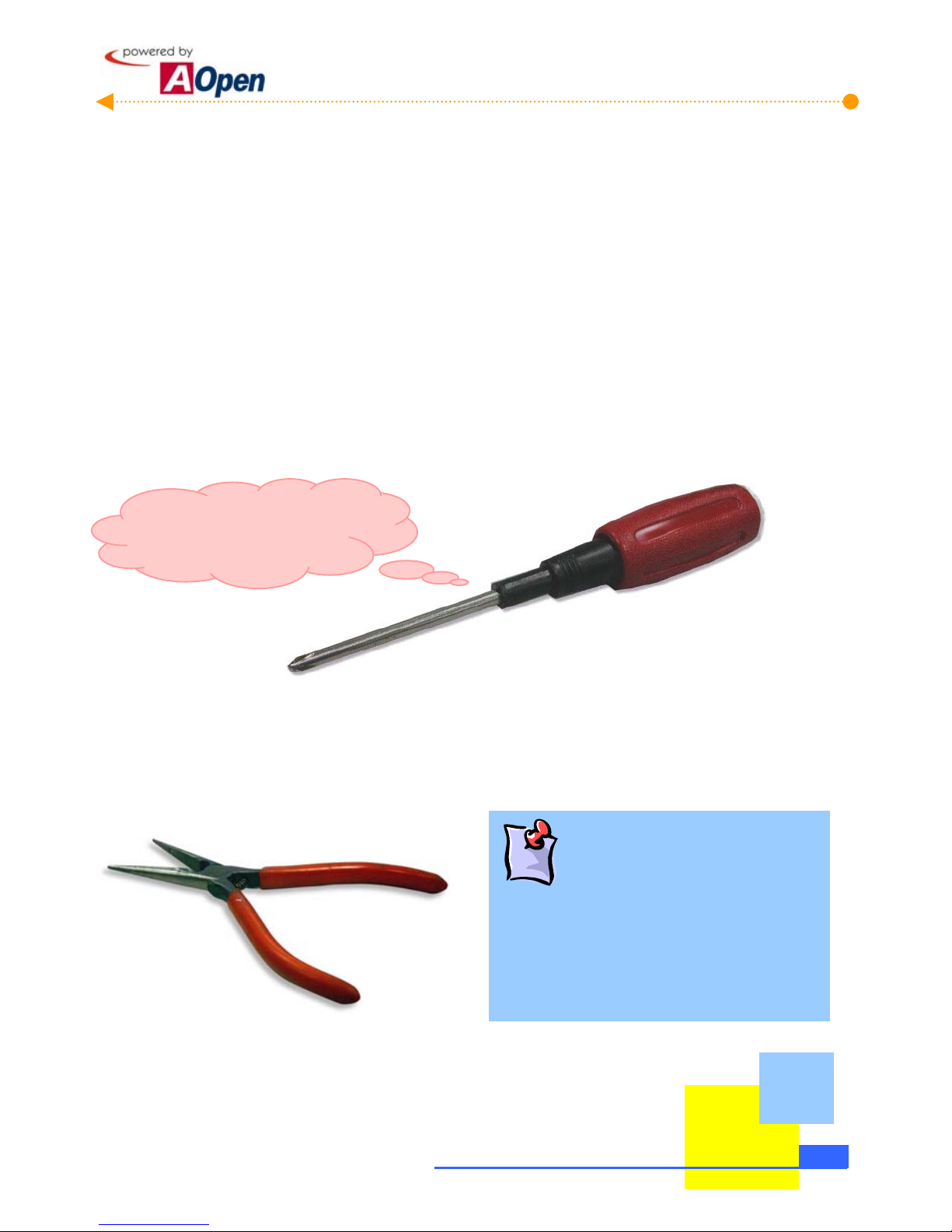
Firstly, the most frequently used tool is cross screwdriver. You can use it to screw most interior
components. A suitable screwdriver can make the setup job much easier. But does any
screwdriver apply? No, we suggest a screwdriver with a magnetic tip. When you set up your
PC, the situation is very likely to happen: you accidentally drop screws into the space between
components. In case of this, a magnetic screwdriver helps attracting those fallen screws that
are impossible to reach by hands. Some screw holes are difficult to reach. At this case, we
need a magnetic screwdriver as well. In addition, the size of tool does matter. Generally, the
domestic 107 cross screwdriver is the best one.
I can get it done!!
When putting things together, you can't avoid adjusting Jumpers. In most of cases, it can be
done barehanded. But the time always comes when there is a situation hands fail to reach in
and fix the problem. You will thank God if you have a pliers on hand to avoid any hassle just
because of one JUMPER.
What is Jumper?
Jumper is something generally referred to "
Jumping wire", which is used to adjust some
functions such as FSB (front side bus), ratio, and
sound switches adjustment by causing them
short circuit.
1-3
How To Use This Manual

[Note]
1-4 How To Use This Manual

Chapter 2 Start To Assemble
2.1 Open The Housing
This product you bought from AOpen Baresystem series belongs to special standards of
MicroATX. And this Baresystem has following distinguishing features:
The MicroATX housing provides you a big space to expand capacity.
The cut-free design at bending edges ensures your safety when assembling.
A highly efficient 145W / 180W(Optional) power supplier ensures your computer
work smoothly in most cases.
FCC Class B / DoC and CE conformed standards guarantee your health.
A high-efficiency motherboard attached makes your job much easier.
A great extensible function; you can optionally purchase AGP/PCI interfaces,
VGA or other add-on cards.
Now, let's open the housing and take a look at the interior design and attached accessories:
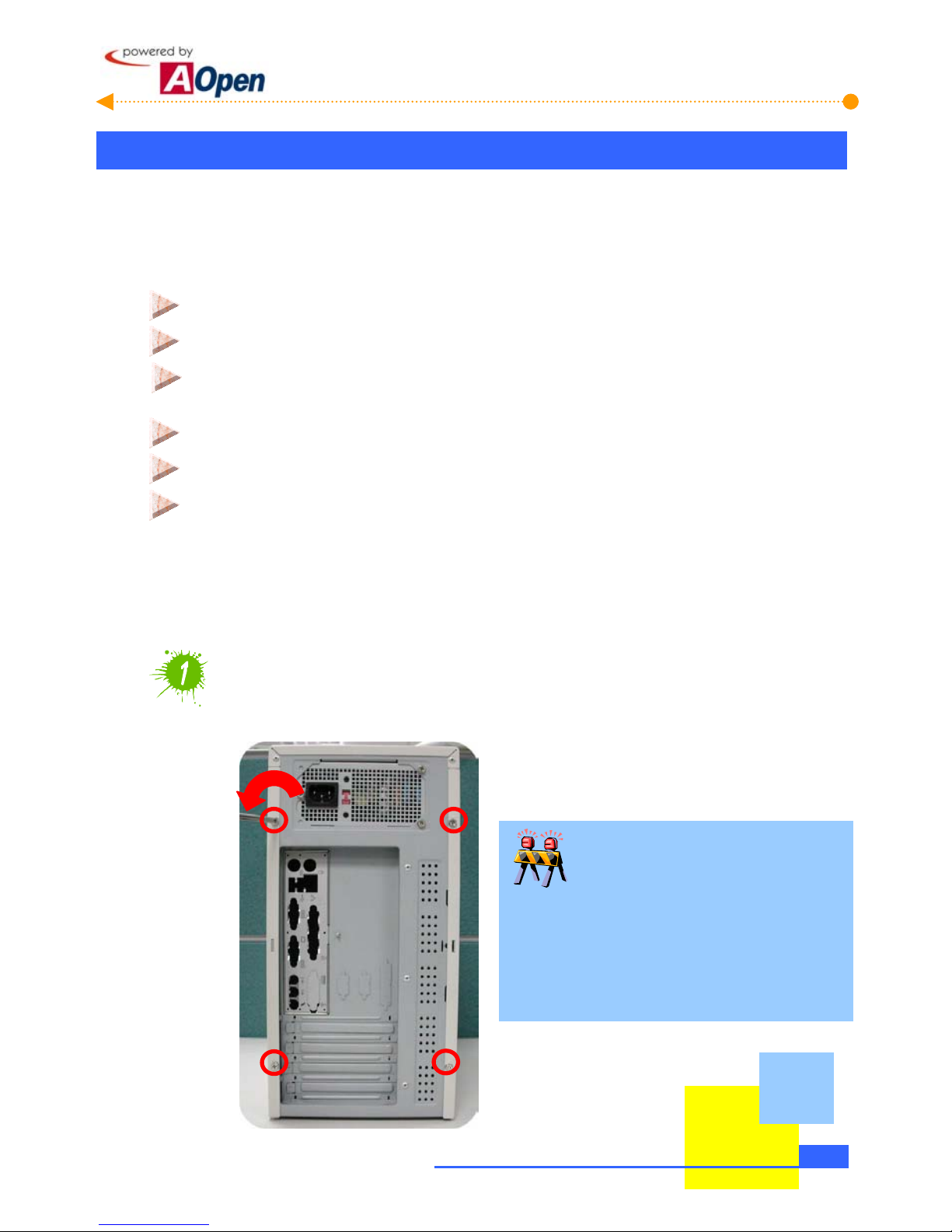
Loosen screws on the housing
You can loosen them with a cross screwdriver.
Need your attention.
This manual can be applied to MT85 / HQ85
series housings. They are only different in
their appearance. The pictures shown
below are just for your reference.
2-1
Start To Handle

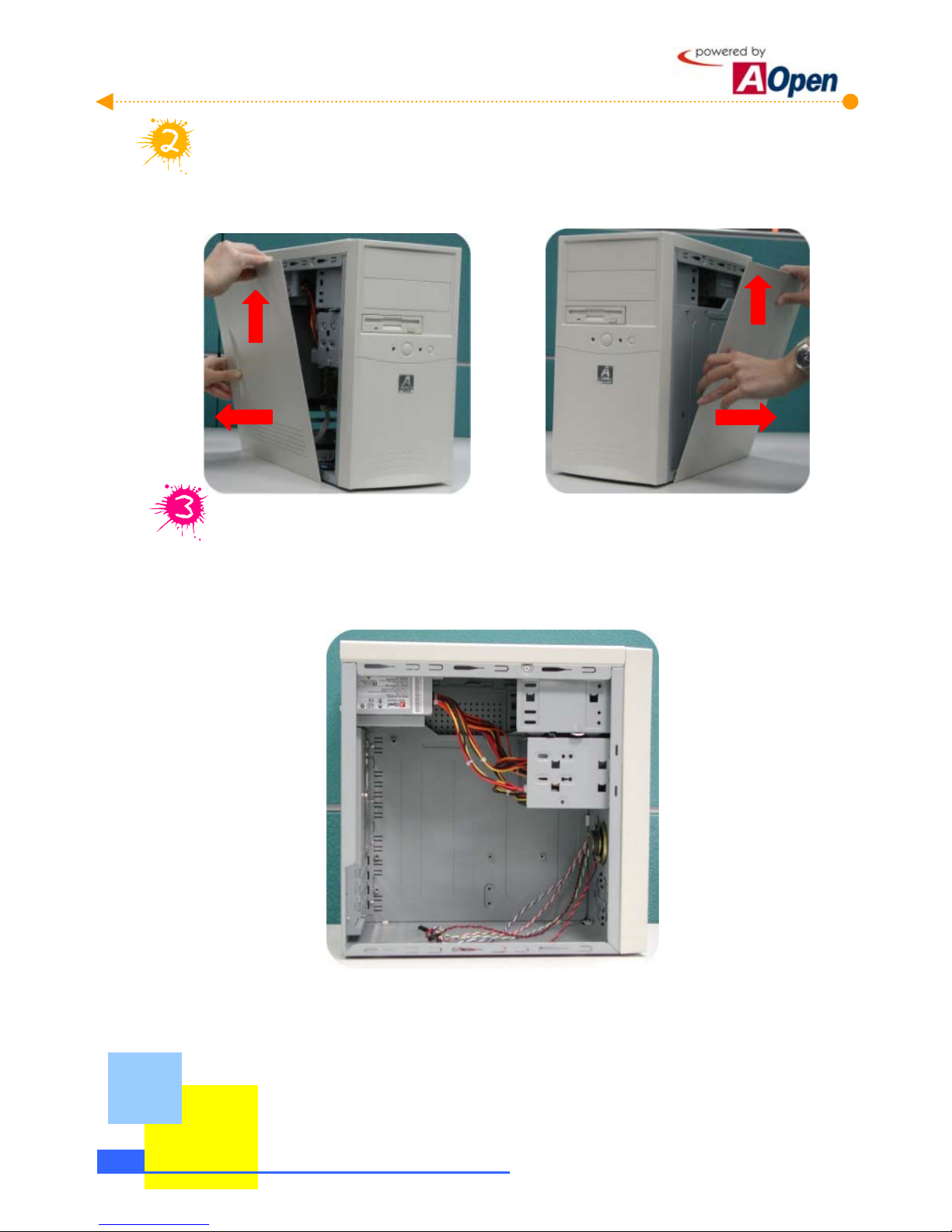
Remove both sides of housings.
To remove side housings, slide the housing a bit backward and lift it up. Procedure goes
the same with the other side.
Then you can have a clear look of AOpen Mid-Tower Baresystem.
2-2 Start To Handle

2.2 Check Accessories
Opening the housing, you are supposed to see the following accessories:
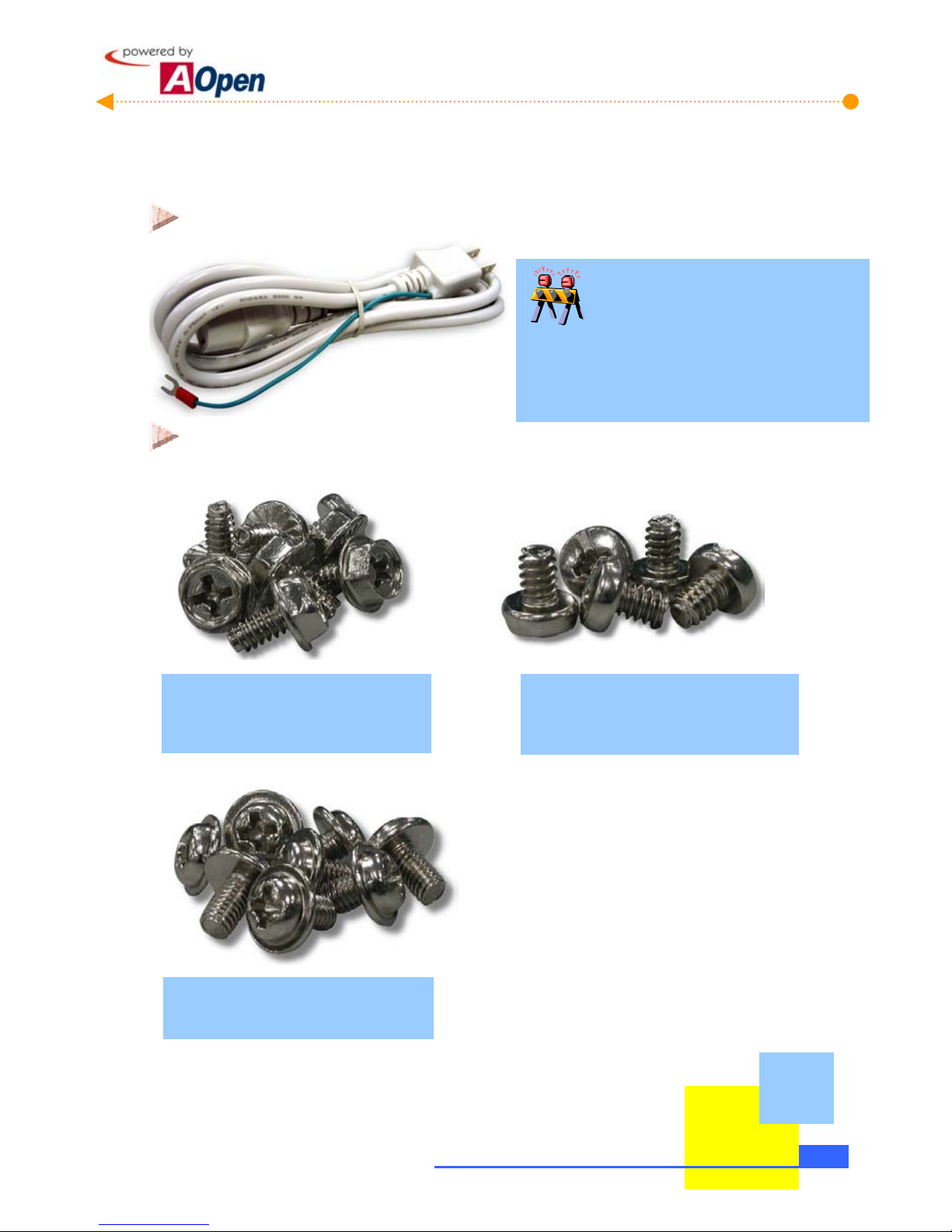
Power cord: Connects the computer power.
Are power cords all the same?
Power cords are various in different countries.
Please use an appropriate power cord according
to your country.
Fixed screws: After opening the accessory parcel, you'll see three different types of
screws as follows:
A
s shown in the picture, the threads
on NO.1 screw are wide and it is a
so-called hex screw.
A
s shown in the picture, the NO.2
screw’s threads are wide as well but it
has a round head. It is a so-called
bindin
g
head screw.
A
s shown in the picture, threads on
NO.3 screw are narrow. It is a
so-called round head washer screw.
2-3
Start To Handle

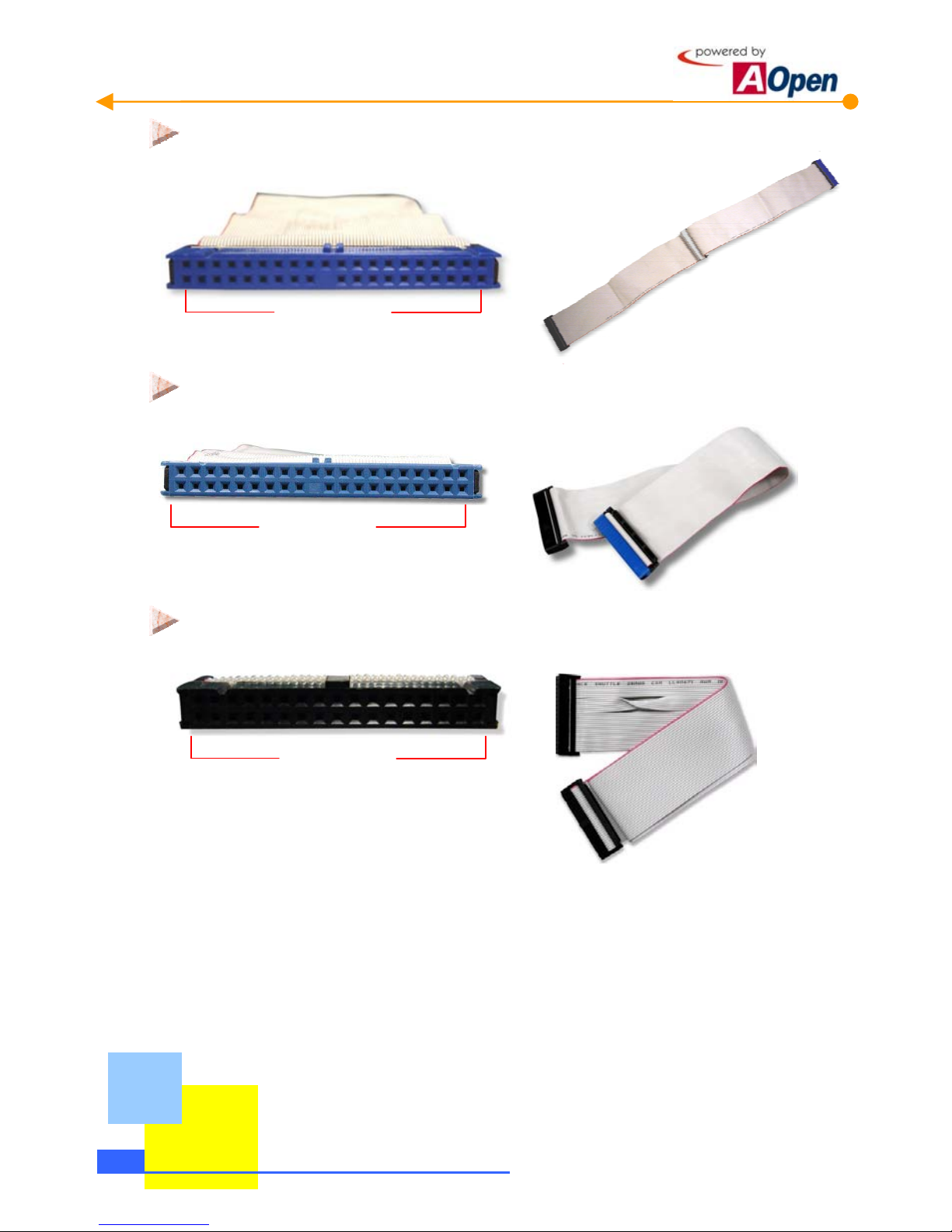
IDE Cable: is a 40-pin connector used to link IDE interface devices such as hard
disk and CD-ROM.
40-Pin Connector
IDE Cable: a 80-pin connector to connect the hard disk with IDE interface and
CD-ROM.
80-Pin Connector
Floppy Diskette Drive (FDD) Cable: is a 34-pin connector to connect diskette drive.
34-Pin Connector
2-4 Start To Handle
This manual suits for next models

1
Table of contents
Other AOpen Motherboard manuals

AOpen
AOpen AX4G Pro User manual

AOpen
AOpen AK77 PRO Datasheet

AOpen
AOpen MX46-800N Datasheet

AOpen
AOpen AX4BS Pro Setup guide

AOpen
AOpen AX4B Pro-533 Setup guide

AOpen
AOpen AX4B PRO Setup guide

AOpen
AOpen MX4SGI-4DN2 User manual

AOpen
AOpen MK7A Datasheet

AOpen
AOpen AX4BS Pro Setup guide

AOpen
AOpen MX4LR TV User manual