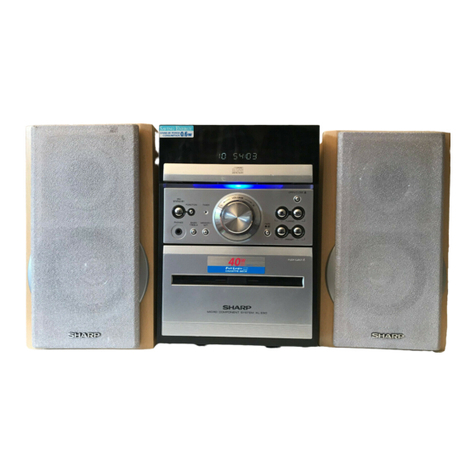
Sharp XL-DH20NH User manual

XL-DH20NH
PRECAUTIONS FOR USING LEAD-FREE SOLDER
CHAPTER 1. GENERAL DESCRIPTION
[1] Safety Precaution For Service Manual ........1-1
[2] Specifications...............................................1-1
[3] Names Of Parts...........................................1-2
CHAPTER 2. MECHANISM BLOCKS
[1] Caution On Disassembly.............................2-1
CHAPTER 3. DIAGRAMS
[1] Block Diagram .............................................3-1
CHAPTER 4. CIRCUIT DESCRIPTION
[1] Waveforms Of Servo Circuit ........................4-1
[2] Voltage.........................................................4-2
CHAPTER 5. CIRCUIT SCHEMATICS AND PARTS
LAYOUT
[1] Notes On Schematic Diagram ......................5-1
[2] Types Of Transistor And LED.......................5-1
[3] Schematic Diagram ......................................5-2
[4] Charts Of Connecting Wires.......................5-22
[5] Wiring Side Of PWB ...................................5-24
CHAPTER 6. FLOWCHART
[1] Troubleshooting............................................6-1
CHAPTER 7. OTHERS
[1] Function Table Of IC.....................................7-1
[2] VFD Display..................................................7-2
PARTS GUIDE
SERVICE MANUAL
CD
USB
MUTE
MUTE
CLOCK/TIMER
CLOCK/TIMER
TUNING/
FOLDER
AUX
AUX
PTY
PTY
RDS
RDS
iPod is a trademark of Apple Inc., registered in the
U.S. and other countries.
Parts marked with " " are important for maintaining the safety of the set. Be sure to replace these parts with
specified ones for maintaining the safety and performance of the set.
CONTENTS
!
This document has been published to be used for
after sales service only.
The contents are subject to change without notice.
SHARP CORPORATION
No. S7929XLH20NHH
MICRO COMPONENT SYSTEM
MODEL
XL-DH20NH Micro Component System consisting of
XL-DH20NH (main unit) and CP-DH20NH (speaker system).
• In the interests of user-safety (Required by safety regula-
tions in some countries) the set should be restored to its
original condition and only parts identical to those specified
be used.
XL-DH20NH

XL-DH20NH
– 1
PRECAUTIONS FOR USING LEAD-FREE SOLDER
1.Employing lead-free solder
Lead-free wire solder for servicing
Ref No. Description
Parts No.
"MAIN, POWER, DISPLAY, HEADPHONE, USB, iPod, REFRESH PWB" of this model employs lead-free solder.
The LF symbol indicates lead-free solder, and is attached on the PWB and service manuals.The alphabetic
a
character following LF shows the type of lead-free solder.
2.Using lead-free wire solder
When fixing the PWB soldered with the lead-free solder, apply lead-free wire solder.Repairing with convention
a
lead wire solder may cause damage or accident due to cracks.
As the melting point of lead-free solder (Sn-Ag-Cu) is higher than the lead wire solder by 40 C, we recommen
d
you to use a dedicated soldering bit, if you are not familiar with how to obtain lead-free wire solder or solderin
g
bit, contact our service station or service branch in your area.
3.Soldering
As the melting point of lead-free solder (Sn-Ag-Cu) is about 220°C which is higher than the conventional lead
solder by 40°C,and as it has poor solder wettability, you may be apt to keep the soldering bit in contact with the
PWB for extended period of time.However, since the land may be peeled of for the maximum heat-resistance
temperature of parts may be exceeded, remove the bit from the PWB as soon as you confirm the steady
soldering condition.
Lead-free solder contains more tin, and the end of the soldering bit may be easily corrected.Make sure to turn
on and off the power of the bit as required.If a different type of solder stays on the tip of the soldering bit, it is
alloyed with lead-free solder.Clean the bit after every use of it.
When the tip of the soldering bit is blackened during use, file it with steel wool or fine sand paper.
Be careful when replacing parts with polarity indication on the PWB silk.
Examples:
Indicates lead-free solder of tin, silver and copper.
PWB-A 92L701M5673006 MAIN
PWB-B 92L701CM904001 POWER
PWB-C 92L701CM903002 DISPLAY
PWB-D 92L701CM903005 HEADPHONE
PWB-E 92L701CM90300E USB
PWB-F 92L701CM90300W iPod
PWB-G 92L701CM90300Z REFRESH
i

XL-DH20NH
1 – 2
CHAPTER 1. GENERAL DESCRIPTION
[1] Safety Precaution For Service Manual
[2] Specifications
This product is classified as a CLASS 1 LASER PRODUCT.
WARNINGS
THE AEL (ACCESSIBLE EMISSION LEVEL) OF LASER POWER OUTPUT FOR THIS MODEL IS SPECIFIED TO
BE LOWER THAN CLASS IREQUIREMENTS. HOWEVER, THE FOLLOWING PRECAUTIONS MUST BE OBSERVED
DURING SERVICING TO PROTECT YOUR EYES AGAINTS EXPOSURE TO THE LASER BEAM.
1- WHEN THE CABINET HAS BEEN REMOVED, THE POWER IS TURNED ON WITHOUT A COMPACT DISC,
AND THE PICKUP IS ON A POSITION OUTER THAN THE LEAD-IN POSITION, THE LASER WILL LIGHT FOR
SEVERAL SECONDS TO DETECT A DISC.
DO NOT LOOK INTO THE PICKUP LENS.
2- THE LASER POWER OUTPUT OF THE PICKUP INSIDE THE UNIT AND REPLACEMENT SERVICE PARTS
HAVE ALREADY BEEN ADJUSTED PRIOR TO SHIPPING.
3- NO ADJUSTMENT TO THE LASER POWER SHOULD BE ATTEMPTED WHEN REPLACING OR SERVICING
THE PICKUP.
4- UNDER NO CIRCUMSTANCES LOOK DIRECTLY INTO THE PICKUP LENS AT ANY TIME.
5- CAUTION - USE OF CONTROLS OR ADJUSTMENTS, OR PERFORMANCE OF PROCEDURES OTHER THAN
THOSE SPECIFIED HEREIN MAY RESULT IN HAZARDOUS RADIATION EXPOSURE.
USB
Tuner
Speaker
USB host
interface Complies with USB 1.1 (Full
Speed)/ 2.0 Mass Storage Class.
Support Bulk only and CBI
protocol.
Support file MPEG 1 Layer 3
WMA (Non DRM)
Bitrate support MP3 (32 ~ 320 kbps)
WMA (64 ~ 160 kbps)
Other Maximum total number of MP3/
WMA files is 65280.
Maximum total number of folders
is 255 INCLUSIVE of root
directory.
The ID3TAG information
supportedareTITLE,ARTISTand
ALBUM only.
Supports ID3TAG version 1 and
version 2.
File system
support Support USB devices with
Microsoft Windows/DOS/FAT 12/
FAT 16/ FAT 32.
2 kbyte block length for sector.
Frequency range FM: 87.5 - 108 MHz
AM: 522 - 1,620 kHz
Type
Maximum input
power 50 W
Rated input power 25 W
Impedance 6 ohms
Dimensions
Weight 1.98 kg (4.36 lbs.)/each
General
Power source AC 220 - 240V ~ 50/60 Hz
Power
consumption Power on: 45 W
Power stand-by: 0.6 W (*)
Dimensions Width: 155 mm (6-3/32")
Height: 178 mm (7-1/64")
Depth: 243 mm (9-9/16")
Weight 2.12 kg (4.67 lbs.)
( * ) This power consumption value is obtained when the
main unit is in stand-by mode without iPod charging.
Amplifier
Output power MPO: 50 W (25W + 25 W) (10%T.H.D.)
RMS: 50 W (25 W + 25W) (10% T.H.D.)
Output
terminals Speakers: 6 ohms
Headphones: 16 - 50 ohms
(recommended: 32 ohms)
Input terminals AUX IN (Analogue input):
500 mV/47 k ohms
CD player
Type Single disc multi-play compact disc
player
Signal
readout Non-contact, 3-beam
semiconductor laser pickup
D/A converter Multi bit D/A converter
Frequency
response 20 - 20,000 Hz
Dynamic
range 90 dB (1 kHz)
2-way 2-speaker system
5 cm (2") tweeter
10 cm (4") woofer
Width: 132 mm (5-13/64")
Height: 260 mm (10-15/64")
Depth: 171.5 mm (6-49/64")
1 – 1

XL-DH20NH
1 – 3
[3] Names Of Parts
Front panel
Display
1. iPod Docking Station
2. Remote Sensor
3. Timer Indicator
4. On/Stand-by Button
5. Function Button
6. Disc Tray
7. Headphone Socket
8. Volume Control
9. Disc / USB / iPod Play or Pause or
Stop Button
10. Disc Tray Open / Close Button
11. USB Terminal
1. MP3/WMA Folder Indicator
2. MP3/WMA Total Indicator
3. Memory Indicator
4. CD Indicator
5. MP3 Indicator
6. WMA Indicator
7. RDS Indicator
8. TA Indicator
9. PTYI Indicator
10. Extra Bass Indicator
11. TP Indicator
12. Sleep Indicator
13. Timer Play Indicator
14. Repeat Play Indicator
15. FM Stereo Mode Indicator
16. FM Stereo Receiving Indicator
17. Disc Play Indicator
18. Disc Pause Indicator
19. USB Indicator
20. Random Indicator
Speaker system
1. Tweeter
2. Woofer
3. Bass Reflex Duct
4. Speaker Wire
2
3
4
5
6
7
8
9
10
11
1
12345678910
11 13 15
17
18
19
20
12 14 16
4
3
2
1
1 – 2

XL-DH20NH
1 – 4
Remote control
1. Remote Control Transmitter
2. On / Stand-by Button
3. Direct Search Buttons
4. Play Mode Button
5. iPod Display (TV OUT) Button
6. CD / USB Stop Button
7. CD / USB Display Button
8. Mute Button
9. Volume Up or Down Buttons
10. Memory Button
11. Clear Button
12. Folder Up / Tuning Up Button
13. iPod Cursor Up Button
14. Fast Reverse or Track Down Button
15. Enter Button
16. iPod Cursor Down Button
17. Folder Down / Tuning Down Button
18. iPod Button
19. CD Button
20. USB Button
21. AUX Button
22. Open / Close Button
23. iPod Menu Button
24. iPod Play / Pause Button
25. CD / USB Play / Pause Button
26. X-Bass Button
27. Equaliser Mode Button
28. Clock / Timer Button
29. Sleep Button
30. Preset Up Button
31. Fast Forward or Track Up Button
32. Preset Down Button
33. Tuner (Band) Button
34. RDS ASPM Button
35. RDS PTY Button
36. RDS Display Button
CD
USB
MUTE
MUTE
CLOCK/TIMER
CLOCK/TIMER
TUNING/
FOLDER
AUX
AUX
PTY
PTY
RDS
RDS
27
28
29
30
35
36
33
34
31
32
26
23
22
24
25
9
8
10
11
12
13
14
15
18
17
16
19
20
21
4
2
3
5
6
7
1
1 – 3

XL-DH20NH
2 – 1
CD-ES700/CD-ES77CD-ES700/CD-ES77Service ManualCD-ES700/CD-ES77MarketE
CHAPTER 2. MECHANISM BLOCKS
[1] Caution On Disassembly
Follow the below-mentioned notes when disassembling the unit and reassembling it, to keep it safe and ensure
excellent performance:
1. Take compact disc out of the unit.
2. Be sure to remove the power supply plug from the wall outlet before starting to disassemble the unit.
3. Take off nylon bands or wire holders where they need to be removed when disassembling the unit. After servicing
the unit, be sure to rearrange the leads where they were before disassembling.
STEP REMOVAL PROCEDURE FIGURE
1 Top Cover with 1. Screw .................. (A1)x6 1
iPod PWB 2. Screw .................. (A2)x5 1
3. Socket ................ (A3)x1 2
2 Rear Panel with PWB 1. Screw .................. (B1)x8 2
2. Screw .................. (B2)x6
3. Socket ................ (B3)x1
4. AC Cord .............. (B4)x1
3 Main PWB 1. Screw .................. (C1)x2 3
2. Screw .................. (C2)x2
3. Socket ................ (C3)x6
4. Flat Cable ........... (C4)x1
4 Power PWB 1. Screw .................. (D1)x3 4
2. Screw .................. (D2)x2
3. Screw .................. (D3)x4
4. Socket ................ (D4)x3
5 Front Panel Assy 1. Disc Tray Cover .. (E1)x1 5
2. Screw .................. (E2)x4 5
3. Hook ................... (E3)x2 5
4. Socket ................ (E4)X1 6
6 Display PWB 1. Knob ................... (F1)x1 6
2. Nut ...................... (F2)x1
3. Washer ............... (F3)x1
4. Screw .................. (F4)x8
7 Headphone PWB 1. Screw .................. (G1)x2 6
8 USB PWB 1. Screw .................. (H1)x2 6
9 Loader panel 1. Screw .................. (J1)x4 7
10 CD Mechanism Unit 1. Screw .................. (K1)x4 8
11 iPod PWB 1. Screw .................. (L1)x3 9
Figure 2
Figure 3
Figure 4
Figure 1
Front Panel Assy
Front Panel Assy
Front Panel Assy
Front Panel AssyTop Cover
Power PWB
(D4) x 3
Main PWB
(B4) x 1
(B1) x 3
M3 x 6mm
(C1) x 2
M3 x 6mm
(C2) x 1
M3 x 6mm (C3) x 3
(C3) x 2
(C4) x 1
(C3) x 1
(C2) x 1
M3 x 6mm
(D3) x 2
M3 x 6mm
(D2) x 2
M3 x 8mm
(A1) x 3
M3 x 6mm
(A2) x 5
M3 x 8mm
(D3) x 2
M3 x 6mm
(D1) x 2
M3 x 6mm
(D1) x 1
M3 x 6mm
(B2) x 6
M3 x 8mm
(B1) x 2
M3 x 6mm
(A1) x 3
M3 x 6mm
(B3) x 1
(A3) x 1
(B1) x 3
M3 x 6mm
Main PWB
Rear Panel with PWB

XL-DH20NH
2 – 2
Figure 5
Figure 6
Figure 7
Figure 8
Figure 9
Front Panel Assy
Front Panel Assy
Display PWB
USB PWB
Headphone PWB
Loader Panel
Main Chassis
CD Mechanism Unit
Loader Panel
Top Cover
iPod PWB
Disc Tray Cover
(E1) x 1
(E2) x 1
M3 x 6mm
(E2) x 1
M3 x 6mm
Hook
(E3) x 1
(F1) x 1
(F2) x 1
(F3) x 1
(E4) x 1
Hook
(E3) x 1
(E2) x 2
M3 x 6mm
(F4) x 8
M3 x 8mm
(H1) x 2
M3 x 8mm (G1) x 2
M3 x 8mm
(J1) x 4
M3 x 22mm
(K1) x 4
Special Screw
(L1) x 3
M2.8 x 8mm
PULL
PULL

XL-DH20NH
3 – 1
CHAPTER 3.
DIAGRAMS
[1] Block Diagram
TUNER JACK UPDATA
tuner vcc
SI4731
AMTUNER ESD Protect
Function:AM/FM/RDS
NJM4558
L
R
MUTE
Function:VOL
&
ALI M5673
Function:CD & USB Decode
RESET
FLASH
AN5888
MOTOR DRIVER ABCDEF
VCC CTRL
AUDIO OUT
DSA CONNECTOR
USB
I2C
CD_AUDIO
L
R
L
R
GND
PT6311
VFD DRIVER
DSA & IR
KEY
MOTOR
PICK UP
HEADER
MOTOR
DOOR MOTOR
Figure 3-1: BLOCK DIAGRAM (1/2)

XL-DH20NH
3 – 2
AUXL
AUXR
VIDEO
NJU7391
o
n:VOL&EQ&CHANNELS CTRL
DSA
CONNECTOR
I2C & STB
DSA CONNECTOR
RS21266
MCU
IPOD JAC
EEPROM
RESET
I2C&STB CONNECTOR
VCC CTRL
VCC CTRL
All VCC CONNECTION
AUDIO OUTPUT
Amplifier
VCC CONNECTOR
VCC OUTPUT Filter & CRTL
Commutate
TRANSFORMER
(EI33+EL19)
VCC CONNECTION
PWM + MOS
7M0880+FSDM311
TDA7265(25W+25W)
Filter and commute
L
R
GND
VFD DISPLAY
VFD CON
VFD JACK
Figure 3-2: BLOCK DIAGRAM (2/2)

XL-DH20NH
4 – 1
CHAPTER 4. CIRCUIT DESCRIPTION
[1] Waveforms Of Servo Circuit
12
3
16
4
56
78
2
1
U5
3
17
U5
124 126
U5
Figure 1 Figure 2
Figure 3 Figure 4
Figure 5 Figure 6
Figure 7 Figure 8
FCO
U5 TCO
PD
U5 U5
FE
TE SB
U5
18
SCO
U5
SPDCO
Table of contents
Other Sharp Stereo System manuals

Sharp
Sharp CD-XP300W User manual

Sharp
Sharp CD-BA3100H User manual

Sharp
Sharp GX-CD5100W User manual

Sharp
Sharp CD-XP300W User manual

Sharp
Sharp XL-E2H User manual

Sharp
Sharp CD-K1861V User manual

Sharp
Sharp CD-BA2010H User manual

Sharp
Sharp CD-E99 User manual

Sharp
Sharp XL-DV50H User manual

Sharp
Sharp CD-XP160W User manual

Sharp
Sharp CD-C405W User manual

Sharp
Sharp CD-ES770 User manual

Sharp
Sharp XL-MP50H User manual

Sharp
Sharp XL-35H User manual

Sharp
Sharp XL-3000W User manual

Sharp
Sharp CD-XP700H User manual

Sharp
Sharp CD-E700 User manual

Sharp
Sharp CP-BA2100 User manual

Sharp
Sharp XL-MP2H User manual

Sharp
Sharp XL-1500H User manual