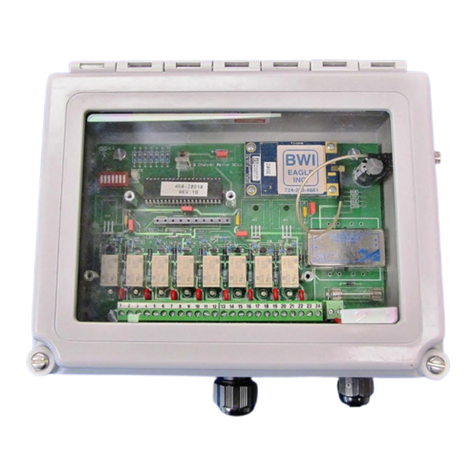
SeaSTAR 3510LR User manual

SeaSTAR 3510LR USER MANUAL
Issue
1.0 11/04
3510LR
User Manual
Issue 1.0, November 2004

SeaSTAR 3510LR USER MANUAL
Issue 1.0 11/04
This page left intentionally blank

3510LR USER MANUAL
Issue 1.0 11/04
i
Notice to Customers
This manual has been produced to ensure the very best performance from your
OmniSTAR receiver. The manual has been clearly set out with simple instructions
to ensure trouble free usage of your OmniSTAR receiver.
This publication could contain technical inaccuracies or typographical errors.
Changes are periodically made to the information herein; these changes will be
incorporated in new editions of the manual.
Should you require further assistance please contact your local dealer or the
OmniSTAR Perth office.
OmniSTAR Customer Support and 24 Hour Help Line
OmniSTAR Pty Ltd
18 Prowse Street
West Perth 6005
Western Australia
Contact Numbers
Office: (08) 9322 5295
Network Control Centre (NCC): (08) 9321 0284 (24 hours)
Freecall –24 hours: 1800 062 221
Fax Numbers
Office: (08) 9322 4164
Network Control Centre: (08) 9321 0885
World Wide Web
Internet Address: www.omnistar.com.au

SeaSTAR 3510LR USER MANUAL
Issue 1.0 11/04
ii
Dealer Information
Name _____________________________
Address _____________________________
City _____________________________
State _____________________________
Post Code _____________________________
Country _____________________________
Phone _____________________________
Fax _____________________________
Email _____________________________

3510LR USER MANUAL
Issue 1.0 11/04
iii
One-Year Limited Hardware Warranty
OmniSTAR Pty Ltd and its operating companies world-wide (OmniSTAR),
warrants this product to be free from defects in workmanship and material for a
period of one year from the date of original sale by OmniSTAR or its authorised
dealers, to the original purchaser or end user.
OmniSTAR reserves the right to repair and/or replace, at its option, any part or
parts found to be defective, provided such defects, in their opinion, are due to
faulty material or workmanship and are not caused by unauthorised or improper
repair or abuse, or normal wear. Purchaser shall be responsible for shipping and
insurance of the returned product for repair under this warranty. OmniSTAR will
pay shipping and insurance for the product's return to purchaser provided that the
product returned proves to be defective under this limited warranty.
This warranty applies only to normal usage of the product. It does not apply to
units or electronic circuit boards defective due to improper installation or handling.
Physical damage due to lightning or other electrical discharge and units subjected
to fresh or salt-water contamination are not covered. OmniSTAR reserves the right
not to warrant the product if, upon request, sufficient proof of recommended
installation compliance as laid out in this manual is not provided. No other
warranties are expressed or implied. No other warranties exist.
OmniSTAR assumes no responsibility for any consequential or incidental losses
or damages of any nature with respect to the use of this product.
REVISION HISTORY
Issue 1.0 November 2004 First Issue
Manual Reference: 3510LR User Manual
Copyright OmniSTAR Pty Ltd 2004. No part of this manual can be reproduced
without the express permission of OmniSTAR Pty Ltd.

SeaSTAR 3510LR USER MANUAL
Issue 1.0 11/04
iv
This page left intentionally blank

3510LR USER MANUAL
Issue 1.0 11/04
v
TABLE OF CONTENTS
INTRODUCTION....................................................................................................1
ABOUT THIS MANUAL...........................................................................................1
SYSTEM FEATURES..............................................................................................1
3510LR GETTING STARTED...............................................................................3
INITIAL SETUP......................................................................................................3
MODES OF OPERATION SETUP ........................................................................5
MODEL 3510LR /RTCM MODE SETUP................................................................5
MODEL 3510LR /VBS OR VRC MODE SETUP.....................................................6
RECEIVER INTERFACES....................................................................................7
POWER................................................................................................................7
ANTENNA.............................................................................................................8
DATA ...................................................................................................................8
COMMAND ...........................................................................................................8
INSTALLATION...................................................................................................11
INSTALLATION CONSIDERATIONS........................................................................11
ELECTRICAL GROUNDING REQUIREMENTS.........................................................11
COUNTER ELECTROMAGNETIC FORCE (CEMF) .................................................12
CABLE INSTALLATION.........................................................................................13
ANTENNA LOCATION...........................................................................................14
TECHNICAL SPECIFICATIONS.........................................................................15
MENUS AND DISPLAYS....................................................................................17
POWER ON MENUS............................................................................................18
ABOUT MENU.....................................................................................................19
VBS STATUS MENU ...........................................................................................20
CURRENT CHANNEL MENU.................................................................................21
SET CHANNEL MENU..........................................................................................22
CONFIGURE OUTPUT MENU................................................................................23
CONFIGURE PORTS MENU .................................................................................24
ACRONYMS USED IN THIS MANUAL ..............................................................25
APPENDIX A........................................................................................................27
CARE OF PORTABLE BATTERIES ........................................................................27
APPENDIX B........................................................................................................29
RECEIVER SERVICE PROCEDURE.......................................................................29

SeaSTAR 3510LR USER MANUAL
Issue 1.0 11/04
vi
APPENDIX C.......................................................................................................31
OMNISTAR RECEIVER TOOLKIT........................................................................31
APPENDIX D.......................................................................................................41
OMNISTAR RECEIVER PROBLEM REPORT FORM..............................................41
USER NOTES.....................................................................................................42

3510LR USER MANUAL
Issue 1.0 11/04
1
INTRODUCTION
About This Manual
This manual has been produced to assist the typical user with the installation and
operation of the 3510LR DGPS Receiver.
System Features
The 3510LR DGPS Receiver is a component part of the Fugro world-wide DGPS
Service. The Fugro service is a full-time differential GPS (DGPS) broadcast
system delivering corrections from an array of GPS reference stations located
around the globe. Reference stations provide industry standard formatted
corrections to Network Control Centres (NCC’s) at strategic geographic locations,
where the corrections are decoded, checked, and repackaged in a highly efficient
format for broadcast. The data is modulated onto a RF carrier that is then up-
converted for transmission to an L-band communications satellite.
The signals are received at the user's location by an antenna, demodulated by a
receiver, and are made available, after selection of the desired individual reference
site's data set, as corrections for use in a GPS, differential-capable, receiver.
The 3500 series of receivers support the following OmniSTAR® services:
1. Virtual Base Station where the data from multiple reference stations is used
in processor software to produce enhanced corrections for the user's
location. The resulting corrections are restructured as RTCM SC-104
version 2 corrections for direct application to a user's receiver.
2. Virtual Reference Cell, where the data from multiple reference stations is
used in processor software to produce enhanced corrections for an
optimised reference Cell. The resulting corrections are restructured as
RTCM SC-104 version 2 corrections for direct application to a user's receiver
or an internal Receiver.
3. DGPS Services Stand alone differential GPS, where corrections from one
selected site are extracted from the incoming data stream and are
reformatted to an industry standard Format, RTCM SC-104.

SeaSTAR 3510LR USER MANUAL
Issue 1.0 11/04
2
This page left intentionally blank
Table of contents
Other SeaSTAR Receiver manuals