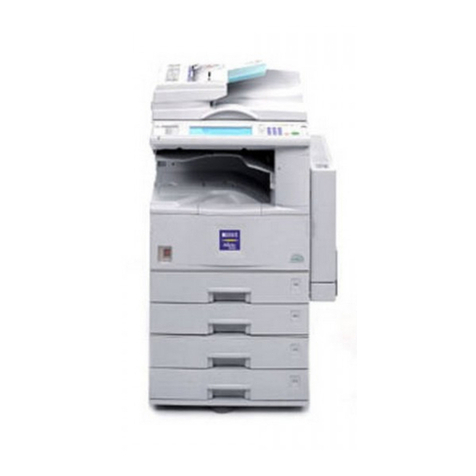
Ricoh MP 2001 User manual

Getting Started
Placing Originals
Copying
User Tools
Troubleshooting
Other Functions
1
2
3
4
5
6
Remarks
7
Security
8
Specifications
9
Read this manual carefully before you use this machine. For safe and correct use, be sure to read the Safety Information in this manual before using
the machine.
Operating Instructions

Introduction
This manual contains detailed instructions and notes on the operation and use of this machine. For your safety and
benefit, read this manual carefully before using the machine. Keep this manual in a handy place for quick
reference.
Important
Contents of this manual are subject to change without prior notice.
To the maximum extent permitted by applicable laws, in no event will the manufacturer be liable for any damages
whatsoever arising out of failures of this machine, losses of the registered data, or the use of this product and
operation manuals provided with it.
Make sure that you always copy or have backups of the data registered in this machine. Documents or data might
be erased due to your operational errors or malfunctions of the machine.
In no event will the manufacturer be responsible for any documents created by you using this machine or any
results from the data executed by you.
Notes
Some illustrations in this manual might be slightly different from the machine.
Certain options might not be available in some countries. For details, please contact your local dealer.
Laser Safety:
This machine complies with the requirements of IEC60825-1:2007 (EN60825-1:2007) for class 1 laser product.
This machine contains one AlGaInP laser diode, 9 milliwatts, 648-663 nanometer wavelength. The beam
divergence angle is 28 degrees (minimum) and 35 degrees (maximum) in the vertical direction, and 7 degrees
(minimum) and 10 degrees (maximum) in the horizontal direction, and laser beams are generated in Continuous
Wave (CW) mode.
The following label is attached on the rear side of the machine:
Caution:
Use of controls or adjustments or performance of procedures other than those specified in this manual might result
in hazardous radiation exposure.
Two kinds of size notation are employed in this manual. With this machine refer to the metric version.
For good output quality, the manufacturer recommends that you use genuine toner from the manufacturer.
The manufacturer shall not be responsible for any damage or expense that might result from the use of parts other
than genuine parts from the manufacturer with your office products.
Power Source
220 - 240V, 50/60Hz, 8A
Please be sure to connect the power cord to a power source as above. For details about power source, see page
121 “Power Connection”.

TABLE OF CONTENTS
Trademarks..........................................................................................................................................................5
Notice..................................................................................................................................................................6
Important.........................................................................................................................................................6
How to Read This Manual................................................................................................................................. 7
Symbols...........................................................................................................................................................7
Name of Major Option................................................................................................................................. 7
Safety Information...............................................................................................................................................9
Safety During Operation............................................................................................................................... 9
Safety Precautions to Be Followed................................................................................................................9
Positions of WARNING and CAUTION labels.............................................................................................18
ENERGY STAR Program..................................................................................................................................20
Energy Saving Functions..................................................................................................................................21
1. Getting Started
Guide to Components......................................................................................................................................23
Options..............................................................................................................................................................25
External Options.......................................................................................................................................... 25
Control Panel....................................................................................................................................................26
Display..........................................................................................................................................................28
Reading the Display and Using Keys.........................................................................................................28
Turning On the Power...................................................................................................................................... 30
Turning On the Main Power........................................................................................................................30
Turning On the Power..................................................................................................................................30
Turning Off the Power..................................................................................................................................31
Turning Off the Main Power........................................................................................................................31
Saving Energy.............................................................................................................................................. 32
2. Placing Originals
Originals........................................................................................................................................................... 33
Sizes and Weights of Recommended Originals....................................................................................... 33
Sizes Detectable with Auto Paper Select................................................................................................... 34
Missing Image Area.................................................................................................................................... 36
Placing Originals..............................................................................................................................................37
Original Orientation.................................................................................................................................... 37
Placing Originals on the Exposure Glass...................................................................................................37
1

Placing Originals in the ADF.......................................................................................................................38
Specifying the Original Size When a Paper Tray is Selected..................................................................39
Specifying the Original Size When the Bypass Tray is Selected.............................................................42
3. Copying
Basic Procedure................................................................................................................................................47
Copying from the Bypass Tray........................................................................................................................49
Copier Functions...............................................................................................................................................54
Adjusting Image Density..............................................................................................................................54
Selecting Original Type Setting.................................................................................................................. 54
Selecting Copy Paper..................................................................................................................................55
Preset Reduce/Enlarge............................................................................................................................... 56
Zoom.............................................................................................................................................................58
Auto Reduce/Enlarge................................................................................................................................. 59
Sort................................................................................................................................................................60
Changing the number of sets...................................................................................................................... 62
One-Sided Combine................................................................................................................................... 63
Series Copies............................................................................................................................................... 66
ID Card Copy...............................................................................................................................................69
4. User Tools
User Tools Menu (System Settings).................................................................................................................73
User Tools Menu (Copier Features)................................................................................................................75
Accessing User Tools....................................................................................................................................... 77
Changing Default Settings...........................................................................................................................77
Quitting User Tools...................................................................................................................................... 78
Settings You Can Change with User Tools.....................................................................................................79
System Settings.............................................................................................................................................79
Copier Features............................................................................................................................................85
User Code.........................................................................................................................................................89
Registering a New User Code....................................................................................................................89
Changing a User Code............................................................................................................................... 90
Deleting a User Code..................................................................................................................................91
Displaying the Counter for Each User Code............................................................................................. 92
Printing the Counter for Each User Code...................................................................................................92
2

Clearing the Counter................................................................................................................................... 93
5. Troubleshooting
If Your Machine Does Not Operate As You Want....................................................................................... 95
When a Message Is Displayed.................................................................................................................. 96
If You Cannot Make Clear Copies................................................................................................................. 98
If You Cannot Make Copies As You Want..................................................................................................100
When Memory Is Full................................................................................................................................101
Loading Paper................................................................................................................................................102
Precautions for Loading Paper................................................................................................................. 102
Loading Paper into Paper Trays............................................................................................................... 102
Orientation-Fixed Paper or Two-Sided Paper........................................................................................ 104
Adding Toner................................................................................................................................................. 106
Handling Toner..........................................................................................................................................106
Toner Storage............................................................................................................................................107
Used Toner.................................................................................................................................................107
Removing Toner............................................................................................................................................. 108
Inserting Toner................................................................................................................................................109
Clearing Misfeeds......................................................................................................................................... 110
Changing the Paper Size.............................................................................................................................. 112
Precautions for Changing the Paper Size................................................................................................112
Changing the Paper Size in the Paper Trays...........................................................................................112
6. Other Functions
Other Functions..............................................................................................................................................115
Displaying the Total Counter.................................................................................................................... 115
Changing the Language........................................................................................................................... 116
7. Remarks
Do's and Don'ts..............................................................................................................................................117
Where to Put Your Machine......................................................................................................................... 119
Machine Environment............................................................................................................................... 119
Moving.......................................................................................................................................................120
Power Connection.....................................................................................................................................121
Access to the Machine..............................................................................................................................123
Maintaining Your Machine...........................................................................................................................125
3

Cleaning the Exposure Glass................................................................................................................... 125
Cleaning the Exposure Glass Cover........................................................................................................125
Cleaning the ADF...................................................................................................................................... 126
8. Security
Security........................................................................................................................................................... 127
Primary Security Functions........................................................................................................................ 127
Operating Environment and Notes.............................................................................................................. 128
Operating Environment.............................................................................................................................128
For Administrator....................................................................................................................................... 128
9. Specifications
Main Unit........................................................................................................................................................129
Options...........................................................................................................................................................133
Exposure Glass Cover.............................................................................................................................. 133
Auto Document Feeder (ADF).................................................................................................................. 133
Paper Tray Unit (1-tray type)....................................................................................................................133
Paper Tray Unit (2-tray type)....................................................................................................................134
Combination Chart........................................................................................................................................ 135
Supplementary Information...........................................................................................................................137
Copy Paper.................................................................................................................................................... 140
Recommended Paper Sizes and Types................................................................................................... 140
Unusable Paper......................................................................................................................................... 144
Paper Storage............................................................................................................................................144
INDEX...........................................................................................................................................................147
4

Trademarks
Adobe, Acrobat, and Reader are either registered trademarks or trademarks of Adobe Systems
Incorporated in the United States and/or other countries.
Other product names used herein are for identification purposes only and might be trademarks of their
respective companies. We disclaim any and all rights to those marks.
5

Notice
Important
Do not copy or print any item for which reproduction is prohibited by law.
Copying or printing the following items is generally prohibited by local law:
bank notes, revenue stamps, bonds, stock certificates, bank drafts, checks, passports, driver's licenses.
The preceding list is meant as a guide only and is not inclusive. We assume no responsibility for its
completeness or accuracy. If you have any questions concerning the legality of copying or printing
certain items, consult with your legal advisor.
6

How to Read This Manual
Symbols
This manual uses the following symbols:
This symbol indicates a potentially hazardous situation that might result in death or serious injury when
you misuse the machine without following the instructions under this symbol. Be sure to read the
instructions, all of which are described in the Safety Information section.
This symbol indicates a potentially hazardous situation that might result in minor or moderate injury or
property damage that does not involve personal injury when you misuse the machine without following
the instructions under this symbol. Be sure to read the instructions, all of which are described in the
Safety Information section.
* The statements above are notes for your safety.
If this instruction is not followed, paper might be misfed, originals might be damaged, or data might be
lost. Be sure to read this.
This symbol indicates information or preparations required prior to operating.
This symbol indicates precautions for operation, or actions to take after abnormal operation.
This symbol indicates numerical limits, functions that cannot be used together, or conditions in which a
particular function cannot be used.
This symbol indicates a reference.
[ ]
Indicates the names of keys on the machine's display or control panels.
Name of Major Option
Major option of this machine are referred to as follows in this manual:
7

• Auto Document Feeder ADF
8
Table of contents
Other Ricoh All In One Printer manuals

Ricoh
Ricoh Aficio MP 8000 User manual

Ricoh
Ricoh 3245 - Type Print Server Service manual

Ricoh
Ricoh B867 User manual

Ricoh
Ricoh 5100WD User instructions

Ricoh
Ricoh FT2260 User manual

Ricoh
Ricoh PRO 907EX User manual

Ricoh
Ricoh Aficio SP 100SF e User manual

Ricoh
Ricoh Aficio MP 2851 User manual

Ricoh
Ricoh C211 User manual

Ricoh
Ricoh Priport 1250 User manual

Ricoh
Ricoh Aficio MP C2800 User manual

Ricoh
Ricoh Aficio 450 User manual

Ricoh
Ricoh Priport JP4500 User manual

Ricoh
Ricoh B264 User manual

Ricoh
Ricoh 3406WD Manual

Ricoh
Ricoh C3030 User manual

Ricoh
Ricoh Aficio MP 3010 User manual

Ricoh
Ricoh Aficio CL3000 Operating manual

Ricoh
Ricoh DDP 92 User manual

Ricoh
Ricoh Aficio MP C7500 User manual