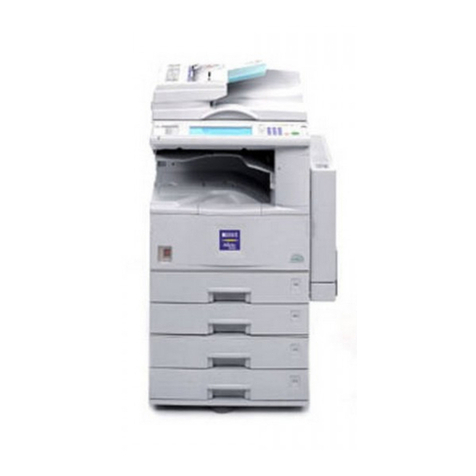
Ricoh MFMP301SPF1 User manual

TABLE OF CONTENTS
Introduction.........................................................................................................................................................3
How to Read the Manuals.................................................................................................................................4
Symbols Used in the Manuals.......................................................................................................................4
Disclaimer........................................................................................................................................................4
Notes...............................................................................................................................................................4
Machine Types...............................................................................................................................................5
1. Manuals Provided with This Machine
Manuals for This Machine.................................................................................................................................7
Manuals List......................................................................................................................................................10
On-screen Operating Instructions...................................................................................................................11
Formats of the Operating Instructions.........................................................................................................11
Reading the HTML Manuals on the CD-ROM..........................................................................................11
Installing and Opening the HTML Manuals..............................................................................................12
Reading the PDF Manuals on the CD-ROM..............................................................................................13
2. Safety Information
Safety During Operation.................................................................................................................................15
Safety Precautions to Be Followed.................................................................................................................16
Environments where the machine can be used..........................................................................................16
Handling power cords and power cord plugs..........................................................................................17
Handling the main machine........................................................................................................................19
Handling the machine's interior..................................................................................................................21
Handling the machine's supplies................................................................................................................22
Safety Labels of This Machine.........................................................................................................................24
Positions of WARNING and CAUTION labels.........................................................................................24
Power Switch Symbols.................................................................................................................................27
3. Information for This Machine
Duplication and Printing Prohibited................................................................................................................29
Laser Safety.......................................................................................................................................................30
Notes to USA Users of FCC Requirements.....................................................................................................31
Part 15 of the FCC Rules.............................................................................................................................31
Part 68 of the FCC Rules regarding Facsimile Unit...................................................................................31
Important Safety Instructions for Facsimile Unit.............................................................................................34
IMPORTANTES MESURES DE SÉCURITÉ de l'unité Fax..........................................................................34
1

Notes to Canadian Users of Facsimile Unit...................................................................................................35
Remarques à l'attention des utilisateurs canadiens de l'unité Fax............................................................35
ENERGY STAR Program..................................................................................................................................36
Energy Saving Functions..................................................................................................................................37
Notes to users in the state of California (Notes to Users in USA)................................................................38
4. Appendix
Trademarks.......................................................................................................................................................39
2

Introduction
Read this manual carefully before you use this machine and keep it handy for future reference. For safe
and correct use, be sure to read the Safety Information in this manual before using the machine.
3

How to Read the Manuals
Symbols Used in the Manuals
This manual uses the following symbols:
Indicates points to pay attention to when using the machine, and explanations of likely causes of paper
misfeeds, damage to originals, or loss of data. Be sure to read these explanations.
Indicates supplementary explanations of the machine's functions, and instructions on resolving user
errors.
This symbol is located at the end of sections. It indicates where you can find further relevant information.
[ ]
Indicates the names of keys on the machine's display or control panels.
Indicates instructions stored in a file on a provided CD-ROM.
(mainly Europe and Asia), (mainly Europe), or (mainly Asia)
(mainly North America)
Differences in the functions of Region A and Region B models are indicated by two symbols. Read the
information indicated by the symbol that corresponds to the region of the model you are using. For
details about which symbol corresponds to the model you are using, see "Model-Specific Information",
Getting Started .
Disclaimer
Contents of this manual are subject to change without prior notice.
In no event will the company be liable for direct, indirect, special, incidental, or consequential damages
as a result of handling or operating the machine.
Notes
The manufacturer shall not be responsible for any damage or expense that might result from the use of
parts other than genuine parts from the manufacturer with your office products.
4

For good output quality, the manufacturer recommends that you use genuine toner from the
manufacturer.
Some illustrations in this manual might be slightly different from the machine.
Machine Types
Check the type of your machine before reading the manuals.
• Type 1: MP 301SP/Aficio MP 301SP
• Type 2: MP 301SPF/Aficio MP 301SPF
Certain types might not be available in some countries. For details, please contact your local dealer.
Certain options might not be available in some countries. For details, please contact your local dealer.
Depending on which country you are in, certain units may be optional. For details, please contact your
local dealer.
5

6

1. Manuals Provided with This Machine
This chapter explains manuals for this machine.
Manuals for This Machine
Read this manual carefully before you use this machine.
Refer to the manuals that are relevant to what you want to do with the machine.
• Media differ according to manual.
• Adobe® Acrobat® Reader®/Adobe Reader must be installed in order to view the manuals as PDF
files.
• A Web browser must be installed in order to view the html manuals.
User Guide
Regarding the basic usage of this machine, frequently used functions, troubleshooting when an
error message appears, etc., summaries are provided below for each user manual.
Read This First
Before using the machine, be sure to read the section of this manual entitled Safety Information. It
also describes each regulation and environmental conformance.
Easy Search
You can search for a description by what you want to do or by keyword. Also, this machine's
distinctive functions are explained.
Getting Started
Describes preparations for using the machine, operating instructions, character input methods, and
how to install the included CD-ROM.
Paper Specifications and Adding Paper
Describes how to load originals and sheets and about their specifications.
Convenient Functions
Describes how to register frequently used settings, customize the Home Screen, and display a Web
page on the control panel. It also describes how to manage a job.
Maintenance and Specifications
Describes how to replace supplies and how to install and clean this machine. It also describes the
specifications of the main unit and options.
Troubleshooting
Provides a guide for resolving common usage-related problems.
7

Copy/ Document Server
Explains Copier and Document Server functions and operations. Also refer to this manual for
explanations on how to specify the settings for originals.
Fax
Explains Facsimile functions and operations.
Print
Describes how to print using the printer driver. It also describes the functions available for printing.
Scan
Describes how to scan paper data using this machine and how to send the scanned data to a
computer and store the data.
Connecting the Machine/ System Settings
Explains how to connect the machine to a network, and configure and operate the machine in a
network environment. Also explains how to change User Tools settings and how to register
information in the Address Book.
PostScript 3
Explains how to set up and use PostScript® 3TM.
VM Card Extended Feature Settings
Describes how to configure the extended features using the control panel or Web Image Monitor.
Security Guide
This manual is for administrators of the machine. It explains security functions that you can use to
prevent unauthorized use of the machine, data tampering, or information leakage. For enhanced
security, we recommend that you first make the following settings:
• Install the Device Certificate.
• Enable SSL (Secure Sockets Layer) Encryption.
• Change the user name and password of the administrator using Web Image Monitor.
For details, see "Setting up the Machine", Security Guide.
Be sure to read this manual when setting the enhanced security functions, or user and administrator
authentication.
Driver Installation Guide
Describes how to install and configure each driver. This manual is included in the drivers CD.
UNIX Supplement
For "UNIX Supplement", please visit our Web site or consult an authorized dealer. This manual
includes descriptions of functions and settings that might not be available on this machine.
• Manuals provided are specific to machine types.
1. Manuals Provided with This Machine
8

• Driver Installation Guide and HTML manuals are available in English, German, French, Italian,
Spanish, Dutch, and Russian.
• The following software products are referred to using general names:
Product name General name
ScanRouter EX Professional *1 and
ScanRouterEX Enterprise *1
the ScanRouter delivery software
*1 The ScanRouter EX Professional and ScanRouterEX Enterprise are no longer available for sale.
Manuals for This Machine
9

Manuals List
Manual Name Printed Manuals
Provided
HTML Manuals
Provided
PDF Manuals
Provided
User Guide Yes No Yes
Read This First Yes No Yes
Easy Search No Yes No
Getting Started No Yes No
Paper Specifications and Adding Paper No Yes No
Convenient Functions No Yes No
Maintenance and Specifications No Yes No
Troubleshooting No Yes No
Copy/ Document Server No Yes No
Fax No Yes No
Print No Yes No
Scan No Yes No
Connecting the Machine/ System
Settings No Yes No
Security Guide No No Yes
PostScript 3 No Yes No
VM Card Extended Feature Settings No Yes No
Driver Installation Guide No No Yes
UNIX Supplement No No Yes*1
*1 For "UNIX Supplement", please visit our Web site or consult an authorized dealer.
• Driver Installation Guide and HTML manuals are available in English, German, French, Italian,
Spanish, Dutch, and Russian.
1. Manuals Provided with This Machine
10
Table of contents
Other Ricoh All In One Printer manuals

Ricoh
Ricoh Savin en5100WD User manual

Ricoh
Ricoh aficio MP W3601 User manual

Ricoh
Ricoh SP 6430DN Instruction sheet

Ricoh
Ricoh InfoPrint 1650 User manual

Ricoh
Ricoh M160 User manual

Ricoh
Ricoh C9020L User manual

Ricoh
Ricoh 5100WD User instructions

Ricoh
Ricoh B121 User manual

Ricoh
Ricoh MP C3004 series Quick start guide

Ricoh
Ricoh Aficio SP 5200S User manual

Ricoh
Ricoh Nashuatec D440 User manual

Ricoh
Ricoh B064 SERIES User manual

Ricoh
Ricoh BizWorks 406e User manual

Ricoh
Ricoh MP C3003 User manual

Ricoh
Ricoh Aficio 401 User manual

Ricoh
Ricoh P800 User manual

Ricoh
Ricoh Aficio SP 1100S User manual

Ricoh
Ricoh Aficio 6110 User manual

Ricoh
Ricoh Aficio MP W2400 User manual

Ricoh
Ricoh C7570 User manual