
Python 4106P User manual

Vista, CA 92081
www.directed.com
Directed is committed to delivering world class
quality products and services that excite and
delight our customers.
OWNER’S GUIDE MODEL
4106P
©2012 Directed. All rights reserved.
The company behind Python®Auto Security
Systems is Directed.
Since its inception, Directed has had one purpose, to
provide consumers with the finest vehicle security and
accessories available. The recipient of nearly 100 pat-
ents and Innovations Awards in the field of advanced
electronic technology. Quality Directed products are
sold and serviced throughout North America and around
the world.
Call (800) 876-0800 for more information about our
products and services.
Vista, CA 92081
www.directed.com
SECURITY FOR THE BEST®
G4106P 2012-08

Congratulations
Congratulations on the purchase of your state-of-the-art remote start
and keyless entry system. Reading this Owner’s Guide prior to using
your system will help maximize the use of your system and its many
features. For more information please visit the following website:
http://www.pythoncarsecurity.com – For general and addition-
al guide information.
For any additional questions please contact your authorized Directed
dealer or contact Directed at 1-800-753-0600. (U.S. only)
What you get
Welcome to the best generation of keyless entry with remote start.
Your system contains everything you need.
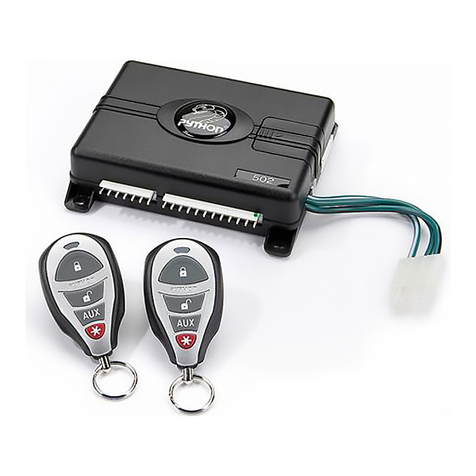
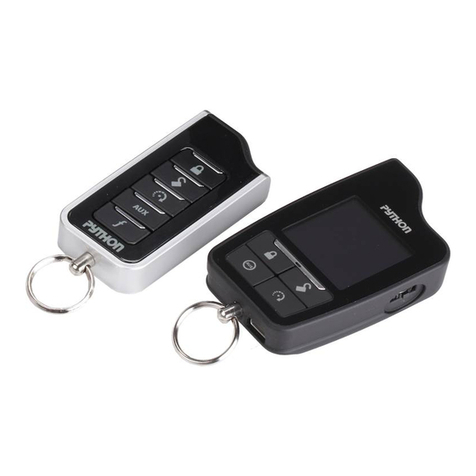
• Two 1-way SuperCode remote controls
• Owner’s guide
• Warranty card
AUX AUX

Important information
Government Regulations and Safety Information
Read the “Government Regulations”and “Warning! Safety
First”sections of this manual prior to operating this system.
Warning! Failure to heed this information can result in
death, personal injury or property damage and may also
result in the illegal use of the system beyond its intended
purpose.
Your Warranty
Your system comes with a warranty. Please make sure you receive the
warranty registration card and proof of purchase from your dealer
indicating the product was installed by an authorized Directed dealer.
You can validate it online at www.prodregister.com/directed or com-
plete and return the warranty registration card.
Replacement remote controls
If additional remote controls (P/N 7153P) are desired, please see
your authorized dealer or visit us at www.directedstore.com to order.

Contents
Getting Started.................................................................................................... 3
Keys to using this manual...................................................................... 3
Remote Control ................................................................................................... 4
Using your System............................................................................................... 6
Commanding the system....................................................................... 6
Performing Commands ......................................................................... 6
Remote Control Command table ............................................................ 7
Basic Commands (Direct Access) .......................................................................... 8
Lock ................................................................................................... 8
Unlock................................................................................................ 8
Remote Start........................................................................................ 9
AUX/Trunk.......................................................................................... 9
Advanced Commands: (Level 1) ......................................................................... 10
Silent Lock......................................................................................... 10
Runtime Reset .................................................................................... 10
AUX 1.............................................................................................. 10
Advanced Commands: (Level 2) ......................................................................... 11
Remote Valet .................................................................................... 11
Timer Start ........................................................................................ 11
AUX 2.............................................................................................. 11
Advanced Commands: (Level 3) ......................................................................... 12
Car finder......................................................................................... 12
Smart Start........................................................................................ 12
AUX 3.............................................................................................. 12
Advanced Commands: (Level 4) ......................................................................... 13
Defogger .......................................................................................... 13
AUX 4.............................................................................................. 13
Remote Control Configuration ............................................................................ 14
Remote Programming ......................................................................... 14
Remote Pairing ................................................................................. 14
Remote Programming ......................................................................... 15
Remote Features ................................................................................ 15
Starter Kill Override .......................................................................................... 17
Remote Start Features ........................................................................................ 18
Pit Stop Mode ................................................................................... 18
Key Takeover..................................................................................... 18
Remote Start Safe-lock ...................................................................... 19
Disabling Remote Start ..................................................................... 19
Advanced Start ................................................................................. 19
Manual Transmission Start (MTS mode) ................................................ 20
Turbo Timer Mode.............................................................................. 21
Remote Start Faults............................................................................. 22

Remote and System Operations.......................................................................... 23
Passive Locking ................................................................................. 23
Auto Re-locking ................................................................................ 23
Valet Mode ....................................................................................... 24
Power Save....................................................................................... 24
Rapid Resume ................................................................................... 24
Car Select......................................................................................... 24
System Expansion Options................................................................................. 25
Battery Information............................................................................................ 26
Low Battery Alerts .............................................................................. 26
Battery Replacement........................................................................... 26
Battery Disposal ................................................................................ 27
Glossary of Terms.............................................................................................. 28
Government Regulations .................................................................................... 29
Warning! Safety First......................................................................................... 30
Installation ........................................................................................ 30
Remote Start Capable ........................................................................ 30
Manual Transmission Vehicles ............................................................. 30
Interference....................................................................................... 32
Upgrades ......................................................................................... 32
Water/Heat Resistance ...................................................................... 32
Limited lifetime consumer warranty ..................................................................... 33

3
© 2012 Directed. All rights reserved.
Getting Started
Keys to using this manual
Specific actions (in bold type) and style conventions are used consis-
tently throughout this manual, they are as follows:
• Press: implies pushing in and releasing a button.
• Hold: is used after Press actions when a button needs to be held
in position for an extended period of time, typically several sec-
onds.
• Italicized words denote section/sub headings in this guide and
can be located through the table of contents.
• An asterisk (*) when used after a word or phrase denotes that
additional details can be found in related sections usually noted
at the bottom of the page or end of the section.

4© 2012 Directed. All rights reserved.
Remote Control
Transmit
LED
Internal
Antenna
Command
Buttons
Function
Button
AUX
Feature Description
Internal Antenna Used for transmitting information
Transmit LED Active when transmitting information
Command buttons (4) Used to perform locking, unlocking, auxiliary channel and
remote start commands
Function button Used to access function levels for commands, configuration
menus for programming and Car Selection

5
© 2012 Directed. All rights reserved.
Control Center
Control button
Status LED
Antenna
The Control Center, typically located on the upper part of the front
windshield. It consists of:
• The In-vehicle system antenna.
• The Status LED, as a visual indicator of the system’s status.
• The Control button, for placing the system into Valet Mode* and
to perform the Emergency Override operation.
* See “Remote and System Operations” section for details.

6© 2012 Directed. All rights reserved.
Using your System
Commanding the system
Commands, Basic or Advanced, are used to activate system features
and are performed by pressing one of the Command buttons. Basic
commands control the most often used keyless entry and remote start
features while Advanced commands control more specialized fea-
tures.
Confirmations for Basic or Advanced commands are indicated
by horn honks* and parking light flashes. A description of each fea-
ture confirmation is found in the following Basic command and Ad-
vanced command sections.
Performing Commands
Perform Basic commands by pressing a Command button.
Perform Advanced Commands by first accessing Levels 1-4 using the
button and then by pressing a Command button while within a
level.
Advanced command example: Silent Lock
1. Press the button once to access Function Level 1, The trans-
mit LED single flashes for 3 seconds.
2. Press the button while the transmit LED is still flashing to
perform the Silent Lock command.
3. The system will lock the doors and flash the parking lights,
without horn honks.*
* The optional Horn Honk feature must be connected.

7
© 2012 Directed. All rights reserved.
Remote Control Command table
Basic
Commands
Advanced Commands
Function
Level 1
Function
Level 2
Function
Level 3
Function
Level 4
Button
Level Direct Access x 1 x 2 x 3 x 4
Lock Silent Lock
Unlock Silent Unlock Valet Mode Car Finder
Remote Start Reset Runtime Timer Mode Smart Start Rear
Defogger
AUX Trunk Release AUX 1 AUX 2 AUX 3 AUX 4
Function Shift
Other manuals for 4106P
1
Table of contents
Other Python Car Alarm manuals

Python
Python Responder LC Model 991 User manual

Python
Python 1600XP User manual

Python
Python 1400XPL User manual
Python
Python 571XP User manual
Python
Python 1000 ESP User manual
Python
Python 871XP User manual
Python
Python 460HP User manual
Python
Python 700 User manual

Python
Python 872 User manual
Python
Python 881 XP User manual





Popular Car Alarm manuals by other brands


Federal Signal Corporation
Federal Signal Corporation Pathfinder Siren Series Installation and maintenance manual

Falcon
Falcon Predator XL3 Installer manual

Audiovox
Audiovox Auto Security XR91 Programming guide

Clifford
Clifford Sabre II owner's manual

CrimeStopper
CrimeStopper CS-8717 Wiring diagram

Ultra Start
Ultra Start 450 SERIES install guide


