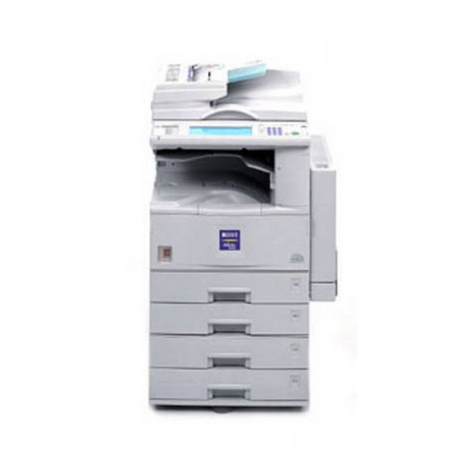
Oce VarioPrint 2070 User manual

Océ VarioPrint 2070 Prémia Class
Configuration and maintenance tasks
Océ User manual

© 2009 Océ
All rights reserved. No part of this work may be reproduced, copied, adapted, or transmitted
in any form or by any means without written permission from Océ.
Océ makes no representation or warranties with respect to the contents hereof and specifi-
cally disclaims any implied warranties of merchantability or fitness for any particular purpose.
Furthermore, Océ reserves the right to revise this publication and to make changes from
time to time in the content hereof without obligation to notify any person of such revision
or changes.
Edition: 2009-04

Notes for the reader
Introduction
This manual helps you to use the Océ VarioPrint 2070 Prémia Class. The manual contains
a description of the Océ VarioPrint 2070 Prémia Class and guidelines to use and operate
the Océ VarioPrint 2070 Prémia Class. There are also tips to increase your knowledge
of the Océ VarioPrint 2070 Prémia Class and to help you manage the workflow even
better.
Definition
Attention Getters
Parts of this manual require your special attention. These parts provide important, addi-
tional information or are about the prevention of damage to your properties.
Note, Attention and Caution
The words Note, Attention and Caution indicate these important parts.
■The word Note comes before additional information about the correct operation of
the Océ VarioPrint 2070 Prémia Class or a tip.
■A part marked with Attention contains information used to prevent damage to items,
for example the Océ VarioPrint 2070 Prémia Class, or a file.
■A part marked with Caution contains information to prevent personal injury. Caution
is found only in manuals that describe physical products.
Safety information
You can find the safety information for this product in the Instructions for safe use and
the Safety Data Sheets. The instructions for safe use and the Safety Data Sheets are in-
cluded in the appendices of this manual.
3
Notes for the reader

Trademarks
List of trademarks
Océ, Océ VarioPrint 2070 Prémia Class are registered trademarks of Océ-Technologies
B.V..
Adobe®, Acrobat®, Reader® and Distiller® are registered trademarks of Adobe® Systems
Incorporated.
PostScript® 3™ is a registered trademark of Adobe® Systems Incorporated.
Apple®, Mac® , Mac OS® and Macintosh® are registered trademarks of Apple® Computer,
Inc.
InstallShield® is a registered trademark of InstallShield® Software Corporation.
FLEXlm™ is a trademark of Macrovision™ Corporation.
Microsoft®, Windows® , Windows NT®, Windows 98®, Windows 2000®, Windows
XP®, Windows Server 2003® are either registered trademarks or trademarks of Microsoft®
Corporation in the United States and/or other countries.
Products in this publication are referred to by their general trade names. In most, if not
all cases, these designations are claimed as trademarks or registered trademarks of their
respective companies.
4
Trademarks

Contents
Chapter 1
Introduction.........................................................................................................9
General Information.................................................................................10
About the Configuration and Maintenance Manual........................10
About Océ VarioPrint 2070 Prémia Class Users...............................11
About the Océ VarioPrint 2070 Prémia Class...................................12
About the configuration of the Océ VarioPrint 2070 Prémia Class.15
About the operator panel of the Océ VarioPrint 2070 Prémia
Class....................................................................................................18
Access the System...................................................................................21
Enter or quit the key operator system..............................................21
Changing the Default PIN of the Key Operator ...............................23
Switching the DAC On or Off.............................................................24
Switch the Océ VarioPrint 2070 Prémia Class off or on..................26
Chapter 2
Set the Defaults................................................................................................29
Define the Default Job Settings..............................................................30
Define the IP address information....................................................30
Define the default operating mode...................................................33
Change or restore the default job settings.......................................34
Changing the Default Reset Time.....................................................36
Change the display language............................................................38
Define the end-of-job confirmation...................................................39
Enter the telephone number of the key operator............................40
Define the Access Control.......................................................................41
About the access-secured system.....................................................41
Enable the copy control device.........................................................43
Secure the access to the machine.....................................................45
Secure automatic printing.................................................................47
Define the job charges.......................................................................49
Control Access to the Machine Components.........................................51
Control the access to the paper trays...............................................51
Control the access to the special feeder...........................................53
Chapter 3
Control Input.....................................................................................................55
Define the paper trays for the report jobs..............................................56
Define the folio size..................................................................................58
Link the paper trays..................................................................................60
5
Contents

Chapter 4
Control Output..................................................................................................63
Define the banner pages..........................................................................64
Control the finisher bins..........................................................................66
Change the default margin shift.............................................................68
Chapter 5
Control the Print Mode.....................................................................................69
Defining Mailbox Input............................................................................70
About the mailbox..............................................................................70
Controlling the Automatic Print Jobs...............................................71
Suspending Automatic Printing........................................................73
Controlling Jobs Without an Océ Job Ticket...................................75
Control the Time Delay for Print Jobs....................................................77
About the printing delay....................................................................77
Define the printing delay for the automatic print jobs....................78
Chapter 6
Control the Interrupt Mode..............................................................................81
Disable the Interrupt mode......................................................................82
Chapter 7
Obtain System Information.............................................................................85
Print the DAC reports...............................................................................86
Reading Job-page Counters....................................................................87
Check the machine memory....................................................................89
Check the machine number.....................................................................90
Chapter 8
Define the Energy Saving Timers....................................................................91
About the Energy Saving Modes............................................................92
Set the energy save timers......................................................................93
Disabling the Sleep Mode Timer............................................................95
Chapter 9
Control the Accounting System......................................................................97
About the accounting system.................................................................98
Determine User Accounts......................................................................100
About the System Accounts............................................................100
Create a valid user account.............................................................101
Create a new user-account record..................................................102
Maintain the Accounts Database..........................................................104
Change the account number...........................................................104
Assign or change a PIN....................................................................105
Changing the Status.........................................................................107
Defining the Job-page Limit............................................................108
Change the sequence of the user accounts...................................109
6
Contents

Reset the job-page counters............................................................111
Delete the user accounts..................................................................113
Obtain Accounts Database Information...............................................115
Print the accounts-database file......................................................115
Download or upload the accounts-database file...........................116
Chapter 10
Maintain the System......................................................................................119
Add the toner..........................................................................................120
Add the staples.......................................................................................124
Empty the staple receptacle..................................................................128
Clean the Océ VarioPrint 2070 Prémia Class........................................129
Chapter 11
Correct Errors..................................................................................................131
Change the account-log mode..............................................................132
Restart the DAC......................................................................................134
Delete the jobs........................................................................................136
Restoring the Network Settings............................................................138
Disable the side correction....................................................................139
Informing the Users about the Océ Service Request..........................141
Clear the paper jams..............................................................................143
Clear the staple jams..............................................................................145
Appendix A
Overview and Tables......................................................................................147
Product Specifications...........................................................................148
Originals to use......................................................................................149
Input Trays and Output Bins.................................................................150
Media ......................................................................................................153
Appendix B
Safety Information..........................................................................................155
Instructions for safe use........................................................................156
Safety Data Sheets.................................................................................158
Appendix C
Miscellaneous..................................................................................................165
Reader's comment sheet.......................................................................166
Addresses of local Océ organisations .................................................168
7
Contents

8
Contents

Chapter 1
Introduction

General Information
About the Configuration and Maintenance Manual
The Configuration and Maintenance Manual describes the tasks that the Key Operator
can perform using the key operator system of the Océ VarioPrint 2070 Prémia Class.
The user CD-rom, delivered with the Océ VarioPrint 2070 Prémia Class, provides you
with the user manuals in digital format. You can also find Quick Reference Cards on this
CD-rom.
The Key Operator can configure or maintain the Océ VarioPrint 2070 Prémia Class
system from a computer that runs an Océ application to control the system. The on-line
help of this application provides information on how to control the system remotely.
The Océ web site www.oce.com facilitates free user-manual download.
Chapter 1 - Introduction10
About the Configuration and Maintenance Manual
Other manuals for VarioPrint 2070
1
Table of contents
Other Oce All In One Printer manuals