
Eumetsat TBS Series User manual

© EUMETSAT
The copyright of this document is the property of EUMETSAT.
Doc.No.
:
EUM/OPS/MAN/15/776259
Issue
:
v2 e-signed
Date
:
15 March 2016
WBS/DBS
:
TBS DVB-S2 Receivers EUMETCast LINUX Setup
Guide
EUMETSAT
Eumetsat-Allee 1, D-64295 Darmstadt, Germany
Tel: +49 6151 807-7
Fax: +49 6151 807 555
http://www.eumetsat.int

EUM/OPS/MAN/15/776259
v2 e-signed, 15 March 2016
TBS DVB-S2 Receivers EUMETCast LINUX Setup Guide
Page 2 of 21
This page intentionally left blank

EUM/OPS/MAN/15/776259
v2 e-signed, 15 March 2016
TBS DVB-S2 Receivers EUMETCast LINUX Setup Guide
Page 3 of 21
Document Change Record
Issue /
Revision
Date
DCN.
No
Changed Pages / Paragraphs
v1
12 January 2015
First release
v1A
16 April 2015
Links Updated , New drivers used, Appendix for
Centos 6.6 added
v1B
8 May 2015
New drivers used, Tuner Frequency updated
v1C
18 February 2016
New drivers used,
Tellicast Setup Updated (§3.2, p10)
New dvb-eumetcast rpm/deb/ tar.gz package used
(APPENDIX A,B p15, pp18-19)
v2
15 March 2016
Document title updated
New TBS-6903 device added (§1, p5)
Prerequisites Updated (§2, p7)
New Linux drivers used (§3.2, p11)

EUM/OPS/MAN/15/776259
v2 e-signed, 15 March 2016
TBS DVB-S2 Receivers EUMETCast LINUX Setup Guide
Page 4 of 21
Table of Contents
1INTRODUCTION..............................................................................................................................5
2PREREQUISITES ............................................................................................................................7
3INSTALLATION & CONFIGURATION............................................................................................8
3.1 Physical Connections.............................................................................................................8
3.2 Linux Drivers ........................................................................................................................11
3.3 Channel Tuning....................................................................................................................13
3.4 Verify Lock & Reception.......................................................................................................13
4TELLICAST AND SYSTEM CONFIGURATION SETUP ..............................................................14
4.1 Tellicast Setup......................................................................................................................14
4.2 Firewall.................................................................................................................................14
4.3 System Configuration Setup ................................................................................................14
Appendix A UBUNTU 14.04.02 (32 BIT)...........................................................................................15
Appendix B CENTOS 6.6 (32BIT).....................................................................................................18
Table of Figures
Figure 1 TBS-5925 Receiver .................................................................................................................5
Figure 2 TBS-6925 Receiver....................................................................................................................5
Figure 3 TBS-6983 Receiver....................................................................................................................6
Figure 4 TBS-6903 Receiver....................................................................................................................6
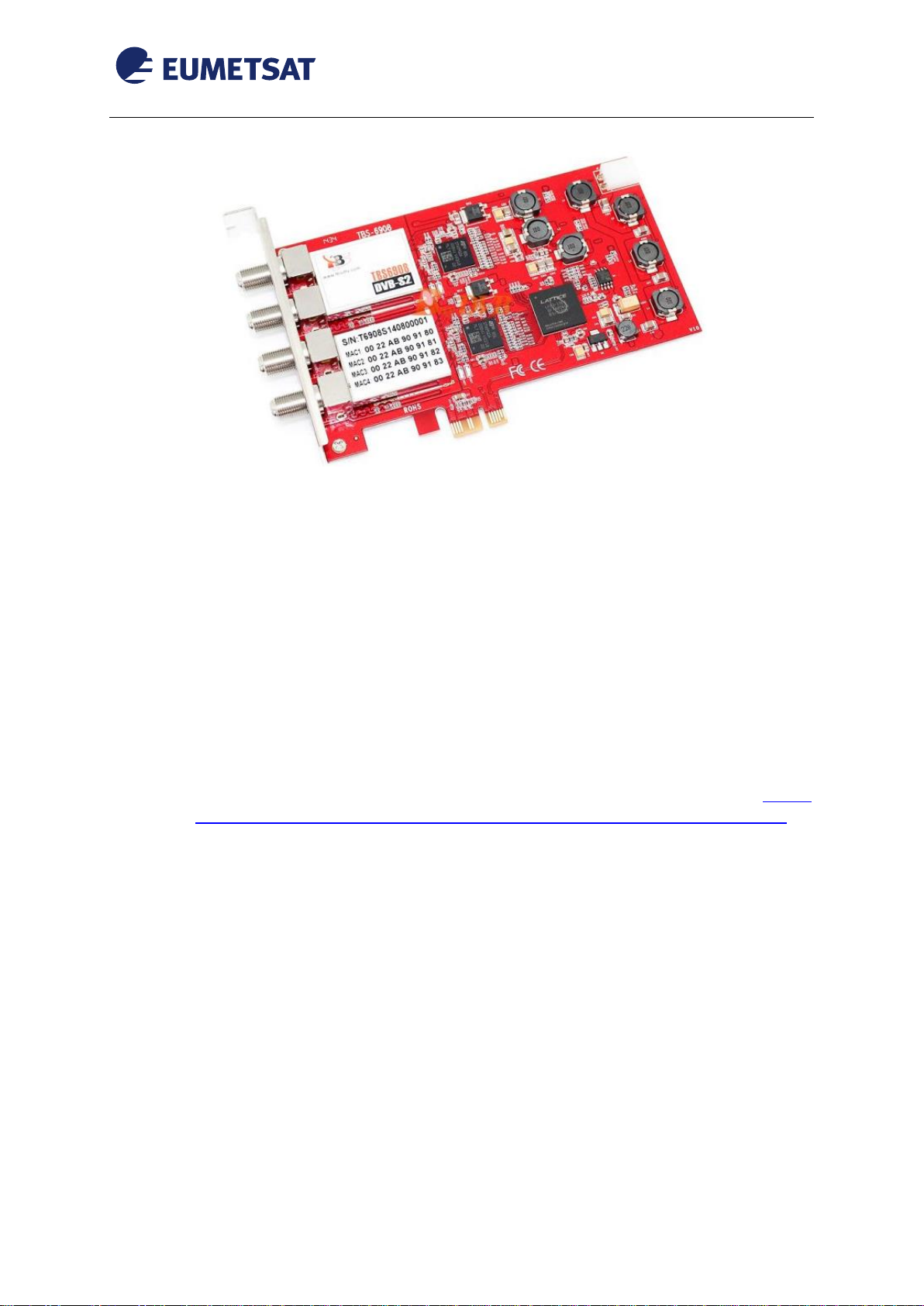
Figure 5 TBS-6908 Receiver....................................................................................................................7
Figure 6 TBS-5925 Connectors ...............................................................................................................8
Figure 7 TBS-6925/TBS-6983 Connectors..............................................................................................9
Figure 8 TBS-6903 Connectors .............................................................................................................10
Figure 9 TBS-6908 Connectors .............................................................................................................10
Figure 10 TBS-6903/6908 Power Cable................................................................................................11

EUM/OPS/MAN/15/776259
v2 e-signed, 15 March 2016
TBS DVB-S2 Receivers EUMETCast LINUX Setup Guide
Page 5 of 21
1INTRODUCTION
Figure 1 TBS-5925 Receiver
Figure 2 TBS-6925 Receiver

EUM/OPS/MAN/15/776259
v2 e-signed, 15 March 2016
TBS DVB-S2 Receivers EUMETCast LINUX Setup Guide
Page 6 of 21
Figure 3 TBS-6983 Receiver
Figure 4 TBS-6903 Receiver
EUM/OPS/MAN/15/776259
v2 e-signed, 15 March 2016
TBS DVB-S2 Receivers EUMETCast LINUX Setup Guide
Page 7 of 21
Figure 5 TBS-6908 Receiver
The purpose of this manual is to guide a user through the minimum necessary steps to allow
the reception of EUMETCast data (DVB-S2) on the TBS-5925 / TBS-6925 / TBS-6983/
TBS-6903/TBS-6908 satellite receivers.
2PREREQUISITES
Before performing the configuration please ensure the following steps have been addressed:
A PC that covers the recommended technical specifications (see TD15:
EUMETCast Reception Sation Requirements –PC Hardware Specifications). If
the HVS is enabled PC RAM should be > 4 Gb;
A USB 2.0 port is available for connecting the TBS-5925 receiver;
A PCIe slot is available for connecting the TBS-6925 / TBS-6983 / TBS-
6903/TBS-6908 receiver;
Operating System is compliant. The tested Linux distribution in this manual is
UBUNTU LTS 14.04.02 (32 bit) and Centos 6.6 Final (32 bit). The 64 bit version
of these distributions can also be used by installing the 32bit compatibility drivers;
Firefox 35 and higher or any other compatible browser;
Root access to the reception host system;
The EUMETCast antenna pointing has been performed correctly to
EUTELSAT10A for DVB-S2 reception. (For DVB-S2 reception the antenna
pointing and LNB quality are crucial);
An EKU has been obtained from the EUMETSAT user help desk;

EUM/OPS/MAN/15/776259
v2 e-signed, 15 March 2016
TBS DVB-S2 Receivers EUMETCast LINUX Setup Guide
Page 8 of 21
3INSTALLATION & CONFIGURATION
3.1 Physical Connections
Figure 6 TBS-5925 Connectors
The connectors used in the TBS-5925 device configuration are described in the following
table:
Number
Connector
1
Power Supply
2
RF In
3
USB 2.0 Connector
Connect the power adaptor to connector 1 on the TBS-5925;
Connect the antenna cable to the connector 2 ;
Connect the device using the connector 3 to the PC using a usb cable ;

EUM/OPS/MAN/15/776259
v2 e-signed, 15 March 2016
TBS DVB-S2 Receivers EUMETCast LINUX Setup Guide
Page 9 of 21
Figure 7 TBS-6925/TBS-6983 Connectors
The connectors used in the TBS-6925 / TBS-6983 device configuration are described in the
following table:
Number
Connector
1
RF In
2
PCIe 1.x Connector
Connect the antenna cable to the connector 1;
Plug-in the connector 2 to a free PCIe slot of your PC ;
Note: On TBS-6983 to get adapter 0 use the lower plug (on TBS-6925 upper plug, lower is
loop)

EUM/OPS/MAN/15/776259
v2 e-signed, 15 March 2016
TBS DVB-S2 Receivers EUMETCast LINUX Setup Guide
Page 10 of 21
Figure 8 TBS-6903 Connectors
Figure 9 TBS-6908 Connectors
This manual suits for next models
5
Table of contents
Other Eumetsat Receiver manuals







