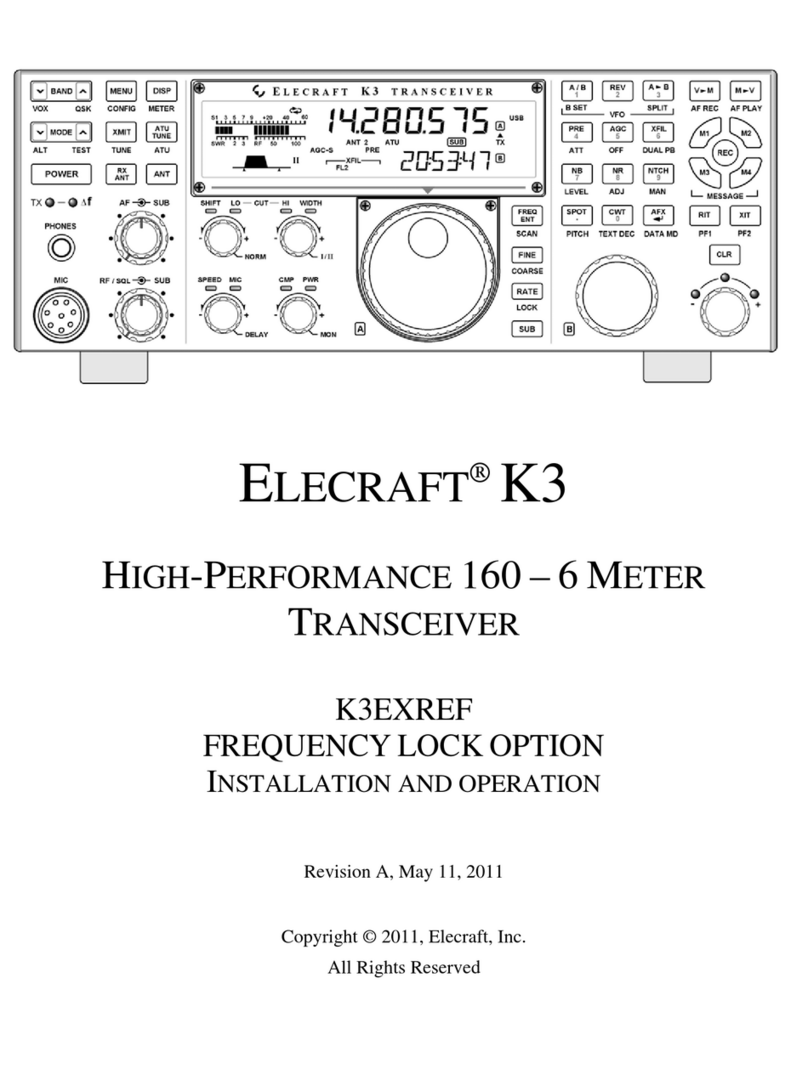
ELECRAFT K3 Owner's manual

ELECRAFT K3
HIGH-PERFORMANCE 160 – 6 METER
TRANSCEIVER
KRX3A
HIGH-PERFORMANCE SUB RECEIVER
INSTALLATION AND OPERATION
Rev. G1, May 14, 2015
Copyright © 2015, Elecraft, Inc.
All Rights Reserved

2
Contents
See Appendix A to install or change crystal filters in a previously assembled KRX3A
Introduction ............................................................................................................................................... 3
Customer Service and Support ............................................................................................................................ 4
Technical Assistance ....................................................................................................................................... 4
Repair / Alignment Service ............................................................................................................................. 4
Preventing Electrostatic Discharge Damage ............................................................................................ 5
How ESD Damage Occurs .................................................................................................................................. 5
Preventing ESD Damage ..................................................................................................................................... 5
Preparing for Installation .......................................................................................................................... 6
Tools and Supplies Required ............................................................................................................................... 6
Parts Included ...................................................................................................................................................... 7
Circuit Boards and Enclosure .......................................................................................................................... 7
KRX3A Hardware Bag E850334 .................................................................................................................... 8
E850344 TMP-BNC Cable Bag ...................................................................................................................... 9
E850249 I.F. Crystal Filter Bag (or Box) ...................................................................................................... 10
Installation Procedure ............................................................................................................................. 11
Installing the Auxiliary DSP Board .................................................................................................................. 12
Checking and Modifying Resistor R91 and DAC Input Circuits ...................................................................... 21
Installing the KRX3A Module Supports ........................................................................................................... 22
Installing the Auxiliary KSYN3A Synthesizer ................................................................................................. 23
Auxiliary KRX3A Antenna Input (Optional) .................................................................................................... 26
Installing the Auxiliary KRX3A Antenna Input via the KAT3 .................................................................... 26
Installing the Auxiliary KRX3A Antenna Input Via the Rear Panel BNC Connector .................................. 27
Assembling the KRX3A Sub receiver Module ................................................................................................. 31
Installing the KRX3A Sub Receiver Module .................................................................................................... 36
Final Assembly .................................................................................................................................................. 43
Removing the KRX3A Module .............................................................................................................. 45
Operation ................................................................................................................................................ 46
Preparing for Operation ..................................................................................................................................... 46
Using the Sub Receiver ..................................................................................................................................... 47
Dedicated Sub Receiver Controls ................................................................................................................. 47
BSET: Additional Sub Receiver Controls ..................................................................................................... 47
Sub Receiver Antenna Selection ................................................................................................................... 47
Sub Receiver Band Independence ................................................................................................................. 47
Diversity Receive .......................................................................................................................................... 48
Sub Receiver Crystal Filter Considerations .................................................................................................. 48
SPLIT Mode with the Sub Receiver ............................................................................................................. 48
Appendix A: Installing Crystal Filters in the KRX3A Sub Receiver……..………..…………………A1
Elecraft manuals with color images may be downloaded from
www.elecraft.com.

3
Introduction
If your KRX3A is already installed in your K3, turn to Using the Sub Receiver on page 47 for
operating instructions.
The KRX3A sub receiver features specifications identical to the main K3 receiver including up to five roofing
filters and an independent, dedicated DSP system. The sub receiver can tune the same range of frequencies as
the main receiver, including frequencies outside of the Amateur bands when it is equipped with the optional
KBPF3 general coverage filter board.
The KRX3A has three major components as shown installed in a K3 in Figure 1. The shielded enclosure
contains the main KRX3A board, mixer and noise blanker pony boards, optional KBPF3 general coverage filter
board and roofing filters that you will assemble and mount in the enclosure.
Only a few basic tools are required to assemble the components and install them in the K3 (see page 6).
Figure 1. KRX3A Sub Receiver Installed in K3.

4
Customer Service and Support
Technical Assistance
You can send e-mail to [email protected] and we will respond quickly - typically the same day Monday
through Friday. Telephone assistance is available from 9 A.M. to 5 P.M. Pacific time (weekdays only) at
831-763-4211. Please use e-mail rather than calling when possible since this gives us a written record of the
details of your problem and allows us to handle a larger number of requests each day.
Repair / Alignment Service (We want to make sure everyone succeeds!)
If necessary, you may return your Elecraft product to us for repair or alignment. (Note: We offer unlimited email
and phone support to get your kit running, so please try that route first as we can usually help you find the
problem quickly.)
IMPORTANT: You must contact Elecraft before mailing your product to obtain authorization for the
return, what address to ship it to and current information on repair fees and turn-around times. (Frequently we
can determine the cause of your problem and save you the trouble of shipping it back to us.) Our repair location
is different from our factory location in Aptos. We will give you the address to ship your kit to at the time of
repair authorization. Packages shipped to Aptos without authorization will incur an additional shipping charge
for reshipment from Aptos to our repair depot.
Elecraft 1-Year Limited Warranty
This warranty is effective as of the date of first consumer purchase. It covers both our kits and fully assembled
products. For kits, before requesting warranty service, you should fully complete the assembly, carefully following all
instructions in the manual.
What is covered: During the first year after date of purchase (or if shipped from factory, date product is shipped to
customer), Elecraft will replace defective or missing parts free of charge (post-paid). We will also correct any
malfunction to kits or assembled units caused by defective parts and materials. Purchaser pays inbound shipping to us
for warranty repair, we pay shipping to return the repaired equipment to you by UPS ground service or equivalent to
the continental USA and Canada. Alaska, Hawaii and outside U.S. and Canada actual return shipping cost paid by
owner.
What is not covered: This warranty does not cover correction of kit assembly errors. It also does not cover
misalignment; repair of damage caused by misuse, negligence, or builder modifications; or any performance
malfunctions involving non-Elecraft accessory equipment. The use of acid-core solder, water-soluble flux solder, or
any corrosive or conductive flux or solvent will void this warranty in its entirety. Also not covered is reimbursement
for loss of use, inconvenience, customer assembly or alignment time, or cost of unauthorized service.
Limitation of incidental or consequential damages: This warranty does not extend to non-Elecraft equipment or
components used in conjunction with our products. Any such repair or replacement is the responsibility of the
customer. Elecraft will not be liable for any special, indirect, incidental or consequential damages, including but not
limited to any loss of business or profits.

5
Preventing Electrostatic Discharge Damage
There is no climate or work location where the components of your K3 are safe from Electrostatic Discharge
(ESD) unless you take specific steps to prevent such damage. Many of the components in your K3 can be
damaged by static discharges of only a few volts: far too little for you to notice. Those low-voltage but
destructive discharges easily happen anywhere and in almost any environment.
ESD damage may not be apparent at first. The damaged components may not fail completely. Instead, the
damage may result in below-normal performance for an extended period of time before you experience a total
failure.
How ESD Damage Occurs
Whenever an object containing a static charge touches a circuit in your K3, current will rush into the circuit until
the components reach the same voltage as the source of the static charge. If the voltage or current that passes
through a component during that brief period exceeds its normal operating specifications, it may be damaged or
destroyed.
Preventing ESD Damage
ESD damage cannot occur if there is no voltage difference between the components in your K3 and any object
that touches them. That is how anti-static packaging works. Anti-static bags allow the static charge to flow over
their surface, so that any part of the bag that touches the components inside are all at the same potential at all
times. Anti-static foam keeps the leads of sensitive components at the same potential.
At your work bench, avoiding a dangerous voltage is achieved most easily by tying everything together and
connecting them to a common mains safety ground. This includes your K3, individual boards or other sensitive
components as well as everything they may touch at the work table.
Inexpensive static dissipating work mats are readily-available that will steadily and safely drain off any charges
built up on parts or circuit boards placed on them. They are supplied with a lead that connects the mat to the
common workbench ground. Also, metal cabinets on test equipment used on the bench should be tied together
and connected to the common ground.
Most importantly, you must have a way of continuously draining off any static charges that occur on your body.
Such charges are easy to create, even while sitting quietly at the work bench. Moving your feet on the floor,
shifting position in your chair or even moving your arms so that clothing rubs against itself can produce
destructive static charges. You can discharge yourself by touching an unpainted metal ground, but that will last
only until you move in a way that produces a new static charge. The safest technique is to wear a grounded wrist
strap with a series 1-megohm resistor that continuously drains off any charges. Such wrist straps are readily-
available and inexpensive.
WARNING
DO NOT attach a ground directly to yourself without a current-limiting resistor as this poses
a serious shock hazard. A wrist strap must include a 1-megohm resistor to limit the current
flow. If you choose to touch an unpainted, metal ground to discharge yourself, do it only
when you are not touching any live circuits with your other hand or any part of your body.

6
We strongly recommend you take the following anti-static precautions (listed in order of importance) to avoid
trouble:
Leave ESD-sensitive parts in their anti-static packaging until you install them. The packaging may be a
special plastic bag or the component leads may be inserted in conductive foam. Parts which are
especially ESD-sensitive are identified in the parts list and in the assembly procedures.
Wear a conductive wrist strap with a series 1-megohm resistor. If you do not have a wrist strap, touch a
ground briefly before touching any sensitive parts to discharge your body. Do this frequently while you
are working. You can collect a destructive static charge on your body just sitting at the work bench. DO
NOT attach a ground directly to yourself as this poses a serious shock hazard.
Use a grounded anti-static mat on your work bench.
If you choose to use a soldering iron to work on your K3 for any reason, be sure your iron has an ESD-
safe grounded tip tied to the same common ground used by your mat or wrist strap.
Preparing for Installation
Tools and Supplies Required
1. #0 and #1 size Phillips screwdrivers. To avoid damaging screws and nuts, a power screwdriver is not
recommended. Use the screwdriver that best fits the screw in each step.
2. Small pliers or a 1/4” nut driver.
3. Side (diagonal) cutters.
4. Long nose pliers.
5. Soft cloth or clean, soft static dissipating pad to lay cabinet panels on to avoid scratching.
6. Approximately 2.5” (6.4 cm) of transparent tape such as Scotch MagicTM mending tape (will be used
as shown in Figure 44 on page 37).
The following tools are strongly recommended:
1. ESD wrist strap.
2. Static dissipating work pad.
You may need the following in order to install a single resistor on the main RF board (See Checking and
Modifying Resistor R91 and DAC Input Circuits on page 21 to determine if you will need to install this part.)
1. Digital multimeter capable of measuring in resistance values.
2. Fine-tip temperature-controlled ESD-safe soldering station with 700 to 800F tip (370-430C).
Recommend a spade tip approx. 0.05” (1.3 mm) wide. Do not use a high-wattage iron or soldering gun
since this can damage pads, traces, or the parts themselves.
3. IC-grade, small-diameter (.031”) solder (Kester #44 or equivalent).
DO NOT use acid-core solder, water-soluble flux solder, additional flux or solvents of any
kind. Use of any of these will void your warranty.

7
Parts Included
The following parts should be included in your kit. Check to ensure you have them all. If any parts are damaged
or missing, contact Elecraft for replacements (see page 4).
Circuit Boards and Enclosure
Note: Some pins on the male connectors may have been removed and some holes in the female connectors may
have been plugged. This is intentional to help you align the connectors properly during assembly.
ILLUSTRATION DESCRIPTION QTY. ELECRAFT
PART NO.
Auxiliary DSP Printed Circuit Board
Assembly
ESD Sensitive. Follow ESD safe handling
procedures. Keep in ESD-safe bag until installed.
1 E850234
KSYN3A Synthesizer
Printed Circuit Board Assembly
ESD Sensitive. Follow ESD safe handling
procedures. Keep in ESD-safe bag until installed.
One pin on the multi-pin connector has been
removed intentionally.
1 E850638
KRX3A Main Printed Circuit Board
Assembly
ESD Sensitive. Follow ESD safe handling
procedures. Keep in ESD-safe bag until installed.
1 E850276
K3 Mixer Board
ESD Sensitive. 1 E850257
KNB3 Noise Blanker Board
ESD Sensitive. 1 E850280

8
ILLUSTRATION DESCRIPTION QTY. ELECRAFT
PART NO.
KNB3 SUBIN Board
ESD Sensitive. 1 E850331
KNB3 SUBOUT Board 1 E850332
KRX3A Enclosure, Top (with tall
standoffs) 1 E100334
KRX3A Enclosure, Bottom (with short
standoffs) 1 E100334
KRX3A Hardware Bag E850334
ILLUSTRATION DESCRIPTION QTY. ELECRAFT
PART NO.
TMP Cable 5” (13 cm) 2 E100282
TMP Cable 10” (25 cm) 2 E850338
TMP Cable 12” (30 cm) 1 E850339
Circular Foam Pad (Self-Adhesive: Do not
remove protective backing until instructed to
do so)
1 E700053
Battery Cover 1 E100343
Resistor, 27 ohm (red-violet-black)
1/8 watt 1 E500336
Typical Standoffs
(May be round or hexagonal)
Standoff, Metal, 4-40 7/8” (22 mm) 2 E700156
Standoff, Metal, 4-40, 1/2” (13 mm) 2 E700061
Standoff, Metal, 4-40, 3/8” (9.5 mm) 2 E700153
Standoff, Metal, 4-40, 1/4” (6.4 mm) 4 E700152
Standoff, Nylon, 5/8” (15.9 mm) 1 E700163

9
ILLUSTRATION DESCRIPTION QTY. ELECRAFT
PART NO.
Standoff, Hex Male/Female, 7/16” (11mm) 3 E700017
Unthreaded Sleeve Spacer, 7/8” (22 mm) 2 E700161
Screw, Zinc, Pan Head 4-40 1/4” (6.8mm) 8 E700005
Screw, Black, Pan Head, 4-40, 1/2” (13 mm) 2 E700030
Screw, Black, Pan Head, 4-40, 3/16” (4.8 mm) 4 E700015
Screw, Zinc, Pan Head, 4-40, 1-1/2” (38 mm) 4 E700157
Screw, Nylon, Pan Head 4-40, 1/4” (6.8 mm)
Note: 1/2” (13mm) long screws (E700022)
may be supplied instead.
3 E700166
Lock Washer, 4-40, Split 33 E700004
Lock Washer, #4, Interior Tooth 4 E700010
Knurled Nut, 4-40 2 E700158
E850344 TMP-BNC Cable Bag
ILLUSTRATION DESCRIPTION QTY ELECRAFT
PART NO.
TMP Cable 14” (36 cm) with BNC
Connector with nut and lock washer 1 E850342
Screw, Black, Pan head 4-40, 3/8” (9.5 mm) 1 E700008
Lock Washer, #4, Inside Tooth 1 E700010
Nut, 4-40 1 E700011

10
E850249 I.F. Crystal Filter Bag (or Box)
NOTE: If the optional 8-pole 2.8K filter is purchased instead (see next item) this filter is not supplied.
ILLUSTRATION DESCRIPTION QTY ELECRAFT
PART NO.
KFL3A-2.7K Filter
Note: This filter is not supplied if you
purchased the optional 8-pole 2.8 kHz
filter with your K3 kit.
1 E850249
or
Screw, 4-40, either 1/4” (6.4 mm) Zinc,
Pan Head or 3/16” (4.8 mm) Black Pan
Head screw.
1 E700005 or
E700015
or
Lock Washer, #4, Interior Tooth or Split
Ring 1 E700010 or
E700004
E850249 I.F. Crystal Filter Bag (or Box)
OPTION: Not supplied unless ordered. Otherwise the standard 5-pole filter (above) is supplied.
ILLUSTRATION DESCRIPTION QTY ELECRAFT
PART NO.
KFL3A-2.8K Filter (optional, see above) 1 E850249
or
Screw, 4-40, either 1/4” (6.4 mm) Zinc,
Pan Head or 3/16” (4.8 mm), Black Pan
Head screw.
1 E700005 or
E700015
or
Lock Washer, #4, Interior Tooth or Split
Ring 1 E700010 or
E700004
Other manuals for K3
27
Table of contents
Other ELECRAFT Transceiver manuals

ELECRAFT
ELECRAFT KX2 User manual

ELECRAFT
ELECRAFT K2 Reference guide

ELECRAFT
ELECRAFT K2 User manual

ELECRAFT
ELECRAFT K3 User manual

ELECRAFT
ELECRAFT KX3-2M Supplement

ELECRAFT
ELECRAFT K3 User manual

ELECRAFT
ELECRAFT KH1 User manual

ELECRAFT
ELECRAFT K3S User manual

ELECRAFT
ELECRAFT KPA3 User manual

ELECRAFT
ELECRAFT KX3 User manual

ELECRAFT
ELECRAFT KNB2 User manual

ELECRAFT
ELECRAFT K3 Owner's manual

ELECRAFT
ELECRAFT KX3 User manual

ELECRAFT
ELECRAFT K3S User manual

ELECRAFT
ELECRAFT K3S Instruction Manual

ELECRAFT
ELECRAFT K3 User manual

ELECRAFT
ELECRAFT KX3 Operating instructions

ELECRAFT
ELECRAFT K3 User manual

ELECRAFT
ELECRAFT KX3 User manual

ELECRAFT
ELECRAFT KBPF3 User manual