
Ebyte NB114 User manual

Chengdu Ebyte Electronic Technology Co., Ltd. NB114 User Manual
Copyright ©2012–2023,Chengdu Ebyte Electronic Technology Co., Ltd.
Serial Port Ethernet
Serial Server
NB114

Chengdu Ebyte Electronic Technology Co., Ltd. NB114 User Manual
Copyright ©2012–2023,Chengdu Ebyte Electronic Technology Co., Ltd.
Contents
1. Introduction ...................................................................................................................................... 1
2. Quick Start ....................................................................................................................................... 3
2.1. Preparation for use ..............................................................................................................3
2.2. Equipment wiring ................................................................................................................. 3
2.3. Software settings ................................................................................................................. 5
2.3.1. Network test environment ....................................................................................... 5
2.3.2. Default parameters .................................................................................................. 6
2.3.3. Data transmission test .............................................................................................7
3. Product Overview ........................................................................................................................... 9
3.1. Product specification ...........................................................................................................9
3.2. technical parameter ...........................................................................................................10
3.3. Indicator and interface description ..................................................................................11
3.4. Mechanical dimensions .................................................................................................... 13
3.5. Installation method ............................................................................................................ 14
4. Product function ............................................................................................................................ 15
4.1. Network parameters ..........................................................................................................15
4.1.1. IP address type .......................................................................................................15
4.1.2. Domain name resolution (DNS) ...........................................................................16
4.1.3. Intranet access port ............................................................................................... 16
4.2. Network operation mode.................................................................................................. 17
4.2.1. TCP server mode ................................................................................................... 17
4.2.2. TCP client mode .....................................................................................................17
4.2.3. UDP server mode ...................................................................................................18
4.2.4. UDP client mode .................................................................................................... 18
4.2.5. HTTP client mode .................................................................................................. 19
4.2.6. MQTT client mode ..................................................................................................24
4.3. Serial port parameters ...................................................................................................... 33
4.4. Advanced parameters .......................................................................................................33
4.4.1. Disconnection and reconnection function .......................................................... 33
4.4.2. Timeout restart function .........................................................................................34
4.4.3. Short connection function ..................................................................................... 34
4.4.4. Connection emptying cache function ..................................................................34
4.4.5. Heartbeat packet function .....................................................................................35
4.4.6. Registration package function ..............................................................................35
4.5. Modbus gateway ............................................................................................................... 36
4.5.1. Simple protocol conversion mode ....................................................................... 36
4.5.2. Multi-host mode ......................................................................................................39
4.5.3. Storage gateway .................................................................................................... 42
4.5.4. Configurable gateway ............................................................................................44
4.5.5. Automatic upload....................................................................................................46
4.6. Introduction to basic functions .........................................................................................48
4.6.1. Web page configuration ........................................................................................ 48

Chengdu Ebyte Electronic Technology Co., Ltd. NB114 User Manual
Copyright ©2012–2023,Chengdu Ebyte Electronic Technology Co., Ltd.
4.6.2. Restore factory settings ........................................................................................ 50
4.6.3. AT instruction configuration .................................................................................. 50
4.6.4. Configuration tool software settings ....................................................................50
4.6.5. Random native port ............................................................................................... 51
4.6.6. Remote upgrade.....................................................................................................51
Revision History .................................................................................................................................57
About us ..............................................................................................................................................57

Chengdu Ebyte Electronic Technology Co., Ltd. NB114 User Manual
Copyright ©2012–2023,Chengdu Ebyte Electronic Technology Co., Ltd.
1. Introduction
NB114 is a serial port server that converts serial
port data to Ethernet data; It has multiple Modbus
gateway modes and MQTTC/HTTPC Internet of Things
gateway modes, which can meet the networking
functions of various serial port devices/PLCs; Adopt
industrial design standards to ensure equipment
reliability; The product comes with RJ45 network port and 4 × 3.81mm Phoenix terminal and
DB9 data interface; Support multiple serial port protocols (RS422/RS485/RS232); Install
with locating holes.
Features
RJ45 supports 10M Ethernet interface;
Support multiple working modes (TCP Server, TCP Client, UDP Server, UDP Client,
HTTPC, MQTTC);
Support configuration tools, web pages and AT commands;
The server mode supports multiple socket connections;
Support multiple serial port protocols (RS485, RS422, RS232);
Support multiple baud rates;
Support DHCP function;
DNS (domain name resolution) is supported, and the domain name resolution server
can be customized;
Support multiple Modbus gateways (simple protocol conversion, multi-host mode,
storage gateway, configurable gateway);
Support fast access to Alibaba Cloud, Baidu Cloud, OneNET, Huawei Cloud, and version
3.1 standard MQTT servers;
Support HTTP protocol (GET/POST request);
Support virtual serial port;
Support timeout restart function and customize the restart time;
Support the short connection function and customize the short connection interval;
Support heartbeat package and registration package functions;
Support serial port cache cleaning function;

Chengdu Ebyte Electronic Technology Co., Ltd. NB114 User Manual
Copyright ©2012–2023,Chengdu Ebyte Electronic Technology Co., Ltd.
Support access to the Internet and LAN;
Support hardware restoration to factory settings;
Support online upgrade function.

Chengdu Ebyte Electronic Technology Co., Ltd. NB114 User Manual
Copyright ©2012–2023,Chengdu Ebyte Electronic Technology Co., Ltd.
2. Quick Start
If there is a problem in the use process, click the official website
link:https://www.ebyte.com/product-class.aspx
2.1. Preparation for use
Before using the serial server (hereinafter referred to as the "device"), it is necessary to
prepare the network cable, computer, USB to serial converter and other relevant auxiliary
materials. The details are as follows:
NB114
Network cable
computer
DC 12V switch power
supply
USB to RS485
Several cables
[Note] This case uses RS485 interface for demonstration;
2.2. Equipment wiring
Power wiring (DC 8~28V):

Chengdu Ebyte Electronic Technology Co., Ltd. NB114 User Manual
Copyright ©2012–2023,Chengdu Ebyte Electronic Technology Co., Ltd.
Serial port and network port and wiring:
1、The standard 10M RJ45 network interface is adopted. After the correct connection, the
orange indicator light of the equipment network interface is always on and the green
indicator light is flashing;
2、Use standard RS485 interface (4 × 3.81mm Phoenix terminal), device 485-A is
connected to A of USB to RS485 converter, and device 485-B is connected to B of USB
to RS485 converter (please use standard RS485 twisted-pair cable for a long distance,
otherwise normal communication may not be possible due to excessive environmental
interference);

Chengdu Ebyte Electronic Technology Co., Ltd. NB114 User Manual
Copyright ©2012–2023,Chengdu Ebyte Electronic Technology Co., Ltd.
[Note] Do not use RS485, RS422 and RS232 interfaces at the same time, which may affect
data transmission.
2.3. Software settings
2.3.1.Network test environment
To avoid server search failure and inability to open web pages and other related
problems in the actual application process, it is recommended to check the relevant settings
of the computer first.

Chengdu Ebyte Electronic Technology Co., Ltd. NB114 User Manual
Copyright ©2012–2023,Chengdu Ebyte Electronic Technology Co., Ltd.
(1)Turn off the firewall and antivirus software of the computer;
(2)Configure the network card connected to the device;
(3)This case is for the test of direct connection of the equipment to the computer. The
computer needs to be configured as static IP (the computer is directly connected to the serial
port server, there is no router to assign, and the computer cannot obtain the IP address). The
use of a switch or router needs to ensure that the equipment and the computer are on the
same network end (for example, 192.168.3. xxx);
(4)The static IP of the computer is 192.168.3.4 (the same network segment as the serial
port server), the subnet mask is 255.255.255.0, and the default gateway is 192.168.3.1.
2.3.2.Default parameters
project
Default parameters
IP address
192.168.3.7
Default local port
8887
Subnet mask
255.255.255.0
Default gateway
192.168.3.1
Default working mode
TCP Server

Chengdu Ebyte Electronic Technology Co., Ltd. NB114 User Manual
Copyright ©2012–2023,Chengdu Ebyte Electronic Technology Co., Ltd.
Serial baud rate
115200
Serial port parameters
8 / None / 1
2.3.3.Data transmission test
After the above operation steps, follow the factory default parameters of the equipment
and perform the following operations to realize the transparent data transmission test.
The operation steps are as follows:
(1)Open the test TCP/IP debugging assistant software;
(2)Select TCP Client mode in the "network setting area". The remote host address
corresponds to (default local IP of the device: 192.168.3.7). The remote host port
corresponds to the factory local port 8887 of the device. Click Connect;
(3)Wait for the computer to connect to the serial server. After the connection is
completed, the LINK light of the serial server is always on;
(4)Open the serial port assistant, set the serial port baud rate to 115200, set the
serial port parameter to 1/8/None, and click to open the serial port;
Table of contents
Other Ebyte Modem manuals

Ebyte
Ebyte E800-DTU User manual
Ebyte
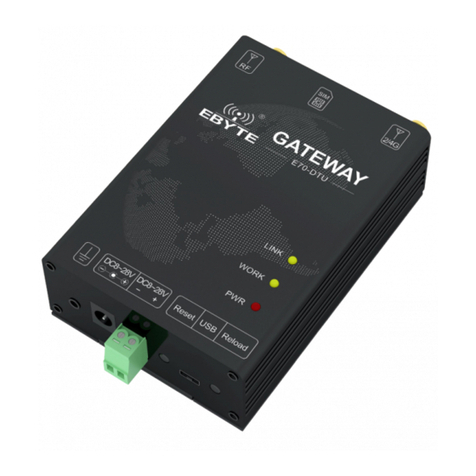
Ebyte E70-DTU User manual

Ebyte
Ebyte E830-DTU(2R2-433L)-V8 User manual

Ebyte
Ebyte E831-RTU Series User manual

Ebyte
Ebyte E180-DTU User manual

Ebyte
Ebyte E95-DTU User manual
Ebyte
Ebyte E32-DTU User manual

Ebyte
Ebyte E830 Series User manual
Ebyte
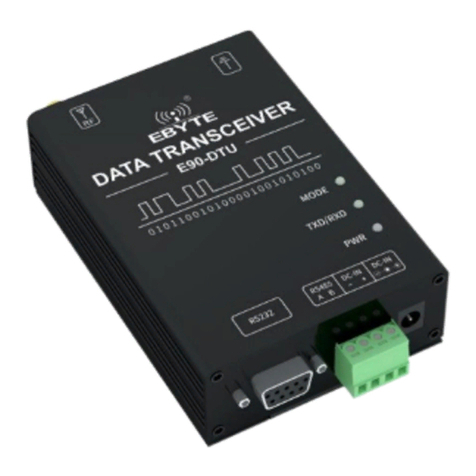
Ebyte E90-DTU User manual

Ebyte
Ebyte E90-DTU User manual

Ebyte
Ebyte E78-DTU User manual

Ebyte
Ebyte E870-E1 User manual

Ebyte
Ebyte E90-DTU User manual

Ebyte
Ebyte E180-DTU User manual
Ebyte
Ebyte E95-DTU User manual

Ebyte
Ebyte E90-DTU User manual

Ebyte
Ebyte M31 Series User manual

Ebyte
Ebyte E840-DTU User manual

Ebyte
Ebyte E831-RTU(6060-4G) User manual

Ebyte
Ebyte ECAN-U01S User manual


