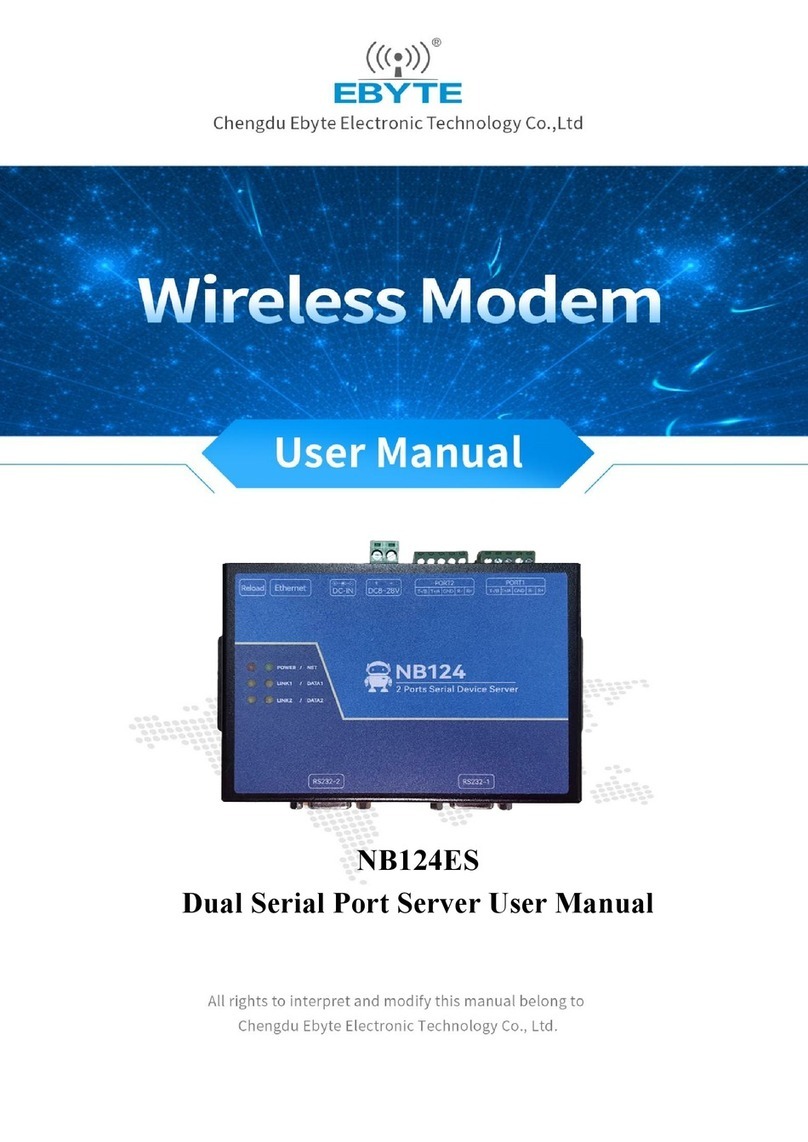
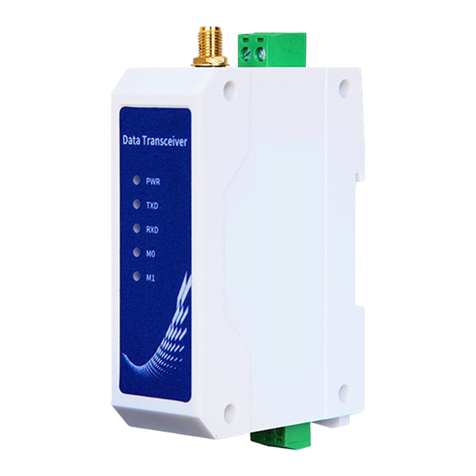
Ebyte E810-DTU User manual

E810-DTU(CAN-ETH) User Manual
Industrial CAN to Ethernet DTU

Chengdu Ebyte Electronic Technology Co.,Ltd E810-DTU(CAN-ETH) User Manual
Copyright ©2012–2019, Chengdu Ebyte Electronic Technology Co.,Ltd 2
Contents
1. Introduction.........................................................................................................................................................................3
1.1. Product Introduction................................................................................................................................................. 3
1.2. Features.....................................................................................................................................................................3
1.3. Typical application....................................................................................................................................................4
2. Quick Use........................................................................................................................................................................... 5
2.1. Equipment use.......................................................................................................................................................... 5
2.2. Default parameters....................................................................................................................................................5
2.3. WEB introduction and configuration........................................................................................................................6
2.4. Communication instructions.....................................................................................................................................8
2.4.1. SOCKET instructions.....................................................................................................................................8
2.4.2. TCP Client instructions.................................................................................................................................. 9
2.4.3. TCP Server instruction................................................................................................................................. 10
2.4.4.UDP Client instruction.................................................................................................................................. 12
2.4.5.UDP Server instruction..................................................................................................................................13
3. Hardware parameter introduction..................................................................................................................................... 15
3.1 Main specification................................................................................................................................................... 15
3.2. Mechanical Dimension Diagram and Pin Definition............................................................................................. 16
3.3.Connection Method................................................................................................................................................. 18
3.3.1. Ethernet connection method......................................................................................................................... 18
3.3.3. CAN connection method.............................................................................................................................. 18
4. Product function introduction........................................................................................................................................... 19
4.1.Network basic function............................................................................................................................................19
4.1.1. IP address introduction................................................................................................................................. 19
4.1.2. Subnet mask introduction.............................................................................................................................19
4.1.3.Gateway Introduction.................................................................................................................................... 19
4.1.4. DNS introduction......................................................................................................................................... 20
4.1.5. Data packing mechanism..............................................................................................................................20
4.1.6. SOCKET function........................................................................................................................................ 20
4.1.7. TCP Client function......................................................................................................................................20
4.1.8. TCP Server function..................................................................................................................................... 21
4.1.9. UDP Client function..................................................................................................................................... 21
4.1.10. UDP Server function.................................................................................................................................. 22
4.2. CAN basic function................................................................................................................................................ 23
4.2.1. CAN introduction......................................................................................................................................... 23
4.2.2. Data protocol................................................................................................................................................ 24
5. Revision History............................................................................................................................................................... 26
6. About us............................................................................................................................................................................ 27

Chengdu Ebyte Electronic Technology Co.,Ltd E810-DTU(CAN-ETH) User Manual
Copyright ©2012–2019, Chengdu Ebyte Electronic Technology Co.,Ltd 3
1. Introduction
1.1. Product Introduction
The E810-DTU (CAN-ETH) is a high-performance CAN-Bus DTU that integrates
one CAN interface and one Ethernet interface. With the high-performance E810-DTU
(CAN-ETH), users can easily interconnect the CAN-bus network and the Ethernet
network.
The E810-DTU (CAN-ETH) is a CAN to Ethernet device that supports the TCP/IP
network protocol. The device supports adaptive network speed (up to 100M full duplex)
and provides four working modes: TCP Server, TPC Client, UDP Server, and UDP Client, which can help users to
efficiently perform two-way data transparent transmission between TCP/UDP and CAN.。The device supports two-way
SOCKET working at the same time, and the WEB page can be used for parameter configuration.
E810-DTU (CAN-ETH) is easy to operate, and the data transmission is flexible, efficient, and highly reliable. It can
help users quickly to establish a stable and reliable data transmission environment and easily realize data transmission.
1.2. Features
CAN Features
Integrated 1 channel CAN-bus interface;
CAN-bus signal includes:CAN_H、CAN_L
CAN-bus support CAN2.0A and CAN2.0B format, which satisfy ISO/DIS 11898 specification;
CAN-bus communication baud rate has 15 baud rates from 6Kbps to 1Mbps;
CAN-bus interface has electrical protection; common mode inductor for effective removal of common mode noise;
Ethernet Features
The standard Ethernet interface, RJ45, supports 10/100M self-adaptation;
Support heartbeat packages, registration packages, short connections, KeepAlive, cache clearance and timeout
restart functions;
Support Modbus TCP to RTU function;
Supporting Transport Cloud(Ebyte Cloud);
Support Web page settings;
Working Port, Target IP and Target Port can be set;
Support two SOCKET working simultaneously, four SOCKET working modes (TCP Server, TCP Client, UDP
Server, UDP Client);

Chengdu Ebyte Electronic Technology Co.,Ltd E810-DTU(CAN-ETH) User Manual
Copyright ©2012–2019, Chengdu Ebyte Electronic Technology Co.,Ltd 4
1.3. Typical application
CAN-bus network diagnosis and testing: real-time diagnosis of CAN-bus.
Industrial Ethernet connection to CAN network: industrial field data remote transmission.
Power communication network, industrial control equipment: long-distance communication, industrial field control.
Building control: real-time information of buildings, transmitted to remote servers for coordination.
Mine monitoring: real-time transmission of mine pressure, dust, temperature and humidity data.
Charging pile: monitor the status of each charging pile in real time, and control the status of the project in time.

Chengdu Ebyte Electronic Technology Co.,Ltd E810-DTU(CAN-ETH) User Manual
Copyright ©2012–2019, Chengdu Ebyte Electronic Technology Co.,Ltd 5
2. Quick Use
2.1. Equipment use
E810-DTU (CAN-ETH) is powered by +8~28V DC (the +12V or +24V standard power supply is recommended).
When the device is powered normally, Users can use WEB page to configure its working mode and basic operating
parameters ( See the WEB page configuration method in 4.9 WEB introduction and configuration).
2.2. Default parameters
IP Acquisition type
STATIC
IP address
192.168.4.101
Subnet mask
255.255.255.0
gateway
192.168.4.1
DNS
61.139.2.69
Spare NDS
192.168.4.1
CAN baud rate
100 kbps
Packing time
10 (ms)
Packing length
1000 (byte)
Filter frame type
Receive all frames
Socket A1 Basic parameters
TCPS,192.168.4.101,8886
Socket A1 Heart Packet Mode
NET
Socket A1 Heartbeat package content
0(s), Turn off the heartbeat package function
Socket A1 Registration package mode
heartbeat msg
Socket A1 Registration package time
Turn off
Socket A1 Registration package content
regist msg
Socket A1 Short connection time
0(s),Turn off short connection
Socket A1 keepalive parameter
time/inteval/probes = 10(s)/5(s) /30(times)
Socket A1 Empty the cache function
OFF,Turn off
Socket B1 Basic parameters
TCPC,192.168.4.100,8887
Socket B1 Heartbeat packet mode
NET
Socket B1 Heartbeat packet time
0(s), Turn off the heartbeat package function
Socket B1 Heartbeat package content
heartbeat msg
Socket B1 Registration package mode
Turn off

Chengdu Ebyte Electronic Technology Co.,Ltd E810-DTU(CAN-ETH) User Manual
Copyright ©2012–2019, Chengdu Ebyte Electronic Technology Co.,Ltd 6
Socket B1 Registration package content
regist msg
Socket B1 Short connection time
0(s), Turn off short connection
Socket B1 keepalive parameters
time/inteval/probes = 10(s) /5(s) / 30(times)
Socket B1 Empty the cache function
OFF, Turn off
Cloud transparent switch
OFF, Turn off
Tcp server Max. Connection No.
6
Intranet discovery port
1901
Intranet discovery password
www.cdebyte.comwww.cdebyte.com
web port
80
Web Login username/password
admin/admin
Timeout restart time
3600(s)
2.3. WEB introduction and configuration
The module supports web page configuration. Users can input the IP address and port through any browser (the
default IP address is 192.168.4.101. The browser default port is 80). After successful login, enter the web page (the
default username and password are both admin).As shown in the figure:

Chengdu Ebyte Electronic Technology Co.,Ltd E810-DTU(CAN-ETH) User Manual
Copyright ©2012–2019, Chengdu Ebyte Electronic Technology Co.,Ltd 7
Select a page for parameter browsing and configuration according to specific needs (taking CAN settings as an example).
.
After the parameters filled in correctly in this page, click Save Settings.

Chengdu Ebyte Electronic Technology Co.,Ltd E810-DTU(CAN-ETH) User Manual
Copyright ©2012–2019, Chengdu Ebyte Electronic Technology Co.,Ltd 8
The page will automatically jump to the module management page. After clicking on the module to restart, the module
will restart and the parameters set will take effect.
2.4. Communication instructions
Preparation:
One E810-DTU(CAN-ETH), one CAN analyzer(This is used to analyze, send and receive data on CAN bus. One side of
the CAN analyzer is CAN-Bus and another side is USB, which can connect to computer directly), E810-DTU(CAN-ETH)
is connected to the CAN_H,CAN_L of CAN analyzer to form the communication network. In a same one PC, the mutual
communication can be realized via the CAN analyzer and network debugging tool.
2.4.1. SOCKET instructions
1. Set the IP address of PC same as the E810-DTU(CAN-ETH) and same subnet mask. For example, the IP of PC is
192.168.4.100, the IP of module is 192.168.4.101;
PC configuration:

Chengdu Ebyte Electronic Technology Co.,Ltd E810-DTU(CAN-ETH) User Manual
Copyright ©2012–2019, Chengdu Ebyte Electronic Technology Co.,Ltd 9
Module configuration:
2.4.2. TCP Client instructions
1. Open the network debugging assistant in PC, here We take “Savage Network Debugging Assistant” as example.Set the
protocol type to TCP Server. The local IP address and port are set to 192.168.4.100 and 8886 respectively.

Chengdu Ebyte Electronic Technology Co.,Ltd E810-DTU(CAN-ETH) User Manual
Copyright ©2012–2019, Chengdu Ebyte Electronic Technology Co.,Ltd 10
2. Set the network type of SOCKET A1 to TCPC (TCP Client), target IP as 192.168.4.100. local port as 0(random port),
target port 8886, click Save.
3. Open the CAN analyzer software, select the correct COM port and baud rate, and connect the device to TCP Server
for communication test with "network debugging assistant"
The below picture shows a standard data frame sent by the network. The CAN sending ID is 0x00 0x00 0x00 0x00 0x01
and the data is 0X11 0x22 0x33 0x44 0x55. The data sent should conform to the data format (see the basic function of
CAN-Data Protocol for details).
2.4.3. TCP Server instruction
1. Set the Network Debugging Assistant to TCP Client, set the remote host IP to 192.168.4.101, and set the remote
host port number to 8886.
Other manuals for E810-DTU
4
Table of contents
Other Ebyte Modem manuals

Ebyte
Ebyte E180-DTU User manual

Ebyte
Ebyte E90-DTU User manual

Ebyte
Ebyte E840-DTU User manual

Ebyte
Ebyte ECAN-E01S User manual

Ebyte
Ebyte E180-DTU(Z20-ETH) User manual

Ebyte
Ebyte E821-RTU User manual

Ebyte
Ebyte Wireless Modem User manual

Ebyte
Ebyte E34-DTU User manual

Ebyte
Ebyte MA02-AAC 2220 Series User manual

Ebyte
Ebyte ME31-XXAX0060 User manual

Ebyte
Ebyte NA111 User manual

Ebyte
Ebyte E90-DTU User manual

Ebyte
Ebyte E90-DTU User manual

Ebyte
Ebyte E180-DTU User manual

Ebyte
Ebyte E90-DTU User manual

Ebyte
Ebyte E90-DTU 400SL30-GPRS User manual

Ebyte
Ebyte E90-DTU User manual

Ebyte
Ebyte E90-DTU User manual

Ebyte
Ebyte E104-BT5040U User manual

Ebyte
Ebyte E810 Series User manual