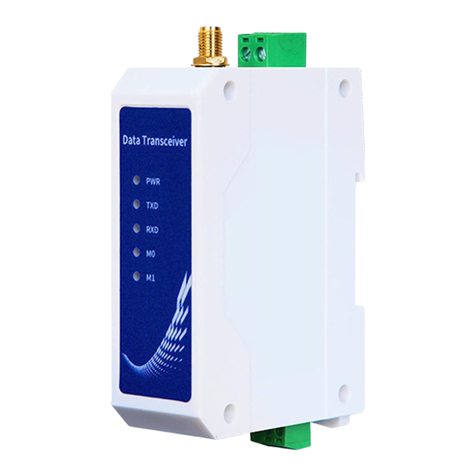
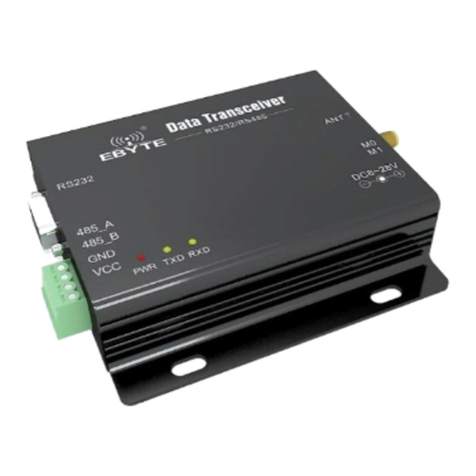
Chengdu Ebyte Electronic Technology Co,;Ltd E840-DTU(NB-02) user manual
Copyright ©2012–2019,Chengdu Ebyte Electronic Technology Co,;Ltd
2.2.1 Test Steps:
1. Insert the SIM card into E840-DTU(NB-02) and connect it to the computer according to the above mentioned
methods. Open the Xcom, set the parameters of corresponding UART NO. and baud rate(only 9600 is available)and
turn on the UART.
2. When powered on with the power adaptor provided by us, POWER indicator on and NET indicator blinking
shows that the transceiver is ready.
3. Wait for 3s-5s to use the serial AT command to access the module.
4. Normal network process
Neul // Waiting 3s after module is powered on
OK
AT+CFUN=1 // configure cfun,“1” means open all the function of module
OK
AT+CIMI //Inquire IMSI——Delay 3s to inquire to ensure the module can
recognize the card.
460012345678966
OK
AT+NBAND?
+NBAND:5 // Read the current frequency, “5” means
850MHz;
OK
AT+NCDP=139.199.157.166,2017//configure CDP server
OK
AT+NCDP? //read the current CDP server
+NCDP:139.199.157.166,2017
OK
AT+CGATT=1 //register network
OK
AT+CSQ //read the current signal intensity +CSQ:21,99 ;
OK
AT+CGATT? // Inquire the network status-it takes times for module to join network. Query within
30s until it is 1, “1” means connection already.
+CGATT:1
OK
AT+CEREG? //Inquire network registration status, “1” means success;
+CEREG:0,1
OK
Note: Before the module joining the network, the IMSI of sim must be registered in the core network, or it cannot
register the network.