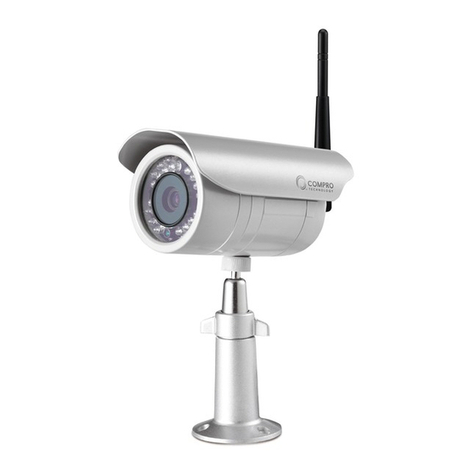
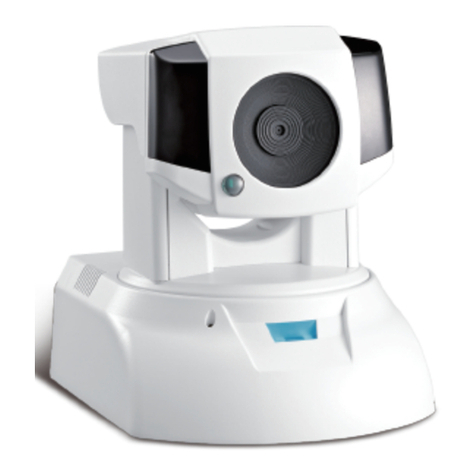
COMPRO IP540 User manual

Network Camera
IP540
IP540P
IP570
IP570P
Model No.
V149-101101

Copyright
© 2010 Compro Technology, Inc. All rights reserved.
Notices
This manual is only intended for the users of Compro IP540, IP540P, IP570, and IP570P network camera,
and is applicable for rmware release 1.499. The camera appears on the cover of this manual is a IP540
which may slightly dier with IP570 in appearance.
Before starting using the camera, please read and follow the steps below to protect your IP camera.
• PleaseplacetheIPcameraonalevelsurfaceandoutofdirectsunshine.
• PleasekeeptheIPcameraindoorsandawayfromwater,dust,humidityormagneticproducts.
• PleasedonotdroptheIPCamerabodytotheoor;itmaycausethedamagetomainparts.
• Pleasedonotdisassembleorremodeltheproduct;itmaycausedamageorre.
• Donotshake,moveordisturbtheIPcamerawhenitisinoperation,assuchactionsmayresultinthe
malfunction of the device.
• PowerotheIPCameraassoonasitisfoundsmokingorsmeltunusual.
• PleasedonotplacetheIPCameraaroundtheheatsources,suchastelevisionormicrowaveoven.
Trademark
Compro Technology and Compro VideoMate are the registered trademarks of Compro
Technology Inc.
Seedonk and Seedonk Messenger are registered trademarks of Seedonk Inc.
All other company and product names mentioned in this document are registered trademarks of the
respective companies.
Restriction
No part of this document may be copied or reproduced in any form or by any means without the prior
written consent of Compro Technology, Inc.
Disclaimer
Compro Technology makes no warranties with respect to this documentation and disclaims any implied
warranties of merchantability, quality, or fitness for any particular purpose. The information in this
document is subject to change without notice. COMPRO reserves the right to make revisions to this
publication without obligation to notify any person or entity of any such changes.
Compro Technology Inc.
www.comprousa.com
Tel. +886 2 2918 0169, Fax +886 2 2915 2389
4/F, No.12, Alley 6, Lane 45, Pao Shin Road
Hsintein City, Taipei, Taiwan.

Contents
Contents
Chapter 1: Product Overview ..................................................................................1-1
Package Contents .......................................................................................1-1
IP540(P) ..............................................................................................1-1
IP570(P) ..............................................................................................1-2
Features.................................................................................................1-3
IP540(P) Full Feature List: .............................................................................1-3
IP570(P) Full Feature List: .............................................................................1-4
ApplicationDiagram.....................................................................................1-5
Camera Layout ..........................................................................................1-6
LEDStatusIndicator .....................................................................................1-7
Chapter 2: Installation.........................................................................................2-1
Connecting the Cables...................................................................................2-1
Connecting Camera Using PoE Feature ...................................................................2-2
Wireless Connection .....................................................................................2-3
Mounting on the Wall or Ceiling..........................................................................2-4
Installing Camera Software. . . . . . . . . . . . . . . . . . . . . . . . . . . . . . . . . . . . . . . . . . . . . . . . . . . . . . . . . . . . . . . . . . . . . . . . . . . . . . .2-5
Running the iWizard Installer .........................................................................2-6
Installing ComproView ...............................................................................2-12
Chapter 3: Accessing Camera ..................................................................................3-1
Viewing Streaming Video ................................................................................3-1
Accessing via PC Web Browser ...........................................................................3-2
Accessing via iPhone/Smartphone .......................................................................3-5
Accessing via 3GPP Mobile Phone........................................................................3-6
Chapter 4: Live View...........................................................................................4-1
Page Layout - 540(P) .....................................................................................4-1
Page Layout - 570(P) .....................................................................................4-2
Icons on Live View Page..................................................................................4-3
Top Panel ............................................................................................4-3
Left Panel ............................................................................................4-3
Others ...............................................................................................4-4
Voice Communication ...................................................................................4-4
Chapter 5: Conguration ......................................................................................5-1
Main Setup Page ........................................................................................5-1
Video Settings ...........................................................................................5-2
Video Mode ..........................................................................................5-2
Stream Setting .......................................................................................5-2
Camera Settings .........................................................................................5-3
Video Properties......................................................................................5-3
White Balance ........................................................................................5-3
Backlight Compensation..............................................................................5-3
Flickerless ............................................................................................5-3
Exposure Control .....................................................................................5-3
Low Light Behavior ...................................................................................5-3
LEDIndicator.........................................................................................5-3
IR Light Control (IP70 only)............................................................................5-4
Embed Text and Image ...............................................................................5-4
Audio Settings...........................................................................................5-5
User Settings ............................................................................................5-5
Network Settings ........................................................................................5-6
Ethernet .............................................................................................5-6
Wireless ..............................................................................................5-6
NetworkDiagnostic ..................................................................................5-7

Compro IP540(P) / IP570(P)
Advanced ............................................................................................5-7
DDNS ................................................................................................5-7
UPnP.................................................................................................5-7
RTP ..................................................................................................5-7
PTZ Control .............................................................................................5-8
Preset Points .........................................................................................5-8
Patrol Mode ..........................................................................................5-9
Event Setup .............................................................................................5-10
Event Server Setup ...................................................................................5-10
Trigger Setup.........................................................................................5-10
MotionDetectionSetup ..............................................................................5-11
I/O Status ............................................................................................5-11
AudioDetection .....................................................................................5-11
DateSetup ..............................................................................................5-12
Multi-Camera............................................................................................5-12
Chapter 6: Event Viewer .......................................................................................6-1
Chapter 7: Maintenance .......................................................................................7-1
Information .............................................................................................7-1
Log .....................................................................................................7-1
Maintenance ............................................................................................7-1
ResetAllSettingstoDefault ..........................................................................7-2
Firmware Update .....................................................................................7-2
Chapter 8: Troubleshooting ...................................................................................8-1
Initial Hardware / Software Setup ........................................................................8-1
Installation ...........................................................................................8-1
iWizard ..............................................................................................8-1
Hardware wiring check ...............................................................................8-2
ResettotheFactoryDefaultSettings ..................................................................8-3
Trouble with the ActiveX Client ..........................................................................8-4
Remote Viewing via Internet Explorer ....................................................................8-6
DDNSSetup .............................................................................................8-7
Contacting Compro Technical Support ...................................................................8-8
Chapter 9: Technical Specications ............................................................................9-1
Chapter 10: Appendix ....................................................................................... 10-1
IP540(P) New Firmware Feature ........................................................................ 10-1
Active Bandwidth Management .................................................................... 10-1
Network Bandwidth ................................................................................ 10-1
Email Server........................................................................................ 10-1
Recording Setup ................................................................................... 10-2
SMS Notication.................................................................................... 10-3
10XDigitalZoom................................................................................... 10-3
Prole Management: .............................................................................. 10-4
Editable E-mail Subject: ............................................................................ 10-4
Compro Home Security Control Panel ............................................................... 10-4
IP540(P)/IP570(P) Available Video Modes ............................................................... 10-5
List of Figures and Tables............................................................................... 10-6

1-1
Chapter 1: Product Overview
Package Contents
Chapter 1: Product Overview
Package Contents
IP540(P)
Please check the package contents on your hand. If anything is missing, please don’t hesitate to contact your
local distributor.
Figure 1-1. IP540(P) Parts list
1IP540(P) Network Camera
2RJ-45 LAN Cable
3Power Adaptor (12V, 2A)
4Power Cable
5Wall mount plate
6InstallationCD
7Quick Start Guide
8Screw for ceiling mount x 3, screw mount x 3, camera pad x4
1
4
7
2
5
8
3
6

1-2
Compro IP540(P) / IP570(P)
IP570(P)
Figure 1-2. IP570(P) Parts list
1IP570(P) Network Camera
2RJ-45 LAN Cable
3Power Adaptor (12V, 2A)
4Power Cable
5Wall mount plate
6InstallationCD
7I/O Expansion Box
8Connection cable for I/O expansion box
9Screw for ceiling mount x 3, screw mount x 3,
camera pad x4
10 Quick Start Guide
Package Contents
1
4
7
10
2
5
8
3
6
9

1-3
Chapter 1: Product Overview
Features
Compro IP540(P) camera series oers an advanced 340-degree panning with 100-degree tilting mechanical
design for continuous movement, ideal for live monitoring locations such as home, warehouse, small
business or restaurant lobby area where there is a need for the camera to follow a person or objects.
IP540(P) Full Feature List
• 1/3”CMOSprogressivescansensor
• Pan,Tilt(Panof340degrees,Tiltof100degrees),2xprecisionzoom
• DayandnightfunctionalitywithmechanicalIRcutlterswitching
• Built-inIRLEDx12
• Supportsreal-timeH.264,MPEG-4andMJPEGcompression(TripleCodec)
• Supportsdualstreamssimultaneously
• Videoframerateisupto30framespersecondat640x480resolution
• Smartmotiondetection
• Two-wayaudiowithbuilt-inMIC(Externalspeakernotincluded)
• SupportsUPnP(Universalplugandplay)
• Supports10/100802.3/Ethernet
• Optional802.11b/g/nWLANupgrademodule
• Supportslocalstorage(microSD/SDHC)
• EasytoinstallwithIPCamWizard
• RemoteMonitoringon3GPPMobile
• Bundledwithapowerful32-channelIPvideomanagementsoftware---ComproView
• OptionalDigitalI/OboxforExternalSensorandAlarm(3In/3Out)
• SupportsPower-over-Ethernet(PoE)on540P
Features

1-4
Compro IP540(P) / IP570(P)
IP570(P) Full Feature List
• 1/4”CMOSprogressivescansensor
• Pan,Tilt(panof340degrees,tiltof100degrees),12xopticalzoomwithautofocus
• DayandnightfunctionalitywithmechanicalIRcutlterswitching
• Built-inIRLEDx12
• Supportsreal-timeH.264,MPEG-4andMJPEGcompression(TripleCodec)
• Supportsdualstreamssimultaneously
• Videoframerateisupto15framespersecondat1280x1024resolution
• Smartmotiondetection
• Two-wayaudiowithbuilt-inMIC(Externalspeakernotincluded)
• SupportsUPnP(Universalplugandplay)
• Supports10/100802.3/Ethernet
• Optional802.11b/g/nWLANupgrademodule
• Supportslocalstorage(microSD/SDHC)
• EasytoInstallwithIPCamWizard
• RemoteMonitoringfrom3GPPMobile
• Bundlewithpowerful32-channelIPvideomanagementsoftware---ComproView
• IncludesDigitalI/OboxforExternalSensorandAlarm(3In/3Out)
• SupportsPower-over-Ethernet(PoE)
IP570(P) Full Feature List

1-5
Chapter 1: Product Overview
Application Diagram
I/O Module
I/O Input
Sensor
I/O Output
Alarm
Wireless
Module
Video
Analytics
32-CH ComproView
iPhone
16-CH WebVUer
3rd-party NAS
3GPP
microSD/SDHC
Local Storage
Audio Input
Audio Output
Internet
Figure 1-3. Application diagram
Application Diagram

1-6
Compro IP540(P) / IP570(P)
Camera Layout
6 9 14131211105
21 43 7 8
Figure 1-4. Front and rear view of IP540(P) and 570(P)
1IRLEDsx6(12intotal)
2Light sensor
3Lens
4IRLEDsx6(12intotal)
5Microphone
6LEDstatusindicator
7USB Wireless adaptor connector
8Power connector
9Ethernet Port
10 I/O box connector
11 Audio Output
12 MicroSD/SDHCcardslot
13 Reset Button
14 Microphone Input
Camera Layout
Other manuals for IP540
2
This manual suits for next models
3
Table of contents
Other COMPRO Security Camera manuals

COMPRO
COMPRO TN900 User manual

COMPRO
COMPRO VideoMateIP50 User manual

COMPRO
COMPRO IP60 User manual

COMPRO
COMPRO TN65 User manual

COMPRO
COMPRO TN70 User manual

COMPRO
COMPRO CS530 User manual

COMPRO
COMPRO NC420 User manual

COMPRO
COMPRO TN50 User manual

COMPRO
COMPRO TN900R User manual

COMPRO
COMPRO TN3230 User manual

COMPRO
COMPRO IP55 User manual

COMPRO
COMPRO IP55 User manual

COMPRO
COMPRO TN96P User manual

COMPRO
COMPRO TN920P User manual

COMPRO
COMPRO TN80 User manual

COMPRO
COMPRO TN900R User manual

COMPRO
COMPRO IP55 User manual

COMPRO
COMPRO TN1500 User manual

COMPRO
COMPRO VideoMate IP50 User manual

COMPRO
COMPRO TN4230 User manual