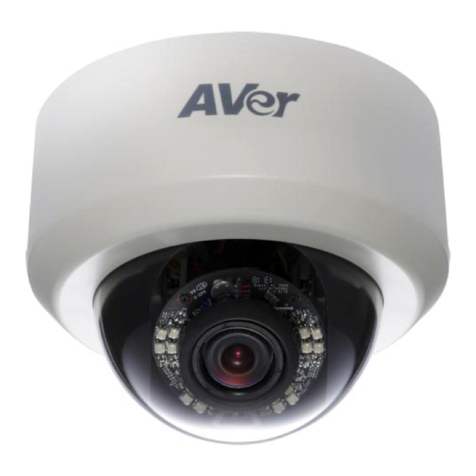
AVer FD1020 User manual

AVer FD1020
User Manual

Table of Contents
PREFACE ............................................................................................................................1
PRODUCT SPECIFICATIONS.............................................................................................1
PACKAGE CONTENTS.......................................................................................................5
PRODUCT INSTALLATION.................................................................................................6
MONITOR SETTING .............................................................................................................6
HARDWARE INSTALLATION AND I/OPIN ASSIGNMENT ..............................................................7
POWER OVER ETHERNET (POE)........................................................................................13
IPASSIGNMENT................................................................................................................14
FINDING IPCAMERA BY USING “NXU LITE RECORDING SOFTWARE”........................................14
FINDING IPCAMERA BY USING “AVER IPCAM UTILITY”.........................................................18
USING NON-DHCPSERVER/ROUTER NETWORK................................................................20
INSTALLACTIVEXCONTROL...............................................................................................22
USING THE IP CAMERA BROWSER INTERFACE..........................................................24
PREVIEW .........................................................................................................................24
SYSTEM >GENERAL .........................................................................................................27
SYSTEM >GENERAL >MAINTENANCE.................................................................................27
To Upgrade the IP Camera Firmware.......................................................................28
SYSTEM >GENERAL >DATE &TIME...................................................................................29
SYSTEM >USER MANAGEMENT .........................................................................................30
SYSTEM >NETWORK SETTING >SETTING...........................................................................32

SYSTEM >NETWORK SETTING >SEVER .............................................................................33
SYSTEM >NETWORK SETTING >DDNS.............................................................................34
SYSTEM >NETWORK SETTING >OTHER 1..........................................................................36
SYSTEM >NETWORK SETTING >OTHER 2..........................................................................38
SYSTEM >NETWORK SETTING >IPV6................................................................................42
SYSTEM >ADVANCE >HTTPS..........................................................................................43
SYSTEM >ADVANCE >SNMP ...........................................................................................45
SYSTEM >ADVANCE >ACCESS LIST ...................................................................................47
SYSTEM >ADVANCE >QOS/DSCP ...................................................................................48
SYSTEM >IMAGE..............................................................................................................49
SYSTEM >IMAGE>OSD ...................................................................................................49
SYSTEM >IMAGE >PREFERENCE.......................................................................................50
SYSTEM >IMAGE>ADVANCED ...........................................................................................51
SYSTEM >IMAGE>PRIVACY MASK .....................................................................................53
SYSTEM >VIDEO STREAM >GENERAL ...............................................................................54
SYSTEM >VIDEO STREAM >STREAM1...............................................................................54
SYSTEM >VIDEO STREAM >STREAM2...............................................................................56
SYSTEM >VIDEO STREAM >STREAM3...............................................................................58
SYSTEM >AUDIO..............................................................................................................59
SYSTEM >SD CARD.........................................................................................................60
EVENT >ARRANGEMENT >MOTION....................................................................................61
EVENT >ARRANGEMENT >PREFERENCE ............................................................................62
EVENT >SCHEDULE .........................................................................................................63
STATUS INFORMATION .......................................................................................................67

NETWORK CONFIGURATION..........................................................................................68
FACTORY DEFAULT .........................................................................................................70
TROUBLESHOOTING.......................................................................................................71
APPENDIX.........................................................................................................................72
FCC NOTICE (CLASS A)...................................................................................................73
COPYRIGHT......................................................................................................................73
NOTICE..............................................................................................................................73
WARNING..........................................................................................................................73
LIMITED WARRANTY .......................................................................................................74
LIMITATIONS OF WARRANTY .........................................................................................74
DISCLAIMER OF WARRANTY .........................................................................................74
LIMITATION OF LIABILITY ...............................................................................................75
GOVERNING LAW AND YOUR RIGHTS ..........................................................................75

1
Preface
The FD1020 is a 1 / 4” Mega-Pixel CMOS sensor IP camera with a built-in web server. The user can
view real-time video via IE browser. It supports H.264, and M-JPEG video compression, providing
smooth and high video quality. The video can be stored in Micro SD card and playback remotely.
With a user friendly interface, it is an easy-to-use IP camera for security applications.
Product Specifications
Real Time HD 720P
Digital Wide Dynamic Range
Adjustable Shutter Speed
3D+2D Digital Noise Reduction
Adjustable Sense Up
Day & Night Manual Switch Time Control
Power over Ethernet
Built-in IR LED, 5M Available
2-way Audio
H.264/ M-JPEG Compression
Micro SD Card Backup(Optional)
Support iPhone/Android/Mac
SDK for Software Integration
Free Bundle 32CH Recording Software

2
Specifications
Hardware
CPU
Multimedia SoC
RAM
128MB
Flash
16M
Image sensor
1 / 4” Mega-Pixel CMOS sensor
Lens type
2.8mm @ F1.8
ViewAngle
74.1°(H), 48.9°(V)
Shutter time
1/10~1/24,000 sec
Min.illumination
Color : 0.3 Lux (IR LED ON)
B / W: 0 Lux (IR LED ON)
ICR
Mechanism IR cut Filter
Audio Input/Output
G.711(64K) and G.726(32K,24K)
Input : Mic built-in
Output: External Line out
IR distance
5 Meter
Power Over Ethernet
Yes
Power Consumption
DC 12V Max: 2.52W(IR ON); 1.92W(IR Off)
PoE Max: 802.3af, 3.36W (IR ON); 2.88W(IR Off)
Operation Temperature
0°C ~ 45°C
Dimensions
100mm () x 49mm (H)
Weight
180g
Network
Ethernet
10/ 100 Base-T
Network Protocol
IPv6, IPv4, HTTP, HTTPS, SNMP, QoS/DSCP, Access
list, RTSP, TCP/ IP, UDP, SMTP, FTP, PPPoE, DHCP,
DDNS, NTP, UPnP, 3GPP, SAMBA, Bonjour

3
System
Video Resolution
1280x800@30fps,1280x720@30fps,800x600@30fps,
640x480@30fps, 320x240@30fps, 176x144@30fps
Video Adjust
Brightness, Contrast, Hue, Saturation, Sharpness,
AGC, Shutter Time, Sense-up, D-WDR, Lens
Distortion Correction, Flip, Mirror, Day&Night
adjustable, Red Gain and Blue Gain, Denoise, Anti fog
Triple Streaming
Yes
Image snapshot
Yes
Full screen monitoring
Yes
Privacy Mask
Yes, 5 different areas
Compression format
H.264/ M-JPEG
Video bitrate adjust
CBR, VBR
Motion Detection
Yes, 3 Different Areas
Triggered action
Mail, FTP, Save to SD card, SAMBA, DO
Pre/ Post alarm
Yes (Pre: 5 secs/ Post: 5 secs)
Security
Password protection, IP address filtering, HTTPS
encrypted data transmission, QoS/DSCP
Firmware upgrade
HTTP mode, can be upgraded remotely
Simultaneous connection
Up to 10
Audio
Yes, 2-way (mono)
MicroSD/SDHC card management
Recording trigger
Motion Detection, IP check, Network break down (wire
only),Schedule, DI
Video format
AVI, JPEG
Video playback
Yes
Delete files
Yes

4
Web browsing requirement
OS
Windows 7, XP
Microsoft® IE 8.0 or above
[Note] Please enable “Compatibility View” while using
IE 10 or above.
Hardware Suggested
iOS 4.3 or above,Android 1.6 or above.
Mobil support
Intel Dual Core 2.53G
RAM: 1024MB
Graphic card: 128MB
*SPECIFICATIONS ARE SUBJECT TO CHANGE WITHOUT NOTICE.

5
Package contents
Item
Descriptions
1. FD1020
2. Power Adaptor (Optional item)
3. Wall plus
4. Screw
5. CD (User’s Manual and Quick Guide, NVR
software included)

6
Product Installation
Monitor Setting
1. Right-click on the desktop. Select “ Properties”
2. Change “Color quality” to “Highest (32-bit)”.
Other manuals for FD1020
1
Table of contents
Other AVer Security Camera manuals