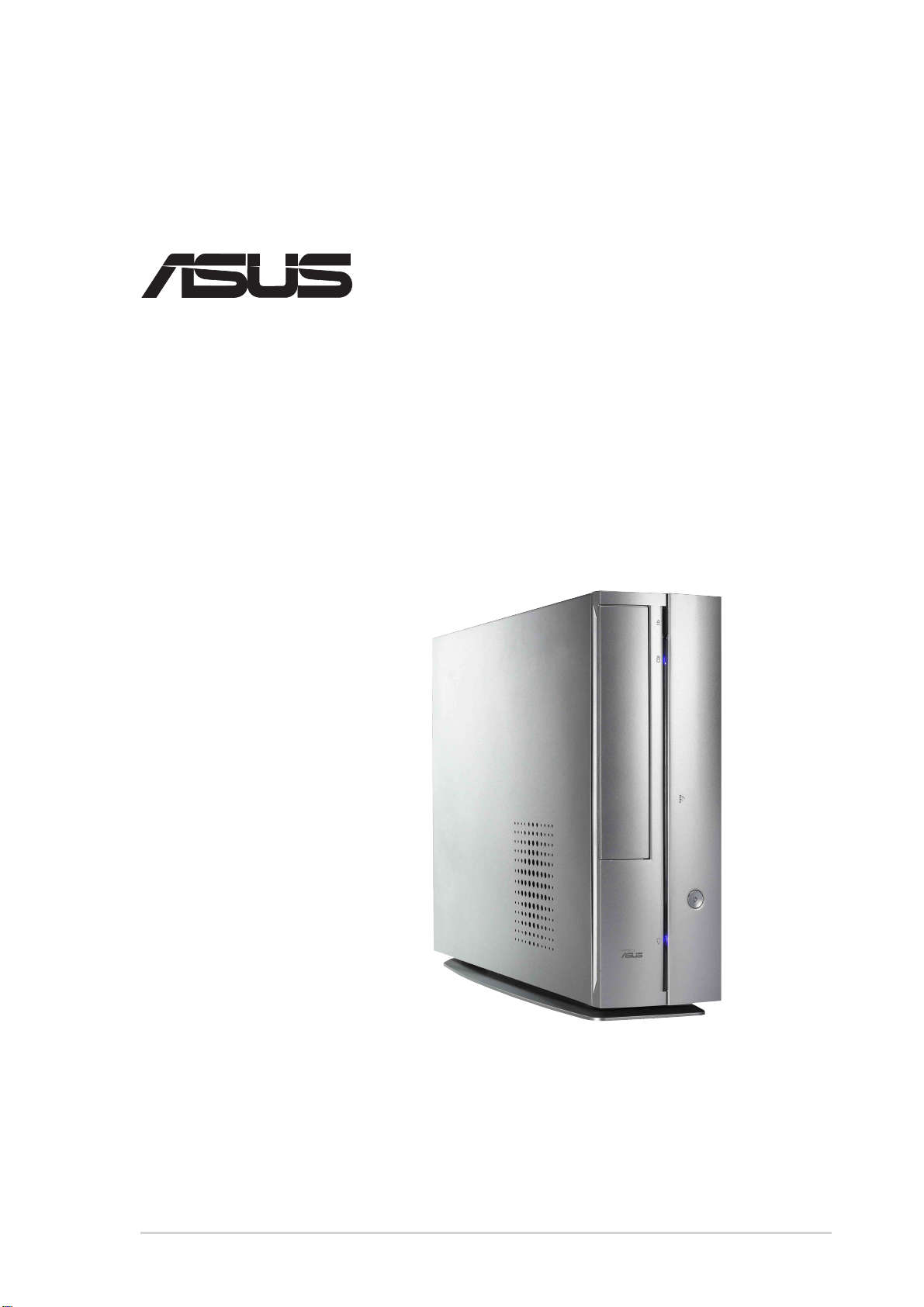
Asus Pundit-S User manual

i
Book Size Barebone System
®
User’s Guide
AB-P 2600

ii
Checklist
Disclaimer/Copyrights
Product Name: ASUS Barebone System
Manual Revision: First Edition V1 E1181
Release Date: December 2002
Copyright © 2002 ASUSTeK COMPUTER INC. All Rights Reserved.
No part of this manual, including the products and software described in it, may be
reproduced, transmitted, transcribed, stored in a retrieval system, or translated into any
language in any form or by any means, except documentation kept by the purchaser for
backup purposes, without the express written permission of ASUSTeK COMPUTER INC.
(“ASUS”).
Product warranty or service will not be extended if: (1) the product is repaired, modified or
altered, unless such repair, modification of alteration is authorized in writing by ASUS; or (2)
the serial number of the product is defaced or missing.
ASUS PROVIDES THIS MANUAL “AS IS” WITHOUT WARRANTY OFANY KIND, EITHER
EXPRESS OR IMPLIED, INCLUDING BUT NOT LIMITED TO THE IMPLIED WARRANTIES
OR CONDITIONS OF MERCHANTABILITY OR FITNESS FORA PARTICULAR PURPOSE.
IN NO EVENT SHALLASUS, ITS DIRECTORS, OFFICERS, EMPLOYEES OR AGENTS BE
LIABLE FOR ANY INDIRECT, SPECIAL, INCIDENTAL, OR CONSEQUENTIAL DAMAGES
(INCLUDING DAMAGES FOR LOSS OF PROFITS, LOSS OF BUSINESS, LOSS OF USE
OR DATA, INTERRUPTION OF BUSINESS AND THE LIKE), EVEN IF ASUS HAS BEEN
ADVISED OF THE POSSIBILITY OF SUCH DAMAGES ARISING FROM ANY DEFECT OR
ERROR IN THIS MANUAL OR PRODUCT.
SPECIFICATIONS AND INFORMATION CONTAINED IN THIS MANUALARE FURNISHED
FOR INFORMATIONAL USE ONLY, AND ARE SUBJECT TO CHANGE AT ANY TIME
WITHOUT NOTICE,AND SHOULD NOT BE CONSTRUEDAS ACOMMITMENT BYASUS.
ASUS ASSUMES NO RESPONSIBILITY OR LIABILITY FOR ANY ERRORS OR
INACCURACIES THAT MAYAPPEAR IN THIS MANUAL, INCLUDING THE PRODUCTS
AND SOFTWARE DESCRIBED IN IT.
Products and corporate names appearing in this manual may or may not be registered
trademarks or copyrights of their respective companies, and are used only for identification or
explanation and to the owners’ benefit, without intent to infringe.

iii
Features
Table of contents
Disclaimer/Copyrights................................................................................. ii
FCC/CDC statements ................................................................................ iv
Safety information...................................................................................... vi
About this guide .........................................................................................vii
ASUS contact information.......................................................................... ix
System package contents........................................................................... x
Chapter 1: System Introduction.......................................... 1-1
1.1 Front Panel Features .....................................................................1-2
1.2 Rear Panel Features .....................................................................1-3
1.3 Internal Features ...........................................................................1-4
Chapter 2: Basic Installation............................................... 2-1
2.1 Opening the chassis ......................................................................2-2
2.2 Removing the disk drive assembly ................................................2-4
2.3 Installing the system memory ........................................................2-5
2.4 Installing the CPU ..........................................................................2-6
2.5 Installing CPU heatsink and fan ....................................................2-8
2.6 Installing a CD/DVD-ROM drive ..................................................2-10
2.7 Installing a hard disk drive ...........................................................2-12
2.8 Replacing chassis cover ..............................................................2-13
2.9 Connect External Devices ...........................................................2-14
2.10 Power Supply Specifications .......................................................2-15
2.10.1 Input Characteristics ....................................................2-15
2.10.2 Output Characteristics .................................................2-15
2.10.3 Over-Voltage Protection (OVP)....................................2-15
Chapter 3: Optional Procedures ......................................... 3-1
3.1 Removing the PCI I/O cover ..........................................................3-2
3.2 Installing a PCI expansion card .....................................................3-3
Chapter 4: System Placement............................................. 4-1
4.1 Vertical placement .........................................................................4-2
Chapter 5: Motherboard Information.................................. 5-1
5.1 Motherboard components..............................................................5-2
5.2 Motherboard layout........................................................................5-5
5.3 Before you proceed .......................................................................5-6

iv
5.4 Central Processing Unit (CPU) ......................................................5-6
5.5 System memory.............................................................................5-7
5.6 Expansion slots .............................................................................5-7
5.6.1 Configuring an expansion card ......................................5-7
5.6.2 Standard Interrupt Assignments.....................................5-8
5.7 Jumpers .........................................................................................5-9
5.8 Connectors ..................................................................................5-12
Chapter 6: BIOS Information............................................... 6-1
6.1 Managing and updating the BIOS .................................................6-2
6.1.1 Using ASUS EZ Flash to update the BIOS .................... 6-2
6.1.2 Using AFLASH to update the BIOS ............................... 6-4
6.1.3 CrashFree BIOS feature ................................................ 6-8
6.2 BIOS Setup program .....................................................................6-9
6.2.1 BIOS menu bar ............................................................6-10
6.2.2 Legend bar...................................................................6-10
6.3 Main Menu ................................................................................... 6-12
6.3.1 Primary and Secondary Master/Slave ......................... 6-14
6.3.2 Keyboard Features ......................................................6-18
6.4 Advanced Menu...........................................................................6-19
6.4.1 Chip Configuration .......................................................6-21
6.4.2 I/O Device Configuration..............................................6-24
6.4.3 PCI Configuration.........................................................6-25
6.4.3.1 Onboard PCI Devices Control..........................6-26
6.4.3.2 PCI IRQ Resource Exclusion...........................6-27
6.5 Power Menu ................................................................................6-28
6.5.1 Power Up Control.........................................................6-30
6.5.2 Hardware Monitor ........................................................6-32
6.6 Boot Menu ...................................................................................6-34
6.7 Exit Menu.....................................................................................6-36
Chapter 7: Starting up .......................................................... 7-2
7.1 Install an operating system ............................................................7-2
7.2 Support CD information .................................................................7-2
7.2.1 Running the support CD ................................................7-2
7.2.2 Installation menus ..........................................................7-3
7.2.3 Software and drivers description....................................7-3
7.3 Software information......................................................................7-5
7.3.1 ASUS Update.................................................................7-5
7.3.2 ASUS PC Probe.............................................................7-6

v
FCC/CDC statements
Federal Communications Commission Statement
This device complies with FCC Rules Part 15. Operation is subject to the
following two conditions:
• This device may not cause harmful interference, and
• This device must accept any interference received including
interference that may cause undesired operation.
This equipment has been tested and found to comply with the limits for a
Class B digital device, pursuant to Part 15 of the FCC Rules. These limits
are designed to provide reasonable protection against harmful interference
in a residential installation. This equipment generates, uses and can
radiate radio frequency energy and, if not installed and used in
accordance with manufacturer’s instructions, may cause harmful
interference to radio communications. However, there is no guarantee that
interference will not occur in a particular installation. If this equipment does
cause harmful interference to radio or television reception, which can be
determined by turning the equipment off and on, the user is encouraged to
try to correct the interference by one or more of the following measures:
• Reorient or relocate the receiving antenna.
• Increase the separation between the equipment and receiver.
• Connect the equipment to an outlet on a circuit different from that to
which the receiver is connected.
• Consult the dealer or an experienced radio/TV technician for help.
Canadian Department of Communications Statement
This digital apparatus does not exceed the Class B limits for radio noise
emissions from digital apparatus set out in the Radio Interference
Regulations of the Canadian Department of Communications.
This class B digital apparatus complies with Canadian ICES-003.
WARNING!
The use of shielded cables for connection of the monitor to the
graphics card is required to assure compliance with FCC
regulations. Changes or modifications to this unit not expressly
approved by the party responsible for compliance could void the
user’s authority to operate this equipment.

vi
Safety information
Electrical safety
• To prevent electrical shock hazard, disconnect the power cable from
the electrical outlet before relocating the system.
• When adding or removing devices to or from the system, ensure
that the power cables for the devices are unplugged before the
signal cables are connected.
• Before connecting or removing cables from the motherboard,
ensure that all power cables are unplugged.
• Seek professional assistance before using an adapter or extension
cord. These devices could interrupt the grounding circuit.
• Make sure that your power supply is set to the correct voltage in
your area. If you are not sure about the voltage of the electrical
outlet you are using, contact your local power company.
• If the power supply is broken, do not try to fix it by yourself. Contact
a qualified service technician or your retailer.
Operation safety
• Before installing devices into the system, carefully read all the
documentation that came with the package.
• Before using the product, make sure all cables are correctly
connected and the power cables are not damaged. If you detect any
damage, contact your dealer immediately.
• To avoid short circuits, keep paper clips, screws, and staples away
from connectors, slots, sockets and circuitry.
• Avoid dust, humidity, and temperature extremes. Do not place the
product in any area where it may become wet.
• Place the product on a stable surface.
• If you encounter technical problems with the product, contact a
qualified service technician or your retailer.

vii
About this guide
Audience
This guide provides general information and installation instructions about
the ASUS Book Size Barebone System. This guide is intended for
experienced users and integrators with hardware knowledge of personal
computers.
How this guide is organized
This document contains the following parts:
1. Chapter 1: System Introduction
This chapter gives a general description of the ASUS book size
barebone system. It includes introduction on the front and rear
panel features, and the internal features.
2. Chapter 2: System Assembly
This chapter tells how to install components into the barebone system
through illustrated step-by-step instructions.
3. Chapter 3: Optional Components
This chapter detail steps in installing other optional components that
can be included in the system .
4. Chapter 4: System Placement
This chapter describes proper system placement for system safety
and compliment space saving design.
5. Chapter 5: Motherboard Information
This chapter gives information about the P4S8L motherboard that
came with the system.This chapter includes the motherboard layout,
jumper settings, and connector locations. It also includes information
on the USB/audio board located on the front panel.
6. Chapter 6: BIOS information
This chapter tells how to change system settings through the BIOS
Setup menus. It includes detailed descriptions of the BIOS
parameters.
7. Chapter 7: Starting up
This chapter helps you power up your system and install drivers and
utilities that came with the support CD.

viii
Safeguards
Conventions used in this guide
WARNING!
Information to prevent injury to yourself when trying to
complete a task.
DANGER!
Information to prevent damage to the components when
trying to complete a task.
IMPORTANT
Information that you MUST follow to complete a task.
NOTE
Tips and additional information to aid in completing a
task.
Where to find more information
Refer to the following sources for additional information and for product
and software updates.
1. ASUS Websites
The ASUS websites worldwide provide updated information on
ASUS hardware and software products. TheASUS websites are
listed on page ix.
2. Optional Documentation
Your product package may include optional documentation, such
as warranty flyers, that may have been added by your dealer.
These documents are not part of the standard package.
About this guide

ix
ASUS contact information
ASUSTeK COMPUTER INC. (Asia-Pacific)
Address: 150 Li-Te Road, Peitou, Taipei, Taiwan 112
General Tel: +886-2-2894-3447
General Fax: +886-2-2894-3449
Technical Support
MB/Others (Tel): +886-2-2890-7121 (English)
Notebook (Tel): +886-2-2890-7122 (English)
Desktop/Server (Tel): +886-2-2890-7123 (English)
Support Fax: +886-2-2890-7698
Web Site: www.asus.com.tw
Newsgroup: cscnews.asus.com.tw
ASUS COMPUTER INTERNATIONAL (America)
Address: 6737 Mowry Avenue, Mowry Business Center,
Building 2, Newark, CA 94560, USA
General Fax: +1-510-608-4555
Technical Support
Support Fax: +1-510-608-4555
General Support: +1-502-933-8713
Web Site: www.asus.com
ASUS COMPUTER GmbH (Germany & Austria)
Address: Harkortstr. 25, 40880 Ratingen, BRD, Germany
General Fax: +49-2102-442066
Technical Support
Support Hotline: MB/Others: +49-2102-9599-0
Notebook (Tel): +49-2102-9599-10
Support Fax: +49-2102-9599-11
Support (Email): www.asuscom.de/de/support (for online support)
Web Site: www.asuscom.de

x
System package contents
Check your ASUS Barebone System package for the following items:
1. Barebone system
2. Motherboard
3. Switching power supply
4. Support CD
5. User’s guide
1. Optional items may not be present in your package.
2. If any of the above items is damaged or missing, contact your
dealer immediately.
If you are assembling the system by yourself, make sure to
prepare all the components before starting. It saves you a lot of
time not having to hunt down components when you need them.
This manual suits for next models
1
Table of contents
Other Asus Desktop manuals

Asus
Asus B203 User manual

Asus
Asus M12AD User manual

Asus
Asus Essentio CP3130 User manual

Asus
Asus BP1AE Owner's manual

Asus
Asus VivoMini VM45 User manual

Asus
Asus ET2020INKI User manual

Asus
Asus V6-P7H55E User manual

Asus
Asus Essentio CM6870 User manual

Asus
Asus AAEON RTC-1010M User manual

Asus
Asus VivoPC Barebone User manual

Asus
Asus AS-M5100 User manual

Asus
Asus EeeTop ET1610P User manual

Asus
Asus AS-D260 User manual

Asus
Asus V4 Series User manual

Asus
Asus M32CD User manual

Asus
Asus PD500TE User manual

Asus
Asus BT1AE User manual

Asus
Asus T3-M2NC51PV - T Series - 0 MB RAM User manual

Asus
Asus Terminator P4 533A User manual

Asus
Asus Essentio CM6340 User manual