Akai ACVDS727 User manual
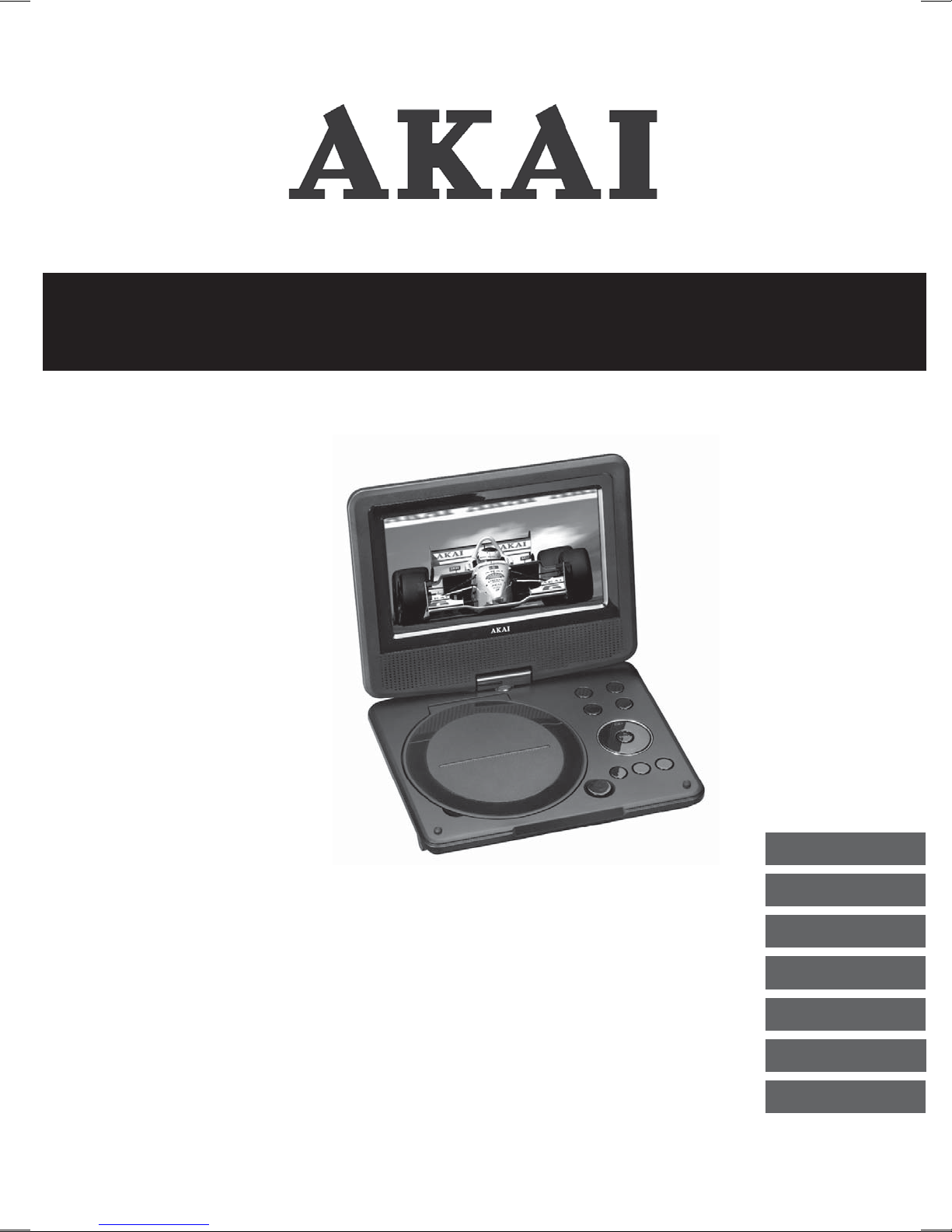
Portable DVD player 7”
ALD1915H
GB 2
NL 20
FR 39
ES 58
DA116
DE 77
EL 97
User manual
Gebruiksaanwijzing
Manuel de l’utilisateur
Manual de instrucciones
Gebrauchsanleitung
Οδηγίες χρήσεως
Brugsanvisning
ACVDS727

Table of contents
Copyright notice
Design and specifications are subject to change without notice.
1. Safety........................................................................... 3
1.1 Intended use ....................................................................3
1.2 Labels in this manual .......................................................3
1.3 General safety instructions ..............................................4
2. Preparations for use................................................... 4
2.1 Unpacking........................................................................4
2.2 Package contents ............................................................5
3. Installation................................................................... 5
3.1 Connecting random equipment........................................6
3.2 Connecting to a power source .........................................7
3.3 Cordless operation...........................................................7
3.4 Remote control.................................................................7
4. Functions..................................................................... 8
4.1 DVD player.......................................................................8
4.2 Remote control.................................................................9
5. Operation................................................................... 10
5.1 Quick start......................................................................10
5.2 DVD/CD functions..........................................................11
5.3 General setup page .......................................................13
6. Cleaning and maintenance ...................................... 14
6.1 Handle and care of a disc ..............................................15
7. Troubleshooting........................................................ 15
8. Technical data........................................................... 17
9. Disposal of used electrical
and electronic equipment ........................................ 19

3
ACVDS727
Safety1.
Intended use1.1
The DVD Player plays film and photos from DVD, USB and memory card.
The appliance also plays music from CD. Read the manual carefully before
first use.
2DVDs and DVD appliances are manufactured under the worldwide
agreed DVD regional code system that the appliance will operate
only with corresponding disc of the same regional code. If the code
number on the label of a DVD does not match that on the label
alongside, the DVD will not play on this appliance.
iThe appliance has built-in copyright protection technology that
prevents copying from a disc to any media. If a video recorder is
connected to the appliance, the video output image will be distorted
during recording.
iDue to the great variety of products with external memory
connection (USB, SD/MMC, etc.) and their sometimes quite
manufacturer-specific functions we can neither guarantee that all
devices will be recognised, nor that all operating options that are
possible in theory will actually work.
Labels in this manual1.2
!WARNING
A warning means that injury or death is possible if the instructions
are not obeyed.
!CAUTION
A caution means that damage to the equipment is possible.
i
A note gives additional information, e.g. for a procedure.

4
General safety instructions1.3
!WARNING
Do not put force on the appliance. The appliance can fall and can
cause serious injury.
!CAUTION
Do not spill any liquid on the appliance.
!WARNING
Do not insert any objects in the ventilation holes.
!CAUTION
Do not block the ventilation holes.
iThis appliance is double insulated; therefore no earth wire is
required. Always check that the mains voltage corresponds to the
voltage on the rating plate. Never attempt to replace the adaptor
plug with a regular mains plug.
LThis appliance employs a laser system. To prevent direct exposure
to the laser beam, do not open the appliance.
Visible laser radiation when open and interlock defeated.
Preparations for use2.
Unpacking2.1
● Unpack the appliance carefully.
● Check the package contents as described below. If any item is missing,
please contact your reseller.
● Remove the labels from the front panel carefully if present.

5
ACVDS727
iWe recommend that you retain the original carton and packing
materials in case it ever becomes necessary to return your product
for service. This is the only way to safely protect the product
against damage in transit. If you do dispose of the carton and the
packing materials, please remember to recycle with due care to the
environment.
Package contents2.2
The following items are included in the received package:
1 Portable DVD player
1 AC/DC adaptor + cable
1 Remote control
1 Battery cell (CR2025)
1 Operator manual
i
If any item is missing, please contact your reseller.
Installation3.
● Put the appliance on a horizontal flat surface.
● Connect the appliance to a power source.
Read the paragraph "Connecting to a power source".
● Install the batteries in the remote control.
Read the paragraph "Remote control".
!
CAUTION
● Do not put the appliance near a heat source.
● Do not expose the appliance to direct sunlight.
6
iThis appliance is equipped with rubber feet to prevent it from
moving. The feet are made from non-migrating material specially
formulated to avoid leaving any marks or stains on furniture.
However, certain types of furniture polishes, wood preservatives or
cleaning sprays cause the rubber to soften and leave marks or a
residue on the furniture, and potentially risk the surface to become
damaged. To prevent damage to wooden surfaces, we recommend
that you apply self-adhesive pads to the bottom of the rubber feet
before installation.
Connecting random equipment3.1
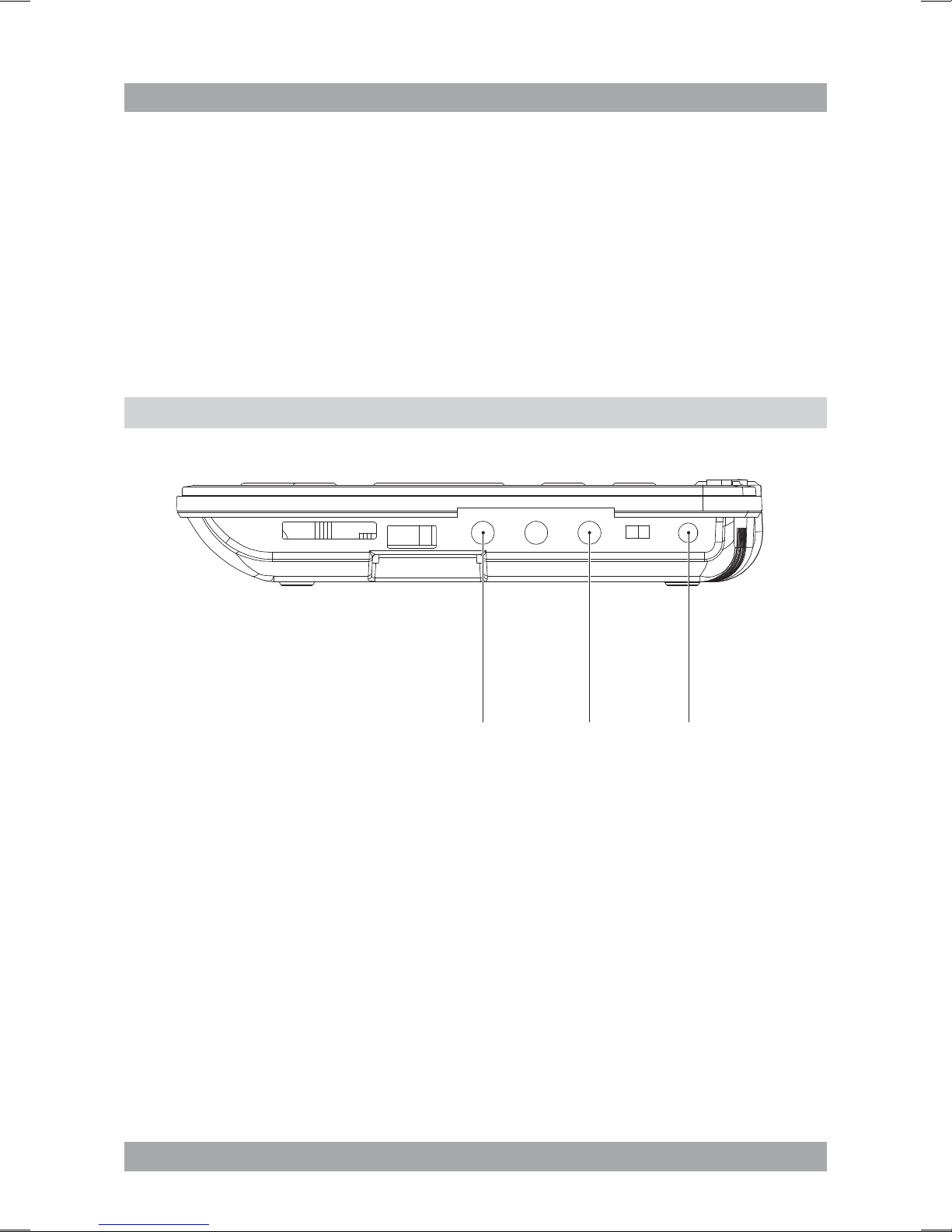
AV OUT COAXIAL DC IN 9-12 V
The appliance includes various options for permanent connection of random
equipment. Suitable cables can be purchased at your reseller.
Audio/video connections (output)
These connections allow you to send audio/video signal to a connected TV
or amplifier.
● AUDIO/VIDEO OUT: Connect a suitable cable to the AV OUT connection.
Coaxial connection (output)
This connection allow you to send digital audio signal to a connected digital
amplifier.
● COAXIAL: Connect a suitable cable to the COAXIAL connection.

7
ACVDS727
Connecting to a power source3.2
Connecting to the mains
For this connection the AC/DC adaptor + cable has to be used.
● Connect the adaptor plug on the adaptor cable to the DC IN 9-12 V
connection.
● Connect the mains plug to a wall socket.
Cordless operation3.3
The appliance can also be operated cordless. For this purpose, the appliance
uses an internal battery pack. The battery pack has to be charged first.
iWhilst the appliance is connected to the power source, its battery is
charged automatically. When the battery is fully charged,
the charging process is completed.
Remote control3.4
Installing the battery
● Press the catch and at the same time
pull out the battery tray.
● Insert 1 lithium battery, type CR2025 3V
battery with the stamped (+) mark facing
upward.
● Insert the battery tray into the remote
control.

8
Functions4.
DVD player4.1
180
5
7
10
6
4
11
9
8
3
1
2
12 13 14 15 161718
1 SOURCE button
2 MENU button
3 VOL- button
4 VOL+ button
5 ENTER button
6 Arrow buttons
7 STOP button
8 SETUP button
9 PLAY/PAUSE button
10 OPEN button
11 Disc compartment
12 SD/MS/MMC card slot
13 USB slot
14 AV OUT connection
15 Headphone jack
16 COAXIAL connection
17 ON/OFF switch
18 DC IN 9-12 V connection

9
ACVDS727
Remote control4.2
19 OSD button
20 SEARCH button
21 Digit buttons (0-10+)
22 SUBTITLE button
23 ANGLE button
24 TITLE button
25 Arrow buttons
26 ENTER button
27 SETUP button
28 REPEAT button
29 AB button
30 PROGRAM button
31 DISPLAY button
32 REV button
33 FWD button
34 PREV button
35 NEXT button
36 VOL- button
37 VOL+ button
38 MENU button
39 STOP button
40 PLAY/PAUSE button
41 AUDIO button
42 PBC button
43 STEP button
44 MUTE button
45 SOURCE button
i
The arrow buttons are buttons for navigation in the DVD menu.
1234
5678
90
10+
VOL -
VOL+
REPEAT
SEARCH
TITLE
ENTER
MENU
STEP
SUBTITLE
ANGLE AUDIO PBC
SETUP
AB
DISPLAY
OSD MUTE SOURCE
45
41
37
43
40
39
32
33
35
34
42
36
38
44
23
22
30
28
29
27
26
25
31
24
20
19
21

10
Operation5.
All functions of the appliance are accessible using the remote control.
All instructions refer to operation with the remote control, unless indicated
otherwise.
Quick start5.1
General functions
● To switch on the appliance, slide the ON/OFF switch (17) to the ON
position. To switch off the appliance, slide the ON/OFF switch (17) to the
OFF position.
● To adjust the volume, press the VOL+ button (37) or the VOL- button (36).
● To mute or restore sound, press the MUTE button (44).
● To select the source mode (DVD/CD, USB, SD/MMC), press the SOURCE
button (45).
● To connect a headphone, insert the cable plug in the headphone jack (15).
To prevent hearing damage, remember to adjust the volume to a
comfortable level.
DVD/CD functions
● Switch on the appliance.
● Select the DVD mode.
● To insert a disc:
Press the OPEN button (10) to open the disc compartment (11).•
Insert the disc with the label upwards.•
Close the disc compartment (11).•
The display shows the total number of tracks on the CD.
● To start playback, press the PLAY/PAUSE button (40) once.
● For extended instructions, read the paragraph "DVD/CD functions" further
on in this manual.
USB functions (no disc in player)
● Switch on the appliance.
● Insert the USB device in the slot (13). The device can only be connected
one way.
● Select the USB mode.
● To start playback, press the PLAY/PAUSE button (40) once.
● Use the arrow buttons (25) to select a folder or a file.
Other manuals for ACVDS727
1
This manual suits for next models
1
Table of contents
Other Akai Portable DVD Player manuals

Akai
Akai APV-4300MB User manual

Akai
Akai A51006 User manual

Akai
Akai AKPDVD702D User manual

Akai
Akai ACVDS731UXT User manual

Akai
Akai AKPD-890 User manual

Akai
Akai ACVDS715UX User manual

Akai
Akai ACVDS935T User manual

Akai
Akai ADP-841 User manual

Akai
Akai ACVDS940UCX User manual

Akai
Akai ACVDS735 User manual