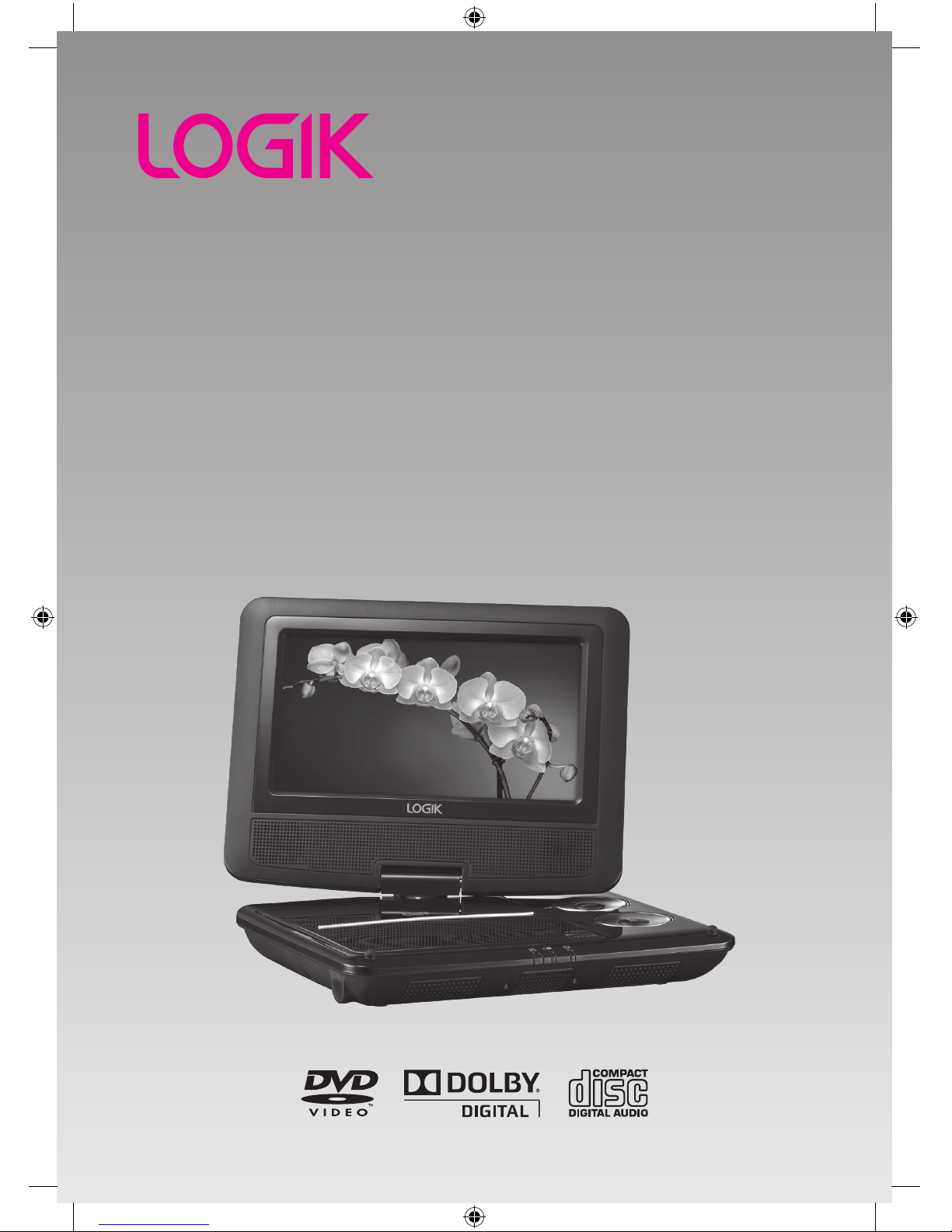
Logik L7SPDVD11 User manual

7” Portable DVD Player
Instruction Manual
L7SPDVD11
L7SPDVD11_IB_110322_Zell.indd 1 22/03/2011 12:14 PM

L7SPDVD11_IB_110322_Zell.indd 2 22/03/2011 12:14 PM

L7SPDVD11_IB_110322_Zell.indd 3 22/03/2011 12:14 PM

Contents
Unpacking.....................................................................................................................6
Product Overview.........................................................................................................7
Front View..............................................................................................................................................7
Right Side View....................................................................................................................................8
Remote Control.............................................................................................................9
Removing the Insulating Strip from the Remote Control ...................................... 11
Battery Installation for the Remote Control............................................................ 11
How to Swivel the Display......................................................................................... 12
Swivel Mode ...................................................................................................................................... 12
Handheld Mode ...............................................................................................................................12
Remote Control Operation Range............................................................................ 13
Power Supply ............................................................................................................. 13
Mains Power ......................................................................................................................................13
Charging the Battery ......................................................................................................................14
Using the Car Power Adapter (for in-car use) ........................................................................14
Connections ............................................................................................................... 15
Connecting to a TV..........................................................................................................................15
Connecting to a Multi-channel Audio Receiver....................................................................15
Using Earphones..............................................................................................................................15
Using a USB Device or and SD/MMC/MS Card ......................................................... 16
General Operation...........................................................................................................................16
Compatible Disc Types .............................................................................................. 17
Supported Formats.........................................................................................................................17
Region Code ......................................................................................................................................17
Turning On the DVD Player....................................................................................... 18
Basic Playback............................................................................................................ 18
Basic DVD Playback.........................................................................................................................18
Pausing Playback .............................................................................................................................19
Selecting Chapter / Title time / Chapter time (for DVD) ....................................................19
Selecting Disc GOTO / Track GOTO / Select Track (for CD) ................................................19
Stop Playback....................................................................................................................................19
Previous and Next............................................................................................................................ 19
Fast Forward and Fast Reverse....................................................................................................19
Repeat Mode .....................................................................................................................................20
Slow ......................................................................................................................................................20
L7SPDVD11_IB_110322_Zell.indd 4 22/03/2011 12:14 PM

Angle Selection ................................................................................................................................20
Audio Channel..................................................................................................................................20
Subtitle Language ...........................................................................................................................21
INFO......................................................................................................................................................21
Programmable Memory................................................................................................................21
Zoom Selection ................................................................................................................................21
TITLE .....................................................................................................................................................21
MENU ...................................................................................................................................................21
Customising the General Settings............................................................................ 22
Customising the Audio Settings............................................................................... 23
Customising the Video Settings ............................................................................... 24
Customising the Preference Settings....................................................................... 24
Customising the Password Settings......................................................................... 26
Maintenance .............................................................................................................. 27
Hints and Tips ............................................................................................................ 28
Specications............................................................................................................. 30
Safety Warnings......................................................................................................... 31
L7SPDVD11_IB_110322_Zell.indd 5 22/03/2011 12:14 PM

GB-6
DVD Player x 1 Mains Adapter x 1
(P.N.: 5331-079510-04R)
Car Power Adapter x 1
(P.N.: 5338-081330-20P)
Quick Start Guide x 1
(P.N.: 1601-193D52-01C)
Remote Control x 1
(P.N.: 1706-164009-16C)
Earphones x 1
(P.N.: 7100-332015-02P)
Instruction Manual x 1
(P.N.: 1600-193D52-01C)
Unpacking
Remove all packaging from the unit. Retain the packaging. If you dispose of it please
do so according to local regulations.
The following items are included:
Thank you for purchasing your new Logik Portable DVD Player.
These operating instructions will help you use it properly and safely.
We recommend that you spend some time reading this instruction manual
in order that you fully understand all the operational features it offers.
Read all the safety instructions carefully before use and keep this instruction
manual for future reference.
PRESS
SOURCE
SETUP
ENTER
VOL+VOL-
OPEN
1 2 34
56 7 8
9 0 10+
REPEAT
TITLE
ENTE R
MODE
SUBTI TLE
AUDIO
MUTE
SOURC E
STEP
DISPLAY
MENU
VOL+VOL -
SLOW
ZOOM
If items are missing, or damaged please contact Partmaster (UK only).
Tel: 0844 800 3456 for assistance.
L7SPDVD11_IB_110322_Zell.indd 6 22/03/2011 12:14 PM

GB-7
PRESS
SOURCE
SETUP
ENTER
VOL+VOL-
OPEN
Product Overview
Front View
1. LCD Display
2. Speakers
3. Disc Door
4. Cursor Buttons
Allows you to navigate the
menu screen and adjust
certain settings.
Button: fast forward
Press to perform fast forward
playback.
Button: fast reverse
Press to perform fast reverse
playback.
Button: previous track
Press to move back to the
previous chapter/track/title on
a disc.
Button: next track
Press to move forward to the
next chapter/track/title on a
disc.
5. ENTER Button
Press to conrm selections on
the menu screen.
6. SETUP Button
Press to enter the setup menu.
VOL + / – Button
Press to increase and decrease
the volume.
SOURCE Button
Press to select the desired
input signal source: DVD/USB/
MEMORY CARD.
7. Button
Press to start/pause/resume
playback of a disc.
1
4
6
5
7
8
9 1110
2
2
3
8. OPEN Switch
Press to open the disc door.
9. Remote Sensor
Receives signals from the
remote control.
10. Battery Charging
Indicator
• Illuminates red when the
battery is charging.
• Illuminates green when the
battery is being charged.
11. Power Indicator
• Illuminates red when the
unit turned on.
L7SPDVD11_IB_110322_Zell.indd 7 22/03/2011 12:14 PM

GB-8
SD/MMC/MS
1 2 3 4 5 6 7
1. SD/MMC/MS Memory Card Slot
2. USB Slot
3. AV OUT Socket
4. Earphone Socket
Right Side View
5. COAXIAL Socket
6. ON/OFF Switch
7. DC IN 9-12V Socket
L7SPDVD11_IB_110322_Zell.indd 8 22/03/2011 12:15 PM

GB-9
Remote Control
1 2 34
56 7 8
9 0 10+
REPEAT
TITLE
ENTER
MODE
SUBTITLE
AUDIO
MUTE
SOURCE
STEP
DISPLAY
MENU
VOL+VOL-
SLOW
ZOOM
1
2
3
5
8
9
11
10
12
6
4
7
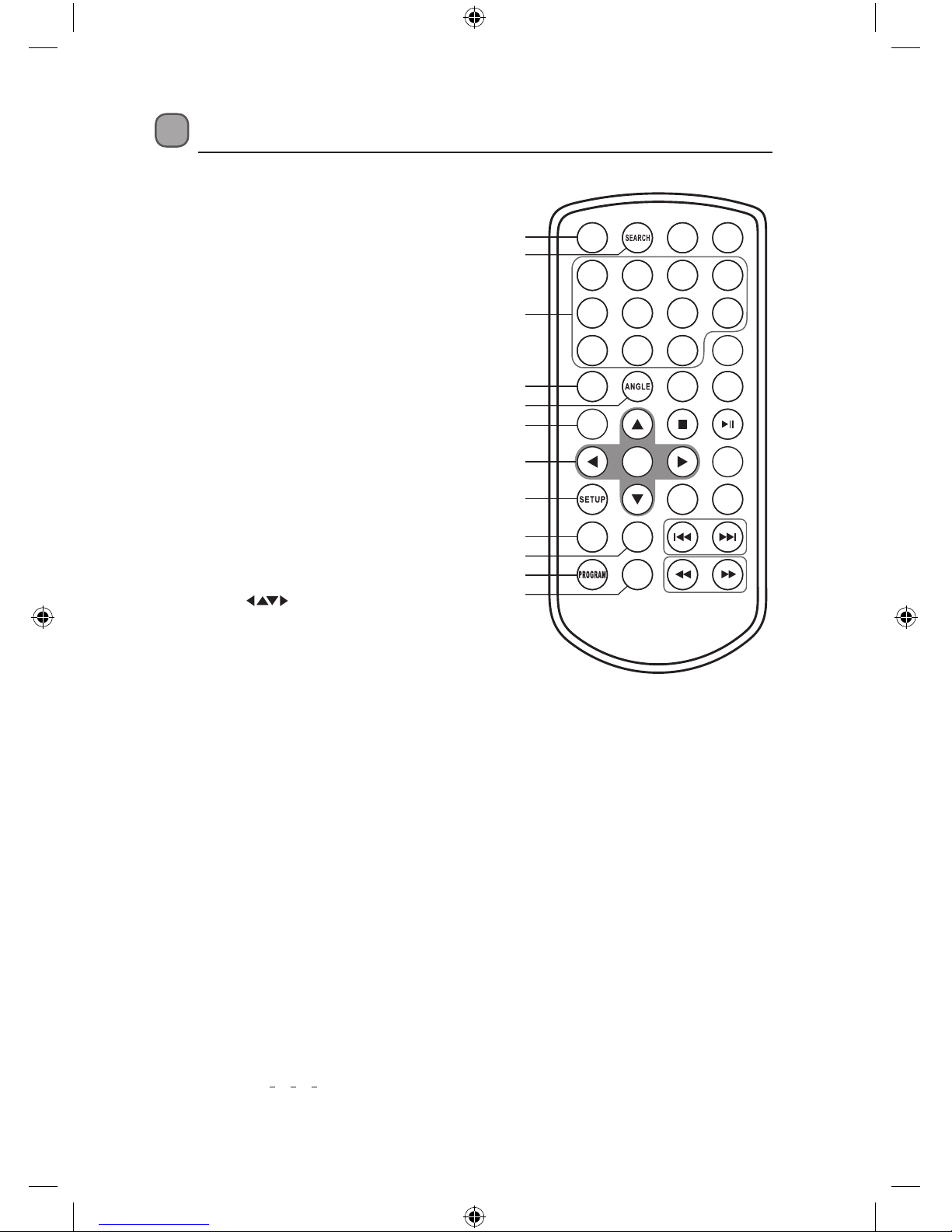
1. STEP Button
Frame Advance in DVD mode.
2. SEARCH Button
To search and start playback from a
selected point on the disc.
3. 0-9, 10+ Number Buttons
Create programs or locate a title/
chapter/track or specic time.
4. SUBTITLE Button
Select one of the subtitle languages
programmed on a DVD (if available).
5. ANGLE Button
Switch between multiple camera
angles when the DVD you are playing
has been programmed with multiple
camera angles.
6. TITLE Button
Return to DVD Title Menu.
7. Cursor Buttons
Move between selections on a menu
screen and adjust certain settings.
ENTER Button
Conrm selections on a menu screen.
8. SETUP Button
Display the SETUP menu.
9. REPEAT Button
Repeat a DVD chapter or title.
Repeat a CD track or the entire disc.
10. SLOW Button
Press repeatedly to enter slow
playback, and cycle between dierent
speeds.
11. PROGRAM Button
Program the playback of favourite
titles/chapters/tracks from the disc in
DVD / CD mode.
Press repeatedly to select the slide
show mode for playing JPEG pictures.
12. ZOOM Button
To zoom in during DVD playback.
(2x, 3x, 4x, 1
2x, 1
3x, 1
4x)
L7SPDVD11_IB_110322_Zell.indd 9 22/03/2011 12:15 PM

GB-10
1 2 34
56 7 8
9 0 10+
REPEAT
TITLE
ENTER
MODE
SUBTITLE
AUDIO
MUTE
SOURCE
STEP
DISPLAY
MENU
VOL+VOL-
SLOW
ZOOM
13. SOURCE Button
Select among the dierent input
sources: DVD / USB / Memory
Card.
14. MUTE Button
To mute or restore your DVD
sound output.
15. DISPLAY Button
To display the playtime and show
status information on the screen.
16. MENU Button
To enter and exit the main DVD
menu.
17. AUDIO Button
To select one of the audio sound
tracks on a DVD (if more than one
is available) or select the audio
output mode on a CD.
18. Button
Press to start playback or pause.
19. STOP Button
Press to stop playing a disc.
20. MODE Button
Adjust Sharpness, Brightness,
Contrast, Hue and Saturation of
the LCD display.
21. VOL + / – Button
Press to adjust the volume.
22. Buttons
Press to move forward/backward
to next/previous titles/chapters/
tracks.
23. Buttons
Press to start fast forward/reverse
playback at 5-level speed (x2, x4,
x8, x16, x32).
13
16
17
18
19
20
21
22
23
14
15
L7SPDVD11_IB_110322_Zell.indd 10 22/03/2011 12:15 PM
Table of contents
Other Logik Portable DVD Player manuals

Logik
Logik L12PDVD14 User manual

Logik
Logik L9DUALM12 User manual

Logik
Logik L7TWIN11 User manual

Logik
Logik L72PDT11E Service manual

Logik
Logik L71PDT12E User manual

Logik
Logik L7DUALM11 User manual

Logik
Logik L10SPDV13 User manual

Logik
Logik L9PDVD10 User manual

Logik
Logik L9SPDW14 User manual

Logik
Logik L72PDT13E User manual