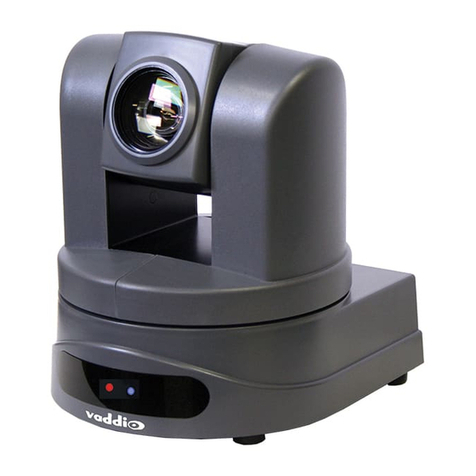
Vivotek TD5196A User manual

User’s Manual
2MP • 720P@60fps • Day & Night • 2DNR & 3DNR • 30M IR
Fixed Dome
Network Camera
TD5196A
Rev. 1.0

VIVOTEK
2 - User's Manual
Table of Contents
Overview ..............................................................................................................................................................3
Revision History ...............................................................................................................................................3
Read Before Use..............................................................................................................................................4
Package Contents ............................................................................................................................................4
Symbols and Statements in this Document......................................................................................................5
Physical Description ........................................................................................................................................5
Hardware Installation........................................................................................................................................7
Network Deployment ......................................................................................................................................13
Software Installation .......................................................................................................................................16
Ready to Use..................................................................................................................................................17
Accessing the Network Camera .................................................................................................................... 18
Using Web Browsers......................................................................................................................................18
Using RTSP Players.......................................................................................................................................21
Using 3GPP-compatible Mobile Devices........................................................................................................22
Using VIVOTEK Recording Software .............................................................................................................23
Main Page......................................................................................................................................................... 24
Client Settings .................................................................................................................................................. 29
Conguration.................................................................................................................................................... 34
System > General settings .............................................................................................................................35
System > Homepage layout ..........................................................................................................................37
System > Logs ...............................................................................................................................................40
System > Parameters ....................................................................................................................................42
System > Maintenance...................................................................................................................................43
Media > Image .............................................................................................................................................47
Media > Video ................................................................................................................................................58
Media > Video ................................................................................................................................................59
Network > General settings............................................................................................................................66
Network > Streaming protocols ....................................................................................................................73
Network > SNMP (Simple Network Management Protocol)...........................................................................82
Security > User accounts ...............................................................................................................................83
Security > HTTPS (Hypertext Transfer Protocol over SSL) .................................................................84
Security > Access List ..................................................................................................................................91
PTZ > PTZ settings ........................................................................................................................................96
Event > Event settings..................................................................................................................................100
Applications > Motion detection....................................................................................................................114
Applications > Tampering detection ............................................................................................................. 117
Applications > Package management - a.k.a., VADP (VIVOTEK Application Development Platform) ....... 118
Recording > Recording settings ..................................................................................................................121
Local storage > SD card management.........................................................................................................126
Local storage > Content management .........................................................................................................127
Appendix ........................................................................................................................................................ 130
URL Commands for the Network Camera....................................................................................................130
Technical Specications ...............................................................................................................................319
Technology License Notice...........................................................................................................................321

VIVOTEK
User's Manual - 3
Electromagnetic Compatibility (EMC)....................................................................................................... 322
Overview
VIVOTEK’s TD5196A is an easy-to-use xed dome network camera specically designed for indoor
security applications, with a 2MP sensor enabling a viewing resolution of 1920x1080 at a smooth
30 fps. Dynamic and highly adaptable, the camera is an all-in-one camera capable of capturing
high quality video at high resolutions of up to 2 Megapixels.
The TD5196A features VIVOTEK’s sophisticated Smart Stream II technology, allowing the camera
to optimize image quality for desired regions, and thus ensure maximum efciency of bandwidth
usage and savings of up to 50% on bandwidth and storage requirements.
What’s more, in order to adapt to constantly changing lighting conditions, the camera features
a removable IR-cut lter as well as IR illuminators effective up to 20M for superior image quality
around the clock. Incorporating a number of advanced features standard for VIVOTEK cameras,
including video rotation, defog, a dedicated MicroSD/SDHC/SDXC card slot, and VIVOTEK’s
32-channel recording software, the camera is the ideal solution for your indoor surveillance needs.
Revision History
■ Rev. 1.0: Initial release.

VIVOTEK
4 - User's Manual
Read Before Use
The use of surveillance devices may be prohibited by law in your country. The Network Camera
is not only a high-performance web-ready camera but can also be part of a exible surveillance
system. It is the user’s responsibility to ensure that the operation of such devices is legal before
installing this unit for its intended use.
It is important to first verify that all contents received are complete according to the Package
Contents listed below. Take note of the warnings in the Quick Installation Guide before the Network
Camera is installed; then carefully read and follow the instructions in the Installation chapter to
avoid damage due to faulty assembly and installation. This also ensures the product is used
properly as intended.
The Network Camera is a network device and its use should be straightforward for those who
have basic networking knowledge. It is designed for various applications including video sharing,
general security/surveillance, etc. The Configuration chapter suggests ways to best utilize the
Network Camera and ensure proper operations. For creative and professional developers, the URL
Commands of the Network Camera section serves as a helpful reference to customizing existing
homepages or integrating with the current web server.
Package Contents
■ TD5196A
■ Screws, anchors, QIG, alignment sticker.

VIVOTEK
User's Manual - 5
Symbols and Statements in this Document
i
INFORMATION: provides important messages or advices that might help prevent
inconvenient or problem situations.
NOTE: Notices provide guidance or advices that are related to the functional integrity of
the machine.
Tips: Tips are useful information that helps enhance or facilitae an installation, function,
or process.
WARNING: or IMPORTANT:: These statements indicate situations that can be
dangerous or hazardous to the machine or you.
Electrical Hazard: This statement appears when high voltage electrical hazards might
occur to an operator.
Physical Description
Outer View
Dome cover
Release button

VIVOTEK
6 - User's Manual
Many copper coated aluminum (CCA) and other non-standard conductors cabling products
are masqueraded as CAT5E or CAT6 cables. Please avoid using these CCA products
especially when cascading PoE cameras. It is a must to use Ethernet cables compliant
with the 3P/ETL standard.
IMPORTANT:
Inner View
Reset button
Lens
MicroSD card slot
IR LEDs
Tilt scew Zoom & focus pullers
Tilt scew
Ethernet port
LEDs

VIVOTEK
User's Manual - 7
Hardware Installation
2.Press the release button to remove the dome cover.
0002D10766AD
XXXXXX
1
1.Jot down the camera's MAC address for later reference.

VIVOTEK
8 - User's Manual
3.Use the included alignment sticker to drill holes for mounting screws and a cabling hole if
applicable. Depending on the mount surface, hammer in the screw anchors.
4.Drive screws to the mount holes and secure the camera to the ceiling or wall. Pull a
CAT5e Ethernet cable through the hole.

VIVOTEK
User's Manual - 9
5.Powered by a PoE switch or injector, you can now open a web console with the camera
and check the live video.
0002D1730202
00-02-D1-73-02-02 192.168.5.151 FD8168
IW2
Browser
LAN
6. Install the "Installation Wizard 2" software utility on your software CD.
7. The program will search for VIVOTEK Video Receivers, Video Servers or Network
Cameras on the same LAN.
8. Double-click on the camera's MAC address to open a browser management session
with the camera.
1
2
3
350°
350°
70°
9. Rotate and tilt and lens module until a satisfactory eld of view is found. Use a Phillips
screwdriver to loosen the tilt screw.

VIVOTEK
10 - User's Manual
10. Install the dome cover by aligning the cabling side cover with the crescent cutout.
Table of contents
Other Vivotek Security Camera manuals

Vivotek
Vivotek IB9371-HT User manual

Vivotek
Vivotek FD8167 User manual

Vivotek
Vivotek SD83X4E User manual

Vivotek
Vivotek KA-SD10 User manual

Vivotek
Vivotek IP7160 User manual

Vivotek
Vivotek FE8174V User manual

Vivotek
Vivotek IP6112 User manual

Vivotek
Vivotek SF8172V User manual

Vivotek
Vivotek FD8179-H User manual

Vivotek
Vivotek MD7530 User manual

Vivotek
Vivotek FD7141 User manual

Vivotek
Vivotek IB8354-C User manual

Vivotek
Vivotek FD8133 User manual

Vivotek
Vivotek IP8162 User manual

Vivotek
Vivotek IP8172 User manual

Vivotek
Vivotek IB9367-EH User manual

Vivotek
Vivotek SD8362E User manual

Vivotek
Vivotek PT3114 User manual

Vivotek
Vivotek CD8371-HNVF2 User manual

Vivotek
Vivotek FD8365HV User manual