
TriMark e-FOB User manual

e-ASK
electronic Access Security Keyless-entry
e
e-
-FOB
FOB
Keyless
Keyless-
-entry System
entry System
Full
Full-
-Function Installation Manual
Function Installation Manual
FCC ID: TV2EFOB1
FCC ID: TV2EFOB1
(UM20~ 22793-02)

Table of Contents
Introduction................................................................................... 1
e-FOB Operation and Features—Standard Mode ..................... 2
e-PAD Operation and Features—Cargo Mode........................... 3
Teaching Additional FOB Transmitters ..................................... 4
Training Wireless Switches...................................................... 5
Smart LED ............................................................................... 5
Dip Switch Setting Assignment.................................................. 6
DIP Switch #1: Cargo/Standard Mode....................................... 7
DIP Switch #2: Sustained Output............................................... 7
DIP Switch #3: Unassigned ....................................................... 7
DIP Switch #4: Unassigned ....................................................... 7
DIP Switch #5: Headlights Supervision...................................... 7
DIP Switch #6: Arm Alarm ......................................................... 7
DIP Switch #7: Automatic Lock/Unlock...................................... 7
DIP Switch #8: FOB Long Unlock Output Selection.................. 8
DIP Switch #9: FOB Long Unlock Time Selection..................... 8
DIP Switch #10: 3rd Unlock/Staggered Lock............................. 8
DIP Switch #11: Unassigned..................................................... 8
DIP Switch #12: Unassigned..................................................... 8
Additional System Features........................................................ 8
Light Activation........................................................................... 8
2nd Unlock Output...................................................................... 8
3rd Unlock / Staggered Lock Output.......................................... 8
Auxiliary Output.......................................................................... 9
2nd Auxiliary Output................................................................... 9
Panic Mode................................................................................ 9
Lock/Unlock Confirmation.......................................................... 9
Lock/Unlock Confirmation Control ............................................. 9

Starter Kill Feature..................................................................... 9
Emergency Override..................................................................10
Vehicle Alarm ............................................................................10
Troubleshooting........................................................................... 11
Appendix: Installation and Mounting e-FOB System............... I
General Mounting Guidelines:................................................... I
Connection Information ............................................................. I
RF Receiver............................................................................... I
Wiring Color Code Tables and Diagrams.................................. II
Typical Wiring Configurations ................................................... IV

Introduction
This manual provides the necessary information for the installation
and use of TriMark’s RF transmitter/receiver system. Basic functions
of the system include:
Locking and unlocking entry and compartment doors
Light activation
Panic mode (standard)
Auxiliary functions (standard)
The e-FOB system includes:
Receiver
2 FOB transmitters
Smart LED
Push button switch
The receiver and FOB transmitters are shipped programmed. After
making all necessary wiring connections (see Appendix page IV), the
e-FOB system will function as described.
1

e-FOB Operation and Features—Standard Mode
Horn button
Unlock button
2
Button Function
Lock Locks all doors and arms security system.
Unlock Unlocks entry doors and disarms security system. Also
activates the porch light.
Horn button Activates panic mode when pressed and held for 2
seconds.
*button *button function is OEM/dealer defined. Possible
assignment include: interior/exterior lighting, awning
extension/retraction, gas cap, hood, etc.
*button
Unlock button
Lock button
Notes:
While the engine is running only the unlock function of the
e-FOB remains activated — other functions are deactivated.
For information on changing the default configuration, see
DIP Switch Setting Assignment on page 12.

e-FOB Operation and Features—Cargo Mode
Cargo Lock
Entry Unlock
Button Function
Entry Lock Locks entry doors and arms security system.
Entry Unlock Unlocks entry doors and disarms security system. Also
activates the porch light.
Cargo Lock Locks compartment doors and arms security system.
Cargo Unlock Unlocks compartment doors and disarms security
system.
Entry Lock
Cargo Unlock
Notes:
While the engine is running only the entry unlock function of the
e-FOB remains activated — other functions are deactivated.
For information on changing the default configuration, see DIP
Switch Setting Assignment on page 6.
3

Teaching Additional FOB Transmitters
1. Plug the LED into C6 and the push button into C7 on the
receiver. The OEM may have already installed these into the
vehicle
2. Turn ignition off and disarm alarm.
3. Press and release the programming button 3 times. The LED
will turn on after 3 seconds.
4. Press and release the lock (Entry Lock) of each new FOB
transmitter once. The LED will flash and the horn and siren will
sound once. Up to 60 transmitters may be programmed at one
time.
Notes:
If you place the system in learn mode and teach nothing, the
system will exit in 10 seconds.
When new transmitters are taught, all old transmitters are
erased.
The memory for codes will not be erased if power is removed.
As soon as the LED turns off, the system is fully functional.
4

Training Wireless Switches
Up to 20 wireless switches can be trained to the RF controller. A
wireless switch can provide door ajar information, input from a shock
sensor, motion sensor, glass break sensor, etc.
1. Plug the LED into C6 and the programming button into C7 on
the receiver.
2. Turn ignition off and disarm alarm.
3. Place the wireless sensor being trained and magnet close to
one another.
4. Press and release the programming button 5 times. The LED
will turn on green after 2 seconds.
5. Press the programming button X number of times to store the
wireless sensor in position X (1-25). The LED will briefly flash
red.
6. Remove the magnet from the wireless sensor to activate the
output. The horn will honk and the siren will sound.
7. Repeat steps 4 and 5 to train additional wireless sensors. If two
sensors are trained to the same position, only the second
sensor will be active.
Notes:
As soon as the LED turns off, the system is fully functional.
The system exits learn mode after 10 seconds of inactivity.
To erase all wireless sensors, turn ignition on and press the
programming button 10 times. The horn and siren will sound
once to indicate that all sensors have been erased.
The memory for codes will not be erased if power is removed.
Smart LED:
The smart LED indicates system status:
Slow Flash = Armed
Off = Disarmed
Fast Flash = Alarm activated since last unlock input
5

Dip Switch Setting Assignment
The DIP Switch settings control additional functions. Power to the
receiver should be disconnected and reconnected after a DIP switch is
changed. Functional assignments are described below:
Switch
#1 Standard vs Cargo
Mode ON = Cargo
Mode OFF = Standard
Mode
#2 Left & Right Buttons
Output ON = Sustained OFF = Pulse
#3 — — —
#4 — — —
#5 Headlights
Supervision ON = 0.5 sec.
pulse OFF = 30 sec.
#6 Arm Alarm ON = 1 lock
button press OFF = 2 lock
button presses
#7 Automatic Lock/
Unlock ON = Enabled OFF = Disabled
#8 Keypad #5 Output
and FOB long unlock ON = Lights
output for 5 min. OFF = Aux 2
output for 5 min.
#9 Keypad #5 Output
and FOB long unlock ON = Output
0.25 sec. pulse OFF = Output on
for 5 min.
#10 3rd Unlock Output ON = staggered
with lock OFF = activated
with unlock
DIP Switch Settings
#11 — — —
#12 — — —
6

DIP Switch #1: Cargo/Standard Mode
DIP Switch #1 ON: pressing the Cargo Lock (center left) button
pulses the staggered lock output. A Cargo Unlock (center right)
button press provides pulses from Auxiliary and 2nd unlock
outputs.
DIP Switch #1 OFF: the Horn button (center left) activates panic
mode. Horn, siren, lights, parking lights activate for 30 seconds.
The * button (center right) pulses the Auxiliary Output.
DIP Switch #2: Sustained Output
(This switch is ignored unless DIP #1 is OFF)
DIP switch #2 ON: the center left and right buttons provide
sustained outputs. Output lasts as long as the button is pressed
–up to 30 seconds.
DIP switch #2 OFF: the center left and right buttons provide a
pre-set timed pulse.
DIP Switch #3: Unassigned
DIP Switch #4: Unassigned
DIP Switch #5: Headlights Supervision
DIP switch #5 ON: the headlights flash once on an unlock
command.
DIP switch #5 OFF: the headlights are actuated with the dome
lights. Lights remain illuminated for 30 seconds with an unlock
command. Arming the alarm or starting the vehicle deactivates
the lights immediately.
DIP Switch #6: Arm Alarm
DIP switch #6 ON: a single lock press locks doors and arms
alarm.
DIP switch #6 OFF: first lock press locks doors. Second lock
press arms alarm.
DIP Switch #7: Automatic Lock/Unlock
DIP switch #3 ON: the auto-locking feature is activated. All
doors are locked 5-seconds after ignition start. Doors unlock
when the ignition is turned off. THIS FEATURE IS CANCELED
if a door is open when the ignition is started. This protects
against accidental locking of keys in the vehicle.
DIP switch #3 OFF: Automatic lock/unlock feature is disabled.
7
Other manuals for e-FOB
4
Table of contents
Other TriMark Car Alarm manuals


Popular Car Alarm manuals by other brands


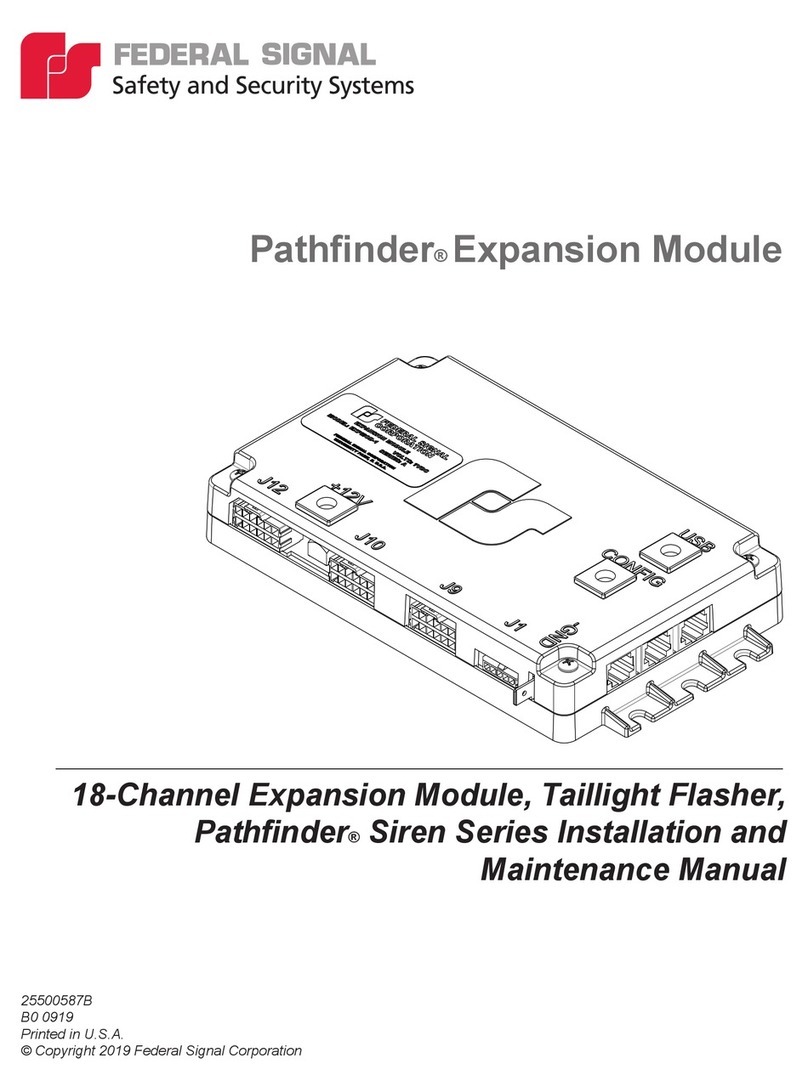
Federal Signal Corporation
Federal Signal Corporation Pathfinder Siren Series Installation and maintenance manual

Falcon
Falcon Predator XL3 Installer manual

Audiovox
Audiovox Auto Security XR91 Programming guide

Clifford
Clifford Sabre II owner's manual

CrimeStopper
CrimeStopper CS-8717 Wiring diagram

Ultra Start
Ultra Start 450 SERIES install guide


