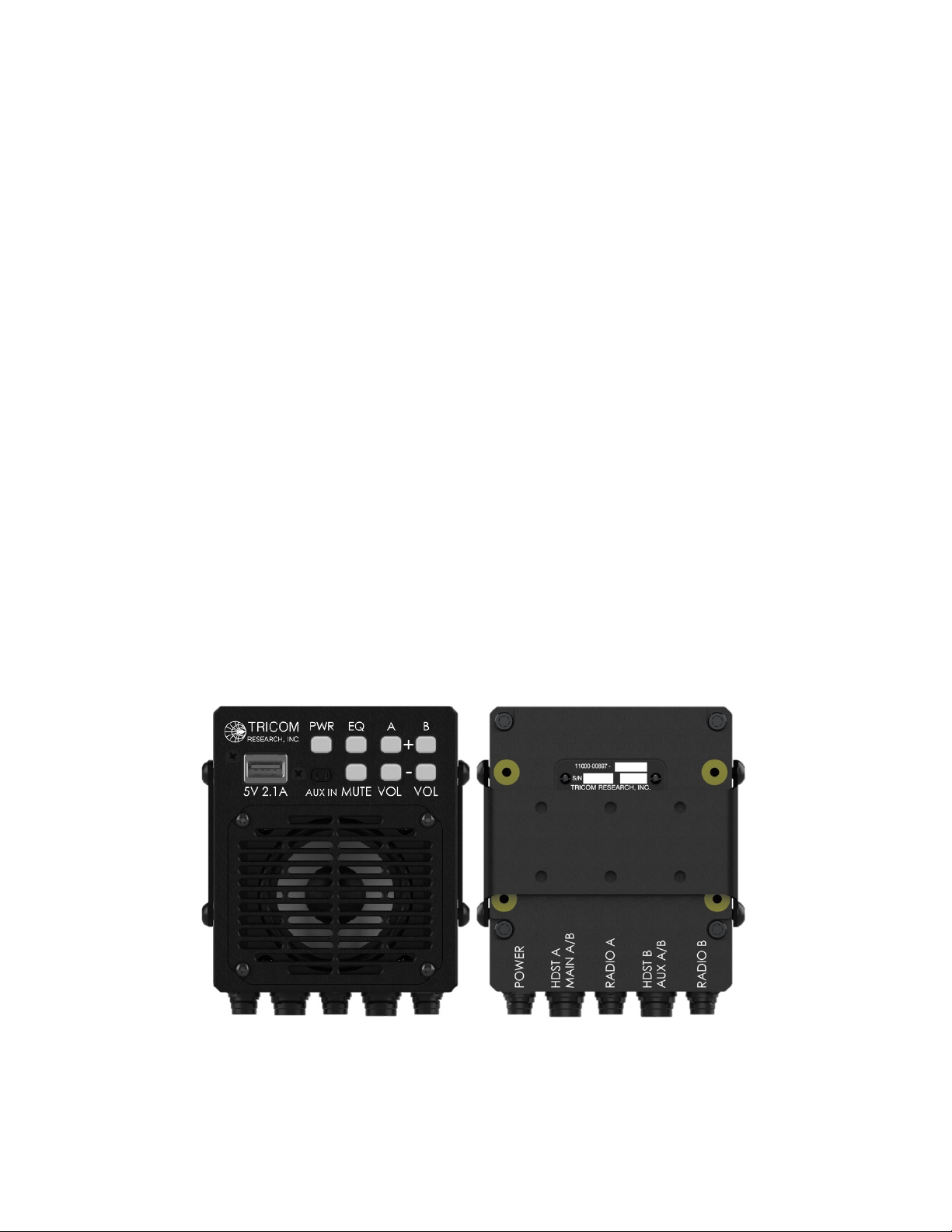
the speaker is on. Press and hold the PWR button for more than two seconds to power down
the speaker. While off, handset and radio connections are straight pass-throughs enabling
communication using the handsets.
PWR Pushbutton – Brightness - To change the brightness of button backlighting, press the
PWR button momentarily. Each press will cycle through four levels of brightness: bright,
medium, medium-low, low.
EQ Pushbutton – Equalizer – Pressing the EQ button cycles equalizer settings for radio and
auxiliary audio, each with four factory settings: flat, low, mid, and high emphasis. Each
momentary press of the button results in a single tone that corresponds to the setting; a dual
tone indicates the factory setting. Settings for radio traffic are selected by pressing the EQ
button while receiving radio traffic or when no audio is playing. Settings for auxiliary audio
are selected by pressing the EQ button while playing auxiliary audio.
MUTE Pushbutton – Mute – Pressing the Mute button cycles mute conditions: Mute A/B,
Mute A, Mute B, Mute OFF. A single short tone indicates Mute OFF has been selected. The
Mute button is backlit green during any active mute condition.
NOTE: The mute button only mutes radio audio. Any audio played through the Aux port will
not be muted.
A+ Pushbutton – Volume – Momentary presses of the A+ button increases volume in ten
steps (audio logarithmic taper) with each increase indicated by a single short tone. A single
long tone indicates maximum volume has been selected. Holding the A+ button increases
volume through the steps continuously. The A+ button is backlit green anytime Net A is
muted. The A+ button will flash when Net A is muted and radio traffic is detected, alerting
the user to missed radio traffic.
A- Pushbutton – Volume – Momentary presses of the A- button decreases volume in ten
steps with each increase indicated by a single short tone. A single long tone indicates
minimum volume has been selected. Holding the A- button decreases volume through the
steps continuously.
B+ Pushbutton – Volume – Momentary presses of the B+ button increases volume in ten
steps (audio logarithmic taper) with each increase indicated by a single short tone. A single
long tone indicates maximum volume has been selected. Holding the B+ button increases
volume through the steps continuously. The B+ button is backlit green anytime Net B is
muted. The B+ button will flash when Net B is muted and radio traffic is detected, alerting the
user to missed radio traffic.
B- Pushbutton – Volume – Momentary presses of the B- button decreases volume in ten steps
with each increase indicated by a single short tone. A single long tone indicates minimum
volume has been selected. Holding the B- button decreases volume through the steps
continuously.
NOTE: The speaker volume buttons do not change auxiliary audio volume.